Best Of
Re: Spending Plan Redesign: Share your feedback here!
I also get this overspent error in the Planned Spending. I use my Planned Spending categories as general targets but will flex them during the month based on actual needs. For example some months I have no spend on Pets or Home Maintenance so I can reallocate that planned spending to Restaurants or Groceries if I prefer. The old Spending Plan would update immediately when you updated categories. This seems to be bugged now.
Re: Spending Plan Redesign: Share your feedback here!
I don't think that Transfers should be mixed with Excluded Bills. That'll make it really hard for me to find bills that might have been excluded by mistake. I have many many transfers every month (eg: each credit card's payment comes with 2, and that's not all that there are) and I think they should be in a separate section - either within Bills or as a separate top-level section.
 EL1234
Re: Spending Plan Redesign: Share your feedback here!
I completely disagree on the look of the new update but that is personal opinion. I personally never needed to be handheld on how the pieces fit together and prefer the old simpler and cleaner view of the full picture.
But on your Bills & Subscriptions spending being similar comment, you are very right from a minimum functional objective standpoint. I think a different execution of the objective would’ve caused less ire. Ultimately, what you are asking for is the sum total number of the Bills+Subscriptions. I agree this is a very helpful number and if they’d just added that one sum total in the old Spending Plan, like on the Income/Bills detail page somewhere, then that would have accomplished the mission perfectly and wouldn’t have required a wholesale redesign. The new transaction register view of Bills/Subscriptions/Transfers is chaotic to look at and far from simple to use because of the chaos. And it removes the quick glance ability to flip through future months on the Income/Bills page and see how your Bills/Subscriptions and even Income/Transfers total numbers are changing in future months without have to change filter settings each month, and it makes it just harder to see those Bill vs Subscription vs Transfer totals in general. So basically, to solve a simple “we need to add a total sum number somewhere of all Bills/Subscriptions” they removed highly valuable budget planning functionality that the old setup had. To me, this is the major flaw in this new update and a huge negative on the primary selling point for Quicken Simplifi over other budgeting apps.
I will also add that for folks that prefer to just have one list, they always had the option to just categorize everything as Bills and never look back. But this choice removes functionality of easily seeing changes in subscription costs and identifying charges you didn’t intend to renew or increases in subscription charges that you’d rather cancel at new price. Subscriptions by nature are things that are easier to cancel than Bills.
Re: Spending Plan Redesign: Share your feedback here!
I like the look of the new update but very frustrated that bills and subscriptions cannot be sorted and viewed at the same time. The only way to see them separated is showing one at a time. I really liked the previous view seeing my bills and subscriptions separated but on the screen at the same time.
Pargo
Re: Spending Plan Redesign: Share your feedback here!
I much prefer the bills, subscriptions and transfers to be listed separately as they previously were. It looks so disorganized now. Lease list them using a down arrow to expand each heading.
I wish all screens included a down arrow to expand the information in a list below each heading instead of the arrow to the right which creates an entirely new page; then all the info would be on one page!
And why do we have to include the option to list excluded transactions? They are excluded. Can we please have an option to exclude them entirely from the spending plan?
Thanks,
Donna
Re: Bill Connect for Credit Cards: Share your feedback here!
@trewbux - "So the July payments have just gone through. And now there are no reminders showing up for August, and the next reminder is showing up in September."
I had the same experience with a credit card that I looked at today — no reminder for August, statement amount that should show up in missing August reminder now shows up in September reminder.
I changed the date on the "September" reminder to August and the next reminder after that now shows a September date.
It's like they had all shifted later by a month and by fixing the date on the first one (from September to August) I shifted them all back to their proper positions.
 DryHeat
Re: Bill Connect for Credit Cards: Share your feedback here!
I just turned this feature on for one of my credit cards and will keep an eye out for issues. So far, I see that my next reminder in August shows that the bill amount has been finalized, but it actually doesn't come out until around the 1st of the month. I'll let a billing cycle go through to see what happens, but it seems wonky to me. My September reminder indicates that it will instead be the one to update with my current aggregated balance. 🤔 I will report back with my experience on this!
As for the shifting or missing reminders, it may be best to delete and recreate the Recurring Series itself to see if the newly created Series behaves properly.

Re: Spending Plan Redesign: Share your feedback here!
With the new spending plan upgrade, the ability to see the money available per day was removed from the dashboard and I now have to click into the spending plan to see it. It seems like there is space to show the amount available per day under the total on the dashboard, so can it be added back?
Re: Notifications Reappearing
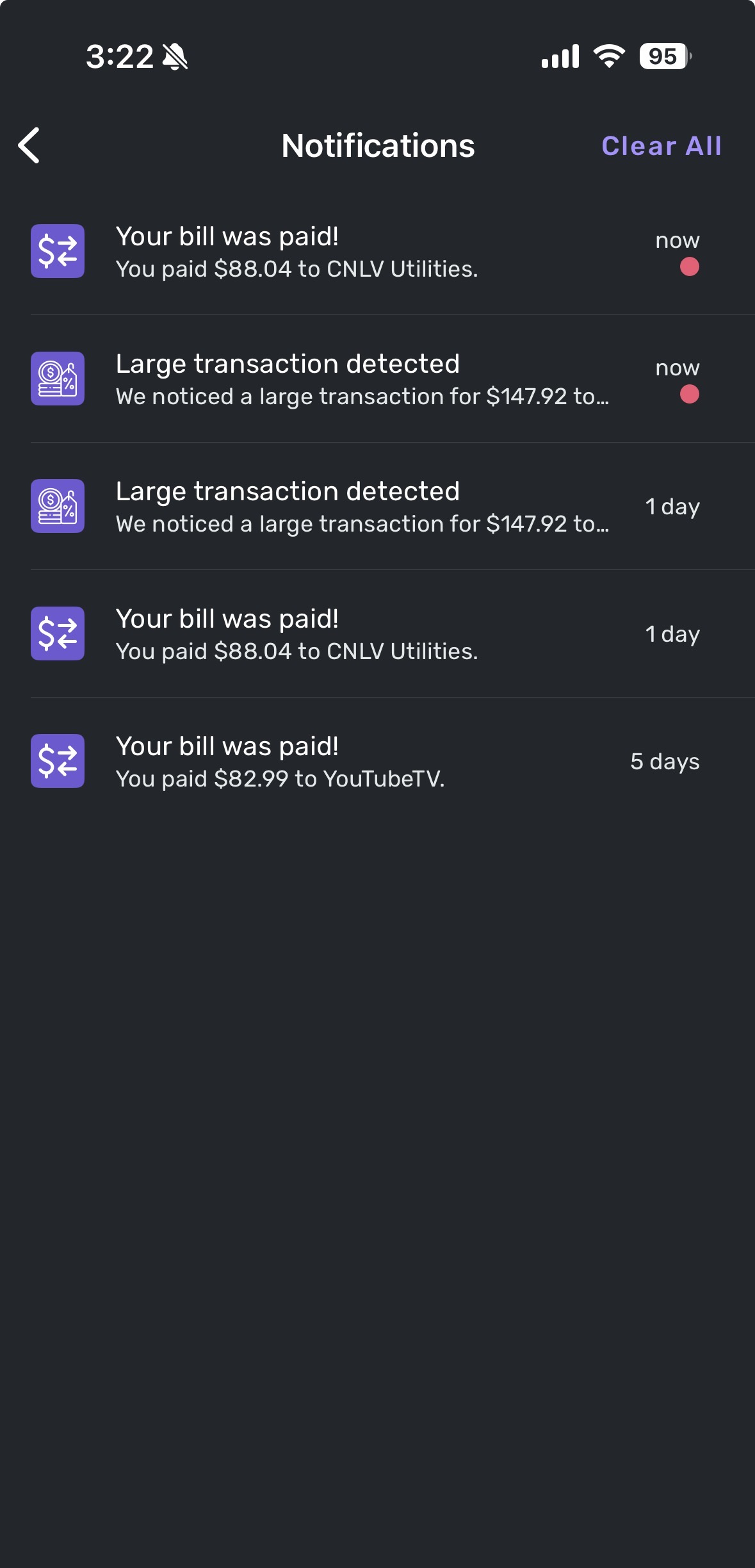
I opened the app on my iPhone first in order to grab any new transactions from the Apple card account. I generally do this every day. Here is a screenshot of the messages from the iPhone. The bottom 3 had been previously deleted from a different device, not sure when or which one. For today, I did not delete any of them - as you requested.
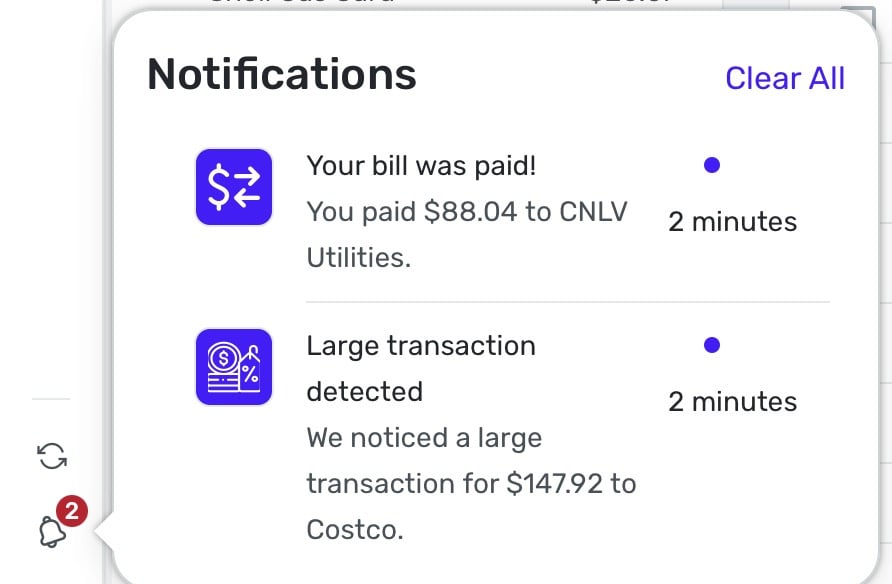
Then I opened the app on my Mac desktop. This is a screenshot of those messages. As you can see, the bottom 3 from the iPhone screenshot above are not there.
Next is a screenshot from my iPad.
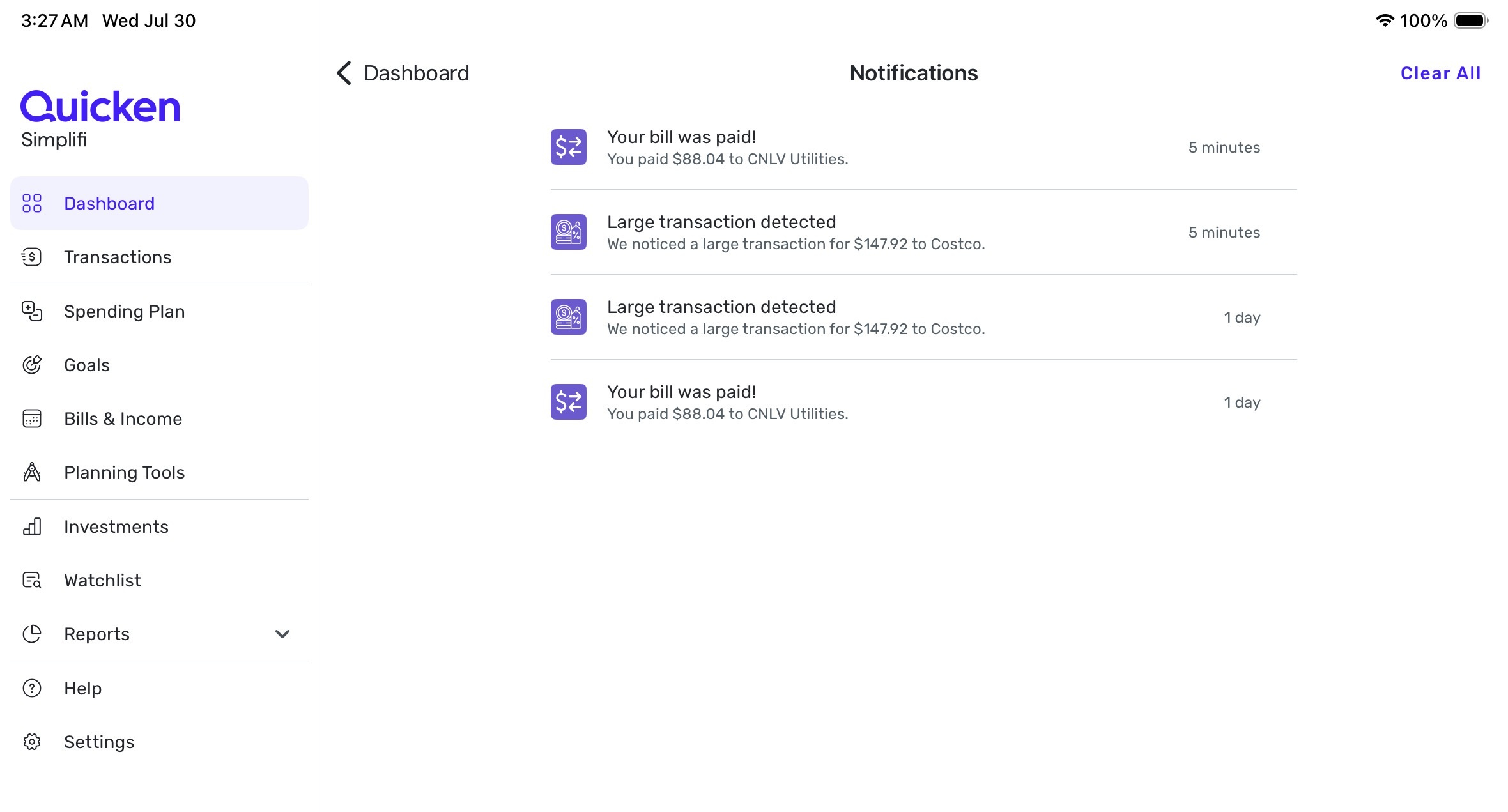
These screenshots were all taken within minutes of each other and I have not deleted any of them yet.
What would you like me to do next?

Re: [ONGOING] 04/30/25: Coinbase OAuth Migration Causing Incorrect Portfolio Display
ONGOING 05/15/25
This Alert is still listed as ongoing and there is currently no ETA on a resolution, though we are continuing to investigate the issue. We will be sure to post back when an update or resolution becomes available, so please bookmark this Alert to receive those notices when they occur.
We appreciate everyone's patience!
