Best Of
Re: Unable to view attachments when clicking the paperclip in the register (edited)
Hello @Dick_Davis,
Thanks for the information. I think we will need further clarification on the issue you are reporting here. To clarify, are you not able to open any attachment at all, or is this specific to just PDF files? Or can you still open the file normally via the arrow icon in the top right of the View Attachments window, and you are just reporting the lack of a preview as shown in your screenshot? Let us know!
-Coach Jon

Re: Unable to view attachments when clicking the paperclip in the register (edited)
Hello @Dick_Davis,
To clarify, is it just the previews not showing for PDF files? Or can you not open the attachment at all when selecting the arrow icon in the top right of the View Attachments window?
-Coach Jon
Re: Spending Plan Redesign: Share your feedback here!
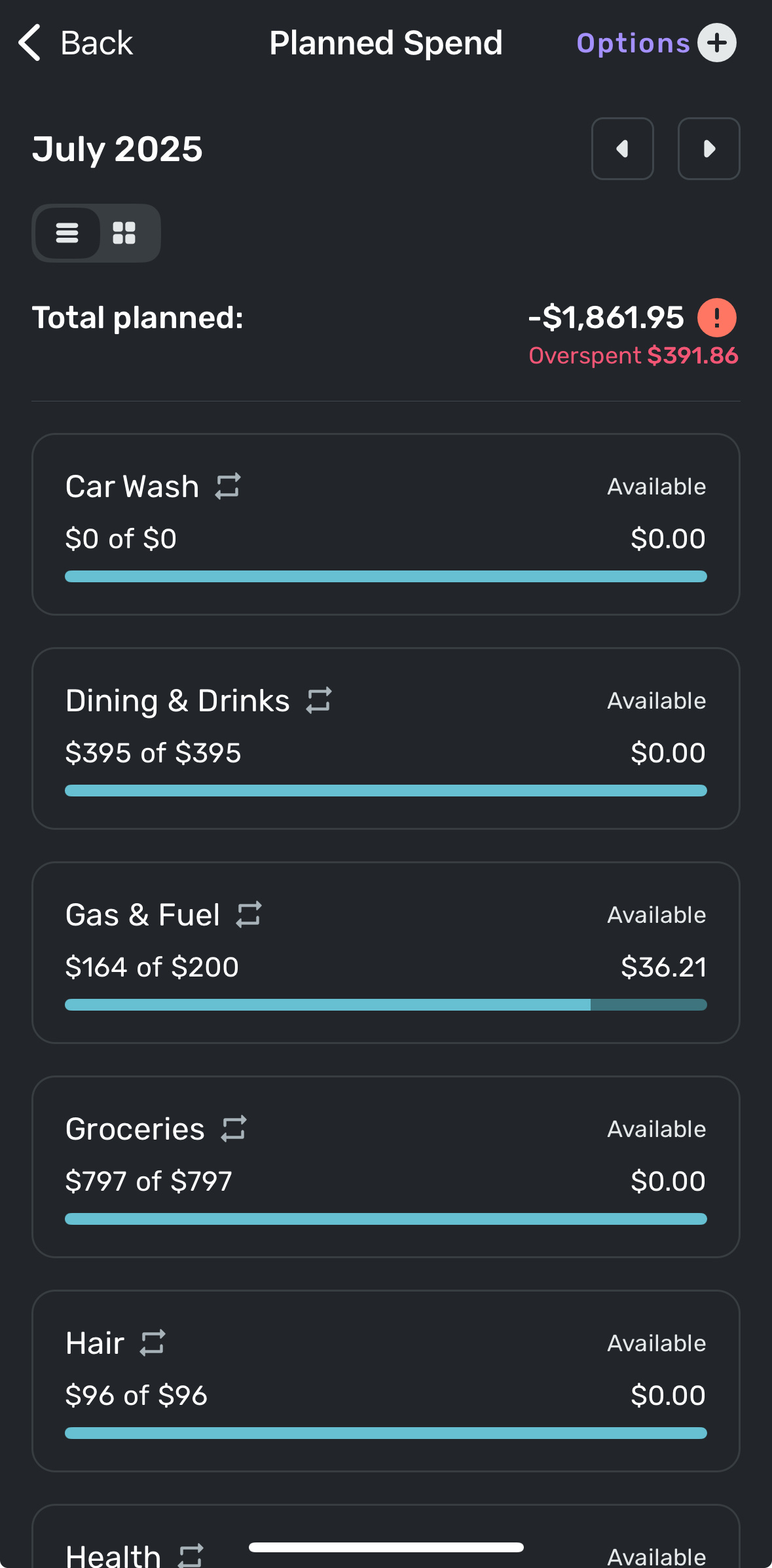
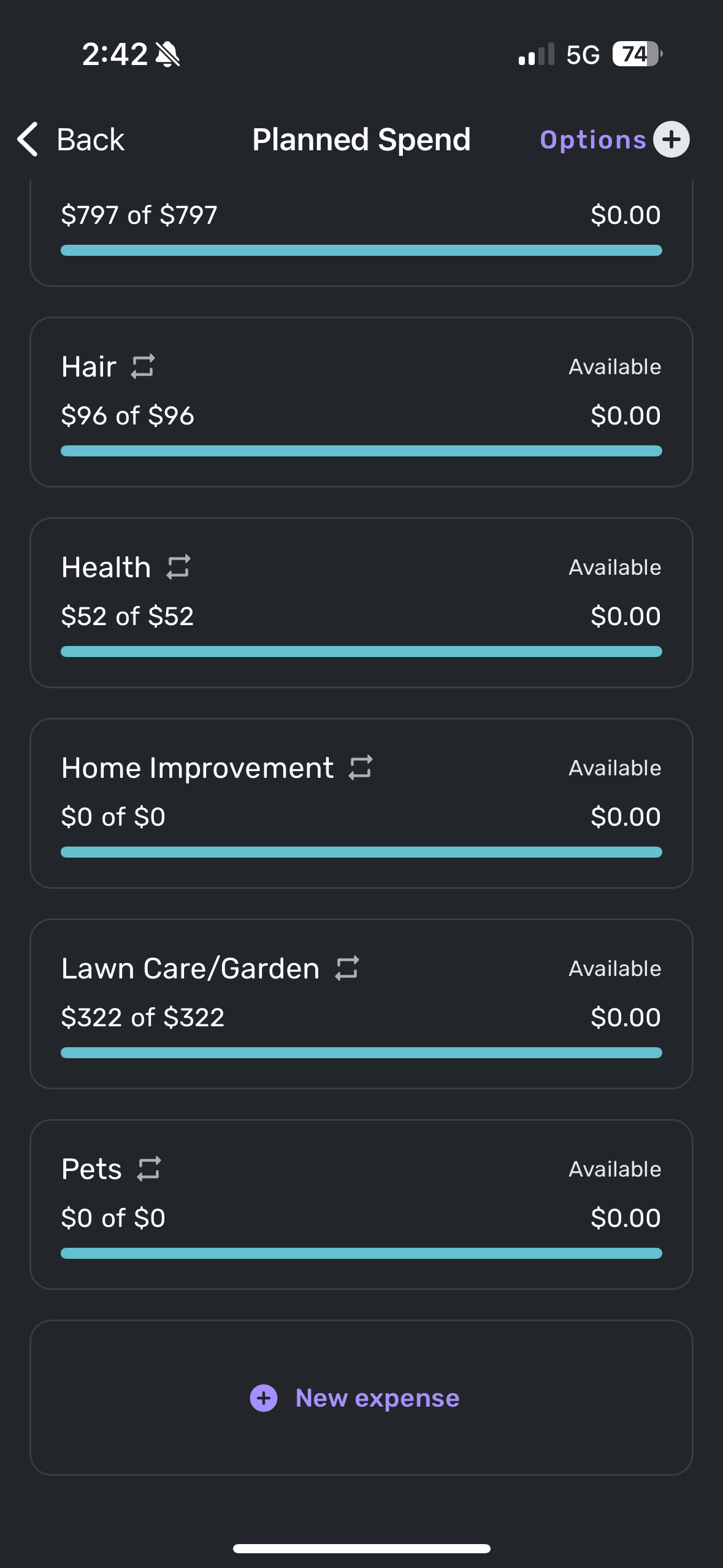
I overran this month’s planned spend on Dining and on Groceries due to unexpected family visits and on Lawn Care due to having to pay to take down a tree that fell over in a storm. What I can’t remember is which of those categories I had already corrected to give room in the Planned budget prior to the new Spending Plan update vs which ones I didn’t correct until after the update. But here are my screenshots showing no overruns in any categories but the overspent number at the top doesn’t want to go away. This could be an error caused by the update itself and may be no issue next month but I have no idea. Sharing details in case it does become a persistent problem. I only see this erroneous Overspent number on the Spending Plan in the Planned Spending page. Nowhere else.
Re: Allow for Child Support Category to be edited as Income and not default as Expense
Hey everyone!
All Categories and Subcategories can be edited and deleted in Quicken Simplifi. The only exceptions are Transfer Categories, Investment Categories, and the Category of 'Balance Adjustment'. With that, users can create, edit, or delete the Child Support Category to their preference.
Thanks!
-Coach Natalie

Re: Spending Plan Redesign: Share your feedback here!
@cloudquick, disregard! I see the issue on the Mobile App as well and have passed it along.
Thanks for letting us know!
Re: Restore the "Mark as one-time bill" option in the three-dot menu of transactions (edited)
Thank You! Works Great!
 kgaren
Re: Incorrect Transaction Payee
Hello @iakoubtchik,
Thanks for the reply! The first rule may not apply in this case due to the word "round" here. The original payee example you provided has the word round included as "Round-Ups". Are you able to remove the word "round" and keep the rule for statement names containing just the word "acorns"?
-Coach Jon
Re: Savings Goals - Can't withdraw from "saved so far" amount (edited)
Hello @bccoleman,
I apologize. After verifying with our product team, I can see that this issue has been reported already, and we are working on a solution at this time. A fix should be implemented soon!
-Coach Jon
Re: "Type/Action" field is missing when viewing Investment transactions in Reports on Mobile (edited)
Hello @simplira,
Thanks for reaching out! If you can please provide us with screenshots showing the issue you are describing, this would help us better understand what is occurring here.
-Coach Jon
Re: Restore the "Mark as one-time bill" option in the three-dot menu of transactions (edited)
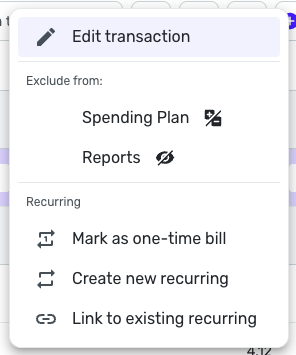
The "Mark as one-time bill" option has been added back to the three-dot menu of transactions!