Best Of
Re: Add DC College Savings Plan Aggregator URL (edited)
I figured it out. Once logged in to my account, I went to Password & Security Features and created a separate password for my Aggregator credentials. A separate ID was already created. I used those Aggregator credentials to add DC College Savings to Simplifi. Looks like this was designed to use with 3rd party sites like Simplifi.

Re: Spending Plan Redesign: Share your feedback here!
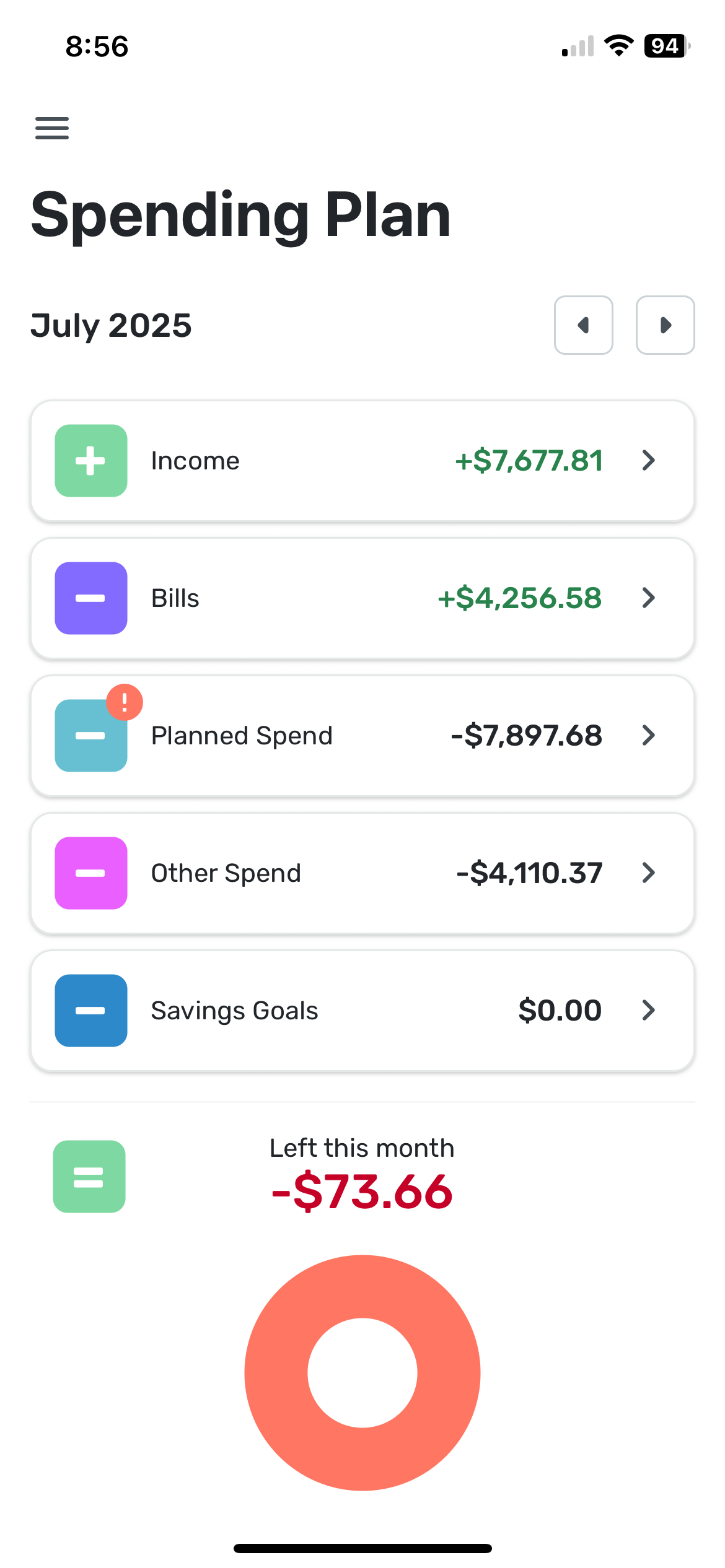
The UI looks cleaner however new grouping of transfers under bills creates a messy situation.
I use transfers from savings to offset the upcoming planned expense, so that my available balance shows correctly. Example: I have planned $7k for travel expenses. I saved them in savings account. If I just add planned expense, then the formula typical income-bills - $7k = -(available balance). That is not true since I saved up money through goals for this specific expense. To fix it, I transfer money from savings to checking and I exclude negative transaction, but make positive transaction visible in spending plan. Then the formula goes Income-bills +$7k transfer -$7k planned spending = +( available to spend).
With the update the formula still calculates correctly. However, because my positive transfers are reflected under Bills, now bills show +$4k. That really messes up financial picture.
please fix either grouping of transfers under bills (ungroup them please) or figure out how to accommodate the scenario of pre-saved money for upcoming expense so that available to spend is not affected by it.
Re: Spending Plan Redesign: Share your feedback here!
@Coach Natalie Nor am I. The only two that were empty this morning were Essentials and Concomitant. Essentials has always been first in my list, and I didn't mind because it was my major expense. But now they are all explicitly named and in alphabetical order. I like being able to do them by amount as well.
 SRC54
SRC54
Re: Spending Plan Redesign: Share your feedback here!
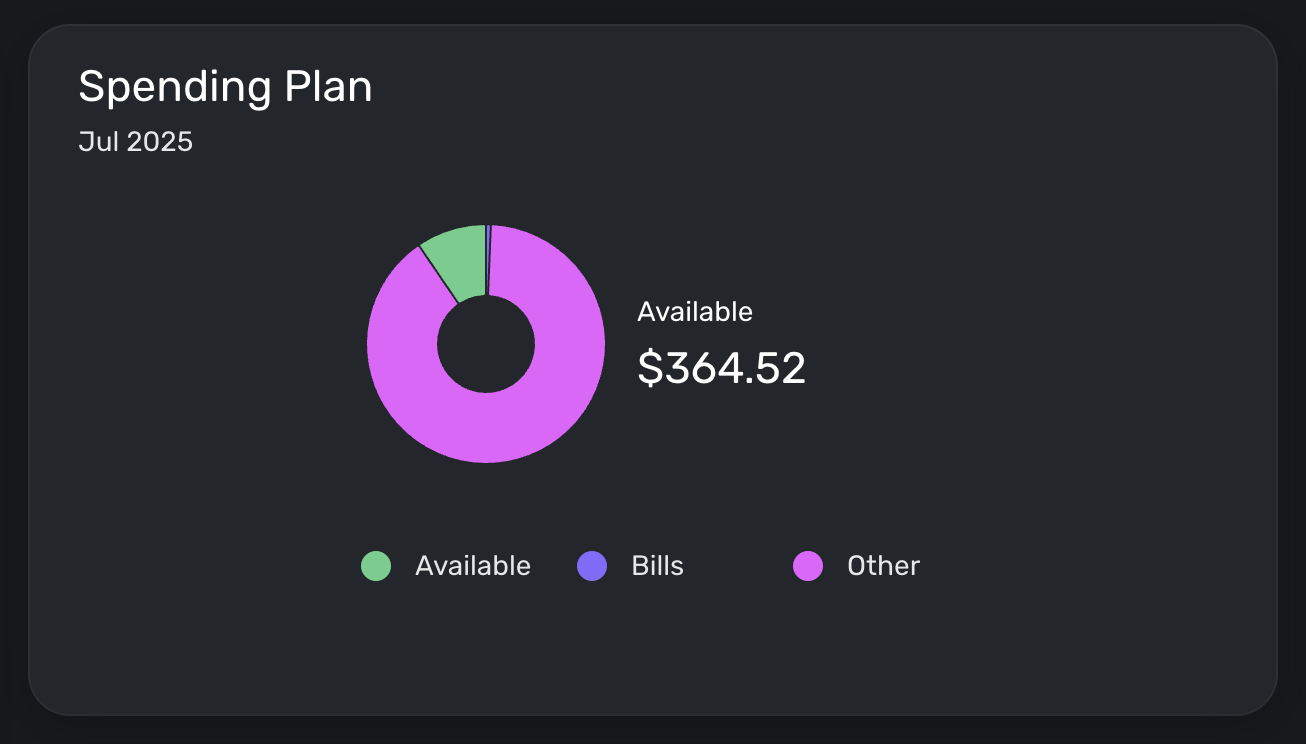
I'm loving the new spending plan interface. My one issue is that the "Available to spend per day" number disappeared from my Spending Plan tile on my dashboard. This was the primary metric I used to make budgeting decisions—would love if it was brought back.
Re: Spending Plan Redesign: Share your feedback here!
I liked it much better the old way. I don’t like that transfers are included in bills. They aren’t bills. Also can not hide the positive side of the transfer. I preferred subscriptions and bills to be separate but I can deal with that. Please separate transfers. Thanks
Re: Add a debt payoff calculator/goal [edited] (4 Merged Votes)
I just wanted to add, one of the main appeals of a 'debt payoff goal' feature is being able to set it up with something like a minimum payment, and then be able to see the difference when additional payments are made. A nice incentive/progress tracker that clearly shows how much of a difference your extra efforts have made.
For example, I've paid an extra $500 the last 3 months on my car payment, I want to see that I'm $1500 ahead of my expected loan balance, and maybe even show that the expected payoff date is now March 2025 instead of June 2025.
Re: Reconciling the Accounts (Checking, Savings, Credit Cards, etc.)
I don't reconcile at all as I just double check with Quicken Classic. Between the two, I catch any errors I've made.
Your method seems as good as any. Some people just use the review column. They leave all their transactions unreviewed (marking unreviewed any transactions that Simplifi automatically marks reviewed) until they get their statement.
SRC54
Re: Spending Plan Redesign: Share your feedback here!
I believe @DryHeat is right as mine were not sorting alphabetically either and the first three random have no Expense Series Name specified. They sort correctly on amount.
I added the default name into the Series, and now it is alphabetized.
SRC54
Re: Spending Plan Redesign: Share your feedback here!
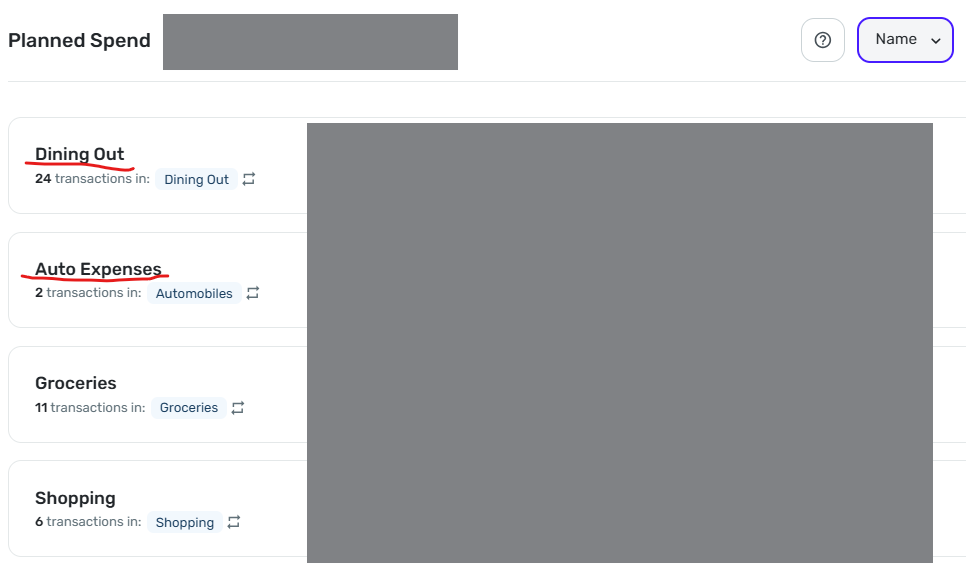
Sorting by Name does not work correctly.
As you can see in the image below, "Dining Out" is sorted above "Auto Expense." This persists even if I sort by amount, then resort by Name (as I did multiple times before taking this screenshot).
 DryHeat
Re: Unable to create a 2nd or 3rd space
You won't have to recategorize existing transaction in your original space.
However, there seems to be no way to move an account (including any categorization work you have done on it) into a new space. And if you delete it in the original space and add it in the new space you will be back to square one for that account.
(NOTE: This is based on my experience several months ago. But I don't think it has changed.)
DryHeat