Best Of
Re: Certain transactions always come auto flagged as "exclude from spending plan" (edited)
Hello everyone! @UrsulaA @nrp06 @DannyB,
We did verify with our product team, and they confirmed this was a recent, intentional change, and that all non-recurring income will automatically be set to exclude from the Spending Plan by default. We are working on a redesign for the Spending Plan, and this new design will have a setting so users can decide the default exclusion settings for non-recurring income.
-Coach Jon

Re: Reports: Add "All Time" range and "By Year" display option for annual comparison in all reports
QS team, Thanks for recently adding the Recent 12 months. It's helpful to see 12 months worth of spending.
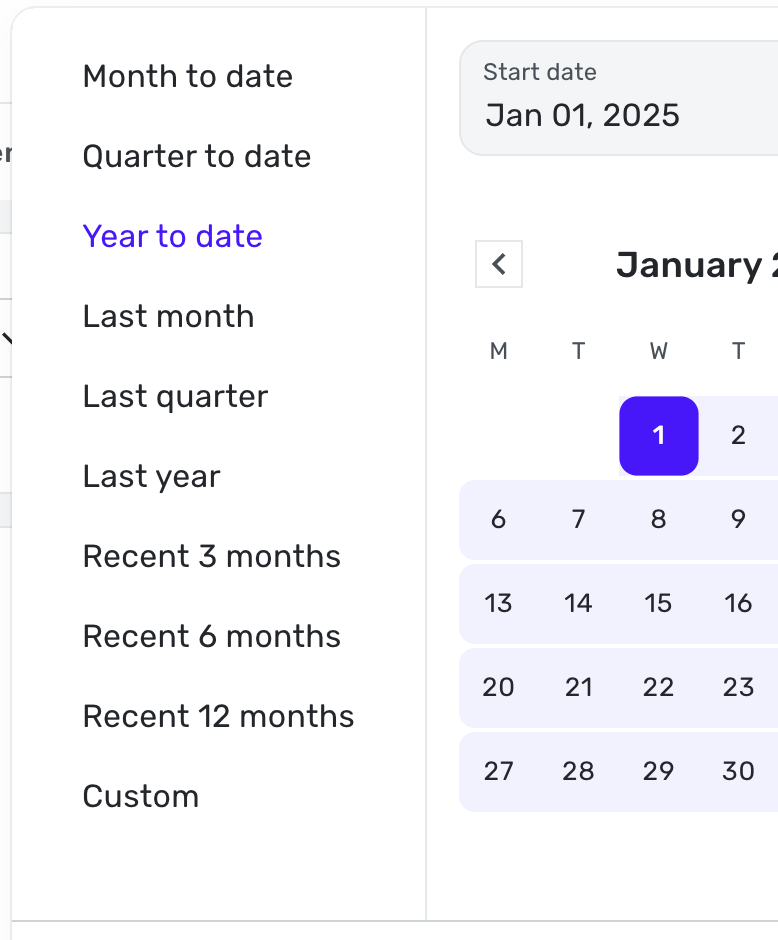
I would like to see "All Time" added here as well. Here's an example:
- I want to see what my car is costing over the course of time, per year or a large interval.
- I want to see how my insurance costs have increased on an annual basis
- I want to see how how much I spend on vacation each year
But here is a problem that will need to be addressed at the same time when viewing long periods of time. I selected about 3 years worth of time via Custom, then selected "Over Time".
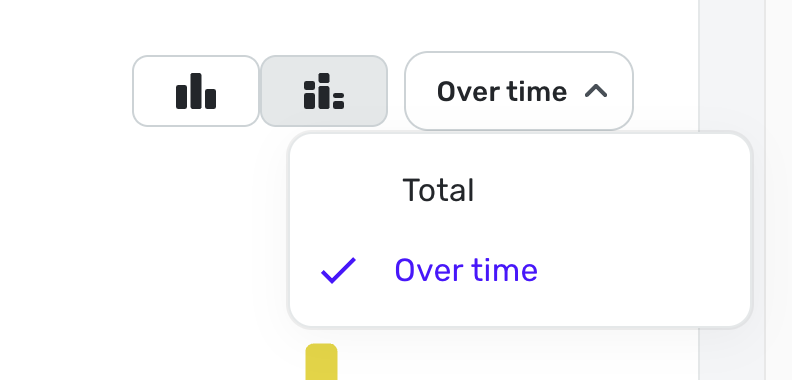
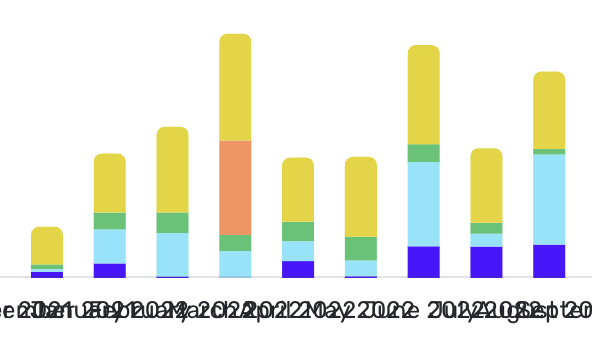
Quicken continues to show each month vs showing a larger range, like quarters or years. The SW will need to adjust the view based on duration and available screen width.
For me, adding All Time AND to see the spend Over Time would be a complete solution. Of course the normal All Time pie chart should be part of the report.
 Max1223
Re: Integrate Document/Receipt Scanners to add Attachments to Transactions (edited)
Yes. A Scan Document option would be appreciated.
trguy71
Re: Using splits (multiple categories) in Recurring Transactions (4 Merged Votes)
This would save a lot of time for paycheck splits, and mortgage payments with PI&T. Quicken Classic for Mac does a good job at this. Would love to have it here.
benjah
Re: Account to Account Transfers (A2A): Share your feedback here!
@RobWilk, I have merged your post here with the official feedback thread for A2A so your suggestion can be reviewed by the product manager working on this feature.
I hope this helps!

Re: Double-subtracting pending transactions for balance -- USAA Bank
I will wait to see if the problem recurs the next time I have a downloaded pending transaction.
If it does I will try the "change/change back" procedure on the bank "Balance type." I suppose the idea there is that Simplifi has started ignoring the way it is set, but will pay attention again if I flip the switch back and forth.
I am reluctant to go the "make all the accounts manual, etc." route in the absence of any suggestion that the problem could be on the bank's side. After all, Simplifi seems to be downloading balances correctly. It's the way Simplifi is handling the pending transactions that is a problem.
 DryHeat
Re: Transactions in liability accounts not included in reports (edited)
Thanks for the update. I only recently started using Simplifi (long time Mint & Quicken Classic user), and so far I like it. Hopefully they can get this issue fixed before tax season :) !
Re: Double-subtracting pending transactions for balance -- USAA Bank
Helo @DryHeat,
Thanks for reaching out! Most banks provide a balance that excludes pending transactions. However, if your bank includes them and Quicken Simplifi is also set to count pending transactions, they may be double-counted, leading to a balance discrepancy. Once the pending transactions clear, the balance should correct itself, which I am glad it did in our case!
You can set the account to exclude pending transactions from the balance as you did, just remember that you will have to wait 4-6 hours for the next successful refresh to see the change take effect.
I hope this makes sense!
-Coach Jon