Best Of
Re: getting inline errors when editing existing transaction rules
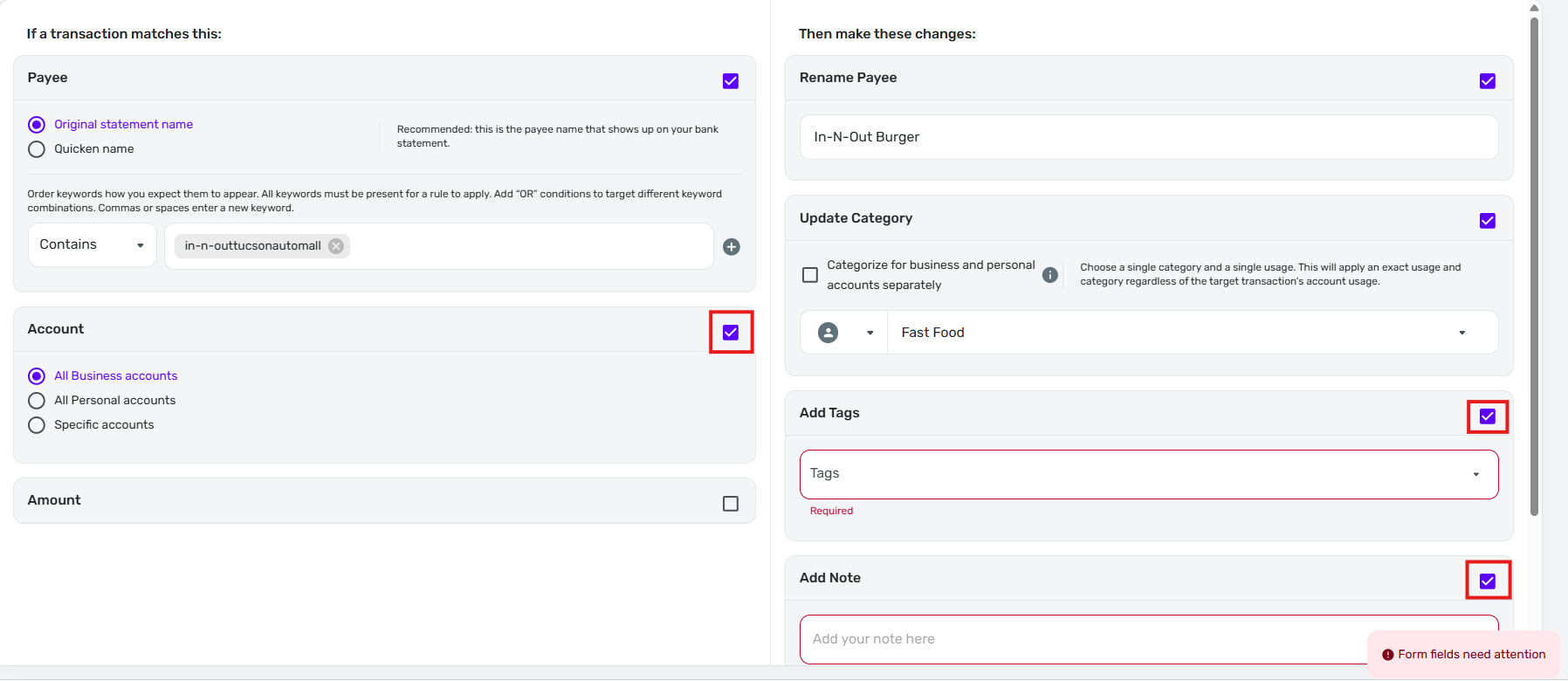
It sounds like the actual problem you are reporting is that certain rule options like "Account," "Add Tag", and "Add Note" are selected by default when you try to edit a rule — and they should not be. (The part about importing CSV files is just what caused you to notice this problem.)
I am seeing pretty much the same thing and I am not importing any transactions from CSV files. I just tried to edit a simple rule that only has one condition (based on original statement name) and two changes (rename and update category).

But when the edit form opened, the "Account" condition was selected and set to "All Business accounts" and the "Add Tags" and "Add Note" changes were also selected.
The important point is that none of these items were active in the rule that I was editing, as you can see from the above rule listing. Choosing to edit the rule caused them to be automatically selected for no apparent reason.
As you mentioned, clicking "Continue to review" brought up the "Form fields need attention" warning because the "Add Tags" and "Add Note" items (which I did not select) did not contain any information.
 DryHeat
Re: Watchlist Year to Date Total Doesnt Match Spending Report YTD
Watchlists don't work quite the same as the YTD report. They might include recurring expenses that you haven't done yet and their cutoff dates can be slightly different.
I checked mine and they are the same BUT I don't have any reminders left for those categories this month.
Here's a support article to peruse if you haven't already:
Hope this helps.
If not, you're be ready for when one of the coaches comes online later today. Good luck.
Edit: PS. That's a lot of travel!
 SRC54
SRC54
Re: Enhanced Reports: Share your feedback here!
I second this request. I like to look at the past couple of months or year to see how much I spent total in each month and/or in which categories. Don't have a way to do that in the new reports. Please add that back!
 Mortaki
Re: Goals still show double balance on the latest version of iOS
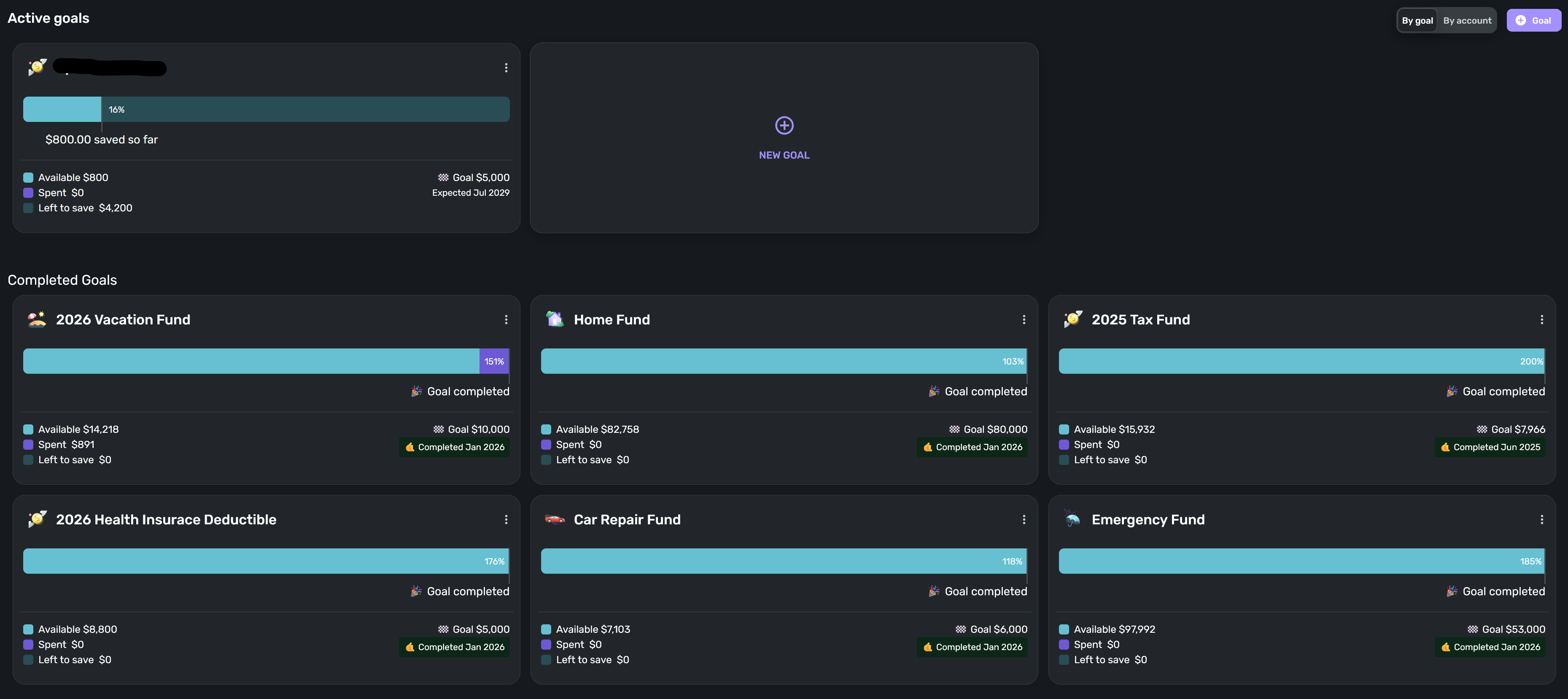
I've submitted feedback from within the app. Here's a screenshot as well.
Re: Goals still show double balance on the latest version of iOS
Hello @KSU_SecretSquirrel,
Thank you for letting us know you're also encountering this issue. If you would like to contribute to the investigation, please provide a screenshot of what you're seeing in your Quicken Simplifi (redact any personal information) and send logs. To send logs, please follow these steps:
- Log into the Quicken Simplifi Web App.
- Select Profile from the left-hand navigation bar.
- With the Profile menu open, hold down the Option key for Mac or the Alt key for Windows, and then click Send Feedback.
- Leave all boxes checked, add a brief description of the issue, and then click Send.
Thank you!

Re: Vancity is down Care code: FDP-102
@Coach Jon is there any estimate when the URL will be updated? I am still seeing the old one.
EH_25
Re: Alerus connection STILL doesn’t work
Hi coach Kristina,
That resolved the issue! Thank you!
aariana
Re: Enhanced Reports: Share your feedback here!
Having a summary option on the reports would be useful to me like quicken classic
 sbennet1
Re: Enhanced Reports: Share your feedback here!
When on a report (e.g. the Spending tab) and have transactions filtered, with the old reports there is a select box / select all box so that transactions can be bulk edited (e.g. add tags to all the filtered transactions).
But with the new report I can't figure out any way to do a bulk edit of all the transactions.
I use this feature often so I have to go back to the old reports feature.
Norm6257
Re: Accounts Info Download option
Yes I would like a category list and maybe rules and recurring if possible
sbennet1