Goals still show double balance on the latest version of iOS

This discussion was created from comments split from:
Incorrect Balances and Savings Goals for all Manually Tracked Accounts and Assets (edited).
Comments
-
Goals still show the same issue of double balance on the latest version of iOS. (I have tried logging out and reinstalling the app)
0 -
Hello @aariana,
I am following up with an update from our team on this issue for you. It looks like they need a little bit more information, if you don't mind. Can you please provide screenshots showing the issue from your side? Feel free to DM me the screenshots if you prefer. Let us know!
-Coach Jon
0 -
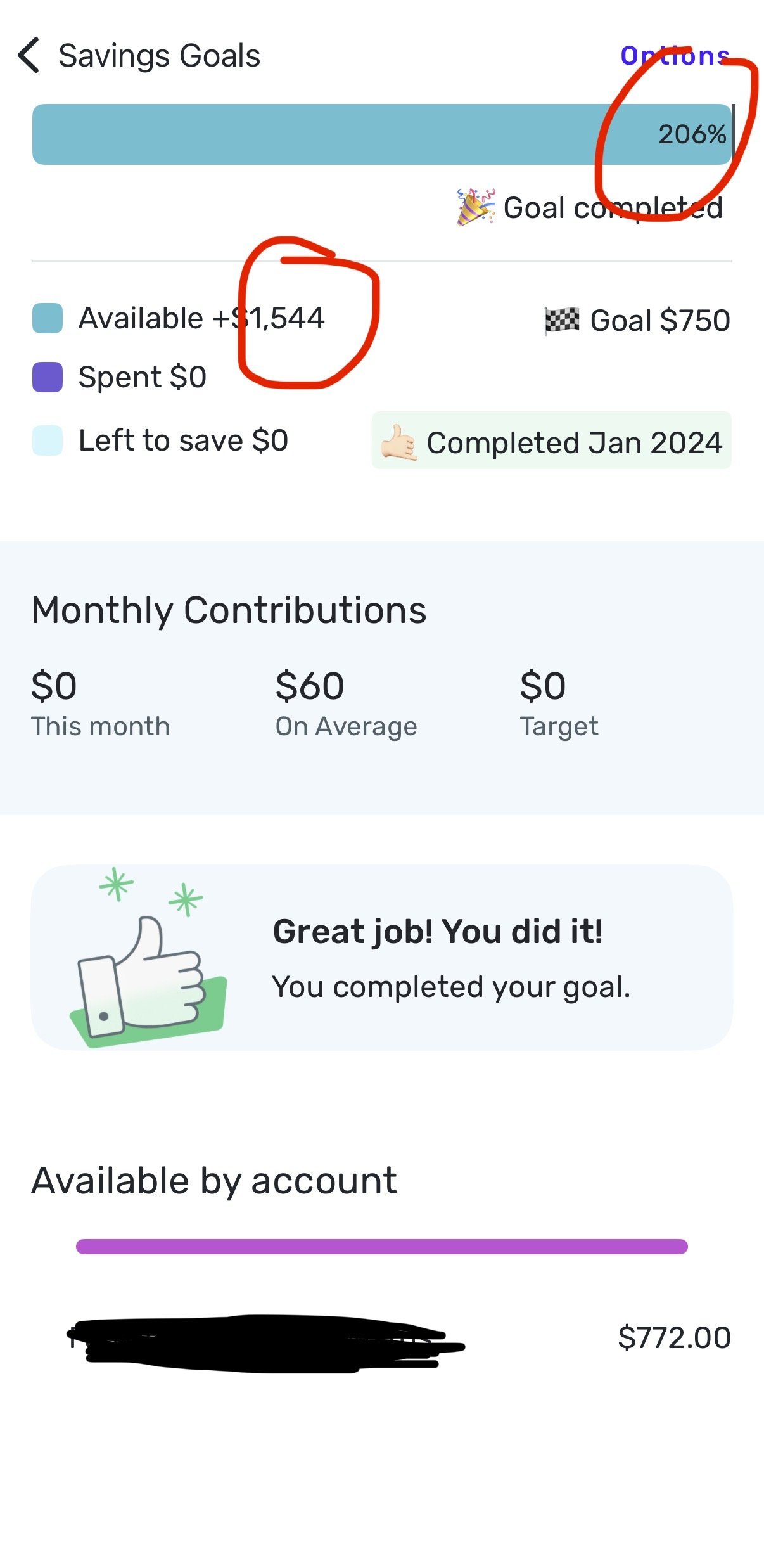
Here’s one. They’re not limited to completed goals. The bottom number is correct, the top number which is double, is not correct.
1 -
I wanted to share I am also seeing the issue with goals being doubled. Both on Android and on the web.
0 -
Hello @KSU_SecretSquirrel,
Thank you for letting us know you're also encountering this issue. If you would like to contribute to the investigation, please provide a screenshot of what you're seeing in your Quicken Simplifi (redact any personal information) and send logs. To send logs, please follow these steps:
- Log into the Quicken Simplifi Web App.
- Select Profile from the left-hand navigation bar.
- With the Profile menu open, hold down the Option key for Mac or the Alt key for Windows, and then click Send Feedback.
- Leave all boxes checked, add a brief description of the issue, and then click Send.
Thank you!
-Coach Kristina
1 -
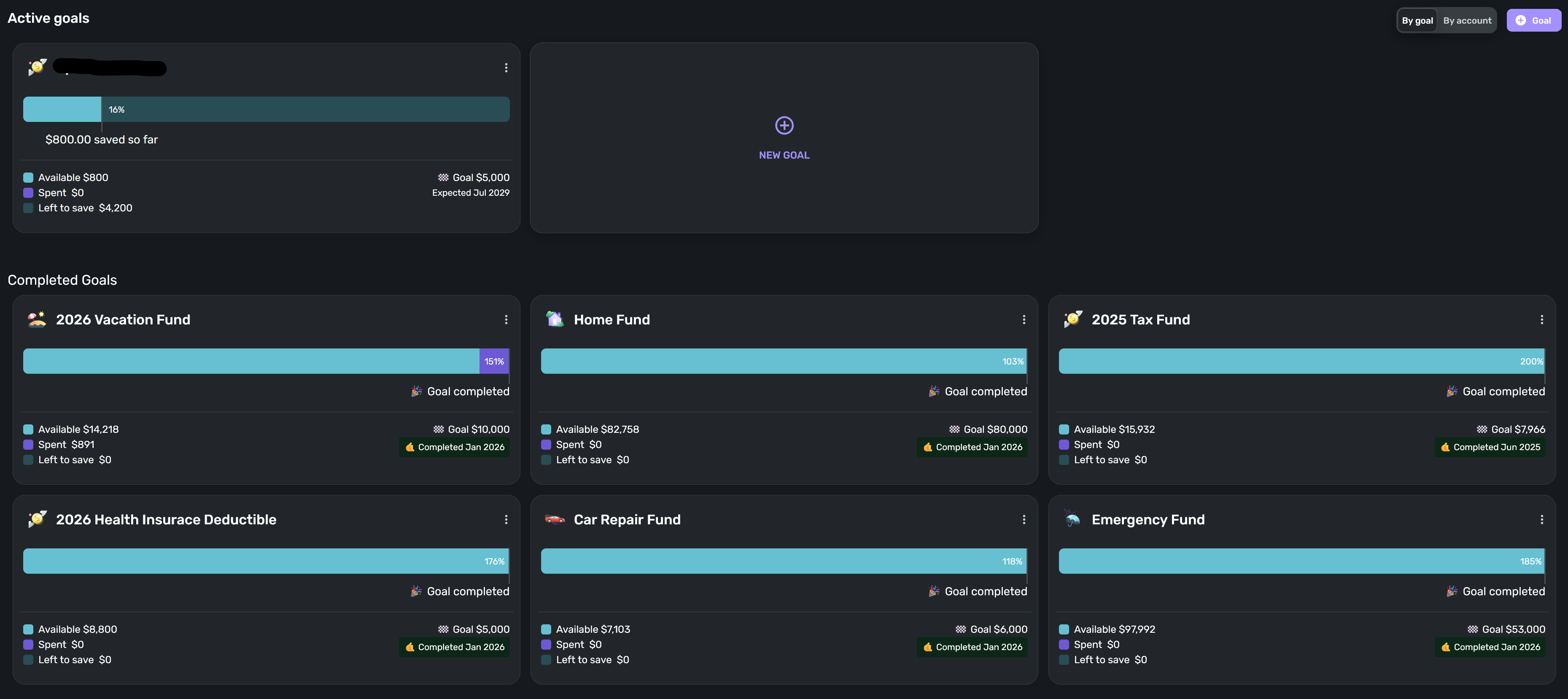
I've submitted feedback from within the app. Here's a screenshot as well.
1 -
Hello @KSU_SecretSquirrel,
We have reported this issue to our product team and added you to the ticket for this issue. Our team is still working on a resolution at this time.
Thank you for your patience!
QCS-23125
-Coach Jon
0 -
I've cleared all cookies and history in my browser, and I've deleted the Simiplifi app from my iPhone and reinstalled, making sure I have all updates installed, and I'm still seeing my savings goals totals doubled. Creating a new post as directed below
re: https://community.simplifimoney.com/discussion/15487/updated-1-30-26-duplicated-or-0-balance-in-manual-or-asset-accounts-and-savings-goals#latest
0 -
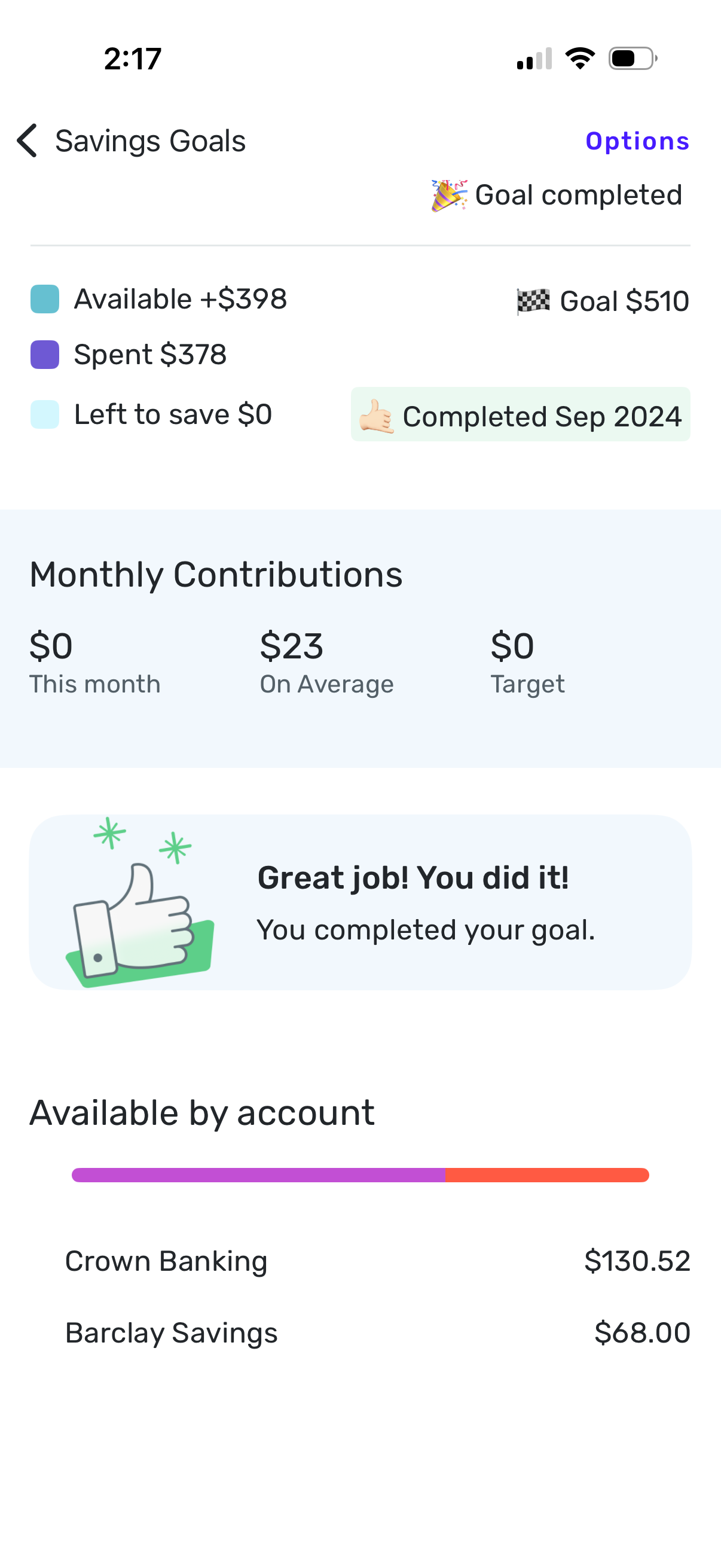
Amounts on bottom are correct, totaling $198.52. The number at the top is doubled, showing $398 available. All of my existing savings goals are doubled like this with the exception of one brand new one I created 2 days ago. It's been like this for at least the past week or 2. Before that, all available totals were correct.
0 -
Hello @jms1005,
Thank you for the information. I did get you added to the ticket for this issue as well. Our team is still working on this at this time, but you can follow our alert in the meantime while we work on a resolution.
Thank you for your patience!
-Coach Jon
0 -
Hello @jms1005, @KSU_SecretSquirrel, and @aariana,
I am back with an update from our product team. It looks like a fix was implemented for this issue! Can you please let us know if you are still seeing this issue, or if everything is now working correctly on your side?
Thank you!
-Coach Jon
1 -
All totals look correct now. Thank you!
1 -
Goal totals and completion status look correct now, thank you!
1 -
@Coach Jon
Unfortunately, my goals are still incorrect. I've submitted feedback again. Here's a screenshot for reference.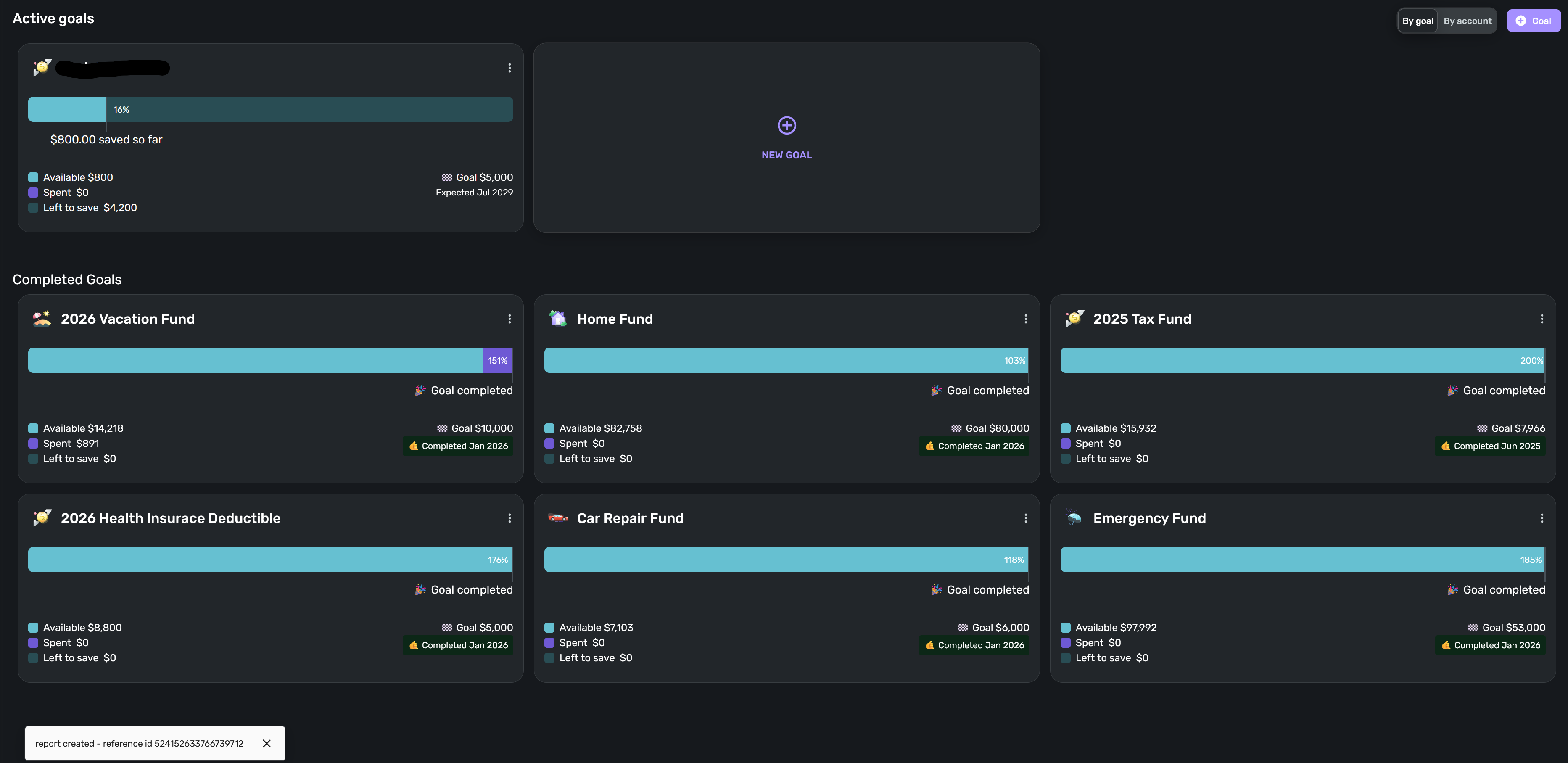 0
0 -
Hello @KSU_SecretSquirrel,
Thanks for the update. I let our product team know and will follow up here when we have a status update!
-Coach Jon
0 -
@Coach Jon
My goals are now back to normal! Thanks!1


