Best Of
Elevations Credit Union sync outage - to.100/FDP-101 error (edited)
I know this is a known issue:
But my Elevations connection hasn't updated for two weeks now, despite attempting the "Reconnect" process. While trying to reconnect, my balance did update in Simplifi, but not to an amount that my balance has actually been in the last month. Also, I know that Elevations did recently roll out updates to their online banking system, but I'm not sure if the dates coincide. Thank for looking into it.
(edited to include alert)
 RFL281
Re: Elevations Credit Union sync outage - to.100/FDP-101 error (edited)
I'm experiencing this too. Just chiming in to add numbers to those affected.
Re: How long should a bank connection to be down? FirstBank of Colorado is now near 4wks.
I completely agree with those that are having issues. I believe the problem is probably the acquisition of FirstBank by PNC. That said, I am already looking to move banks and away from Quicken. I am finally sick of years of connection issues. I’m out!
Re: Imprint - new credit card servicing Crate and Barrel (edited)
Hello everyone,
We now have an Alert for this issue that can be followed for updates:
Thank you for your patience as this issue is worked on!

Re: Imprint - new credit card servicing Crate and Barrel (edited)
Hello @turtle,
Thanks for the detailed response. I do understand where you are coming from when it comes to wanting a solution as fast as possible for this issue. Per my previous response in this thread, the connection error banner displayed in Quicken Simplifi indicates that we are already aware of an issue with this bank, which could mean that they are already working on implementing the changes you are requesting. If we were to escalate a connection issue with this existing Crate and Barrell bank option in Quicken Simplifi, it would be much more productive than a Missing FI Request that may never get implemented or take quite a while to implement.
After verifying on my side again today, I can see that the banner is still showing for this instance. Which means that we are still investigating the connection issues being reported. I would suggest waiting a bit longer to see if this banner clears and if you can connect via this instance afterward.
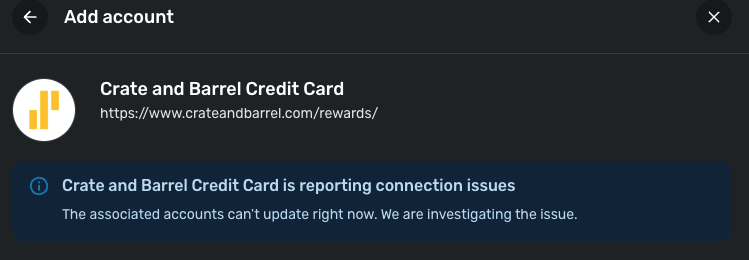
If you are still adamant afterward that you all would like to still submit a Missing FI Request, we can take that route as well. Be sure to let us know.
I hope this clears up any confusion!
-Coach Jon

Guild Mortgage Positive Balance (edited)
All of a sudden my Mortgage with Guild is showing up as a + Number, not a negative. Since it is a liability it should be -, like the rest of my liabilities. Can someone pls look into the API?
Re: Simplifi Business & Personal Information
@Coach Jon Thank you ever so much, I will start reading, understanding and make the best usage of the Business and Personal. Thank you again.

Simplifi Business & Personal Information
Due to a personal decision to work as a sole proprietorship, I have upgraded to Business and Personal. In order to understanding more and then how to use this program to its best, there are any white papers, instructional videos, etc. that can help.
Re: Track Interest Rates for Accounts (edited)
Most of my debt accounts cannot be linked in Quicken (student loans, auto loans).
I'd like to be able to create a manual debt account with a fixed annual interest rate (APY) and to set when interest is calculated/applied (per month).
I'd also like to link transactions and transaction series to this account.
Re: Track Interest Rates for Accounts (edited)
It seems you have a couple of requests in here, so one of the coaches will probably help you refine your suggestion.
You know that you can create a manual liability account for a student loan or an auto loan, and you can manually add payments and interest as you go? It won't figure the APY for you though.
Once you create the loan, you can make payments and create recurring transfers and recurring expenses such as mortgage interest or credit interest. It's very flexible. I have a lot of manual accounts, but paid off my student loans and car loans ages ago (thank Goodness).
Depending on what bank issued the car loan, you might be able to connect the account, but I don't think it will download transactions into that account.
Just some ideas for you. Here is a support article to help get you started:
Here's an idea for adding amortization schedule to loans, which you might want to vote for:
 SRC54
SRC54