Best Of
Allow future months to be selected in Reports/Show future transactions (edited)
I'd like to have a way of looking at a single account's upcoming expenses per month. It would be a nice feature if the spending report allowed selection of "Next month" or Custom with the option to include future transactions.

 Jeannette
Re: Quicken Assist Chat: Share your feedback here!
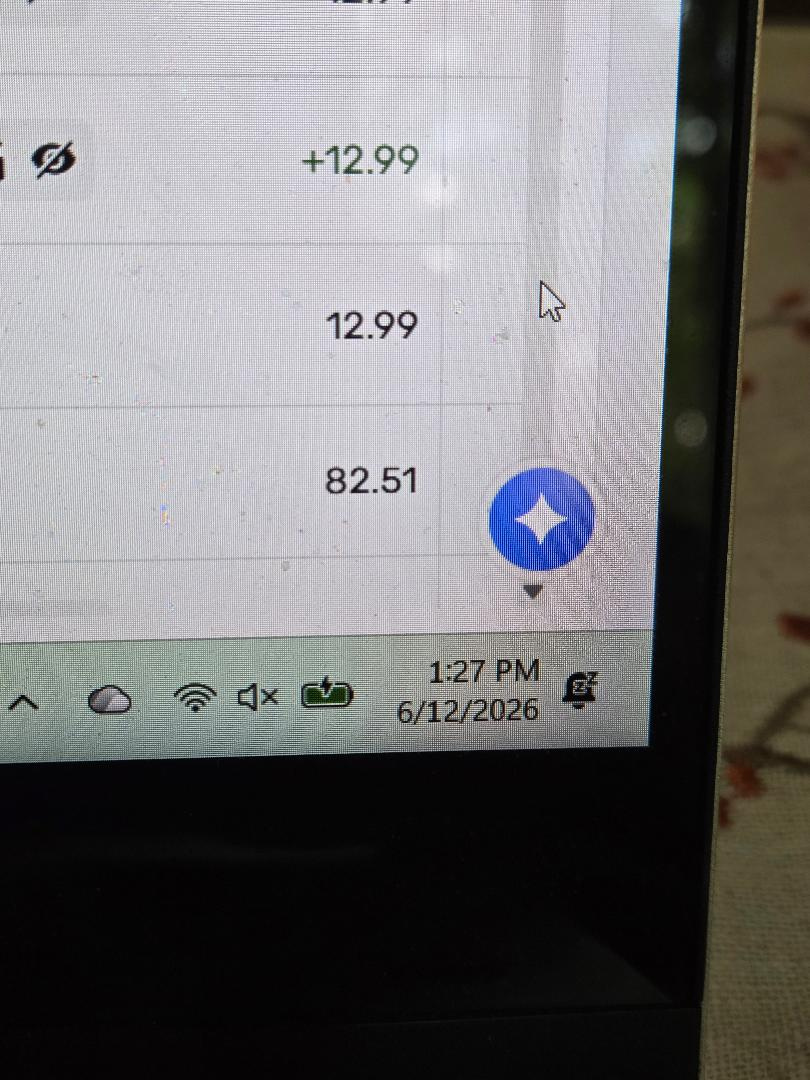
I'm brand new to Simplifi and am learning all about the things I love and don't love about the app. One frustration that I'm hoping can be reviewed and fixed: Why does there need to be an assist button on the bottom right when there's an Ask Assist button right at the top? The one at the bottom right sits right above the scroll bar and nearly touches the down arrow from the scroll bar. It's in such an inconvenient place and it makes using Simplifi much more difficult. Can't that second button be eliminated, or at least moved so it doesn't get in the way of trying to navigate your way through the program? Thank you.
 CatDad
Re: Spending Plan - show totals for paid/spent vs upcoming/left with a progress bar (edited)
What would be helpful for me is to see my remaining total budgeted balance of the Planned Spending. Overspending in one category of Planned Spending can create an Over Spent condition. But if all other categories are under budget, then in actuality, I have not currently Over Spent. Yes, I will over spend if I spend what was budgeted in every category.
Just wondering, in these situations, do folks go back and lower and/or raise budgets in other categories to correct Over Spent conditions? I typically don't as I just look at all the buckets and see where I can save in a given category. Hence the request to see the overall remaining budget somewhere.
For example
- The $500 is the total of all the budgeted amounts in the cards/categories
- $123.45 is what has actually been spent
- $376.55 is what is Available per the budgeted amount
- While I have overspent in one category, Fitness (which creates the Overspent pie graph), in total, I still have budget remaining so this gives me a big picture view of what's left.
- Then I can choose to make budget (expense) adjustments in a given card(s) or leave everything as is and monitor spending as I go.
I believe the $500 total budget would match the Spending Plan number at the start of the month. As you spend, the Spending Plan number changes, but your budgets don't, unless you edit them.
 Max1223
Add Projected Cash Flow for Investment Accounts (edited)
I am planning a large shop project with an anticipated cost of $150K, for the spring of 2031. I plan to withdraw the money from a linked Roth 457 plan. I also have a linked brokerage and regular Roth IRA.
I would love to be able to see the projected returns of this account with the withdrawal accounted for on the specified date.
MikeZ
Re: Phone Widgets for android (edited)
I was able to confirm that although there are some phone widgets for iOS, we don't currently offer any for Android. This ability for Android is now being reviewed!

-Coach Natalie

Ability to add and manage Transfer Categories (edited)
I understand there is a category for Transfers but I track multiple types of transfers in my financial life so it would be good to have a category group for transfers of different types. Defaults could be Transfers and Credit Card Payments but we should get the ability to add our own, for example loan payments.
theromm
QBP: Ability to export Mileage (edited)
As Simplifi Business and Personal user, I would like to request the ability to take the Mileage report and export to excel. Reference the image below showing that present, there is no way to produce a report either by CSV or PDF.


Recalculate how Planned Spending Totals work with Rollover (edited)
Last month I converted all of my Planned Spending budget categories to be rollovers and I like how things are presented. I understand that the total Planned Spending reflects the current month "planned" amount, not the actual spending, for any expenses marked as rollover. However, this makes the spending plan totals very inaccurate and deceiving. What is deceiving is that my prior month shows still shows that I had positive money left at the end of the month, even though I went over the planned spending categories significantly.
When looking at prior months, it would make sense to show the actual spending instead of just a warning triangle indicating you went over. My proposal is that for the total of Planned Spending expenses, past months show actual spending for that month, while current months show the greater of actual spent or current month planned. I would want this to be the case regardless of rollover type or not. That should give the best view of my actual cash left at end of each month.
bost.05
Use 12-month average for Planned Spending (edited)
I would like to set the planned spending for each category based on a 12 month average, but currently you have to go to spending reports and calculate it separately. It would be easier if the spending plan could show the last 12 months, not only 6 months. Please add this to a future update, thanks!