Best Of
Re: Link from Transaction to 'take from' or 'add to' Savings Goal (1 Merged Vote)
@Coach Natalie Could you please provide an update on this feature request? I'm experiencing the same issue as members above have expressed: the inability to link/deduct a transaction from a Savings Goal. Thank you!
Re: Persistent Filters & Views in Reports: Share your feedback here!
@DavidB @virshu Good ideas. At least, this is a step in the right direction. I like that some, not all, reports let you export to Excel, but would still like to see support for PDF.
I would like to see last 3, 6, 12 months support just full months because a partial month really doesn't tell you anything.
 SRC54
SRC54
Re: Transfer transactions not included in account total (edited)
—If the transaction shows up in the register and it is only the account total that is wrong, that is likely a function of how Simplifi determines the total. It does not add up the transactions in the register. Instead, it displays the most recently downloaded total from your bank.
To display the correct total, you have to wait until the bank posts the transaction and changes it's total, and then that total is downloaded by Simplifi. (I'm assuming the CD is connected. If not, Simplifi does in fact add up the transactions. So this explanation wouldn't apply.)
—If the transaction is not showing up in the register, the most common problem would be that the Category used for the checking transaction is not actually the transfer Category for the CD account.
To rule that out, could you post an image of the transaction (redacted to protect personal information)?
 DryHeat
Re: Persistent Filters & Views in Reports: Share your feedback here!
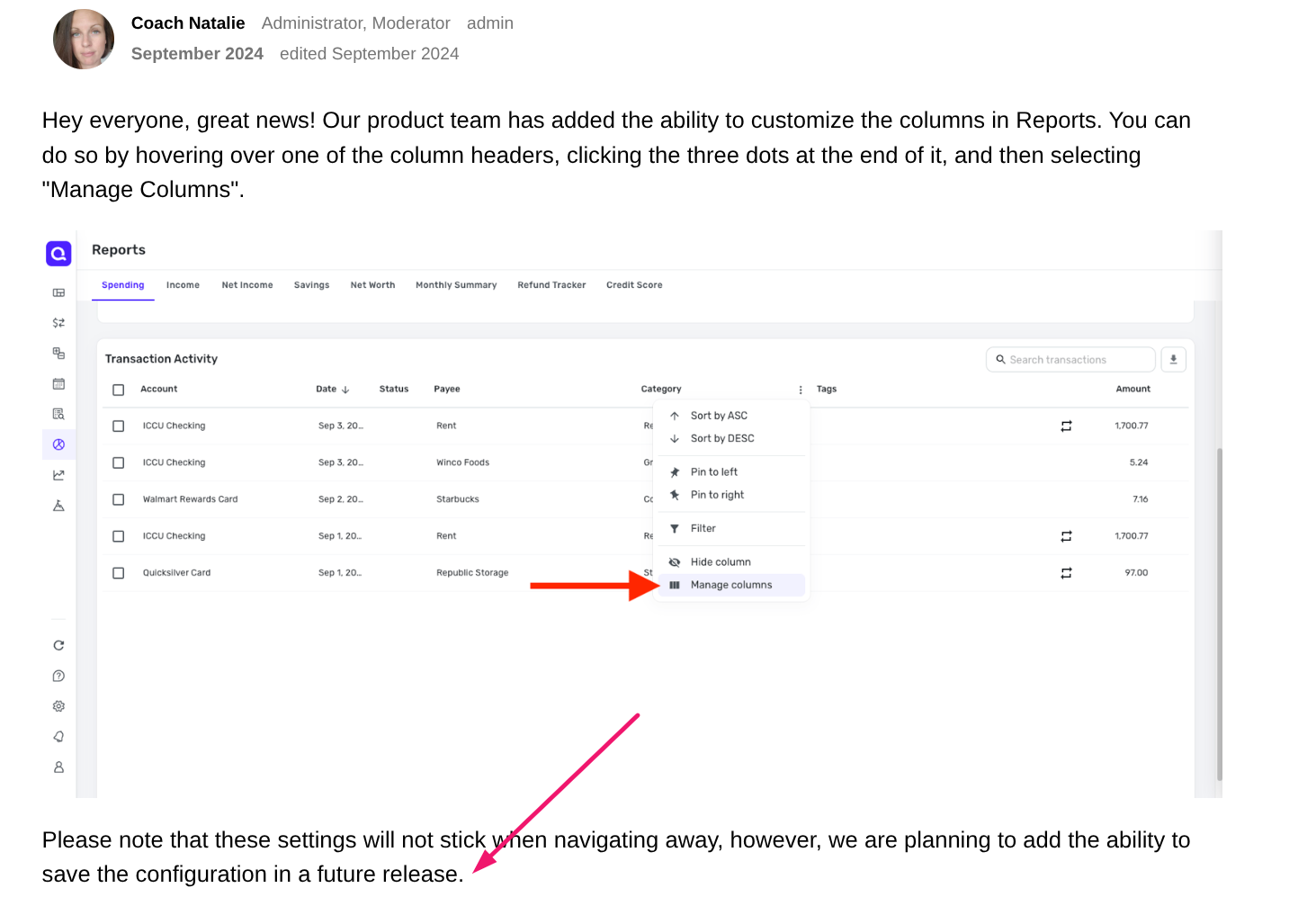
One other thing, the view that you save with the new feature does not remember changes to any fields you added to the display. IOW, I bring up a report, add filters and such, but want to also see Notes in the detail list. So I click on the 3 dots in the header field (see link below re this feature) and add Notes to the display, and that works.
But, when I close the report and go back in, it remembers all my settings EXCEPT the change to include the Notes field, although that was supposed to be part of this new feature (see screenshot below, which is the last post in the thread I link to here:
 DavidB
Re: Persistent Filters & Views in Reports: Share your feedback here!
This enhancement addresses the biggest complaint that I had. In fact, this was the main reason why I considered switching away from Simplify. So, as I list additional requests below, I want to put things in perspective. Also, I only use Net Worth report; others either have a bug (Income & Expense) that results in wrong data; or I just don't have any use for those.
- As @DavidB mentioned, it would be great to be able to save several reports with different filters or time intervals
- It would be great to have date range like "Last 30 days" or "Last 3 months" that go until today and not until the end of last month
- It would really really nice to be able to get the report to the dashboard. Maybe even to take the place of two applets horizontally. This way I can see everything I need at a glance. Current applets are not very useful for me
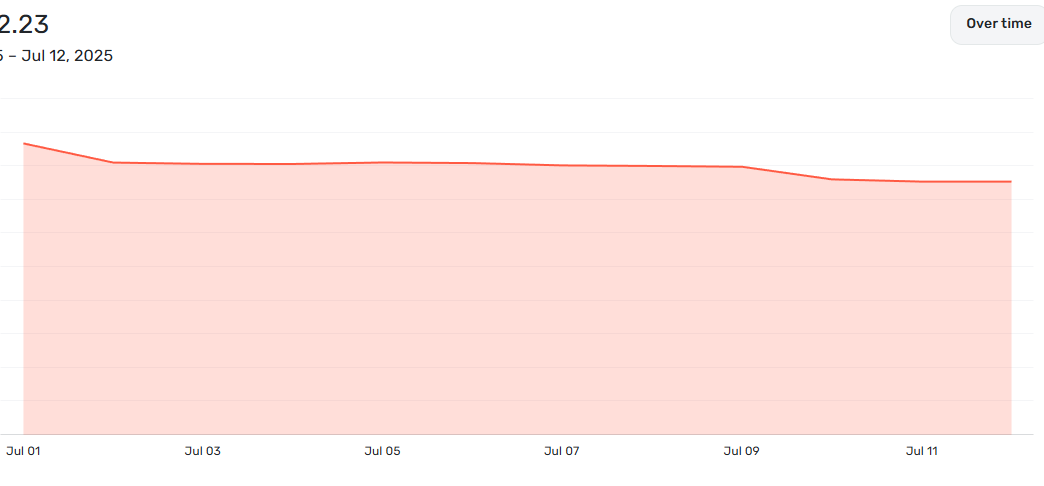
- Usability of Net Worth graph can be improved. Y-axis always starts at $0; therefore, the changes in actual values are very difficult to discern. The top looks flat because of that. I would prefer Y-axis only shows the lowest value on the chart; not zero.
Hopefully, I am not the only one looking for these improvements, and hopefully it won't take 5 years to implement 🤗
Professor Felix
virshu
Re: More detailed CSV Exports (original name and description, flags, reviewed, check number)
I don't understand why you can't select ANY/ALL of the fields that appear on the data collection sheet. Why have the field if you can't do anything with it? Doesn't make sense.
Re: More detailed CSV Exports (original name and description, flags, reviewed, check number)
The absence of "Check #" in the CSV export is incredibly frustrating. I’ve been using Excel for financial tracking long before online personal finance apps existed, and this file contains all my financial data. I rely on it to run reports, so missing this field creates a significant gap.
Simplifi team, please address this. The CSV export includes many other fields—some not even visible in the main view—yet it omits "Check #," a key piece of financial data. This omission just doesn’t make sense. Please fix it.
bobodc1
Re: More detailed CSV Exports (original name and description, flags, reviewed, check number)
Why is check number missing from the CSV?? That seems so basic. Is Quicken listening? Is there an official change request for this that I can vote on?
jar310
Re: More detailed CSV Exports (original name and description, flags, reviewed, check number)
Yeah, I'm trying to lean into Quicken's features a bit. I marked a bunch of things as reviewed over the past week, hoping that when I downloaded the CSV this could kickstart my weekly review. But…flags and reviews don't work, so I apparently don't have a way to do this without resorting to trickery in one of the columns that does export.
Please let us download our data!
brendanb
Re: More detailed CSV Exports (original name and description, flags, reviewed, check number)
I wish this request was complete, will love this capability which seems basic.
 UrsulaA