Best Of
Re: Ability to Exclude part of a split transaction [edited] (3 Merged Votes)
please add this feature! +1
Re: Getting Setup for 2026 - A Just for Fun Post
This worksheet kind of served the same purpose as reviewing past Spending Plans but in summary form in a "single glance."
I would like to be able to do that too, but without having to set up a spreadsheet. That's why I made the suggestion linked below. Unfortunately, it doesn't seem to have a lot of admirers.
 DryHeat
Re: Unable to connect BMO Bank of Montreal - FDP-101 (edited)
Hello @awfulhak,
Thanks for reaching out! I can also see the FDP-101 error you are receiving when trying to connect to BMO Bank of Montreal. I do know we have other instances available for this bank in Quicken Simplifi. Have you tried any of the others to see if they work for you?
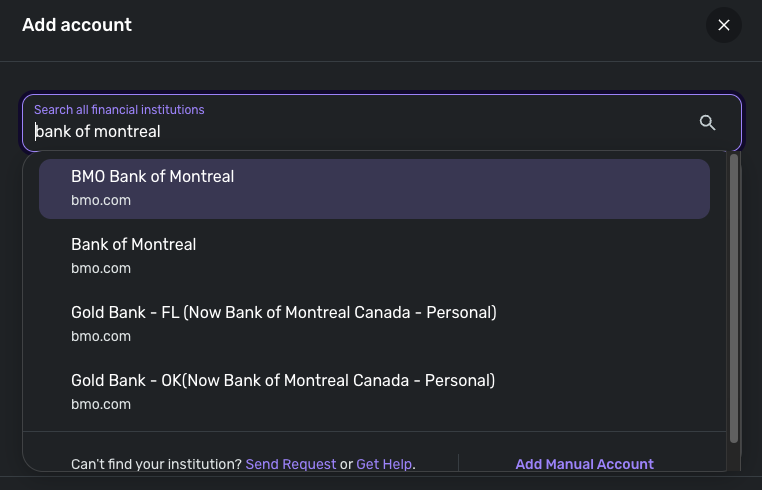
Let us know!
-Coach Jon

Canadian Tire Bank (Triangle Mastercard) not linkable/supported
This is a popular credit card in Canada and it’s absence defeats the automatic account update in Simplifi.
 Gakyle
Re: Enhanced Reports: Share your feedback here!
Another suggestion is to get rid of everything else and show all categories.
The reports feature in iOS also needs an update with similar categories and ability to drive deeper into, rather than showing all transactions. I think those features have been requested multiple times in the past and it may be time to get it fixed now along with this update..!
Bgz
Linking Savings goal to transactions
Is there way to link a transaction to a savings goal to auto update the goal?
And is there a way to then update the spending plan accordingly?
lynchbro
Re: Enhanced Reports: Share your feedback here!
Bug report- When I delve into the categories in the spending reports, I noticed that the each individual transaction shows up as $0 value even though the total of all transaction is correct. When I open the particular transaction, it shows the correct value. This happens across multiple categories and spending, income, income and expense reports.
Bgz
Re: Enhanced Reports: Share your feedback here!
@Bgz , I am seeing this as well and have let our product team know.
Thank you!



Re: Check # field is missing on the mobile app
Thanks for letting us know! Glad to see that the field is available!
-Coach Jon
Re: Link from Transaction to 'take from' or 'add to' Savings Goal (1 Merged Vote)
Hey everyone,
Thank you all for your interest in this feature. We don't have any updates to provide at this time, but as soon as we do we will be sure to let you all know right away!
Thanks for your patience!
-Coach Jon