Unable to connect to Morgan Stanley & Cash Management doesn't reflect values correctly [Edited]

I am attempting to connect to Morgan Stanley accounts to track them all in the new Net Worth feature, however, there are issues.
There are two options to connect, one is "Cash Management" and the other just says Morgan Stanley. (see image below)
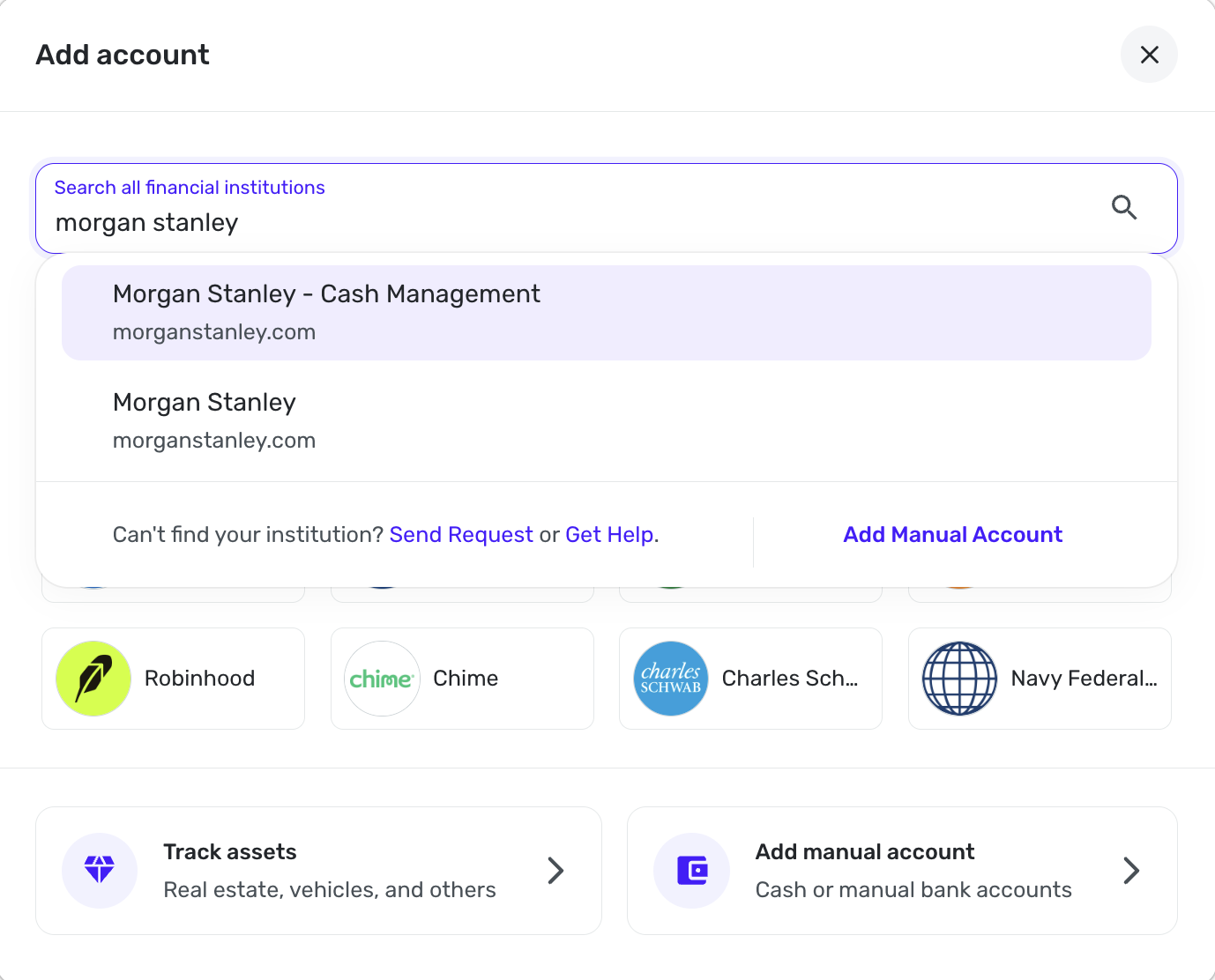
When I try to connect to the standard "Morgan Stanley" option, it will try for a while and then just stop and kick me back to the main screen without any additional information.
I know the credentials are correct, and 3rd Party Sharing is enabled in the Morgan Stanley accounts.
When I try the other "Cash Management" option, that one will actually connect, but in Simplifi the account balances only show the amount of cash available in each account, not the full account balances.
That makes it functionally useless to only see the amount of cash available in a brokerage account that is fully vested.
So, either I can't connect with the standard option, or I can only see the cash balances with the Cash Management option… both are problems.
Any ideas or anyone else having issues with Morgan Stanley?
Comments
-
Hello @cyberstackn,
Thank you for letting us know you're encountering this issue. To help troubleshoot, please provide more information:
- What kind of accounts are you trying to connect?
- Were the accounts previously connected and working in Quicken Simplifi?
- Is this happening in the Web version of Quicken Simplifi, the Mobile App, or both?
- If you haven't already done so, try logging out of Quicken Simplifi, then logging back in.
I look forward to your reply!
-Coach Kristina
0 -
Hi Kristina, I have found the issue.
I manage my mother's Quicken as a shared space on my account, and when attempting to connect her Morgan Stanley accounts through the shared space on my end, it would not connect successfully.
However, if I login to her account directly and add it there, it does connect successfully.
So it seems the issue is with adding new brokerage accounts via a shared space.
This is all on the web version of Simplifi by the way.
0 -
Hello @cyberstackn,
Thanks for letting us know. I am glad that you were able to get the account connected successfully! Be sure to let us know if you run into this issue again with that or other accounts.
-Coach Jon
1

