Turning off Achievement notifications doesn't seem to work

I'm not interested in Achievement badges, so I turned off related notifications:

But I'm still getting emails like the one I got today:
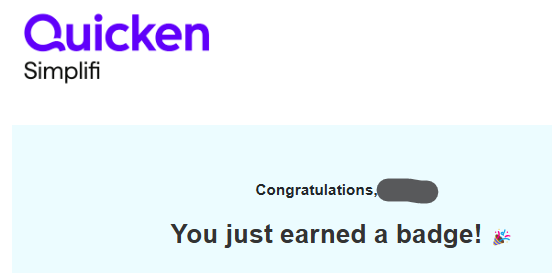
Shouldn't setting Achievement notifications "off" prevent these emails?
DryHeat
-Quicken Classic (1990-2020), CountAbout (2021-2024), Simplifi (2025-…)
Comments
-
(1) Is this the only notification setting that is currently turned off?
No, most of them are turned off. Only 5 remain turned on.
(2) If you go to the mobile application, is it turned off there as well?
Yes. the mobile settings match the changes I have made in my web settings.
Question: Do settings on the mobile app ever work independently of settings in the web app? Do I need to open the mobile app (which I seldom do) and repeat the process whenever I make changes in the web app?
DryHeat
-Quicken Classic (1990-2020), CountAbout (2021-2024), Simplifi (2025-…)0 -
Hello @DryHeat,
Thanks for clarifying. To answer your question, no, settings should be the same across both applications. I was just making sure the setting toggle wasn't bugged itself. I would try turning it on and back off and wait to see if you receive another notification once that is done. If you do, please reach out to us again and let us know so that we can further investigate this issue.
-Coach Jon
0 -
Well, I went through the same thing, but the good news is after you earn the easy ones, you stop getting them very often. I haven't gotten one in a long time. 😁
Steve
Quicken Simplifi (Safari & iOS) Since 2021
Quicken Classic (MacOS) Since 2009
MS Money (1991-2009) and Dollars & Sense (1987-1991)0 -
@Coach Jon "I would try turning it on and back off and wait to see…"
Done.
DryHeat
-Quicken Classic (1990-2020), CountAbout (2021-2024), Simplifi (2025-…)1 -
I just received another "badge" notification by email this morning (5/8/2025) at 2:48 AM.
Turning it on and back off doesn't seem to work.
DryHeat
-Quicken Classic (1990-2020), CountAbout (2021-2024), Simplifi (2025-…)0 -
Hello @DryHeat,
Thanks for following up! If you can provide logs, I will get this reported to our product team!
- Log into the Quicken Simplifi Web App.
- Select Profile from the left-hand navigation bar.
- With the Profile menu open, hold down the Option key for Mac or the Alt key for Windows, and then click Send Feedback.
- Leave all boxes checked, add a brief description of the issue, and then click Send.
-Coach Jon
-Coach Jon
0 -
@Coach Jon Ok, I sent logs.
DryHeat
-Quicken Classic (1990-2020), CountAbout (2021-2024), Simplifi (2025-…)0 -
Hello @DryHeat,
Thanks for the requested logs. The last things we need are the web browser and operating system, with their versions as well as the version and build of your Quicken Simplifi web application. This can be found at the bottom of your dashboard.

-Coach Jon
-Coach Jon
0 -
Chrome Version 136.0.7103.93 (Official Build) (64-bit)
Windows 11 Pro 24H2 OS build 26100.3915
Simplifi Version: 4.57.0 (31808/619606c328/v102.4.2-patch-1)
DryHeat
-Quicken Classic (1990-2020), CountAbout (2021-2024), Simplifi (2025-…)0 -
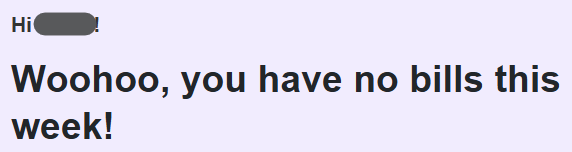
Same or similar issue occurs with notifications regarding bills to pay.
Here's the setting:

And here's the email I got today:
DryHeat
-Quicken Classic (1990-2020), CountAbout (2021-2024), Simplifi (2025-…)0 -
Hello @DryHeat,
I am back with an update from our product team. Since you have Quicken Business and Personal, this would mean that you have 2 different datasets with Quicken Simplifi. It may be that you have notifications turned off for one dataset and not the other. Can you check for us if this is the case?
-Coach Jon
-Coach Jon
0 -
Since you have Quicken Business and Personal, this would mean that you have 2 different datasets
So, does this occurs only if you have multiple Spaces? Or just because you have QBP. I am accessing the two distinct sets of Settings by changing from one Space to another. Maybe the second set of settings wouldn't exist if I had QBP but not multiple Spaces.
Anyway, the notification setting were different in the two Spaces. I have made them the same and we will see how it works out. I think you are probably right that this was the issue.
DryHeat
-Quicken Classic (1990-2020), CountAbout (2021-2024), Simplifi (2025-…)1 -
Hello @DryHeat,
Thanks for the reply and for confirming that the second set of settings differed. Now that the settings are aligned, you shouldn't be receiving unwanted notifications. The settings are indeed distinct. Let us know if you still receive notifications!
-Coach Jon
-Coach Jon
0

