iOS System Information Bar appears Black in Dark Mode (edited)

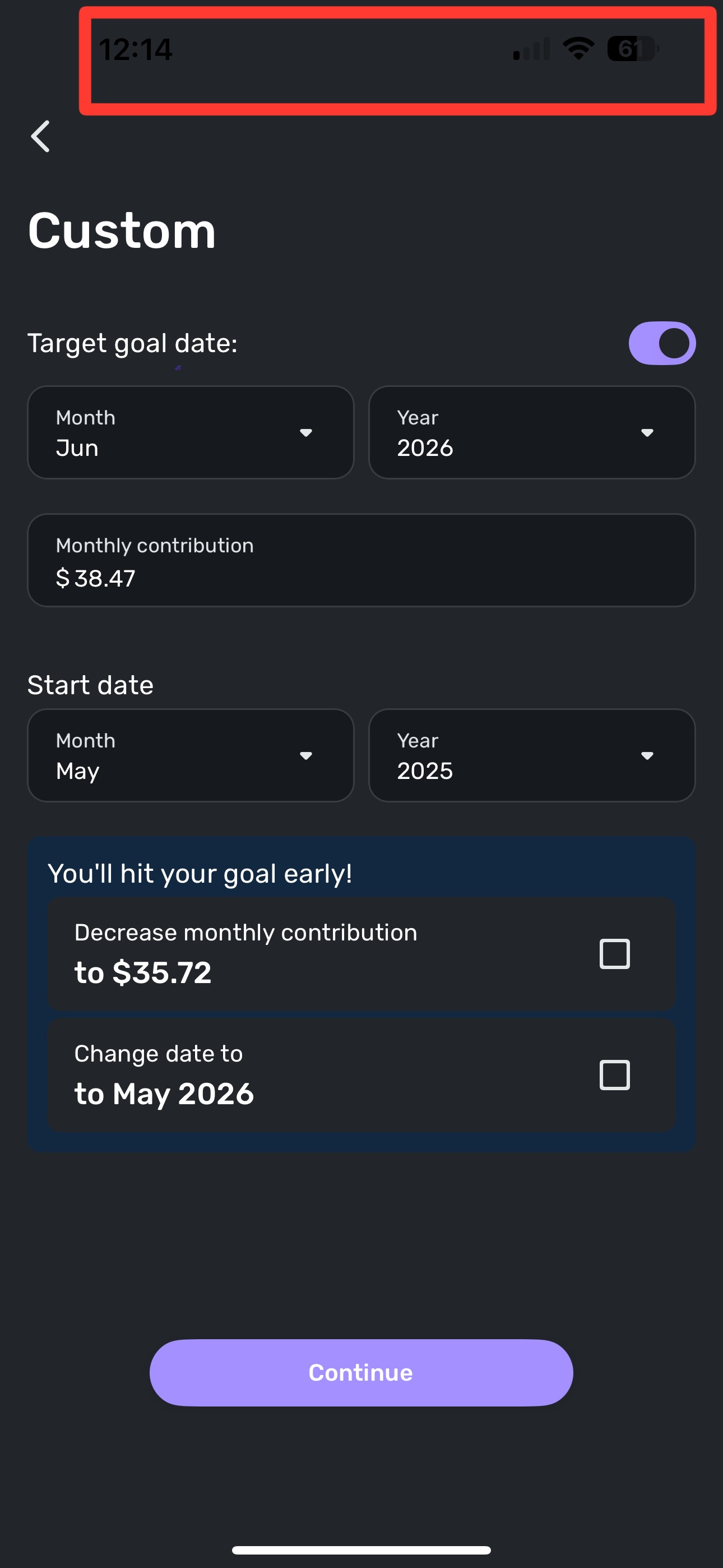
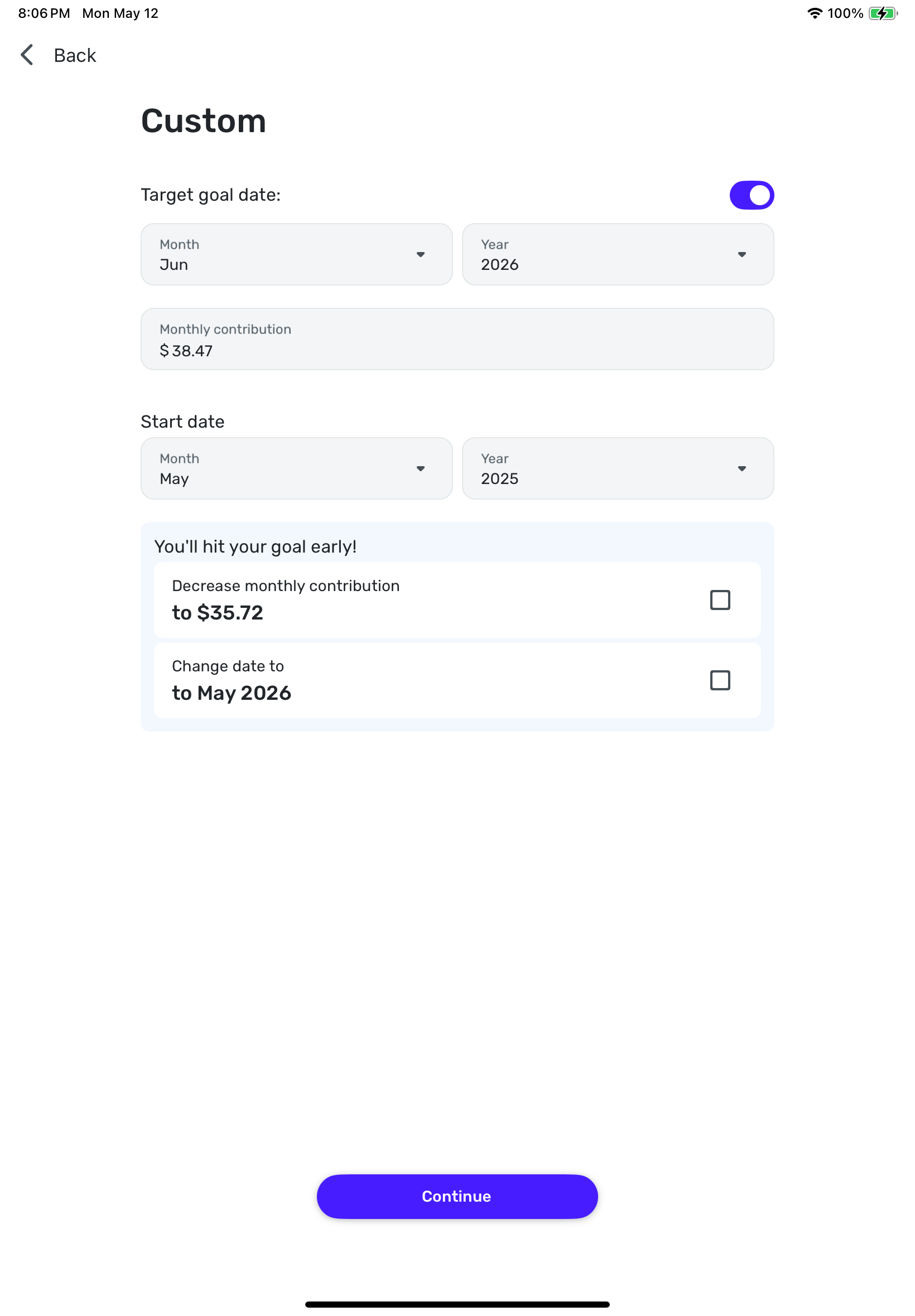
I'd like to report a bug in the iOS Simplifi app. When creating a goal, entering the goal name and amount and hitting continue, the next screen, when in "Dark Mode", the iOS system information at the top of iPhone (time, wi-fi/cellular, and battery indicator) are shown in black, instead of white and cannot be seen. Screenshot attached .
Comments
-
Hello @housetr,
Thanks for reaching out! I could not replicate this on my side from within the Android mobile application, so this may be specific to the iOS application. I would see if uninstalling and reinstalling the mobile application works to resolve the issue. Let us know if it does!
-Coach Jon
-Coach Jon
0 -
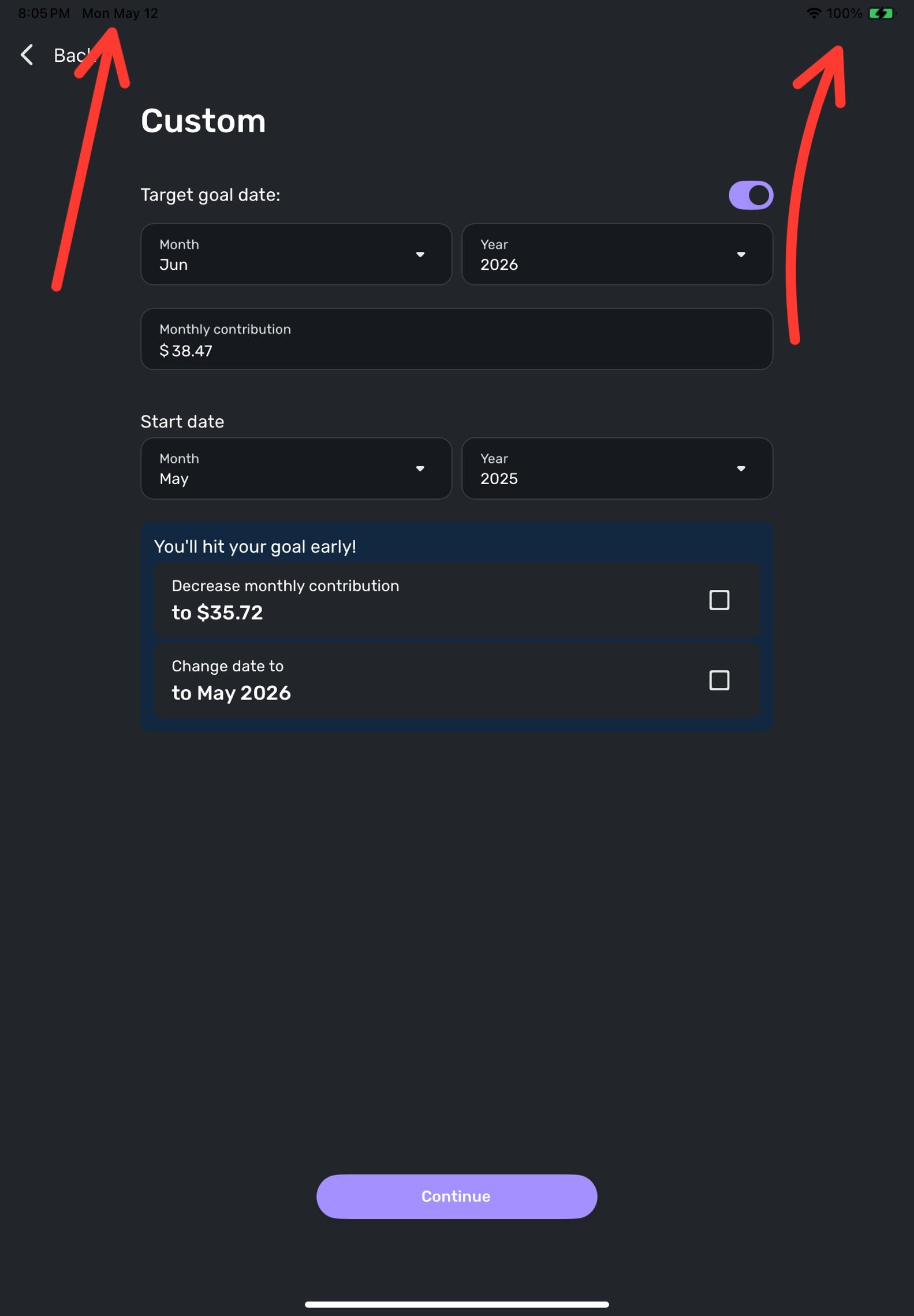
it does not resolve the issue. I tried that as well, so it must be specific to iOS. Same issue on my iPad.
0 -
Thanks @housetr,
To clarify the issue further, do you notice any other place within the mobile application where this occurs? Additionally, can you provide a screenshot of the issue on the iPad as well as any other places you may see the issue in the mobile application?
-Coach Jon
-Coach Jon
0 -
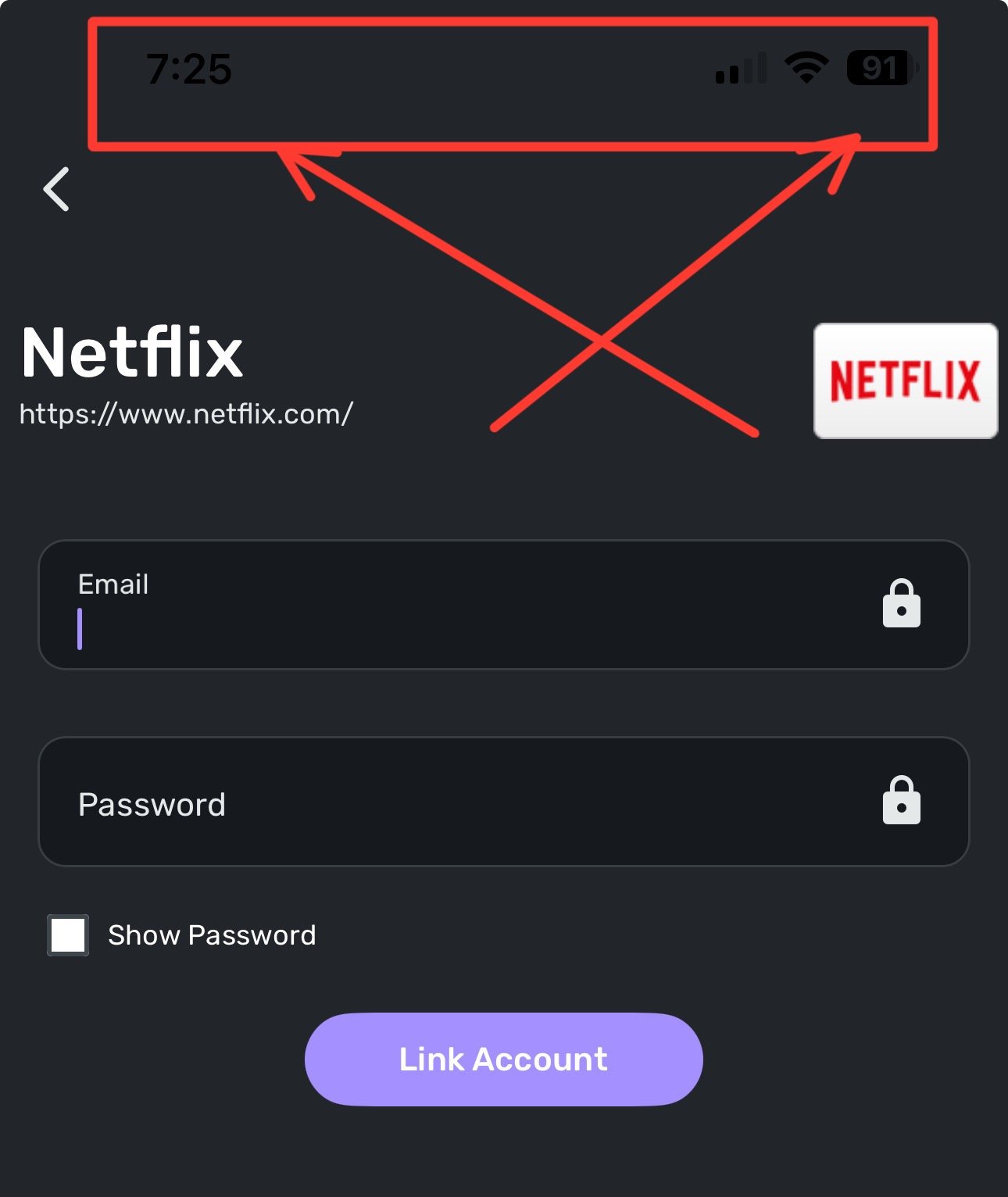
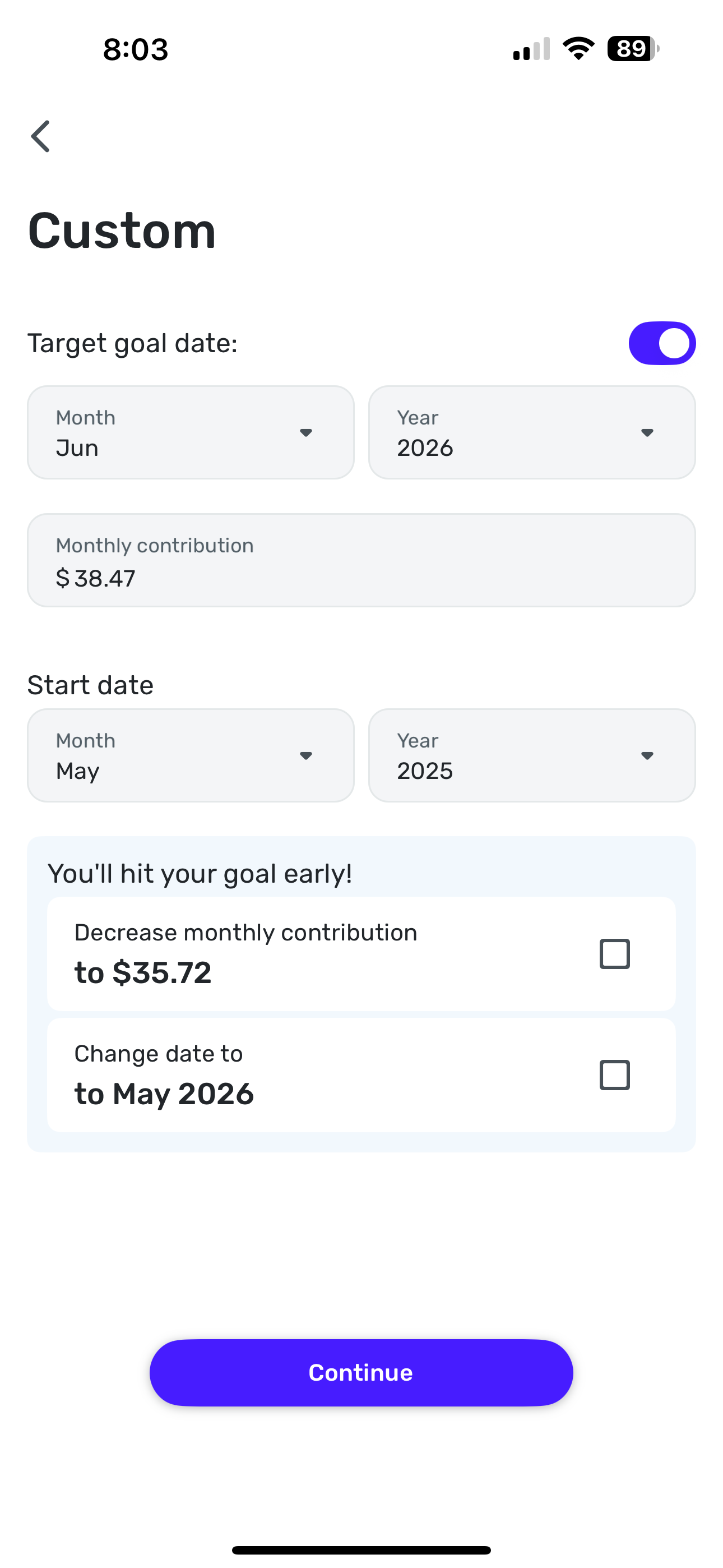
Yes, it also does it in the “Connect Bill” screeens. I’ve attached screenshots of iPad and iOS in both dark and light mode. System clock, battery indicator, wi-fi/cellular shows in light mode, just not in dark mode.
 0
0 -
Thanks @housetr!
In order to get this bug reported, can you please supply us with your mobile device model and OS? As well as the version and build of your Quicken Simplifi mobile application. If you can also provide a couple of examples of places where the dark mode works correctly, this would help us determine why this behavior is occurring. We will need logs to be sent too, please:
- Log in to the Quicken Simplifi Web App.
- Select Profile from the left-hand navigation bar.
- With the Profile menu open, hold down the Option key for Mac or the Alt key for Windows, and then click Send Feedback.
- Leave all boxes checked, add a brief description of the issue, and then click Send.
-Coach Jon
-Coach Jon
0 -
1.) Mobile Device model is Apple iPhone 14 Pro Max
2.) iOS 18.5
3.) Quicken Version/Build 5.30.0 (40990)
4.) Dark mode works correct in all the main menus from the left navigation (Dashboard, Transactions, Accounts, Spending Plan, Goals (the issue only starts in Goals in the set-up screens), Bills and Income, etc.
5.) I have also submitted the logs.0 -
Are you referring to examples of where the system time info at the top is behaving correctly or screenshots of where it’s black and you can’t see it?
0 -
@Coach Jon any update on this? I created a new goal today and the system time and other info is still in black and cannot be seen in dark mode.
0
