Unable to change the category on a linked refund (edited)

I have a transaction which I marked to track a refund. Once the refund came in, I married the original transaction to the refund.
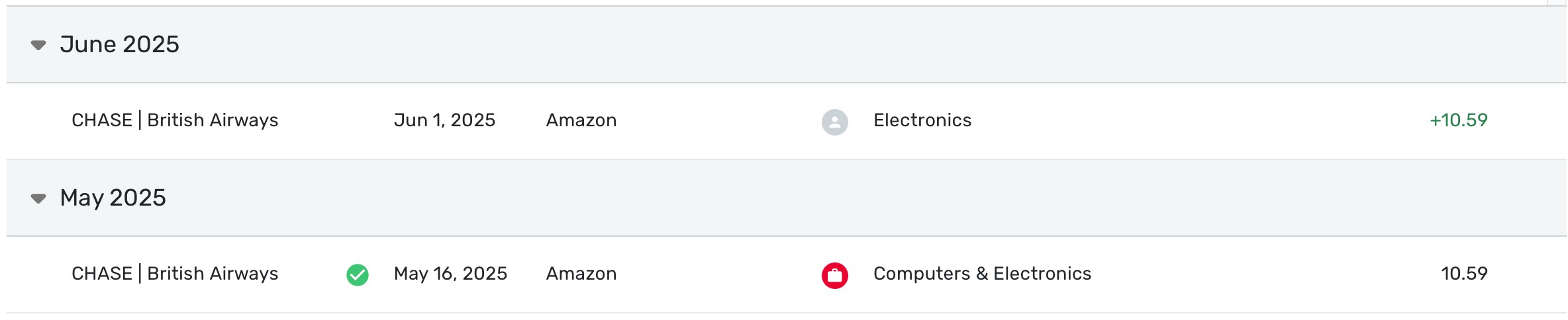
However, the categories are misaligned, and I cannot change them:
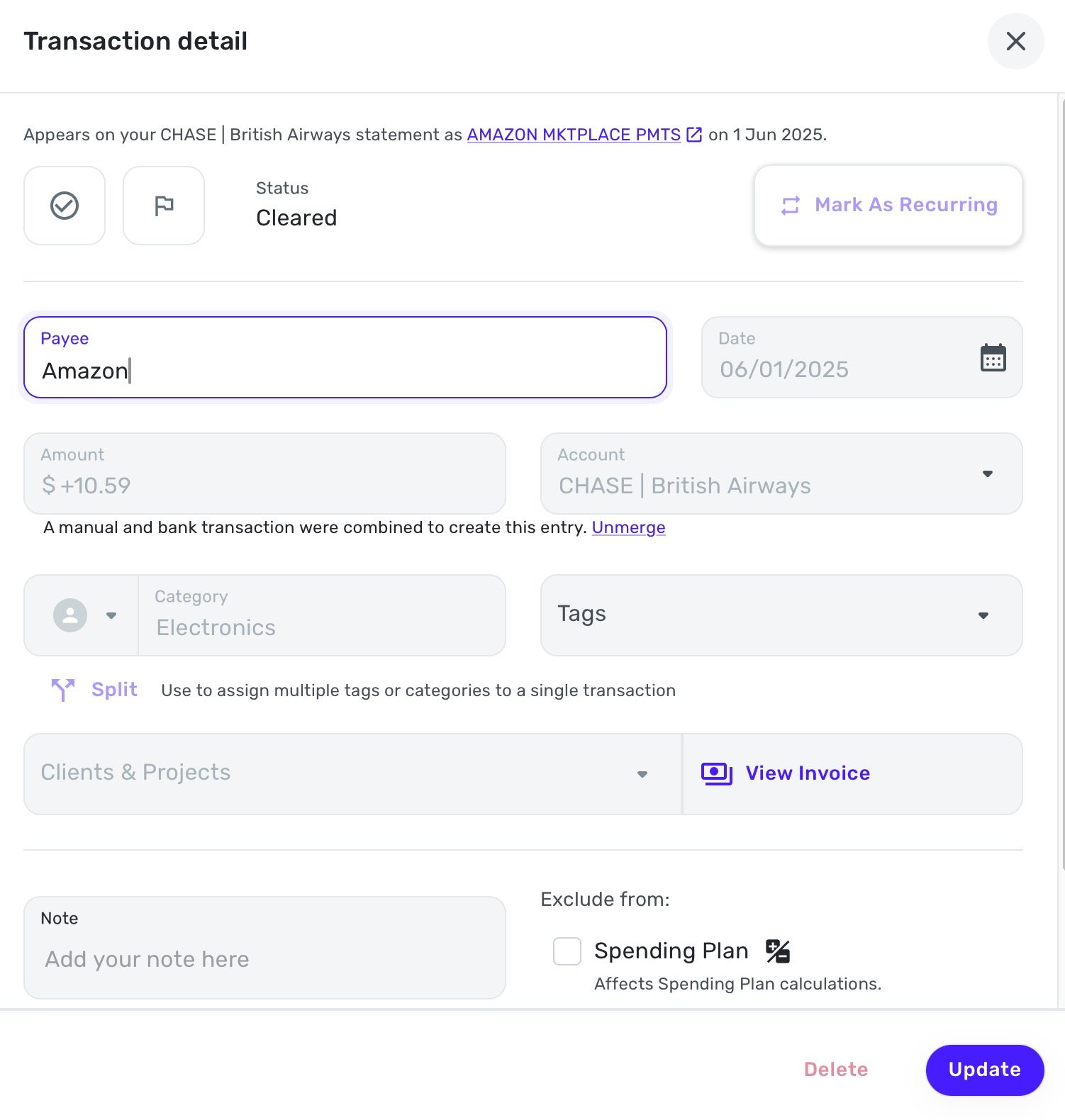
When I click on the refund in order to change the category, I am locked out:
How can I rectify this so that the original transaction and refund are the same category?
Comments
-
I can't tell for sure, but it looks like one transaction is categorized as personal and the other as business. Is that the case? If so, it might be part of the problem.
DryHeat
-Quicken Classic (1990-2020), CountAbout (2021-2024), Simplifi (2025-…)1 -
Yes, @DryHeat that is correct. And the issue is I cannot change the category from personal to business. I'm locked out from making changes.
0 -
Hello @cloudquick,
Thanks for reaching out! I can see from your screenshots where your categories are slightly different. If you "Unmerge" the transactions from the Transaction Detail window, does it then allow you to change this category?
-Coach Jon
-Coach Jon
0 -
I'm not sure if by "locked out" you mean you can't change the Category at all or you can't change it from a personal Category to a business Category (or vice versa).
If you can make any changes, you could try changing the Usage from business to personal before trying to change the Category. You do that using the dropdown on the left (outlined in blue below). You might have to change the Category to "Uncategorized" first — that category seems to be available in both business and personal transactions.

DryHeat
-Quicken Classic (1990-2020), CountAbout (2021-2024), Simplifi (2025-…)0 -
Hi @Coach Jon yes, unmerging has allowed me to change the incorrect category.
I think there was conflict/confusion because there were two similar amazon transactions for the same amount. Thanks for the assistance.
1 -
Coming back to this, because I've just had this occur again (and this time there are no similar transactions to confuse the matter).
Here is the transaction as it came into my account, after I assigned it to the right category (Business: Computers & Electronics)

And here is the refund I created in the refund tracker:
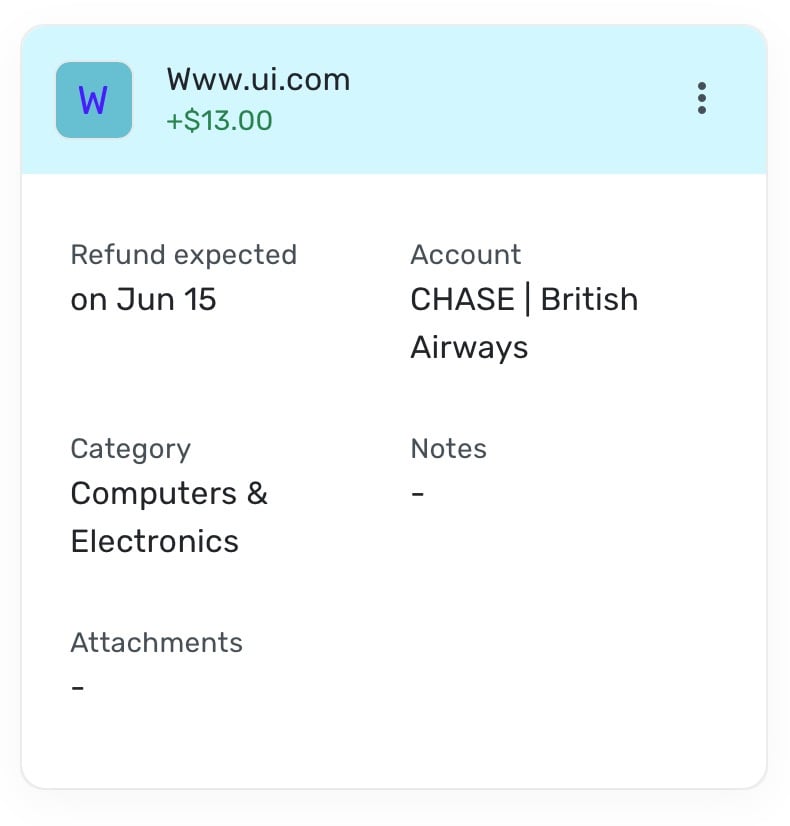
I double checked that the category was correct before linking:
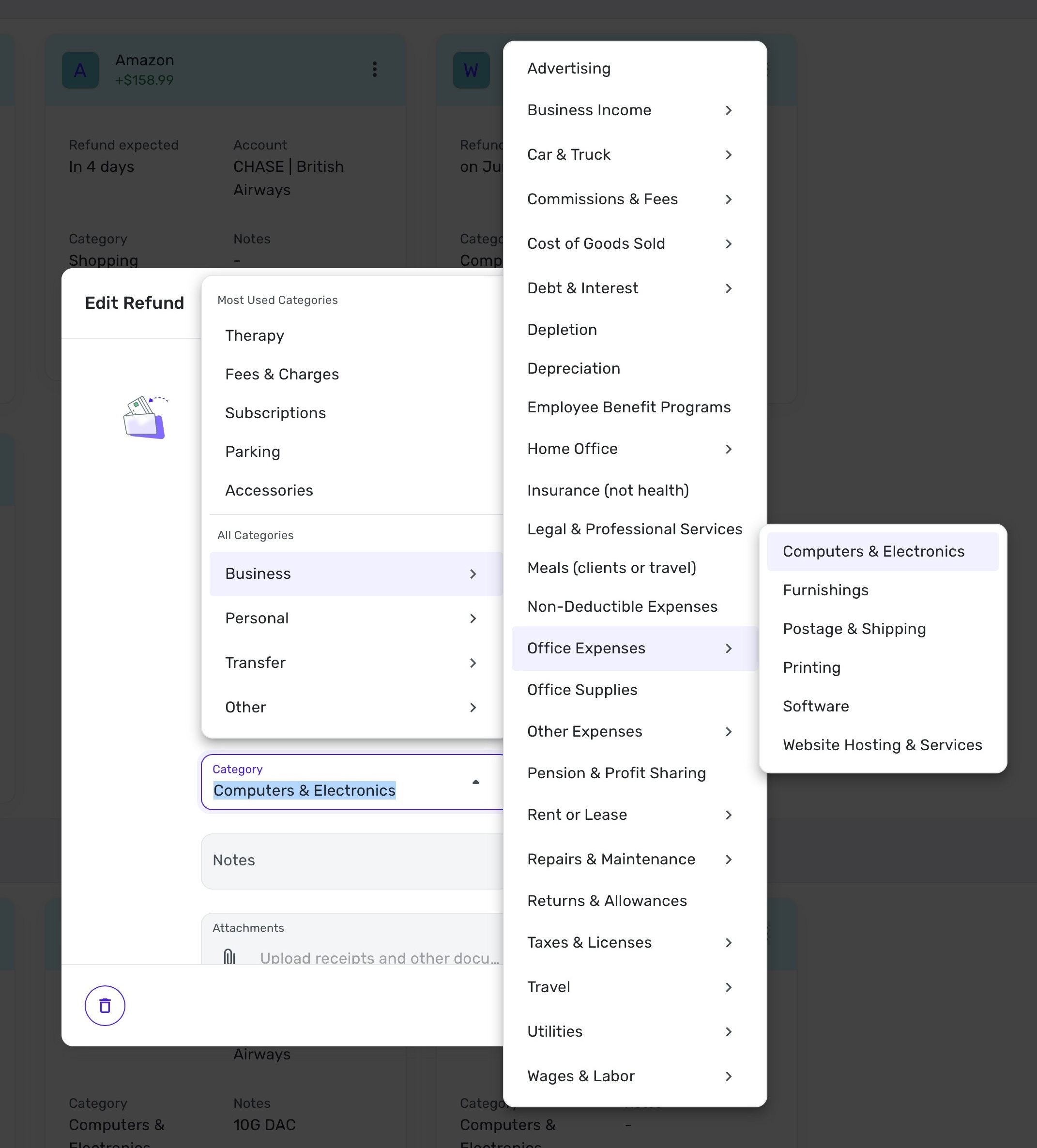
I then linked the refund to the transaction, and it changed the category to personal, and locked me out from making changes:

Is this a bug @Coach Jon or am I doing something incorrectly? I deal with a decent amount of refunds at times, and I don't want to continually run into the problem where it reassigns them to the wrong category, and I'm unable to rectify it. Thanks!
EDIT: and I've just had this happen again with another refund. I tried linking the refund from both the transaction, and from the refund tracker itself, and either way it's the same results.
0 -
Hello @cloudquick,
Thanks for following up! This is certainly strange behavior. If you navigate to Settings > Categories & Tags, can you verify if you have a Personal category showing up there for Computers & Electronics? Can you also provide the details of the second linked refund that is having the same issue?
Please also provide logs for us!
- Log into the Quicken Simplifi Web App.
- Select Profile from the left-hand navigation bar.
- With the Profile menu open, hold down the Option key for Mac or the Alt key for Windows, and then click Send Feedback.
- Leave all boxes checked, add a brief description of the issue, and then click Send.
-Coach Jon
-Coach Jon
0 -
Hi @Coach Jon
I checked in settings and can confirm there is no, there is no 'Computers & Electronics' category for personal.
The second transaction is even stranger. Below you will see the original transaction for $47.70 and then two refund transactions for $37.46 (since shipping was not refunded).
You can see that one is in the correct category "business" and one is in the personal category for 'Computers and Electronics' which we have just confirmed does not even exist.

And here is the refund transaction:
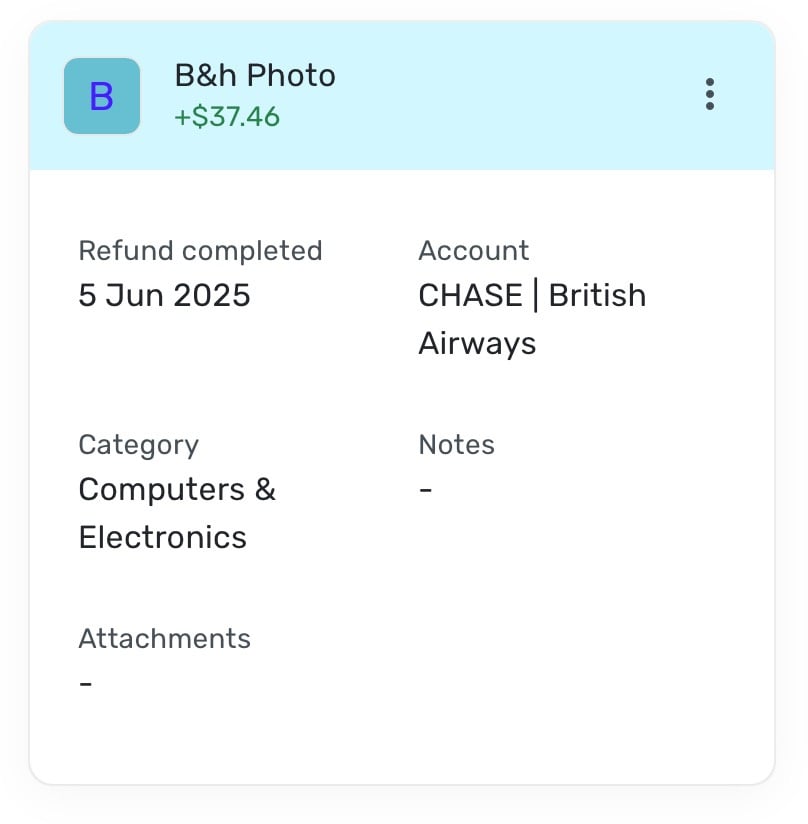
I have sent the feedback & logs as requested.
0 -
Hello @cloudquick,
Thanks for the additional information and for confirming. Unfortunately, it seems like this issue may only be affecting your dataset at this time since we haven't had any other reported cases. Can you please provide the web browser and operating system, with their respective versions, please? Can you also provide the version and build of Quicken Simplifi you're on as well? This can be found at the bottom of the Dashboard in Quicken Simplifi.

-Coach Jon
-Coach Jon
0 -
Hi @Coach Jon
The web browser is Safari 18.5 and the operating system is MacOS 15.5
Quicken build below:
 0
0 -
Hello @cloudquick,
Thanks for providing that information! One other thing I would like you to try is to see if you can change the categories from within another web browser/ incognito mode or the mobile application. Also, for clarification, you mentioned previously that the transaction came in and you assigned it to the correct Business category. Did the transaction come in as a Personal transaction originally before you changed it? Have you tried linking the transaction to the refund before changing the category in that case? Let us know!
-Coach Jon
-Coach Jon
0 -
Hi again @Coach Jon
To answer your questions:
- I have also tried in Chrome and get the same result.
- I have tried in the browser, and when I select the specific transaction from the transaction tab, it directs me to the following page:
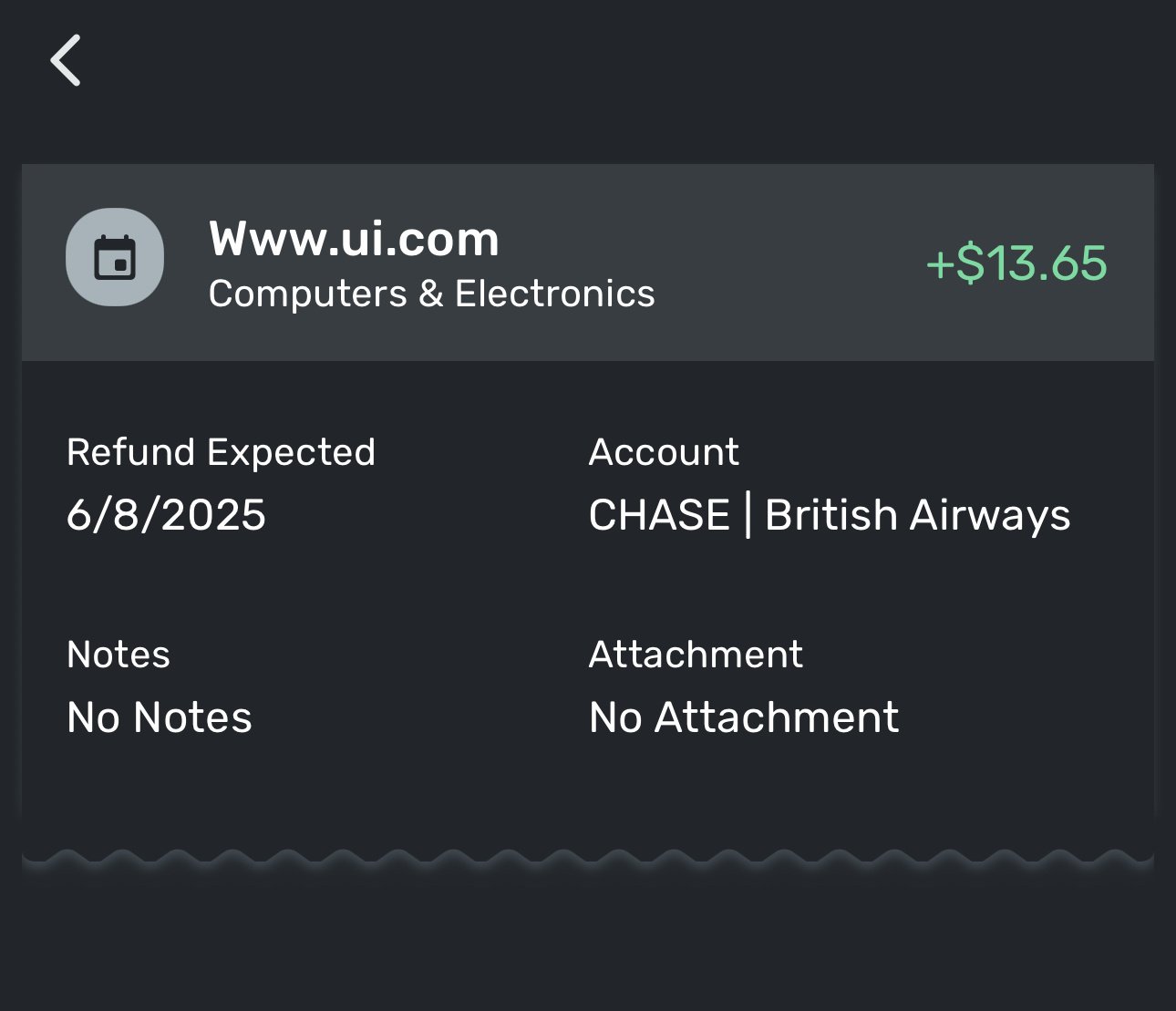
- I believe the transaction did come in as personal originally.
- I have not tried linking the transaction to the refund before changing the category. This would make the refund functionality useless to me, as it would mean I would need to leave categories pending for 30 days (or more in some instances). If I'm having to wait to assign the correct category before even know if the item is going to be refunded, then a large chunk of my transactions would essentially be pending, making the software practically useless to me, so I'm not sure this is a practical work around.
Please let me know if I can supply any more information.
Thanks!
0 -
Hello @cloudquick,
Thanks for the reply. This is definitely a strange bug. Can you please supply a screenshot showing the lack of the "Computers & Electronics" Personal category in Settings > Categories & Tags? We should be able to get this escalated for you.
-Coach Jon
-Coach Jon
0 -
Hi @Coach Jon I think this is what you're looking for:
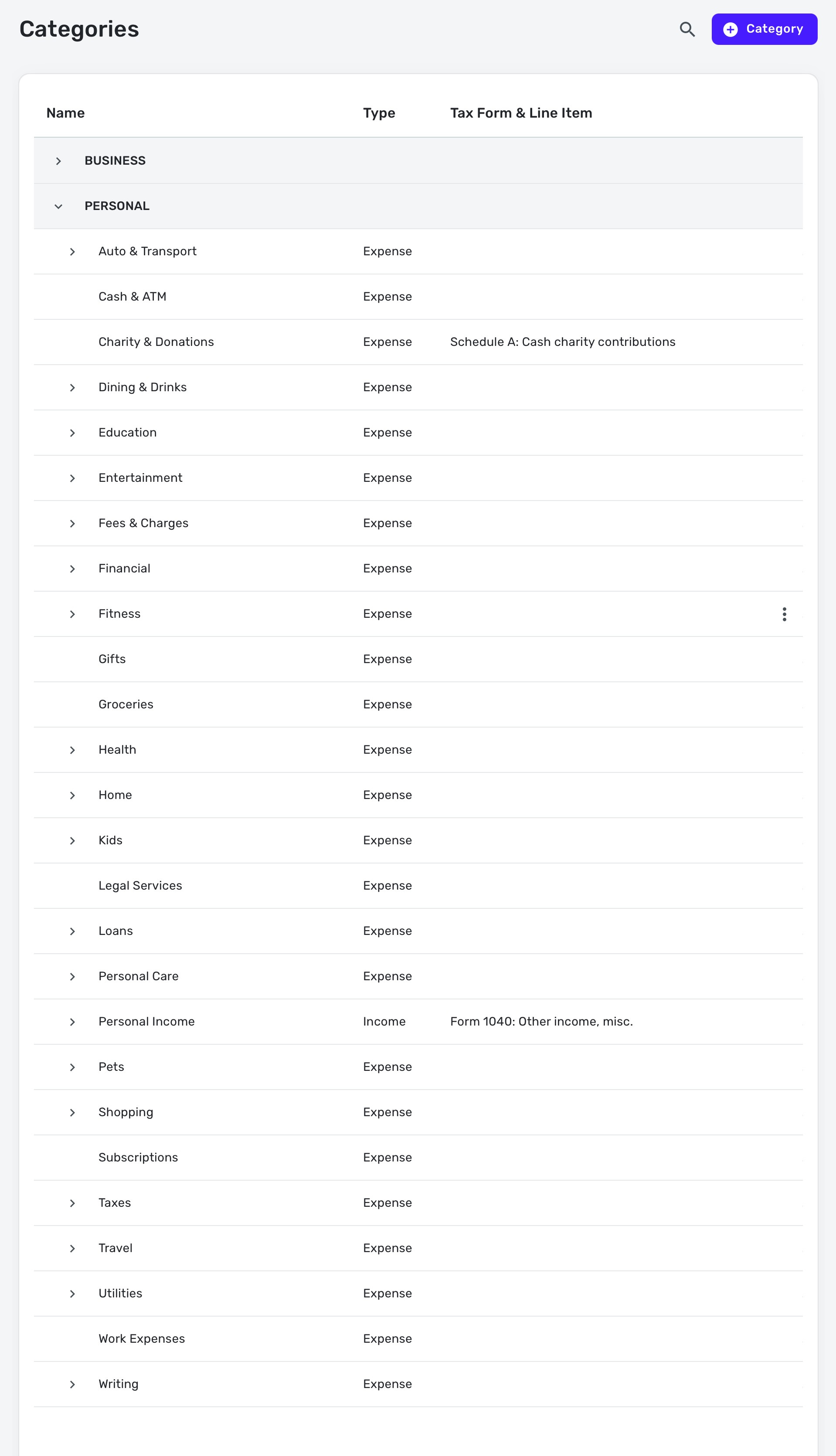 0
0 -
Hello @cloudquick,
Thanks for the information! I have gone ahead and reported this issue to our product team and will be sure to follow up here when we have more information!
-Coach Jon
SIMPL-27653
-Coach Jon
1 -
Thanks @Coach Jon appreciate it!
0 -
Hi @Coach Jon I have a follow up about this issue, not sure if this is useful additional information.
I had a new refund come in today, which I had already setup as pending tracked refund.
The transaction came in uncategorised and I clicked on it, and clicked the 'match refund' link and then selected the appropriate refund.
The system then created a new transaction as seen here:
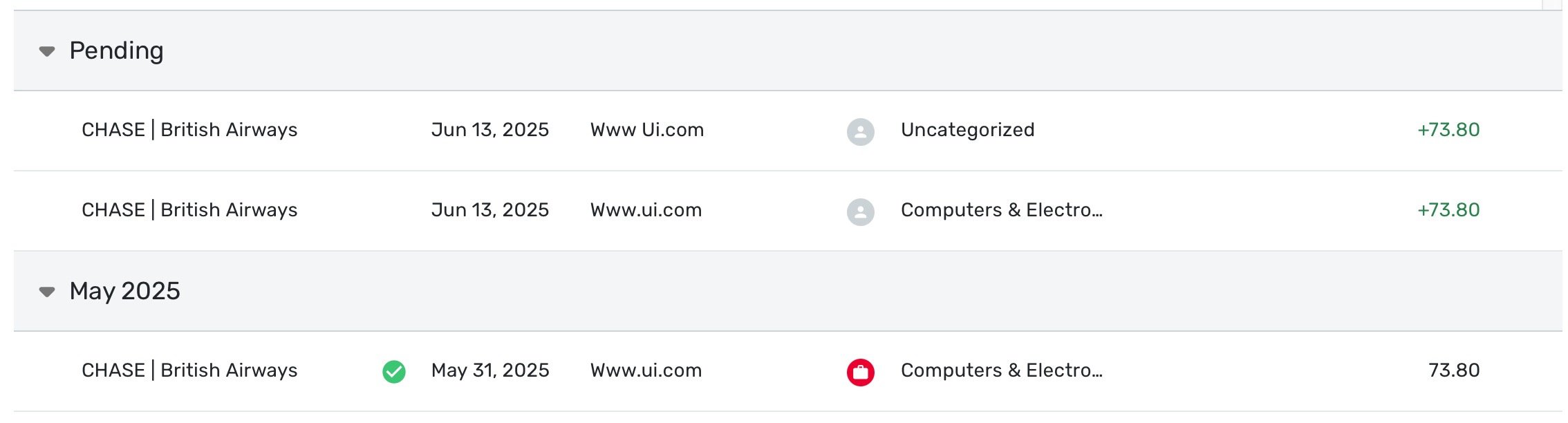
The transaction in May is the original purchase (which I had added to the track refund section).
The transaction at the top (uncategorised) is the transaction that came in today which I matched to the pending tracked refund.
And then then the middle transaction is the one it created, and which is exhibiting the wrong category (personal as opposed to business) which is the issue we'd be discussing previously.
Not sure if this is redundant information or not. But hopefully it's helpful in figuring out the problem.
0 -
Hello @cloudquick,
Thanks for the additional information. I will be sure to follow up here when our product team provides a status update on the escalated issue they are investigating. I would delete the new duplicate transaction in the meantime.
-Coach Jon
-Coach Jon
1 -
Thanks @Coach Jon
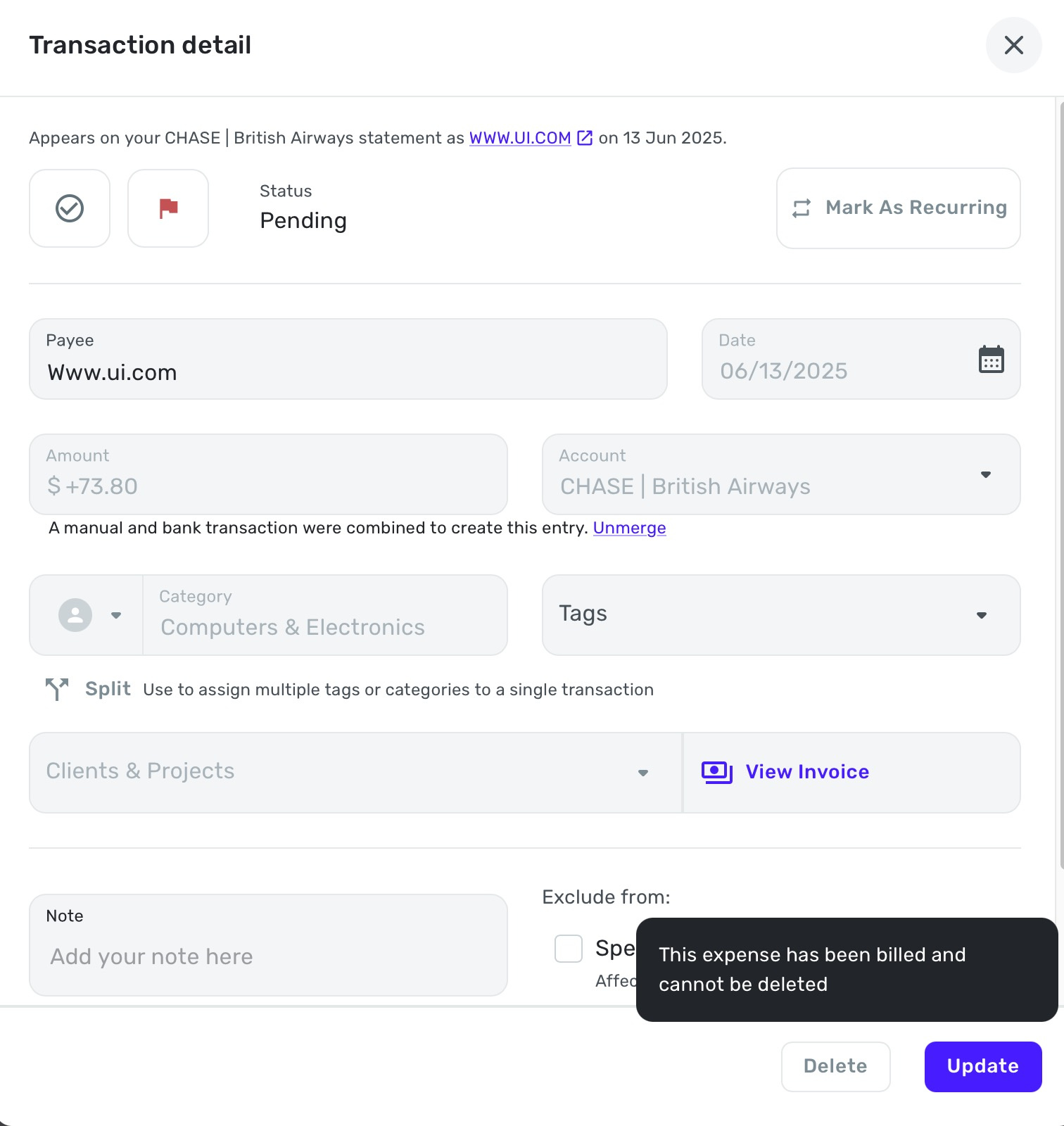
If I try to delete the duplicate transaction, as suggested, I get the following message:
 0
0 -
@cloudquick Just a couple of quick questions about your pretty mysterious problem…
-If you use the "Search category" function in the list of Categories (under Settings) to search for "Computers," does only one Category show up? Just the one that is a Business category?
-Did you ever have a Personal category called "Computers & Electronics"? Maybe one that got deleted?
-Is there a related refund in the Refund Tracker and, if so, have you tried to "Un-link from transaction"?
-Is there an invoice this is attached to? What happens if you click on "View Invoice"?
These are just my thoughts about what I would try if I had a similar problem.
DryHeat
-Quicken Classic (1990-2020), CountAbout (2021-2024), Simplifi (2025-…)0 -
Hi again @DryHeat thanks for your thoughts here!
If you scroll up a bit on this thread you will see a screenshot of all my 'Personal' categories from the settings menu. Whilst there is no "Computers & Electronics" category, what you can't see is an 'Electronics' category nested as a sub category in both home and one also in shopping.
I don't believe I ever had a "Computers & Electronics" category in the Personal section (I've only been using a bit over a month) but I guess there's a slim possibility I created one and deleted it, but I really don't remember doing that
And overall there is currently just one "Computers & Electronics" category, and that's the one in the Business section.
In terms of linking and re-link etc, yes I have been through a bunch of those steps with Coach Jon. And I think he's ultimately decided this is some sort of bug they are looking into.
And finally, no this is not attached to any invoice.
0 -
I saw the Categories screenshot, but it didn't show all the nested categories. Still, sounds like none of the hidden ones match what you are seeing. Weird.
And I guess you mean that clicking on the "View Invoice" link doesn't do anything. That's also weird. My transactions don't show that link unless the transaction is linked to an invoice. They show this:

instead of this:

Nothing about that transaction seems right. Sorry I can't help.
DryHeat
-Quicken Classic (1990-2020), CountAbout (2021-2024), Simplifi (2025-…)1 -
Thanks @DryHeat I don't think I had even noticed that 'View Invoice' section.
When I click it, I get this:
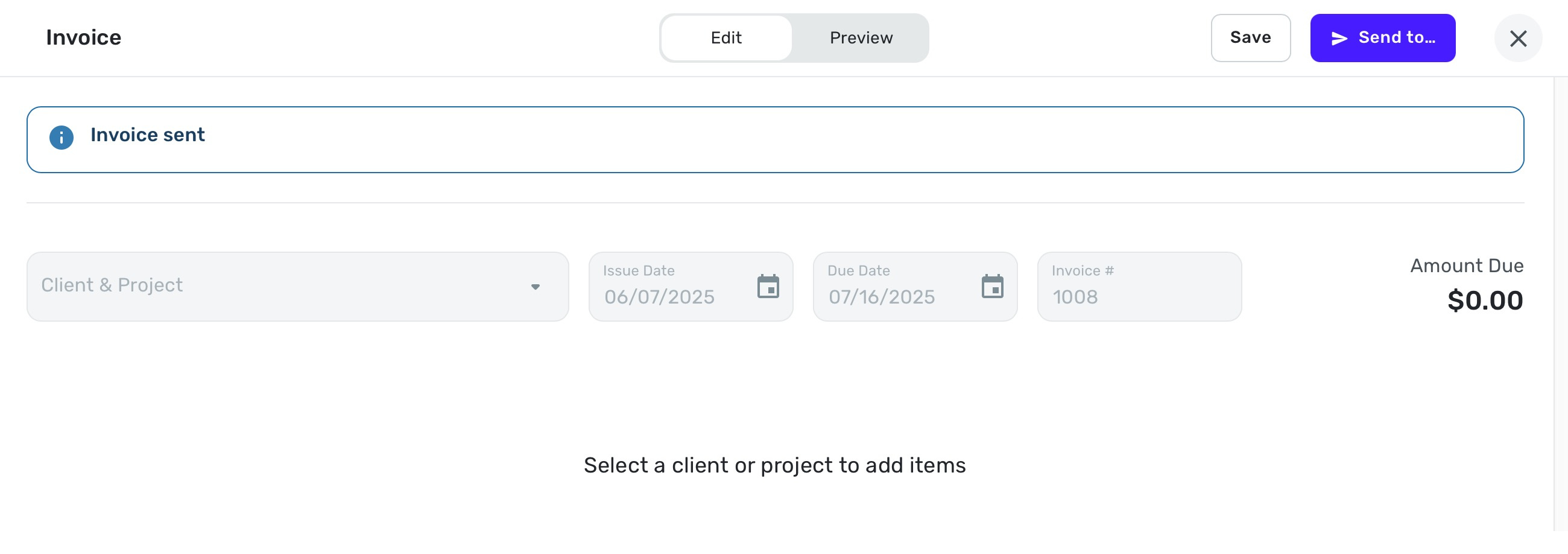
Perhaps this is also useful info for you @Coach Jon as the issue gets troubleshot?
0 -
@cloudquick It's possible that your transaction is linked to an invoice and that such linkage has something to do with your inability to delete the transaction or change the category. But I'm out of my depth here and will have to leave it to someone who has experience with the invoicing system.
DryHeat
-Quicken Classic (1990-2020), CountAbout (2021-2024), Simplifi (2025-…)1 -
Hello @cloudquick,
I just wanted to follow up here to let you know the ticket for this issue is still open and being worked on. We will continue to post back here as updates are received.
Thank you for your continued patience!
-Coach Jon
-Coach Jon
0

