Missing accounts with AIG Retirement - My Streetscape (edited)

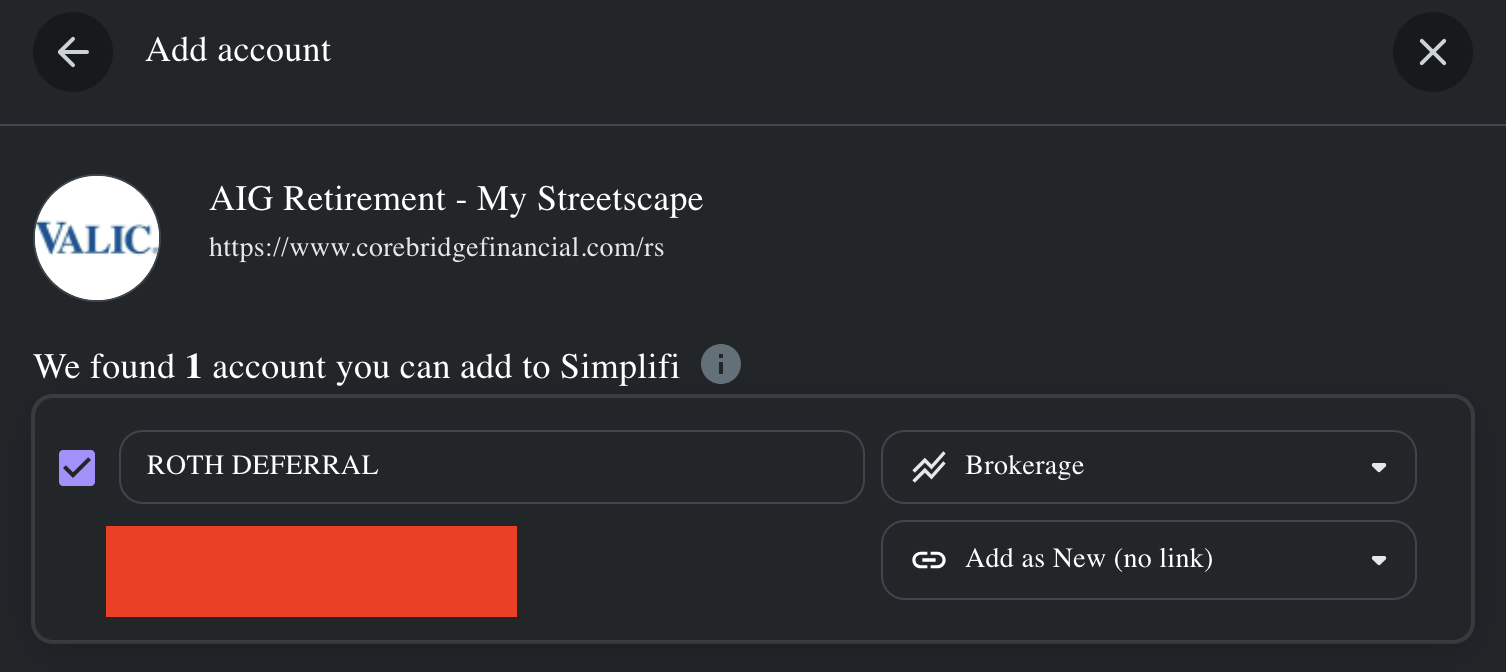
This is effectively a repeat of the same issue I faced just a few months ago. Suddenly, 2 out of the 3 accounts I have in Corebridge suddenly failed to connect, this time show a care code of 324 (screenshot attached.) After reconnecting with credentials I know are correct, I see a message that says all accounts have already been added, indicating that the connection has somehow yet again failed to detect 2 of the 3 accounts (screenshot attached.)
Comments
-
Here is the original post I made reporting this issue months ago: https://community.simplifimoney.com/discussion/comment/49136
0 -
@rscotton, thanks for posting to the Community with this issue!
When viewing your connection attempts from our end for AIG Retirement - My Streetscape, I'm seeing successful connections. Let's have you try establishing a completely fresh connection with the bank to see if doing so clears things up for you:
- Make all of your accounts with this bank manual by following the steps here.
- Once you see the account(s) listed in the Manual Accounts section under Settings > Accounts, go back through the Add Account flow to reconnect to the bank.
- If the connection is successful, carefully link the account(s) found to your existing Quicken Simplifi account(s) by following the steps here.
Let us know how it goes!
-Coach Natalie
0 -
@Coach Natalie step 1 succeeded - step 2 is failing to return all 3 accounts, instead only returning one
 0
0 -
@rscotton, thanks for giving those steps a try and posting back!
Please provide the following data so we can review your case for escalation:
- Has there been any activity in the missing accounts in the last 90 days?
- Are the missing accounts considered external accounts (i.e. are you redirected to a different website when selecting the account on the bank's website)? If so, what URL are you redirected to?
- Are the missing accounts a subtype of a different account?
- Has the bank made any recent changes to its website or sign-in process?
- Are you the owner of the missing accounts?
- The names of the missing accounts, as they appear on the bank's website.
- The names of the missing accounts that are no longer able to be linked, as they appear in Quicken Simplifi.
- A screenshot of the Accounts Summary page from the bank's website that has a wide enough scope to show the full page URL. This is the landing page after signing in, and typically lists all accounts and balances. You will want to take this from a web browser and not a mobile browser, as well as redact any private info such as account numbers.
Please also submit your logs via the 'Send Feedback' option:
- Log in to the Quicken Simplifi Web App.
- Select Profile from the left-hand navigation bar.
- With the Profile menu open, hold down the Option key for Mac or the Alt key for Windows, and then click Send Feedback.
- Leave all boxes checked, add a brief description of the issue, and then click Send.
Much appreciated!
-Coach Natalie
0 -
- Has there been any activity in the missing accounts in the last 90 days? - Yes
- Are the missing accounts considered external accounts (i.e. are you redirected to a different website when selecting the account on the bank's website)? If so, what URL are you redirected to? - No
- Are the missing accounts a subtype of a different account? - I'm not sure how to answer this. I don't think so.
- Has the bank made any recent changes to its website or sign-in process? - No, not that I can detect since the last time I filed a support ticket for this provider.
- Are you the owner of the missing accounts? - My partner is and I use their credentials
- The names of the missing accounts, as they appear on the bank's website. -
EMPLOYEE TRANSFER/ROLLOVER; EMPLOYER NON-MATCHING - The names of the missing accounts that are no longer able to be linked, as they appear in Quicken Simplifi. - There's personal information in the names for my own tracking, I'm not willing to share this publicly.
- A screenshot of the Accounts Summary page from the bank's website that has a wide enough scope to show the full page URL. This is the landing page after signing in, and typically lists all accounts and balances. You will want to take this from a web browser and not a mobile browser, as well as redact any private info such as account numbers. - I've already done this once in a private message and it was a pain to do. Rather than repeat that process, here's the old thread you're already on that provides this: https://community.simplifimoney.com/messages/1064
Feedback was sent. Reference ID is 491699868173324288
0 -
Correction: use reference ID 491699868173324288 - I filed it after repeating the failed connection process. I tried to edit the previous message to update this value, but got "Attempt to assign property "FormatBody" on bool" - even the support forum itself needs a support ticket 🤦♂️
0 -
@rscotton, thank you for the information!
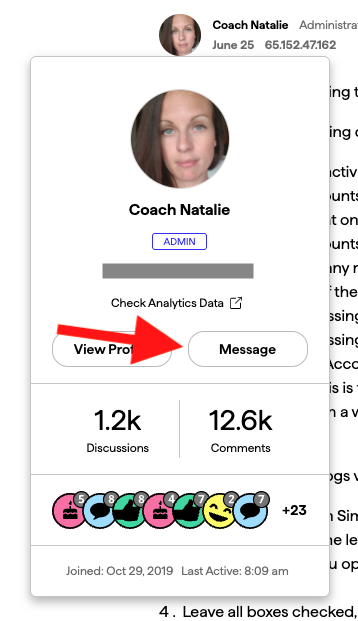
For number 7, you can DM me the information to keep it private. It's best to start a new DM so issues can be kept separate. You can do so by clicking my picture at the top of this comment and then selecting "Message".
For number 8, it looks like the previous screenshot was provided in February, so we will need a new one. We will typically need to gather fresh data for any new escalation, regardless of past escalations. Taking screenshots should be pretty easy; if you let us know what device or computer you're using, we can do our best to help.
Much appreciated!
-Coach Natalie
0 -
What's not easy is censoring all of the private details that you don't need to know to get the job done after the screenshot is taken. Ultimately you're going to end up with the exact same screenshot as the Corebridge dashboard hasn't changed since February. Would really appreciate better use of existing support assets to save me time but if that's not gonna happen I'll go through the same motions all over again tonight.
0 -
@rscotton, are you on a Mac or Windows? We can try to help with the redacting to make things easier. You can even DM the original image to me, and I will redact the private data before using it for the escalation.
Thanks!
-Coach Natalie
0 -
@Coach Natalie I've DM'ed the images. With respect, while I appreciate the offer, uploading non-redacted images anywhere on the internet is fundamentally a risk, so the work is on my end to stay secure.
1 -
@rscotton, thanks for the DM!
It looks like we're still missing number 7, but I will go ahead and escalate without it. First, however, I see that you haven't attempted to connect to AIG Retirement - My Streetscape since the middle of last week. To ensure the issue is still occurring as of this morning, please try adding the missing accounts once again.
Let us know how it goes!
-Coach Natalie
0 -
@Coach Natalie just confirmed the same bad outcomes as before in this comment:
I'll DM you the (now manual) account names tied to number 7
0 -
@rscotton, thank you for the information!
I have gotten this issue escalated, and will post back here as soon as an update is received.
EWC-11837356
-Coach Natalie
0 -
@rscotton, I heard back from our service provider, and they are aware of this issue. They're working on it, and gave us a way to track the issue. We have created an Alert that you and other users can follow for updates moving forward:
In the meantime, you can track the account manually by adding manual transactions, which will keep your records up-to-date. Here are the steps to do so:
If the account is an investment account, you can add/edit your Holdings to keep accurate records: and
Thank you for your patience as this issue is being worked on!
-Coach Natalie
0 -
Ugh, terrible provider - I've had more trouble with them than any other on your platform by a long shot. They seem to break regularly (more than I have reported…) - still, it's curious that my Wealthfront app hasn't had the same issues with this provider. Perhaps it's worth looking into an alternate way of integrating with Corebridge?
Either way, thanks for following up and moving the ball forward!
1


