Bank Accounts Disconnected, Reconnections Advice Please

In the image attached the five (5) accounts have been disconnected from the bank. When trying to re-connect, the names of the accounts are as the bank has them not as I have them in Quicken Simplifi. During the re-connection process, if I rename the accounts will they then link up and sync correctly? What is the best approach here to change the Account names in Quicken Simplifi to be the bank account names or to change the bank account nicknames? Or is there a better way to get these bank accounts reconnected?
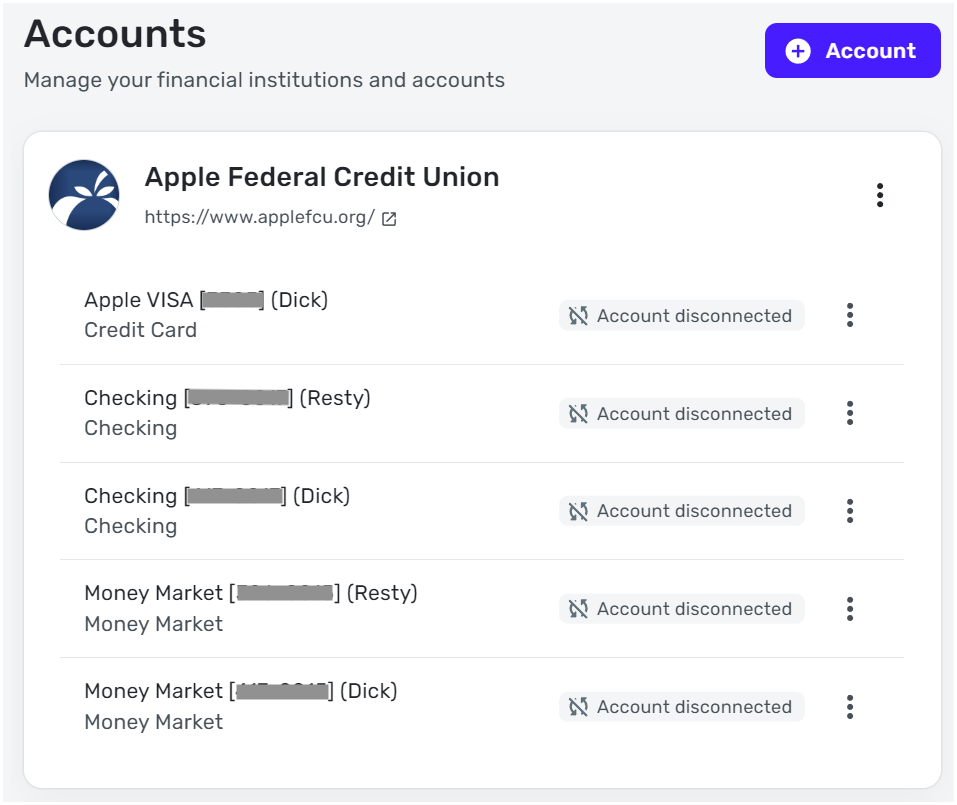
[edited image - privacy]
Dick Davis
Wanting to Migrate from Quicken Classic Premier to Simplifi
Comments
-
Since you already have the accounts in Simplifi with transactions presumably, and they are now disconnected, you may need to tell Simplifi to link them when you reconnect them. Instead of accepting them as new accounts, you use the drop down menu to link each one to the manual account you already have.
Since they are disconnected, when you reconnect, just make sure each one your bank provides is linked to the right account. If not, link them yourself using the advice from the support article below.
Here's a support article showing you how:
Steve
Quicken Simplifi (Safari & iOS) Since 2021
Quicken Classic (MacOS) Since 2009
MS Money (1991-2009) and Dollars & Sense (1987-1991)1 -
Thank you for the guidance, I felt more comfortable on what to do based on your guidance. Thank you again.
Dick Davis
Wanting to Migrate from Quicken Classic Premier to Simplifi
1
