Help with FDP-103 error - E*Trade (edited)

I have 2 different accounts with 2 different usernames at this institution. One works fine, one gets this error. They both have 2-factor authentication setup. I have verified that the username and password are fine. I can connect to their website without issue. I am using the character "%" in my password which should be fine, but I mention it only as this seems to by one difference. The other account uses a "!" and this is accepted.
Comments
-
Hello @dlisinski,
Thanks for reaching out! I can see that you are receiving an FDP-103 error from our side for E*Trade Investments. Is this the financial institution you are posting about? If so, I would see if the following steps work to help resolve the issue:
- Verify your login information is correct – Type your password/PIN into a text application to ensure you don’t have any typographical errors. Then, copy and paste your login information into Quicken Simplifi to ensure accuracy.
- Check for an app-specific password – Some banks require users to use a specific app password when connecting to a third party. Check with your bank to see if you need to use an app-specific password.
- Update your credentials – Try temporarily updating your password on your bank's website and then try again to connect to Quicken Simplifi. We recommend NOT using the following special characters: & < > / \.
Additionally, I know that we do not support password+token MFA options for E*Trade accounts. Does the secondary account use this kind of MFA option?
-Coach Jon
-Coach Jon
0 -
- The login works fine on the site
- The password has a % sign, but none of the characters you list. I have another account that has an exclamation point and this works in Simplifi
- I would rather not do this, but is this the only option?
0 -
Hello @dlisinski,
Thanks for the reply. I can definitely understand where you are coming from, but in order to continue troubleshooting, we will need all the steps completed to help us narrow down the cause and proceed with further solutions. Let us know once you have updated your credentials, and we can continue investigating!
-Coach Jon
-Coach Jon
0 -
I changed the password on the account to only have an exclamation point as it does for the other account that works and I now get this error:
We are unable to connect to <Financial Institution> at this timeCare Code: not.found
To be clear, the username on this account is different from the username for the account that connects successfully. What is the next step to diagnose this?
0 -
Hello @dlisinski,
Thanks for following up! I can still see the FDP-103 error being received from the backend here. If you can please provide the following information, we can work on investigating this issue further:
- Have there been recent changes in your banking website? If there are changes, what are those?
- What is the exact URL you use to log in to your account (login URL)?
- What type of accounts are you adding (banking, investment, debt, etc.)?
- If possible, please provide a screenshot of the bank account summary page that includes the URL. You’re welcome to remove or obscure any personal information.
- Document the FORMAT of your password (NOT the actual password!). For example, the password of "Quicken123$" would be "Xxxxxxx###$." Document the specific special character(s) in the password (AGAIN, NOT the actual password!). We recommend to NOT use the following special characters & < > / \.
-Coach Jon
-Coach Jon
0 -
- No, as I said, there is another account on the same site with a different username and password that looks fine
- etrade.com
- IRA / Investment (the account that works is also an investment account)
- I am not sure what this would accomplish so I would rather not post anything about my account like that. The URL should be sufficient
- ##xXXxx##xX##! For reference, for the account that works, the password format is #Xxxx#xxx###!
The account was added successfully when I first setup Simplifi, it just will not update. The error that I see when I go to the details of the account now are:
Account needs attentionTo connect to E*Trade Investments, you must re-enter your credentials. If that does not work, try entering them on the website at E*Trade Investments to ensure they are correct.(Care code: FDP-103)
1 -
Thank you for your reply,
The screenshot is needed since it shows our team that there is an account at that URL that Quicken Simplifi is not seeing or unable to connect to. Please redact personal information from the screenshot. If you're not comfortable posting the screenshot in this discussion, then please send it to @Coach Jon via DM.
Please also send logs. You can do that by following these steps:
- Log into the Quicken Simplifi Web App.
- Select Profile from the left-hand navigation bar.
- With the Profile menu open, hold down the Option key for Mac or the Alt key for Windows, and then click Send Feedback.
- Leave all boxes checked, add a brief description of the issue, and then click Send.
Thank you!
-Coach Kristina
0 -
Account logged in to E*Trade and you see the user ID of [redacted for privacy]
0 -
I followed the steps to get you a log and got the following response:
report created - reference id 4923512353999247360 -
Hello @dlisinski,
Thanks for providing this information. For the screenshot in question, it does need to show the Accounts Summary page from the bank's website that lists all accounts and balances (feel free to redact any personal info) and has a wide enough scope to show the page URL (this must be taken from a web browser and not a mobile browser).
If you can please let us know when you provide that, we can start working on investigating this issue! Feel free to send this via DM if you prefer!
-Coach Jon
-Coach Jon
0 -
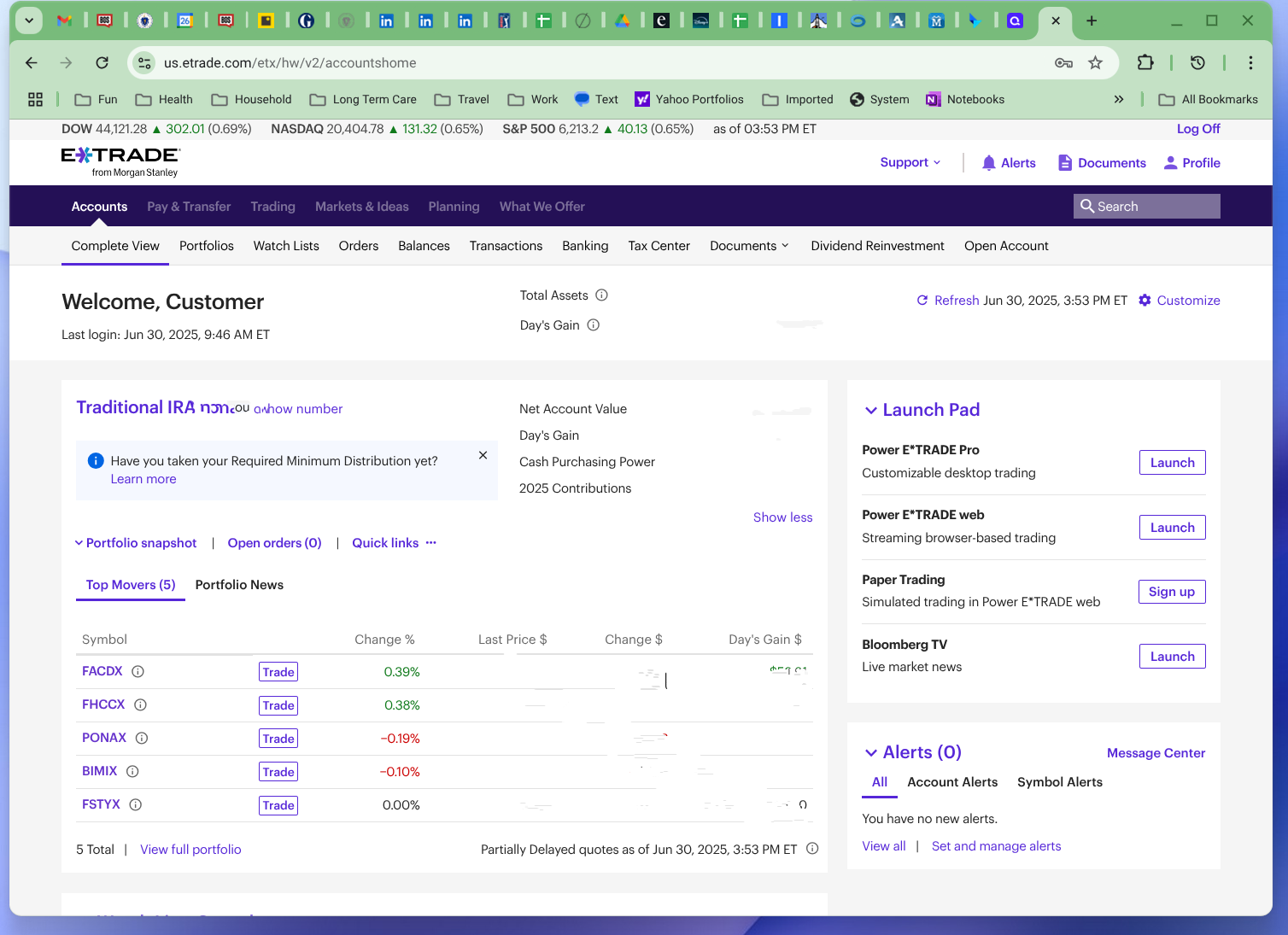
Hopefully this is sufficient
0 -
Hello @dlisinski,
Thanks for the provided information. I did report this to our service provider and will be sure to follow up here when we have a status update!
-Coach Jon
EWC - 11837015
-Coach Jon
0 -
Hello @dlisinski,
I am back with an update from our service provider. They are still seeing incorrect credentials being used from their side. I would make sure that you are using the correct bank presence in Quicken Simplifi.
Some banks have several different presences available depending on the account type you’re trying to add. I would try connecting again in the program via the same presence you used prior, and also the others available, to see if one of them ends up working. I believe the ETRADE - Advisor is the best one to use in this case.
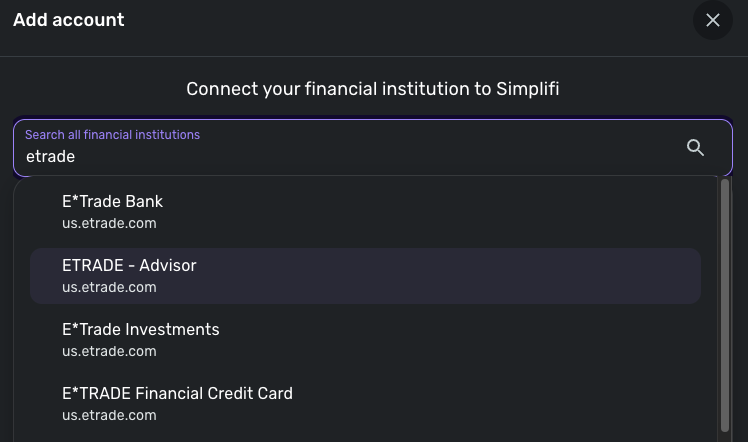
If it still presents you with the same error, please provide a screenshot of the error you are receiving within Quicken Simplifi. Thank you!
-Coach Jon
-Coach Jon
0 -
I deleted both ETrade accounts and recreated them using ETRADE - Advisor and now they are both getting the error below.
To connect to E*Trade Investments, you must re-enter your credentials. If that does not work, try entering them on the website at E*Trade Investments to ensure they are correct.(Care code: FDP-103)0 -
I deleted the investment account and recreated it using ETRADE - Investments. This is now getting the same error. I confirmed that I can login to both accounts on the ET side with my un/pw and the 2FA information so something in Simplifi is munging my credentials since I am using copy/paste and confirming the passwords when I set and send them in both places.
0 -
Hello @dlisinski,
Thanks for the replies! I know we do not support password+token MFA options. Are you using an MFA that requires a token of some sort? Can you also provide a screenshot of the error you are receiving within Quicken Simplifi? Thank you!
-Coach Jon
-Coach Jon
0 -
I am not sure if a change was made on the back-end, but both accounts were able to connect with username, password and the Security Code. This updated the holdings successfully, but now the retirement account is giving a connection error. I am wondering if this is just a situation where it will allow connection with the Security Code, but then if it tries to update later, it does not prompt for the code again and so it fails?
0 -
Hello @dlisinski,
Thanks for the reply. To clarify, you were able to connect your investment account, but now the retirement account is giving you an error? Is that error also an FDP-103? Can you provide a screenshot showing the error within the program?
Additionally, you mentioned a security code. Are you able to disable this MFA option to see if the accounts connect properly afterward?
-Coach Jon
-Coach Jon
0 -
Hello @dlisinski,
Just following up to see if you had seen my previous reply? If the issue is still affecting you, be sure to let us know! Thanks!
-Coach Jon
-Coach Jon
0 -
Hello @dlisinski,
I am following up one last time to verify if you have seen our previous reply regarding whether this issue is still affecting you. Please let us know if it is, and provide the requested information if so.
Thank you!
-Coach Jon
-Coach Jon
0

