Missing Business Categories in QBP

This discussion was created from comments split from:
Business Categories unavailable within Quicken Business & Personal (edited).
Comments
-
I have the same problem. I've spent a lot of time converting over from Quicken Desktop to this app. I really hate to lose everything.
0 -
Hello @bgiot,
Thanks for reaching out! I am sorry to hear you are experiencing the same issue. If you go to Settings > Categories & tags, do you see a "Business" header there?
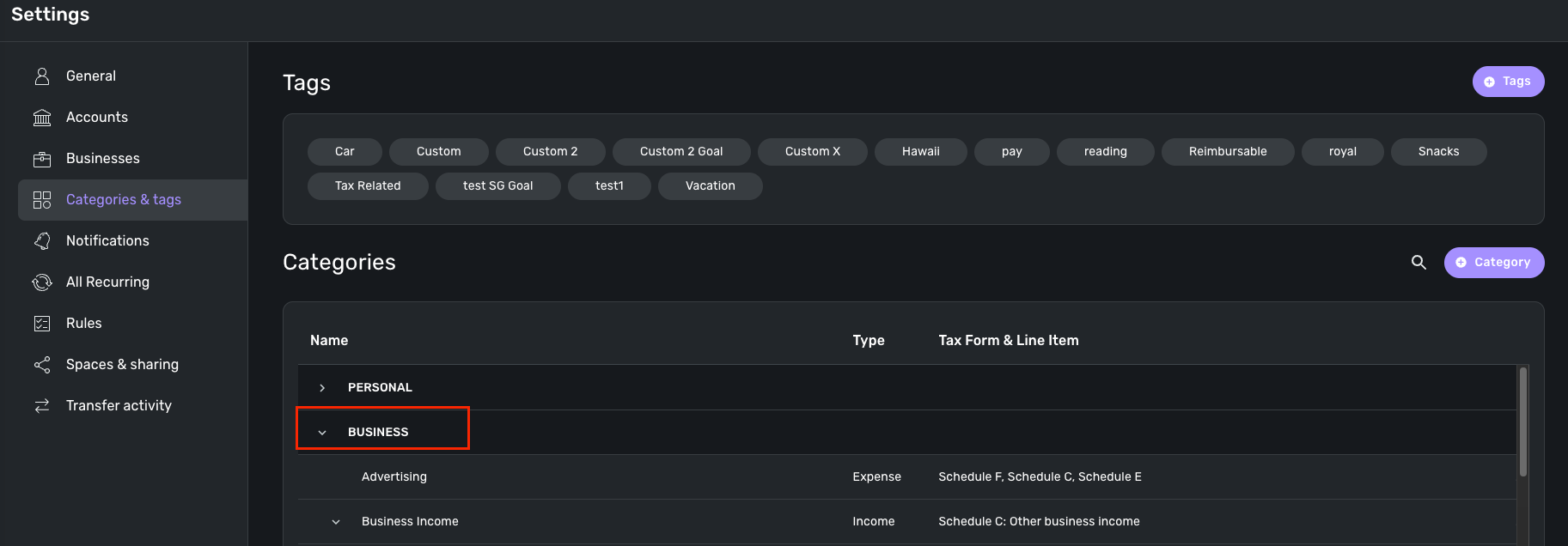
If you do not, I would see if signing out of the product and back in works to resolve this issue for you. I would also see if trying from a different web browser/incognito mode works as well.
If this does not work, can you provide a screenshot showing the Settings > Categories & tags page without the "Business" header?
We will also need you to supply logs for us so that we can work on investigating this issue.
- Log into the Quicken Simplifi Web App.
- Select Profile from the left-hand navigation bar.
- With the Profile menu open, hold down the Option key for Mac or the Alt key for Windows, and then click Send Feedback.
- Leave all boxes checked, add a brief description of the issue, and then click Send.
Additionally, we will need the following information in order to get this issue escalated:
- The web browser and operating system with their versions
- The version and build on Quicken Simplifi that you are currently on. (This can be found at the bottom of your dashboard page within the program.)

-Coach Jon
-Coach Jon
0

