How to set up Recurring Income Transactions? (edited)

I'm trying to setup my payroll deposit as an income transaction. Weather I do it manually or form an existing transaction, the only two options I see are setting it up as a "Bill" or "Subscription". No "Income" or "Transfer" options. What am I missing?
Comments
-
Hi @Amar_K
It would be helpful to see a screenshot of your income transaction set up dialogue box.
Just guessing here, but off the top of my head one thing I'd check is the category for your payroll income transaction. The Category for the transaction needs to be Income. You can add Income sub-categories and assign your payroll income to that category, but it still has to be under Income.
Danny
Simplifi user since 01/22
”Budget: a mathematical confirmation of your suspicions.” ~A.A. Latimer0 -
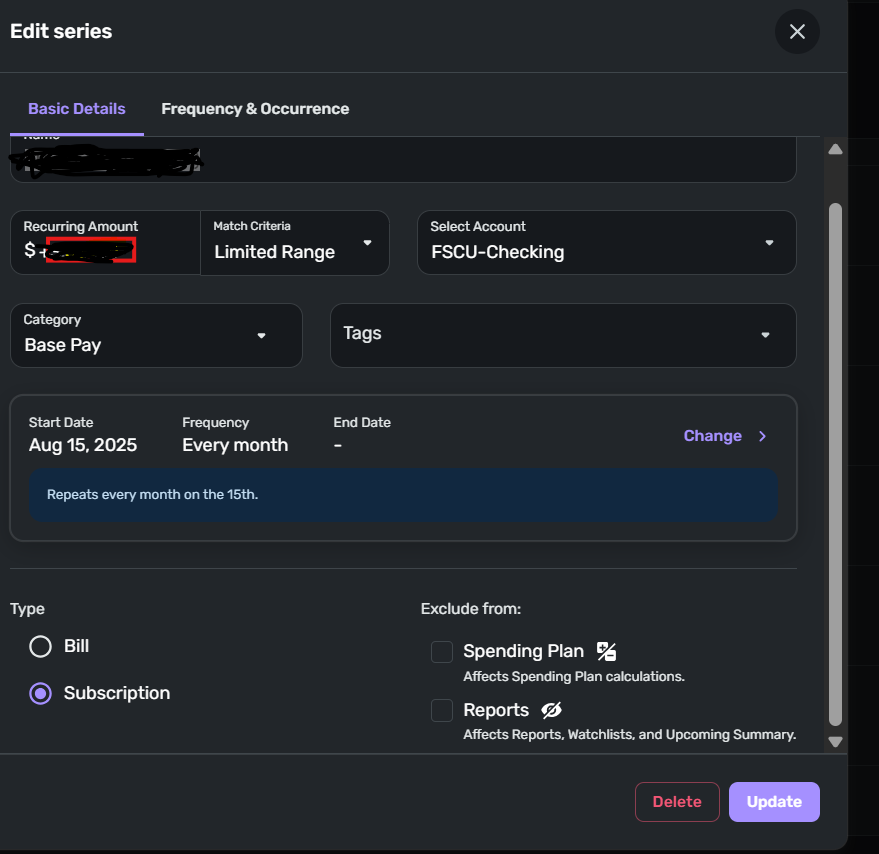
I created a series of monthly transactions from an existing transaction in the register.
This is the edit box under "All Recurring". I don't see how I can classify it as income. Of course, the transaction is a deposit, showing up with a + sign in the register
 0
0 -
@Amar_K, the Category is what determines the Type. I can create a Recurring Series manually or from a transaction, and as soon as I select an Income Category, I see the Type set to "Income" —
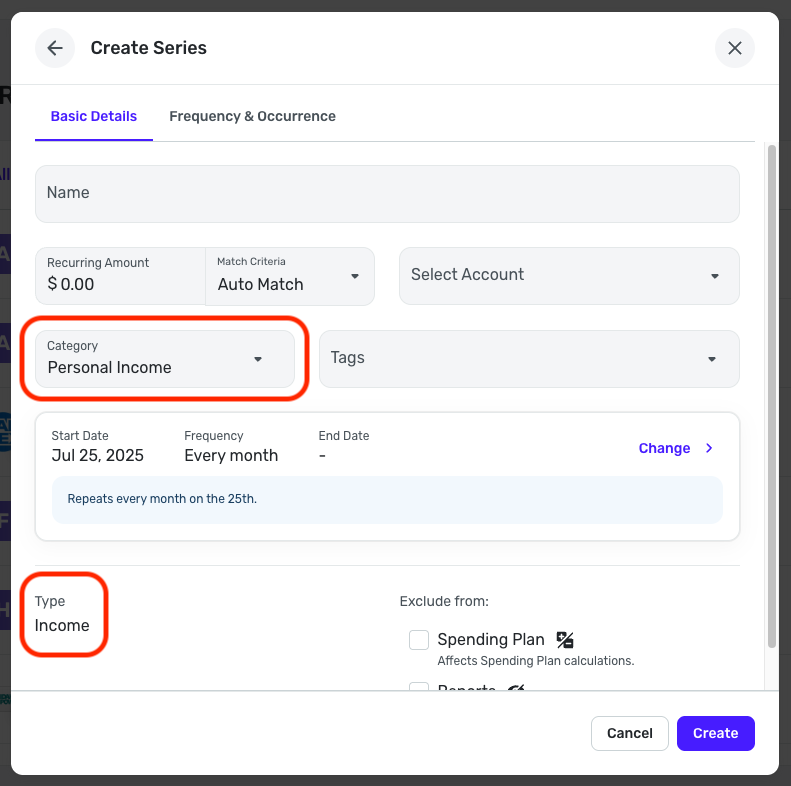
You can view and manage your Categories under Settings > Categories & tags:
Let us know how things go!
-Coach Natalie
0 -
@Amar_K — Further to what @Coach Natalie said…
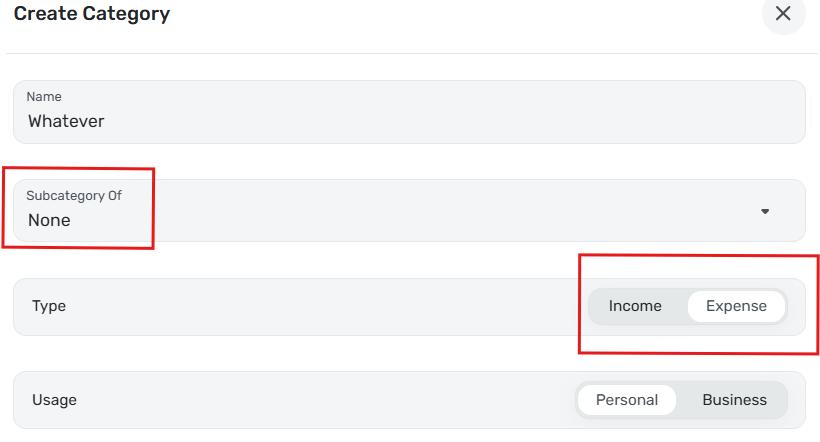
It looks like "Base Pay" is a category you created. If it is a Subcategory, it will take on the Income or Expense character of its parent category. You can't prevent that, so if you want it to be a Subcategory you will have to put it under an existing income category.
But if it is a top level category (meaning Subcategory is set to "None") then you can edit it to set the Type using the buttons outlined in red below:
DryHeat
-Quicken Classic (1990-2020), CountAbout (2021-2024), Simplifi (2025-…)0 -
Got it. Thanks to all.
1


