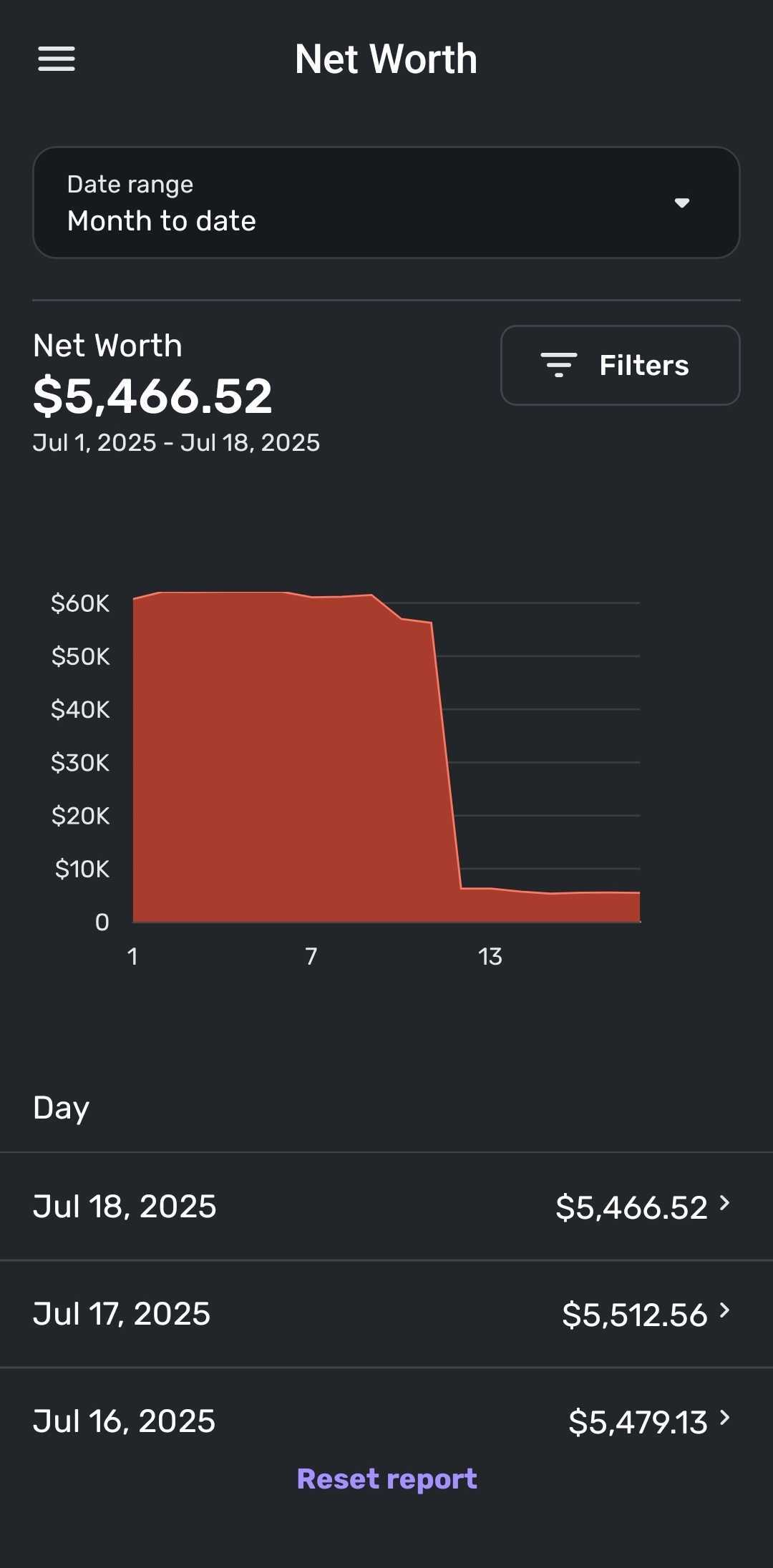
"No Data Available" in the Net Worth report for Mobile (edited)

[removed]
As of a recent Android app update, the Net Worth report on the Android app no longer displays daily amounts when a date range is selected that supports net worth display on a daily basis. For example, this problem occurs when selecting the 'Month to Date' Date range.
By 'no longer displays daily amounts' I mean that the report shows no data and displays 'No data available'. Prior to a recent Android app update, the report using this Date range would always show daily net worth amounts. Now the report only shows amounts when selecting Date ranges that will display monthly amounts, such as 'Year to date'.
When using the report I am not selecting any other filters. I have tried to reset the report, but the problem remains.
This problem only occurs on the Android app. Daily amounts continue to display on the Simplifi website.
Can this problem please be researched and fixed?
Thank you.
Comments
-
Thanks, I installed version 5.35.2 and unfortunately the fix is not complete. Daily Date range data now displays, but not when the report is opened:
When a daily Date range (e.g. Month to date) is persistently selected (meaning the report opens to that date range), still no data displays. In order to get it to display I have to select a new Date range and then return to my preferred daily Date range (Month to date) in order for the data to display.
I cleared cache and restarted the app and the problem remains.
Can you please send this back to your product team and ask them to fix the above remaining problem?
Thank you.
0 -
It does work now when selecting the Month to date or Quarter to date Date Ranges, but only when you intentionally select one of these ranges.
What I'm saying doesn't work is when the report opens by default to the the Month to date or Quarter to date Date Ranges. When it doesn't work the report is empty with an open empty box graphic and the text 'No data available'.
In order the get data to display when the results are empty I have to reselect Month to date or Quarter to date.
I'm unable to send you a screenshot as taking a screenshot of the app is not allowed based on the design of the app.
0 -
Hello @rjg5060,
Thanks for the clarification. I am not seeing this behavior from our side. When the report opens, it still shows the data within the report, and shows data whenever switching Date Ranges as well. I am not sure why you are also unable to send a screenshot, either, as our application does allow this. Are you able to take a screen recording, possibly?
-Coach Jon
-Coach Jon
0 -
OK. Not sure why it isn't working for me when the report opens, but not a big deal as overall the fix works and it is not difficult to select the desired Date range again to get the data to display.
I tried several different ways to capture a screen shot and was unable to do so on my Pixel 7 phone.
Thanks for the quick response in releasing version 5.35.2 with a fix for the report. I can live with the minor inconvenience that I'm having.
1