How to match up both sides of recurring transfers in the Spending Plan Transfers submenu?

This is an inconsistent yet persistent issue I'm having and not sure how best to "fix" it.
Here is a screenshot of some of my completed July transfers. QS has correctly matched up and show the connection between the sending and receiving accounts but for others, did not get connected as expected even though both sides of the transfers are present.
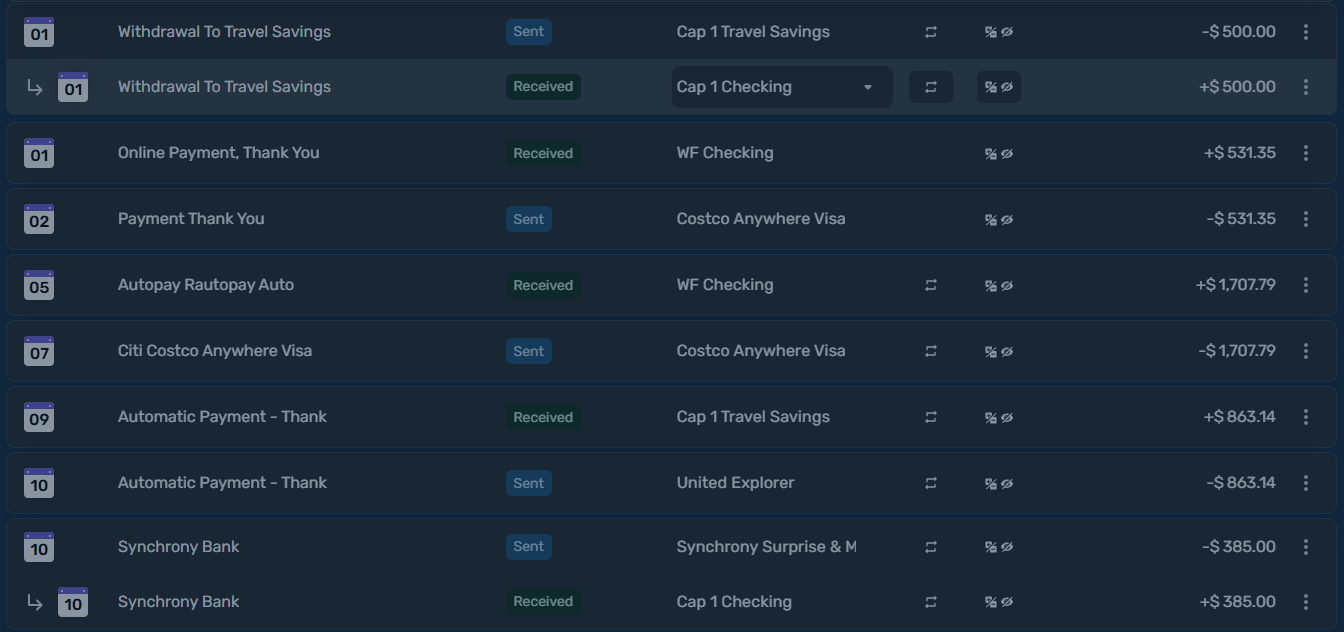
I'm wondering if others have this issue and what is the best way to get these transfers to match up (that is, there is an arrow and indentation of the sending account below the receiving account).
Simplifi user since 01/22
”Budget: a mathematical confirmation of your suspicions.” ~A.A. Latimer
Best Answer
-
Apparently, they have to have the same date to match up. You could try changing the dates. The problem, of course, is that they get credited/debited to one account (the one you initiated the transfer with) one day and the other one, the next day, or possibly several days if it's over a weekend.
I guess we could ask to have the arrow anyhow regardless of the date. That would be clearer.
Steve
Quicken Simplifi (Safari & iOS) Since 2021
Quicken Classic (MacOS) Since 2009
MS Money (1991-2009) and Dollars & Sense (1987-1991)1

Answers
-
Thanks @SRC54, I've "ignored" this in past months since both sides show up in the Spending plan, but it has puzzled me that sometimes transfers are paired up and sometimes not. I made some date changes and as you said, once the dates agreed the transactions were paired.
That seems like a… less than optimal process since the dates in the two accounts will seldom be the same especially when the transactions are between different institutions. Has this been brought up elsewhere in the forum? I wonder if this will be addressed in the upcoming redesign.
Transfers usually work just fine for me but sometimes weird things happen like I'll end up with duplicate entries in one or the other accounts. Trying to sort them out often makes things worse… ah well, I'll keep working on it.
Danny
Simplifi user since 01/22
”Budget: a mathematical confirmation of your suspicions.” ~A.A. Latimer0 -
Yes, I agree that it is disconcerting that you don't get the arrow except when they are the same date. It would make more sense to always match the transfers (of course one-sided transfers won't have a match) or not use the arrow at all.
Steve
Quicken Simplifi (Safari & iOS) Since 2021
Quicken Classic (MacOS) Since 2009
MS Money (1991-2009) and Dollars & Sense (1987-1991)0 -
For comparison sake, here are my transfers so far this month:
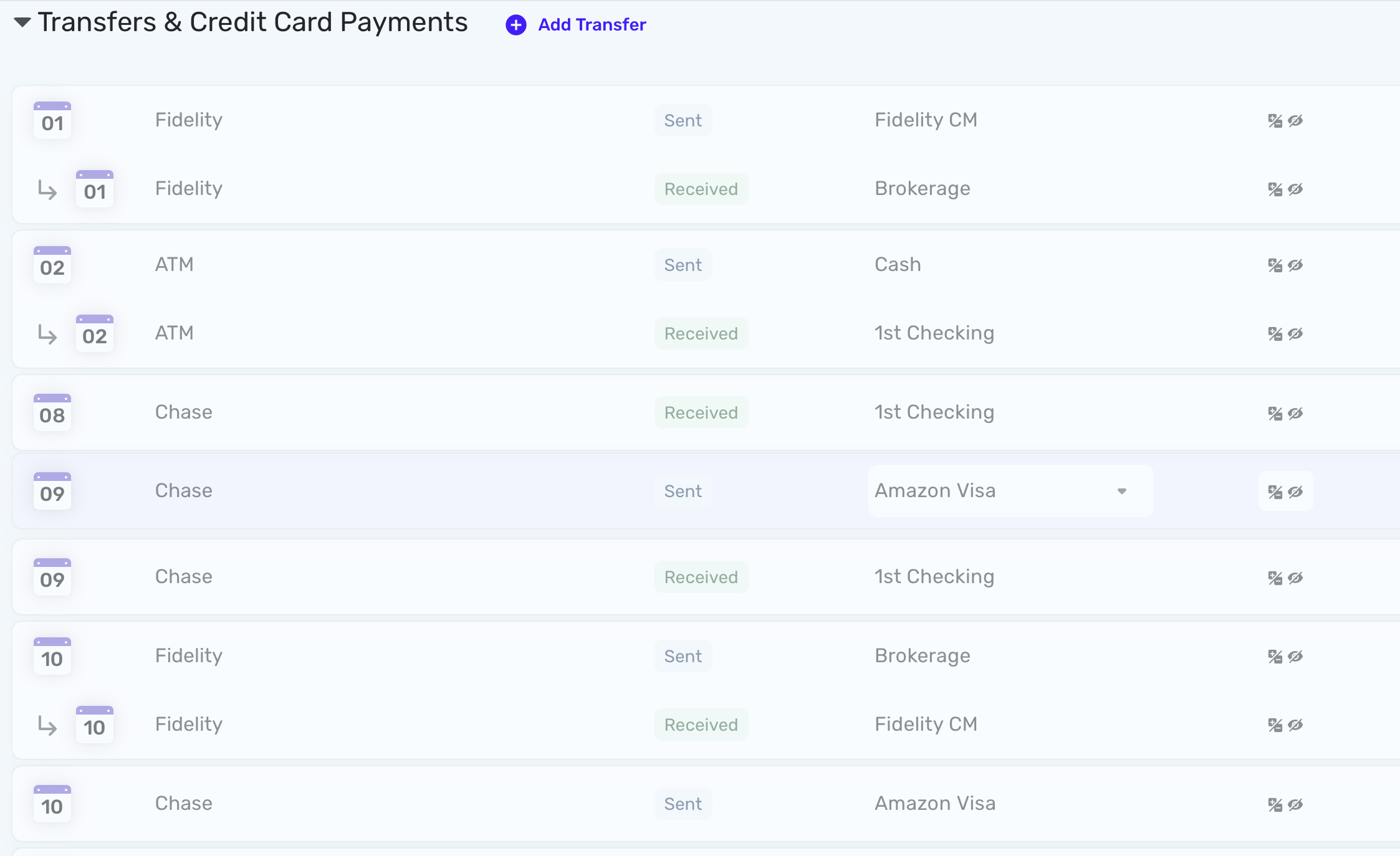
All of these are two-sided transfers. The Fidelity accounts were in-house so they were the same day. The ATM transfer was from my checking account to my Cash account, the latter of which is a manual account so it is the same day.
The Chase credit card payments were initiated at Chase and credited one day and taken out of my checking account the next day, so they have different dates and so no arrow.
We'll see what the future will bring . . .
Steve
Quicken Simplifi (Safari & iOS) Since 2021
Quicken Classic (MacOS) Since 2009
MS Money (1991-2009) and Dollars & Sense (1987-1991)0
