Wealthscape Investor FDP-103 error (edited)

Wealthscape investor asked for a username and PIN when trying to connect on Simplifi but on their website i connect using a username and PASSWORD, no PIN. How can this issue be resolved.
https://www.mystreetscape.com/auth/access/login
Comments
-
Hello @prestonjr23,
Thanks for reaching out! Have you tried entering your password in place of the PIN field to see if that works? Does it provide an error if you do this?
I can also see from our side that Wealthscape Investor is reporting connection issues at this time as well. This generally means you will not be able to connect in the meantime while the banner is there, so you may need to wait to try connecting again.
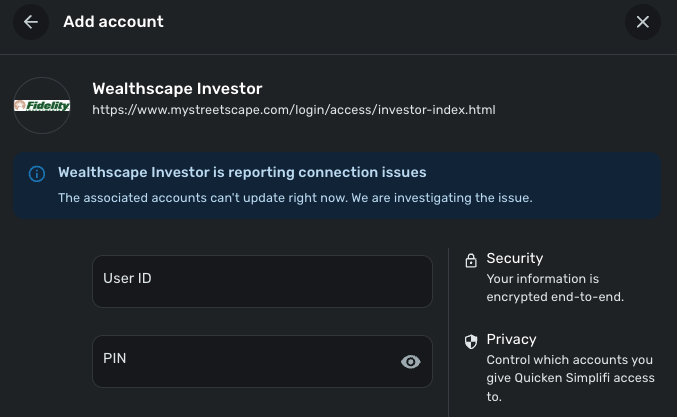
Additionally, there are other MyStreetScape instances available in Quicken Simplifi that you can try using as well. Let us know how that goes!
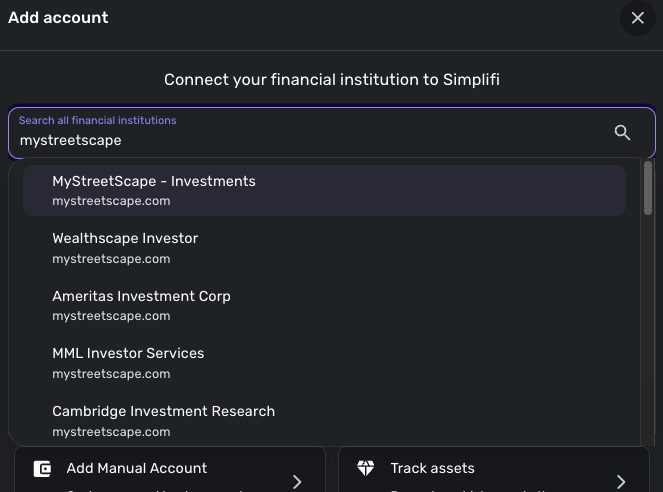
-Coach Jon
-Coach Jon
0 -
I've entered my PW as a PIN and it doesn't work.
0 -
Hello @prestonjr23,
Thanks for the follow-up. Did you try the other instances that I mentioned? As I said before, for the Wealthscape Investor option, you may need to wait to try connecting again while the banner is still there.
-Coach Jon
-Coach Jon
0 -
Yes, the other one has a PIN as well instead of a password
0 -
Hello @prestonjr23,
Thanks for the reply. Did you try the MyStreetScape - Investments option available? It looks like this one requires a password.
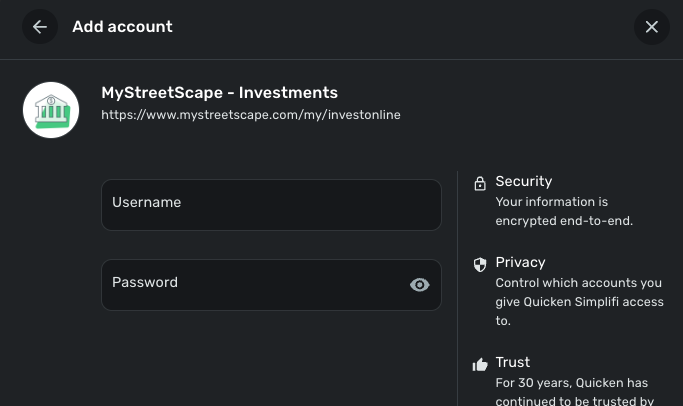
-Coach Jon
-Coach Jon
0 -
Thanks but that one didn't work either, said unable to connect
0 -
Hello @prestonjr23,
Can you provide a screenshot of the error you're receiving when trying to connect?
-Coach Jon
-Coach Jon
0 -
I've attached the screenshot
0 -
Thank you for your reply,
Is your account directly through Wealthscape Investor, or is it an account that is serviced through Wealthscape? When I check the URL you provided in your original post, there are a couple other connection options that may allow you to get connected: Mid Atlantic Capital Corporation and SignatorOne Access.
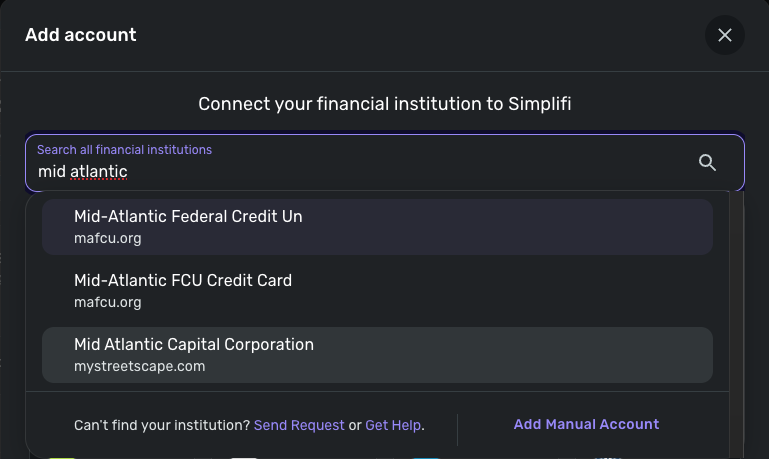
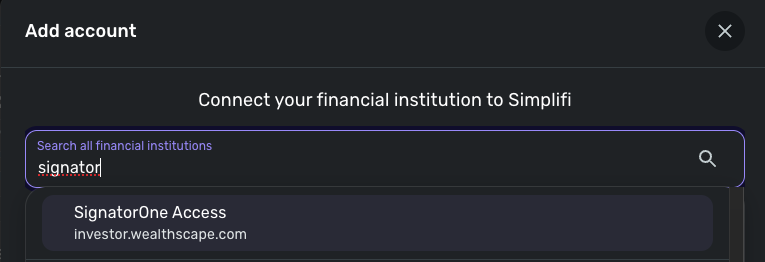
Please let me know how it goes!
-Coach Kristina
0 -
I tried Cambridge and Fidelity. Its from Cambridge and connection asks for a PIN too.
0 -
Thank you for your reply,
Since the Cambridge Investment Research connection is asking for a PIN, have you checked with the financial institution to find out if there's some sort of additional authorization you have to do through the financial institution website to authorize connection with 3rd party apps?
Thank you!
-Coach Kristina
0 -
There isn't it, I've checked.
1 -
Thank you for your reply,
While the issue is likely that you're being asked for a PIN instead of a password, since the error is a FDP-103, we do need to perform the troubleshooting for that error code.
To start, please follow these two steps -
- Enable the “Show Password” option to confirm no typographical errors.
- If you’re using a password manager, try manually typing the password, in case the one saved is outdated.
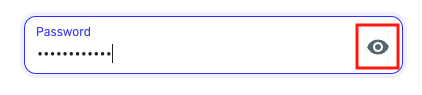
- If you’re using a password manager, try manually typing the password, in case the one saved is outdated.
- Verify that you can login on the financial institution's website directly. Sometimes, too many failed login attempts can result in your account getting locked.
If the issue persists after you have followed the steps above, please provide the following information -
- Have there been recent changes in your banking website? If there are changes, what are those?
- What is the exact URL you use to log in to your account (login URL)?
- What type of accounts are you adding (banking, investment, debt, etc.)?
- Please provide a screenshot of your bank account summary page that includes the URL. You’re welcome to remove or obscure any personal information.
- Document the FORMAT of your password (NEVER share your actual password!). For example, the password of "Quicken123$" would be "Xxxxxxx###$." Document the specific special character(s) in the password (AGAIN, DO NOT share your actual password!). We recommend to NOT use the following special characters & < > / \.
Additionally, please send logs. To do that, follow these steps:
- Log into the Quicken Simplifi Web App.
- Select Profile from the left-hand navigation bar.
- With the Profile menu open, hold down the Option key for Mac or the Alt key for Windows, and then click Send Feedback.
- Leave all boxes checked, add a brief description of the issue, and then click Send.
Thank you!
-Coach Kristina
0 - Enable the “Show Password” option to confirm no typographical errors.
-
@Coach Kristina After sign in via my password on Wealthscape website, it does send me a six digit code for a second authentication to my phone but it has always done that.
- Have there been recent changes in your banking website? If there are changes, what are those? NO
- What is the exact URL you use to log in to your account (login URL)? https://www.mystreetscape.com/auth/access/login
- What type of accounts are you adding (banking, investment, debt, etc.)? Investment
- Please provide a screenshot of your bank account summary page that includes the URL. You’re welcome to remove or obscure any personal information. Attached
- Document the FORMAT of your password (
NEVERshare your actual password!). For example, the password of "Quicken123$" would be "Xxxxxxx###$." Document the specific special character(s) in the password (AGAIN,DO NOTshare your actual password!). We recommend to NOT use the following special characters& < > / \
x%!XxXxXXX##0 -
@Coach Kristina I clicked the link in Simplifi that has the website under the Cambridge name, it took me to another website indicating it had changed from what is listed in Simplifi. See attachments
0 -
Hello @prestonjr23,
Thanks for the information we requested and the reply! For the Wealthscape Investor instance that you're receiving the FDP-103 error for, can you click on the URL within the Add Account window for this instance, and ensure that you can sign in on the webpage that opens up? Let us know!
-Coach Jon
-Coach Jon
0 -
@Coach Jon yes i can
0 -
Hello @prestonjr23,
Thanks for letting us know. I did get this reported to our service provider and will be sure to follow up here with any status updates!
EWC - 11857073
-Coach Jon
0 -
Hello @prestonjr23,
Thanks for reaching out! Our service provider came back with an update on this issue. They would like to know if you are already connected to this bank with another credential set within Quicken Simplifi. They would also want you to try changing the password and then trying to connect once again. If it still does not work, please provide the updated password format as previously requested in this thread.
-Coach Jon
-Coach Jon
0 -
Hello @prestonjr23,
I am following up to verify if you have seen my last reply regarding our service provider's update on your issue. Please let us know how those steps go and get back to us with the requested information!
-Coach Jon
-Coach Jon
0 -
Hi @Coach Jon, I was unable to reply until now. My password has been changed and it is now working. Thank you for you help.
0 -
-Coach Jon
0



