Nationwide Retirement NOT resolved - FDP-106 (edited)

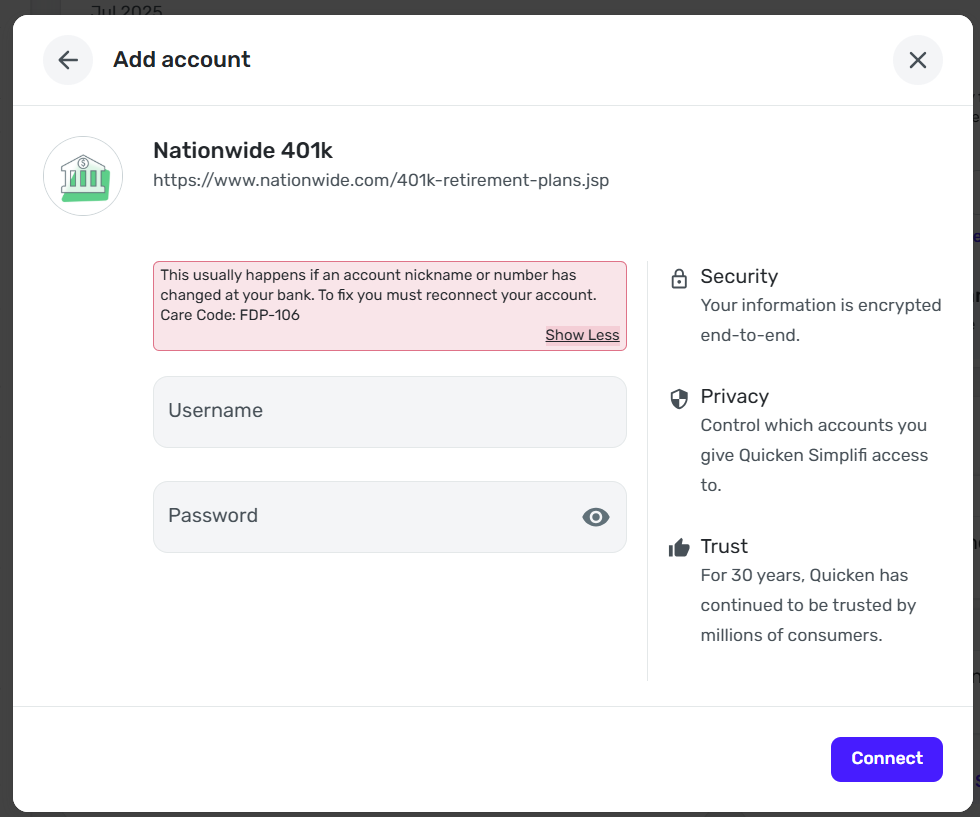
Coach Jon posted on 7/23 that this problem has been resolved. Not this case - can this be re-opened please? I deleted the account and tried to re-connect that way. No luck.
[Edited - Readability]
Comments
-
Hello @jsharpe27,
Thank you for letting us know you're seeing this issue. To clarify, there are multiple connection options with Nationwide.
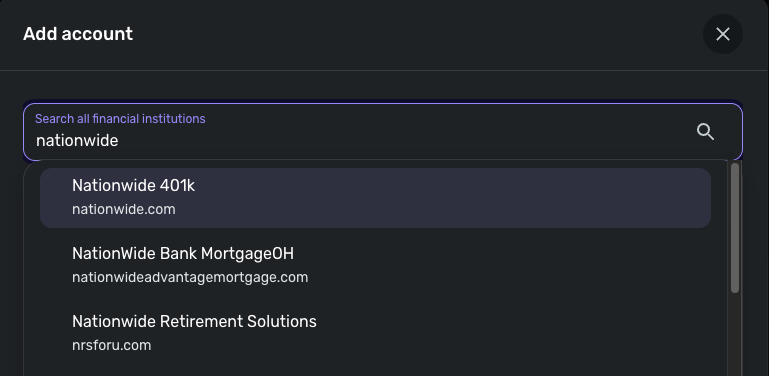
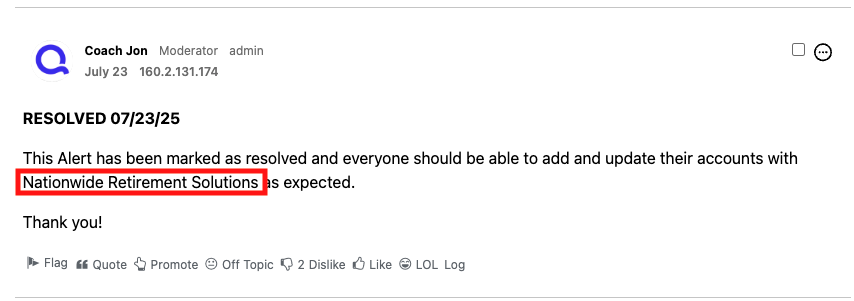
The resolved alert is specifically for the Nationwide Retirement Solutions connection option.
Your screenshot indicates you've been trying to connect to the Nationwide 401k connection option. What kind of account are you trying to connect? What is the URL (web address) that you use when logging into the account directly through the financial institution website?
Since you mentioned that you deleted the account, are you seeing the FDP-106 error when trying to re-add the account?
I look forward to your response!
-Coach Kristina
0 -
Thanks for the clarification, I was thrown off just like the OP here.
I have been getting FDP-106's from Nationwide 401k for quite some time now. Perhaps related to
Hoping for a resolution soon!
1 -
Hello @Impending6705,
Thank you for letting us know you're seeing this issue also. Do you recall roughly when you started seeing the FDP-106 errors? What kind of account is having this issue (brokerage, 401k, checking, savings, loan, etc.)? What is the exact URL that you use when logging into the account directly from the financial institution website?
I look forward to your reply!
-Coach Kristina
0 -
@Coach Kristina - For me, I click the "Log in" button from which takes me to to log in.
This is for a 401k account.
I've been experiencing this for several months now. The last time my account shows a balance update is May 14, 2025.
1 -
Thank you for your reply,
If you haven't already done so, please try making the problem account manual (for instructions, click here), adding the account (for instructions, click here), then linking it to the existing account name in Quicken Simplifi (for instructions, click here).
If you have already tried the troubleshooting above, and the issue persists, then please provide the following information so that we can further investigate this issue:
- The name of the account, as it appears in Quicken Simplifi.
- The name of the account, as it appears on the bank's website.
- What type of account are you attempting to connect?
- Has there been any changes made to the bank's website or the sign-in process recently?
- Has there been any activity in the account in the last 90 days?
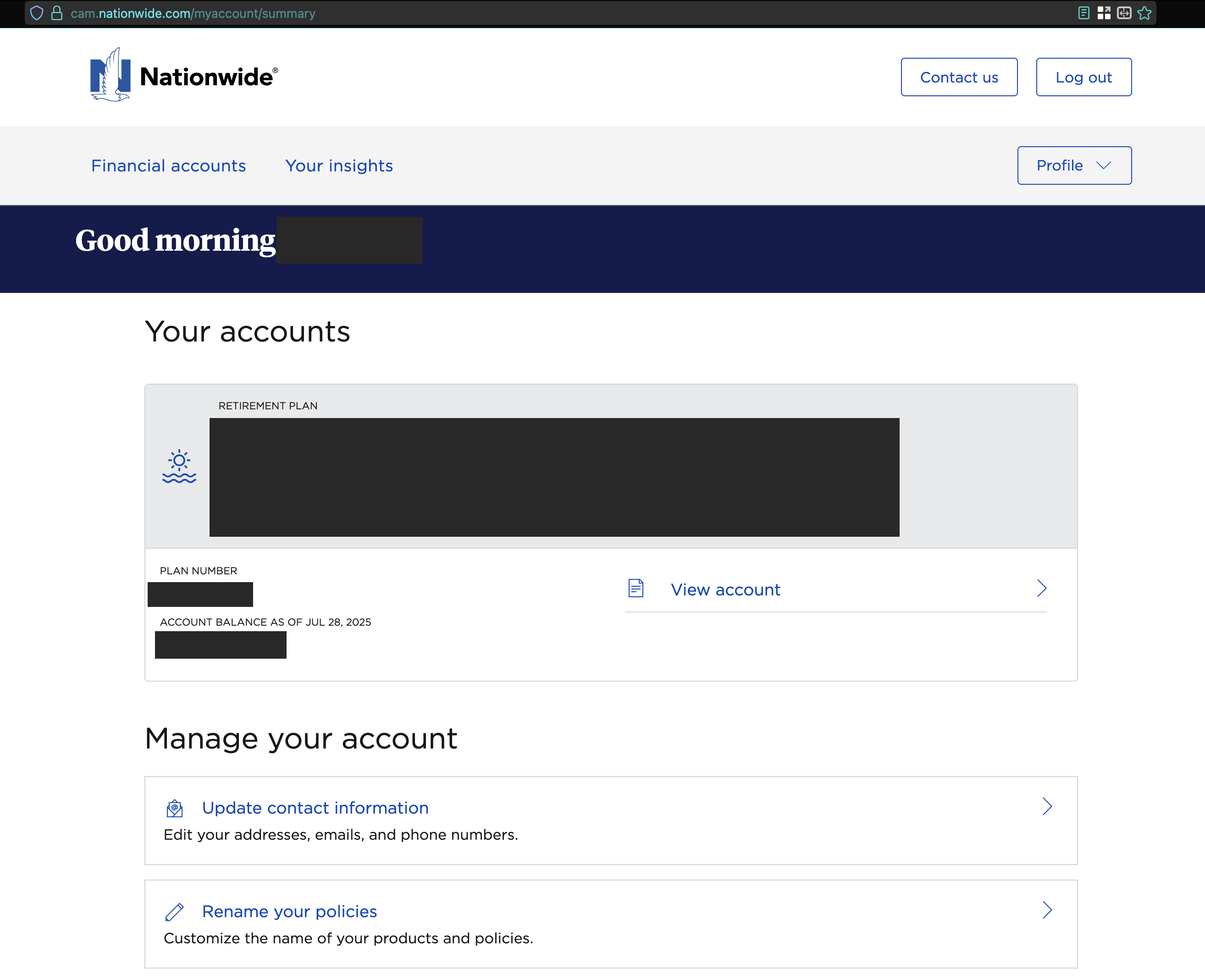
- What is the exact URL you see after signing into the bank’s website?
- A screenshot of the Accounts Summary page from the bank's website that lists all accounts and balances (feel free to redact any personal info) and has a wide enough scope to show the page URL (this must be taken from a web browser and not a mobile browser).
Additionally, please send logs. You can do that by following these steps:
- Log into the Quicken Simplifi Web App.
- Select Profile from the left-hand navigation bar.
- With the Profile menu open, hold down the Option key for Mac or the Alt key for Windows, and then click Send Feedback.
- Leave all boxes checked, add a brief description of the issue, and then click Send.
Thank you!
-Coach Kristina
0 -
I'll provide as much information as I can without including PII
- The name of the account in Simplifi may be different than the name that appears on the website. The beginning is the same but the end is different.
- I'm trying to connect a Nationwide 401k account
- They changed their website and login process back in January 2025 when your connection broke for a couple weeks but then started working again until May 14
- There has been regular activity in the account
- There are several redirects AFTER logging in but ultimately I end up at
https://cam.nationwide.com/myaccount/summary
 0
0 -
Feedback sent: reference id
4965127655587717120 -
Hello @Impending6705,
Thanks for the reply and the requested logs. Did you try establishing a fresh connection by making the account manual and re-linking to see if that fixes the current issue as well? The instructions to do that are:
- Make all of the accounts with the bank manual by following the steps here.
- Once you see the account(s) listed in the Manual Accounts section under Settings > Accounts, go back through the Add Account flow to reconnect to the bank.
- If the connection is successful, carefully link the account(s) found to your existing Quicken Simplifi account(s) by following the steps here.
Let us know!
-Coach Jon
-Coach Jon
0 -
@Coach Jon Yes, the account is set to manual and is now showing a 0 balance on all the reports which is pretty irritating. The institution is still shown in my account list but it doesn't have any accounts under it - Should I be deleting that? None of the instructions mentioned deleting the institution itself so I didn't do that. I'd like to avoid losing the history if possible.
With the institution still there and the account in the manual section, trying to add the institution again fails in the same way with FDP-106.0 -
Hello @Impending6705,
Thanks for the reply. It looks like Nationwide 401k is currently reporting connection issues, and we are working on investigating the issue. Are you able to see this banner within the Add account window?
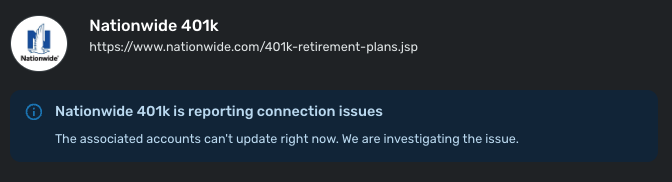
If you are, I would advise you to keep trying to connect every so often, while we work on a resolution for this issue in the meantime. If the banner is still there, it means we are still investigating.
You can also track the account manually by adding manual transactions, which will keep your records up-to-date. Here are the steps to do so: Managing Transactions in Quicken Simplifi | Quicken Simplifi Help Center
If the account is an investment account, the manual tracking steps are a little different:
- Make the account manual so you can add and edit Holdings: How to Make an Account 'Manual' | Quicken Simplifi Help Center
- Add/edit your Holdings to keep accurate records: Tracking Investments in Quicken Simplifi | Quicken Simplifi Help Center and Tracking Investments in Quicken Simplifi | Quicken Simplifi Help Center
I hope this information helps!
-Coach Jon
-Coach Jon
0 -
I have had the same issue for months, been on chat with quicken support, send error logs, tried new accounts, etc. Nothing works. This is very frustrating and any sort of post about this get marked as 'resolved' when they clearly are not. Long time user losing faith in the product.
1

