Ability to automatically include non-recurring income in the Spending Plan (edited)

In recent weeks, I have noticed that any income that is not part of a recurring series gets automatically excluded from the Spending Plan. I get the use-case for this, but in my personal set-up, I like including interest income and cash-back as part of my income.
It would be nice if we could just toggle this feature on or off in settings for our accounts.
Comments
-
@MishaM, thanks for posting your suggestion to the Community!
All you have to do to automatically include non-recurring income in the Spending Plan is navigate to Spending Plan > Income, go to the 'Excluded this month' section, and click the three dots at the end of it. Next, select the option for "automatically include".
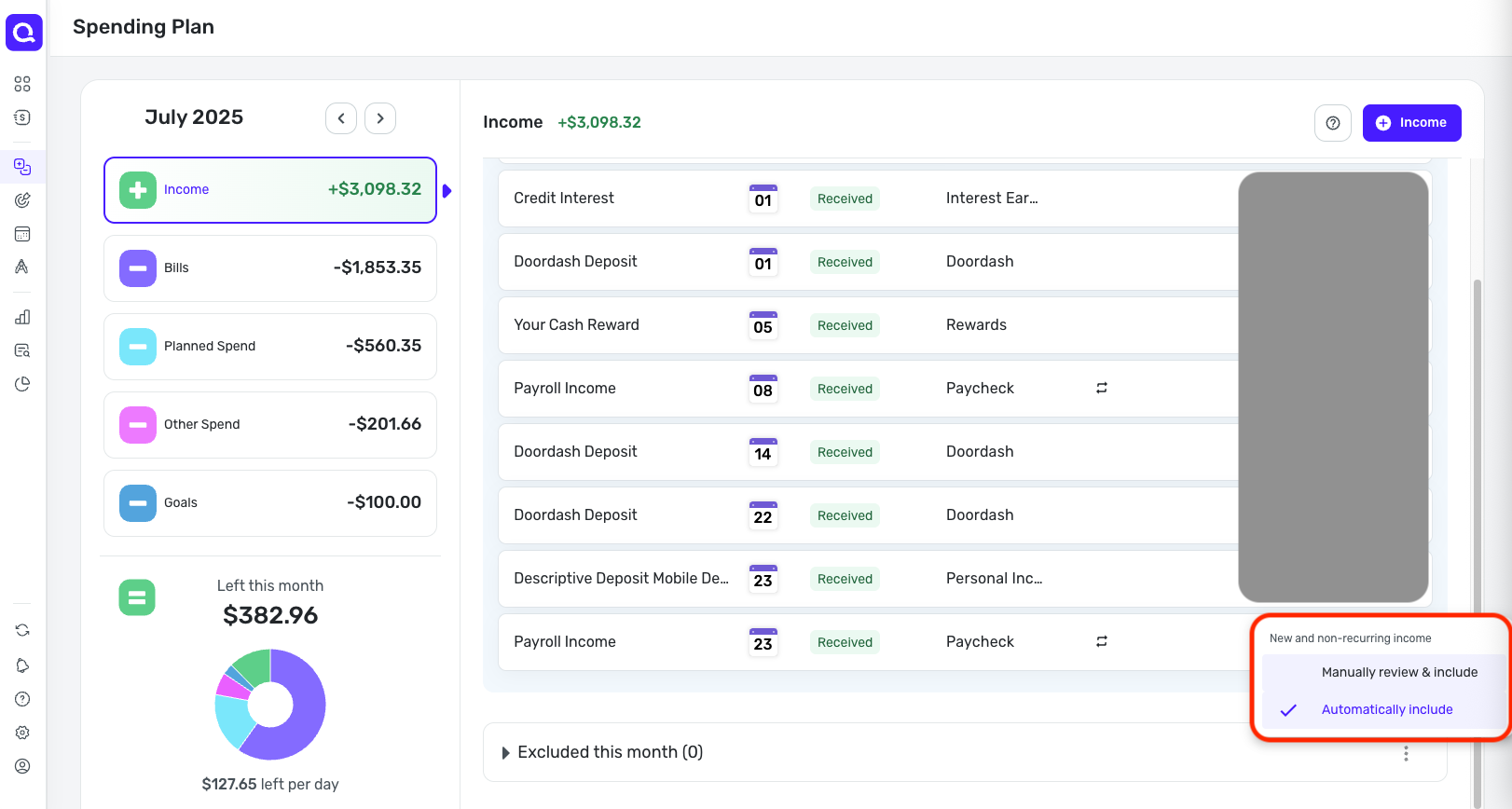
I hope this helps!
-Coach Natalie
2 -
I just found a transaction in the Excluded section which was already linked to a recurring income. Not sure why it was excluded…
0
