American Express FDP-401

Sync has been failing in the past week or so. It's not asking for reconnect, but only a try again, which didn't work either.
Tried reset connection, hit this again and now all accounts are disconnected.
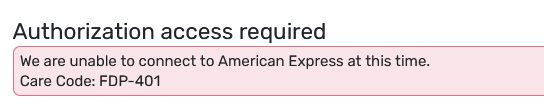
Cleared all previous auth from amex side as well. I can see a new quicken auth being created after reset.
Has seen this code being brought up here after a search.
Comments
-
- *Haven't
0 -
Hello @caution493,
Thanks for reaching out! I have not seen this error code before, myself, but I will inquire with my team to verify further. I would check to see if establishing a fresh connection, making the account manual, and re-linking the accounts fixes the current issue. The instructions to do that are:
- Make all of the accounts with the bank manual by following the steps here.
- Once you see the account(s) listed in the Manual Accounts section under Settings > Accounts, go back through the Add Account flow to reconnect to the bank.
- If the connection is successful, carefully link the account(s) found to your existing Quicken Simplifi account(s) by following the steps here.
Let us know if that works!
-Coach Jon
-Coach Jon
0 -
Getting the same thing with AMEX for the past 4 days. The only difference is the credit card side shows it's updating but the banking (savings account) is not.
-Update: It just sync'd.
0 -
Already tried above.
I was able to finish the amex popup and authorize (verified from amex side). Back to quicken, it showed a loading circle with "Securing connection…", then the error pop up and the account is not added (initially all sub-accounts are disconnected, and now manual since it didn't ask for relink).
0 -
Hello @caution493,
Thanks for the reply. I wonder if your user token may have expired. This can occur after the account has been connected for more than 90 days. Please follow the instructions below and let us know if this resolved the issue.
- To gain a new token, you will have to revoke Quicken from accessing your bank's website, then reconnect your accounts.
- Navigate to the bank's website, sign in, and then remove Quickens access from the bank's third-party linked apps.
- Make all of the accounts with the bank manual by following the steps here.
- Once you see the account(s) listed in the Manual Accounts section under Settings > Accounts, go back through the Add Account flow to reconnect to the bank.
- If the connection is successful, carefully link the account(s) found to your existing Quicken Simplifi account(s) by following the steps here.
-Coach Jon
-Coach Jon
0 - To gain a new token, you will have to revoke Quicken from accessing your bank's website, then reconnect your accounts.
-
On the bank side, a new Quicken access is created after every connection. I've tried keeping the old tokens, which will leave multiple Quicken auth open in parallel, as well as clearing all before reconnect which will give only one new Quicken auth. Either way it's failing after the auth pop up is finished back to quicken side.
OTOH, I just tried again and didn't see the error. Let's see how long it can hold.
0 -
Hello @caution493,
Thanks for the reply. I am glad that you were able to connect! Please let us know if you see this issue again.
-Coach Jon
-Coach Jon
0 -
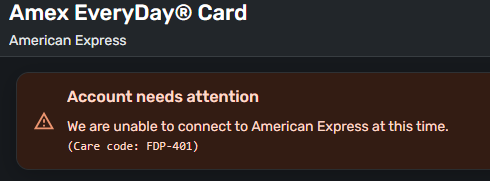
Just got this error in Simplifi
 0
0 -
Hello @Alfred James,
Thanks for the reply! I would see if following the steps I posted previously in this thread works to resolve your issue the way it did for others. Let us know!
-Coach Jon
-Coach Jon
0 -
seems to be working now, guessing you can disregard… thanks
1 -
Im having to same issue. I have removed access via amex website. I have marked manual. I deleted the amex accounts (several showed due to failed connections). Adding amex back still results in fdp401. 🤷♂️
0 -
Hello @bigrob8181 ,
Thanks for reaching out! I can see from our side that you are receiving the FDP-401 error. Did you follow the steps exactly as I shared them above?
If following the steps above does not resolve the issue, please provide the following information so that we can continue troubleshooting further:
- The name of the account, as it appears in Quicken Simplifi.
- The name of the account, as it appears on the bank's website.
- What type of account are you attempting to connect?
- Has there been any activity in the account in the last 90 days?
- A screenshot of the Accounts Summary page from the bank's website that lists all accounts and balances (feel free to redact any personal info) and has a wide enough scope to show the page URL (this must be taken from a web browser and not a mobile browser).
We will also need logs to be sent, please:
- Log into the Quicken Simplifi Web App.
- Select Profile from the left-hand navigation bar.
- With the Profile menu open, hold down the Option key for Mac or the Alt key for Windows, and then click Send Feedback.
- Leave all boxes checked, add a brief description of the issue, and then click Send.
-Coach Jon
-Coach Jon
0 -
I've gotten this a few times but retries have always worked. I think I got this error message this morning in both QS and Classic. I'll keep an eye on it. I know that AmEx doesn't really update until about 9am Central.
Steve
Quicken Simplifi (Safari & iOS) Since 2021
Quicken Classic (MacOS) Since 2009
MS Money (1991-2009) and Dollars & Sense (1987-1991)1

