Florida Prepaid College Plan no longer connecting (FDP-101)

Looks like the https://www.myfloridaprepaid.com/ website was changed by them, where users had to re-register their accounts. I already completed the process, but ever since their site change, it looks like I can no longer connect to it with Simplifi as an account. Is this already known, if so, any time table on getting this to work again? I already tried with my new credentials and even tried to reset the connection, with no luck
Comments
-
Hello @rp343,
Thanks for reaching out! I can also see that you are experiencing an FDP-101 error from our side. The error typically resolves itself within 24-48 hours, but if you are continuing to see this error after 48 hours, be sure to follow up with us here and let us know. If it is an existing account already within Quicken Simplifi, I would have you also try to establish a fresh connection:
- Make all of the accounts with the bank manual by following the steps here.
- Once you see the account(s) listed in the Manual Accounts section under Settings > Accounts, go back through the Add Account flow to reconnect to the bank.
- If the connection is successful, carefully link the account(s) found to your existing Quicken Simplifi account(s) by following the steps here.
-Coach Jon
-Coach Jon
0 -
Hi @Coach Jon, I can confirm the issue has been since myfloridaprepaid.com restructured their website and has been failing to connect for me for over 8 days now.
0 -
Sorry, to add, I also attempted the steps you mentioned to re-add the account, without success
0 -
Hello @rp343,
Thanks for the reply. From what I am seeing from our side, when I pull up your data, I can see that the FDP-101 error only started as of today. I would still advise waiting for the remainder of the 48 hours, and then let us know if the error continues afterward so that we can continue troubleshooting at that time.
-Coach Jon
-Coach Jon
0 -
Can confirm. I'm seeing the same error, and I believe all users with Florida Prepaid 529 accounts would fail. They just went through full website redesign so if the connector codes / API is not updated it likely would not work. The account password would be different also - you cannot use your previous login.
0 -
Hello @kc8,
Thank you for letting us know you're encountering an issue connecting with Florida Prepaid 529. I can see the most recent error you got when attempting to connect was a FDP-103 error. Does that match what you're seeing on your end also? I can see you've attempted to connect multiple times. Are you seeing the same error code every time, or does it change? If it changes, what different error codes have you seen?
I look forward to your reply!
-Coach Kristina
0 -
Hi @Coach Kristina @Coach Jon,
On my side, I do see FDP-103 when trying to connect as a new account, and continue to receive FDP-101 if trying to re-establish a connection with my pre-existing account.
In both cases, after putting in the correct new credentials, I am receiving the SMS code to my phone from the Florida Prepaid site as expected, but Simplifi is not prompting me to enter in this code, as it has in the past.1 -
Thank you for your reply,
You mentioned that this started after the financial institution's website was updated. Did any of the URLs change?
Since this issue has persisted for more than 48 hours, please also send logs to help us further investigate the issue. To send logs, follow these steps:
- Log into the Quicken Simplifi Web App.
- Select Profile from the left-hand navigation bar.
- With the Profile menu open, hold down the Option key for Mac or the Alt key for Windows, and then click Send Feedback.
- Leave all boxes checked, add a brief description of the issue, and then click Send.
Thank you!
-Coach Kristina
0 -
@Coach Kristina , I went ahead and submitted the feedback as requested. The main site (www.myfloridaprepaid.com) did not change, but I think the logon landing URL might have changed, from "customeraccess.myfloridaprepaid.com" to "myaccount.myfloridaprepaid.com". They also now require email as username, instead of just a created username.
Also, just to reiterate, my new credentials (using email as username) are working, as I do receive my SMS from the site to my phone when authenticating on the connection, however Simplifi is no longer prompting me to enter in that SMS code and instead just immediately fails with FDP-101 or FDP-103.0 -
Hello @rp343,
Thanks for the reply. I can see from our side that you are receiving an FDP-101 error when trying to connect.
Let's have you try establishing a fresh connection to see if this helps to resolve the issue. The instructions to do that are:
- Make all of the accounts with the bank manual by following the steps here.
- Once you see the account(s) listed in the Manual Accounts section under Settings > Accounts, go back through the Add Account flow to reconnect to the bank.
- If the connection is successful, carefully link the account(s) found to your existing Quicken Simplifi account(s) by following the steps here.
Let us know how this goes for you. If the same error occurs, can you please provide a screenshot of the error code from within the program?
-Coach Jon
-Coach Jon
0 -
Hi @Coach Jon ,
I followed the steps to make the account manual and try a new account connection, but have the same result. It provides an FDP-101 error after entering credentials. My phone also does receive the SMS token, but Simplifi does not prompt me for it
0 -
Ok, thank you
1 -
@Coach Jon Looks like we are a step closer, but it still gives me an FDP-101 error code.
What happens now (and this is with trying to establish a new account connection) is that I put in my credentials, my phone gets the SMS code as previously, however this time Simplifi actually prompts me for the code to enter in. I enter in the correct 6-digit code, and then it fails with the FDP-101 error. I tried this multiple times and it fails each time.0 -
Appreciate the persistence on this. Unfortunately, I am still getting the same result as per my last feedback, with the same error code. Also attempted multiple times again, from both the app and website. Let me know if anything additional is needed from me to assist in troubleshooting.
0 -
Hello @rp343,
I am back with an update from our service provider. We would like to try escalating this issue further. Can you please supply new logs to assist us?
- Log into the Quicken Simplifi Web App.
- Select Profile from the left-hand navigation bar.
- With the Profile menu open, hold down the Option key for Mac or the Alt key for Windows, and then click Send Feedback.
- Leave all boxes checked, add a brief description of the issue, and then click Send.
Additionally, we will need a screenshot of the Accounts Summary page from the bank's website that lists all accounts and balances (feel free to redact any personal info) and has a wide enough scope to show the page URL (this must be taken from a web browser and not a mobile browser).
Please also provide your general availability over the next couple of weeks and confirm the contact information within your Quicken profile is accurate, as we may want to schedule a session with you to troubleshoot further.
-Coach Jon
-Coach Jon
0 -
Feedback was sent (reference id 495863027321103360)
Screenshot from main account dashboard screen on the site is attached
I am generally available between 8am-8pm every day0 -
Hello @rp343,
Thanks for the requested information! I did get this reported to our product team, and will follow up here with any status updates. Be sure to be on the lookout for an email from our product team in the case of setting up a scheduled time for troubleshooting.
-Coach Jon
CTP-13871
-Coach Jon
1 -
Just wanted to follow up if there is any updates on this, or anything else I need to send over to help with the troubleshooting?
0 -
Hello @rp343,
Thanks for the reply. I can confirm our team is still working on this issue. There is no update to provide at this time, but I would advise being on the lookout in case a member from our team reaches out to set up a scheduled time for troubleshooting with you.
-Coach Jon
-Coach Jon
0 -
Hi @Coach Jon,
Just wanted to follow up again. Wanted to make sure if they have been attempting to contact me and I am just not receiving it.0 -
Hello @rp343,
Our team is still working on this issue. Generally, these sessions can take some time to schedule. Usually, within a few weeks, in cases like this. There is no update to provide at this time, but a member of our support team will reach out once they are available to schedule.
Thank you for your patience!
-Coach Jon
-Coach Jon
1 -
Hi @Coach Jon - I have submitted the feedback also. Reference ID 498632275382592513 .
0 -
This discussion was created from comments split from: Florida Prepaid College Plan no longer connecting (FDP-101)
0 -
Hello @kc8,
Thanks for reaching out. From our side, I do see that you are receiving an FDP-103 error when trying to connect to this financial institution, which is why I went ahead and split this discussion into a new thread. Please follow the steps below, and let us know if you can connect afterward!
- Verify the bank selected is the correct instance – You may see several different instances of your bank that you can add in the Add Account screen. Check to see if you’re using the correct one.
- Verify your login information is correct – Type your password/PIN into a text application to ensure you don’t have any typographical errors. Then, copy and paste your login information into Quicken Simplifi to ensure accuracy.
- Verify your login at the bank’s website – Try to sign in to your bank’s website using the same login credentials to ensure you've not locked yourself out of the account and the credentials are still valid.
- Check for an app-specific password – Some banks require users to use a specific app password when connecting to a third party. Check with your bank to see if you need to use an app-specific password.
- Update your credentials – Try temporarily updating your password on your bank's website and then try again to connect to Quicken Simplifi. We recommend NOT using the following special characters: & < > / \.
-Coach Jon
-Coach Jon
0 -
- Yes the selection of the financial institute is correct. See the screenshot in Simplifi and from my website
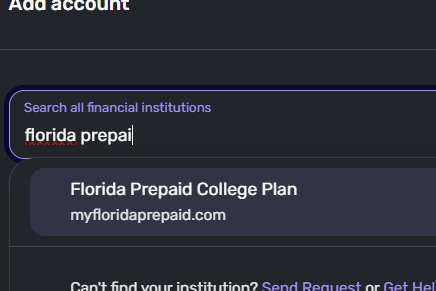
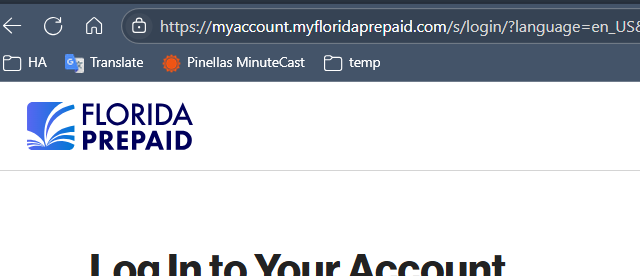
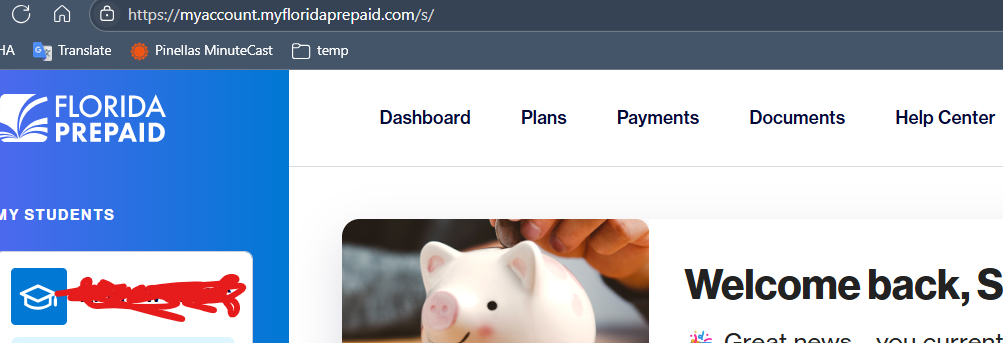
- Yes the login info is correct. I have tested again on their website, log in just fine:
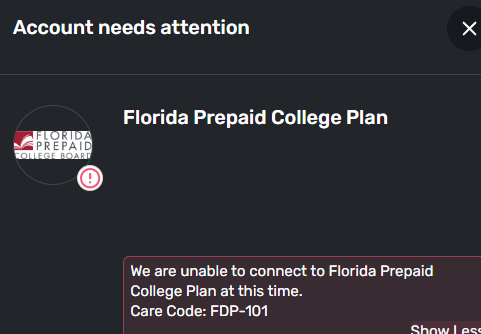
- … and again in Simplifi, this time FDP-101:
- There is no different app-specific password - only one password to use.
- Changed the password and testing everything again - same behaviors as above.
= = = = = =
Also, please note that my last successful sync was 52 days ago, so around 6/27/2025:

… and then on the Florida Prepaid website (https://myaccount.myfloridaprepaid.com/s/login/?language=en_US) these days, there is this on the login page since early July:
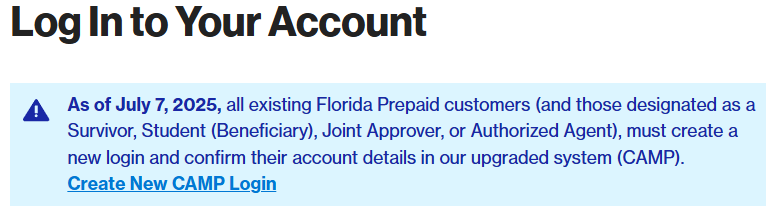
So everything tracks. Chances are, the changes on the website for the logins where the Intuit connector you are using become incompatible since early July, which brings back to the same issue that @rp343 on the other thread is experiencing. Someone might want to merge the 2 threads back together. (Tell me if you would agree, @rp343.)
I would even venture and say most, if not all, of the users connecting to Florida Prepaid College Plan (Florida's 529) would see the same issue, and you just hear it from me and @rp343.
Furthermore, I have even tried to add a new account of the same Florida Prepaid, and again I'm getting this:
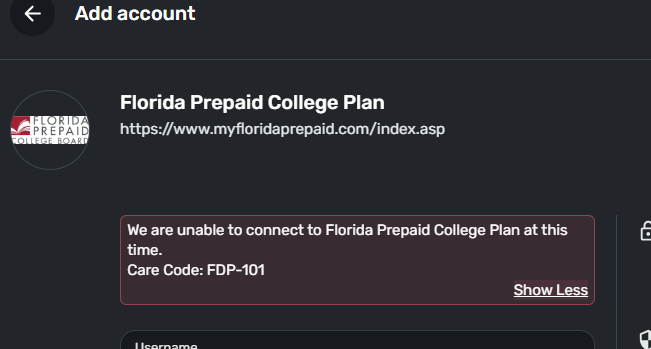
Hope this help. @Coach Jon .
0 - Yes the selection of the financial institute is correct. See the screenshot in Simplifi and from my website



