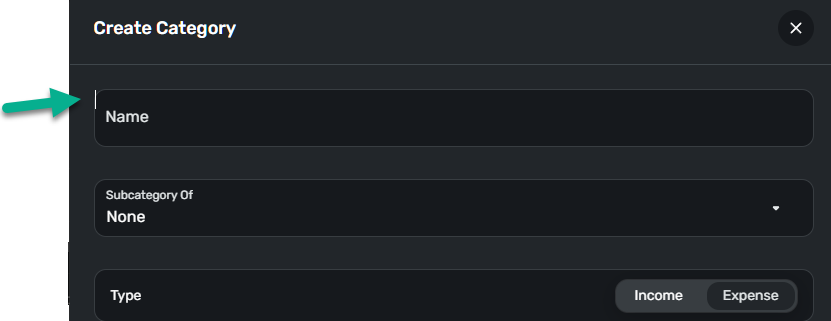
A hidden field appears that can be clicked when creating a category (edited)

This discussion was created from comments split from:
No Business Categories available within Quicken Business & Personal.
Comments
-
@Coach Jon I've another weird UI anomaly. In the Edge browser, when creating or editing a category, a hidden field appears that allows a click, resulting in a pulsing I-beam pointer here, and above the following field below. However, this field isn't editable. This is above the actual editable field.
 0
0 -
Hello @fcb,
Thanks for the reply. That is certainly strange. I would see if this hidden field appears in another web browser/incognito mode.
Additionally, our product team would like to know how you specifically upgraded from Quicken Simplifi to Quicken Business & Personal to better help them understand and troubleshoot your situation. Let us know!
-Coach Jon
-Coach Jon
0 -
@Coach Jon Upgraded via my online account, refreshed browser, then everything noted before. See my response for the category issue in the other thread.
0 -
Hello @fcb,
Thanks for the reply! Your response seems to be concerning this post:
I would have you add your update on the issue and remaining questions there. Is the issue regarding the random clickable field still occurring, as mentioned in the topic of this thread?
-Coach Jon
-Coach Jon
0 -
Hi @Coach Jon
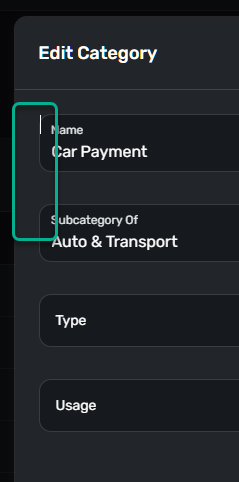
It is still occurring, and only in the categories edit mode. It is only a place where you can click and the cursor stays there as if it's a field. You can't actually enter anything.
Two locations in front of and just above "Name" and "Subca…" You can see the white I-beam.
It's not a problem, just sloppy UI….
 0
0 -
Hello @fcb,
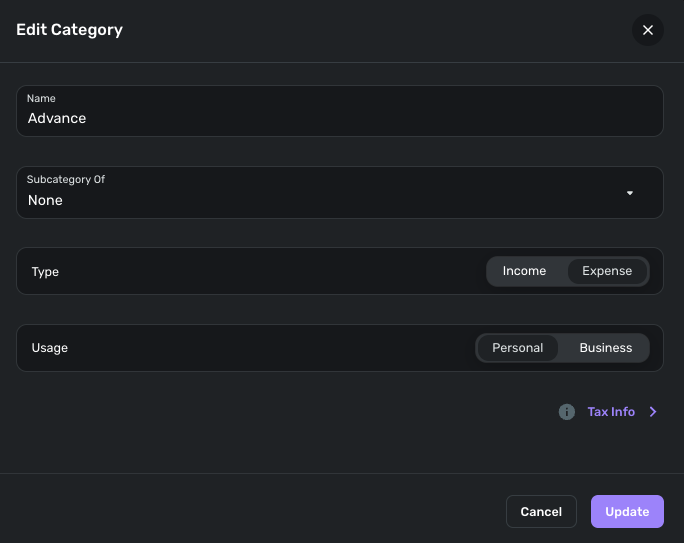
Thanks for the reply. I was unable to see the same issue from our side. This may be specific to you. I know that you stated earlier that you had refreshed your web browser, but have you tried using a different web browser to see if the same issue appears there?
-Coach Jon
-Coach Jon
0

