Calculations aren't adding up

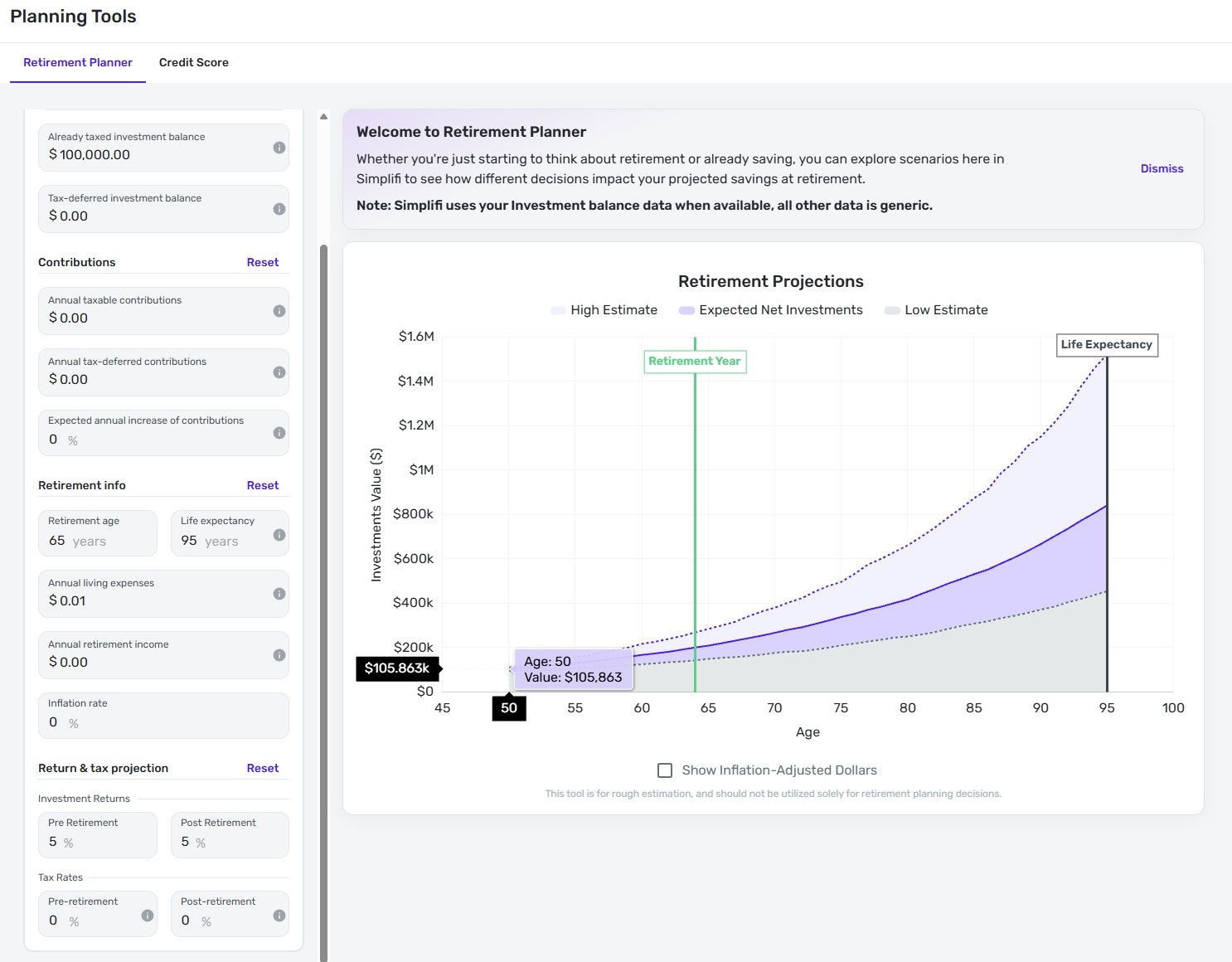
A very simple data check is to give a current investment balance, an investment return, and zero out every other parameter (in advanced mode).
First issue: The first year on the graph seems to show a year of returns. (Miscalculated, but probably supposed to be a year) Year 2 should show the first year of returns, right?
Now the data calculation test:
Example:
If I input 100,000, Age 50, 5% return. Everything else is zero'd out. The graph displays at Age 50 displays different values: 105918, 106140, 105863, etc. as I increment retirement age and life expectancy it recalculates. The one year value should not change by modifying mid and endpoint ages.
There appears to be some hidden/not disclosed volatility, but all values run high. One year return can show over 6% in the first year! (I'm not referring to the high estimate, where the basis for this range is not divulged either.)
Doing basic math, whether the return is compounded daily or yearly, the expected final investment value after 1 year should be between $105000 and 105127.
What is the explanation? Who knows if any of the other fields calculate correctly. Also notice there is no table of values available.
Comments
-
@Zk80221, thanks for reaching out to the Community!
Since the Retirement Planner is intended to be an exploratory tool only, there is limited information available on how the numbers are calculated. When attempting to replicate any issues using the numbers shown in your screenshot, I'm not sure that I'm understanding the issue. When I enter $100,000 in the 'Already taxed investment balance' field in the Advanced tab, the rest of the fields retain numbers. Did you manually enter the data in the rest of the fields, or are you saying that Quicken Simplifi entered zeros automatically? Have you tried resetting the form to the default and re-entering your data?
Let us know!
-Coach Natalie
0
