Searching transactions on the Mobile App is not showing all transactions (edited)

I believe I might’ve discovered a bug that shows up when searching for recent transactions when using the mobile version of Simplify.
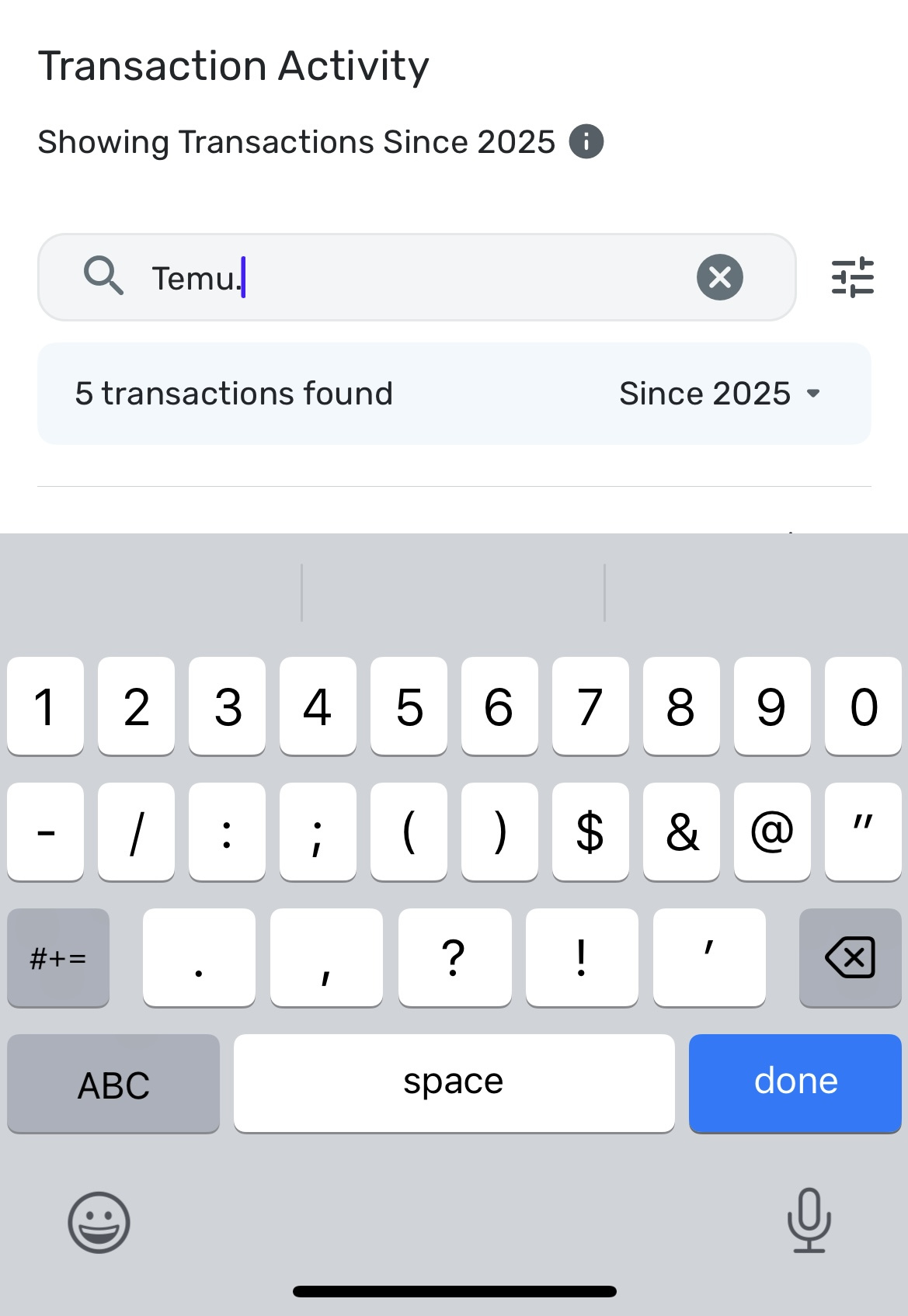
When you do a search, it appears to end up covering the most recent transaction with the banner of how many transactions are on the list
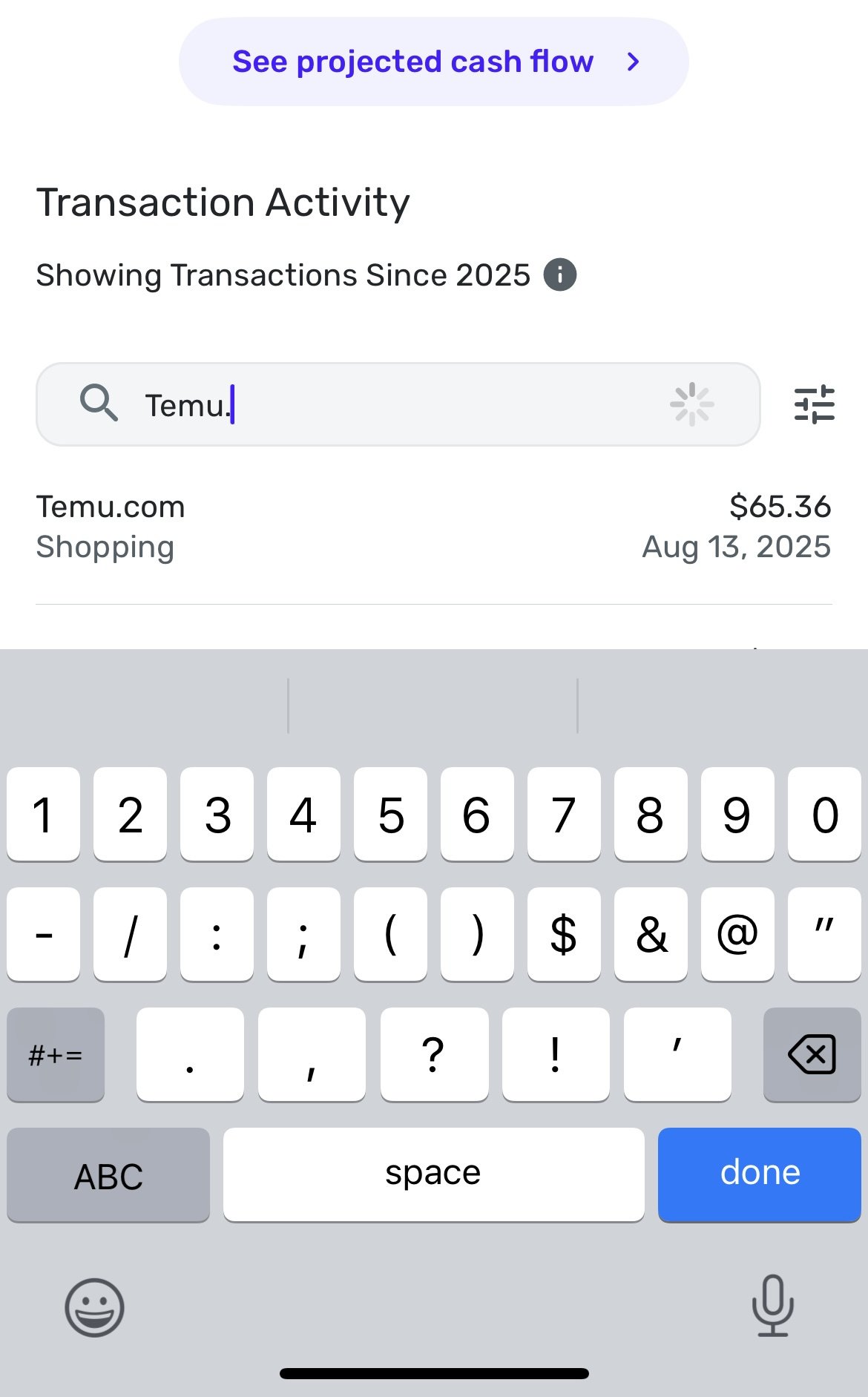
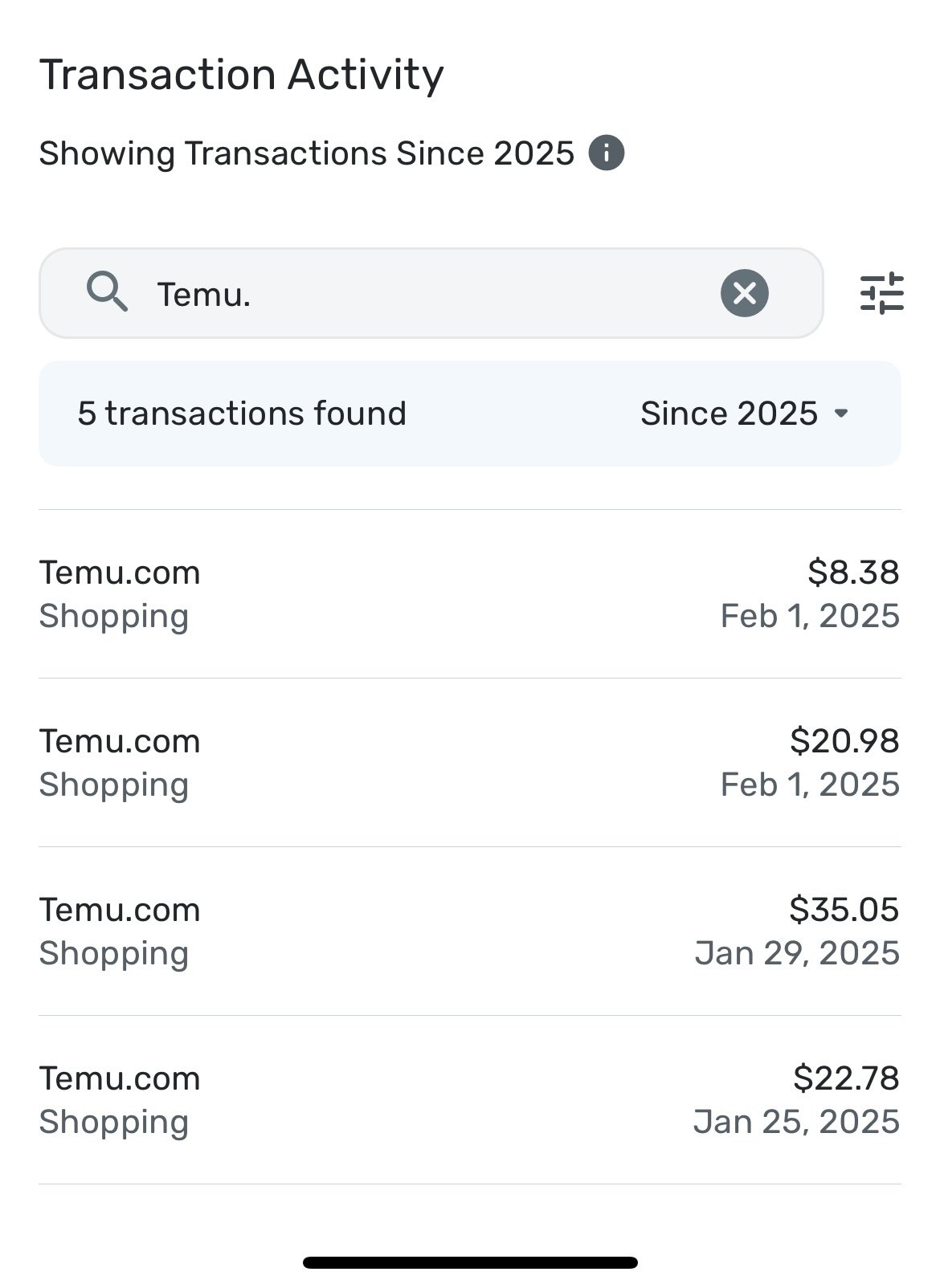
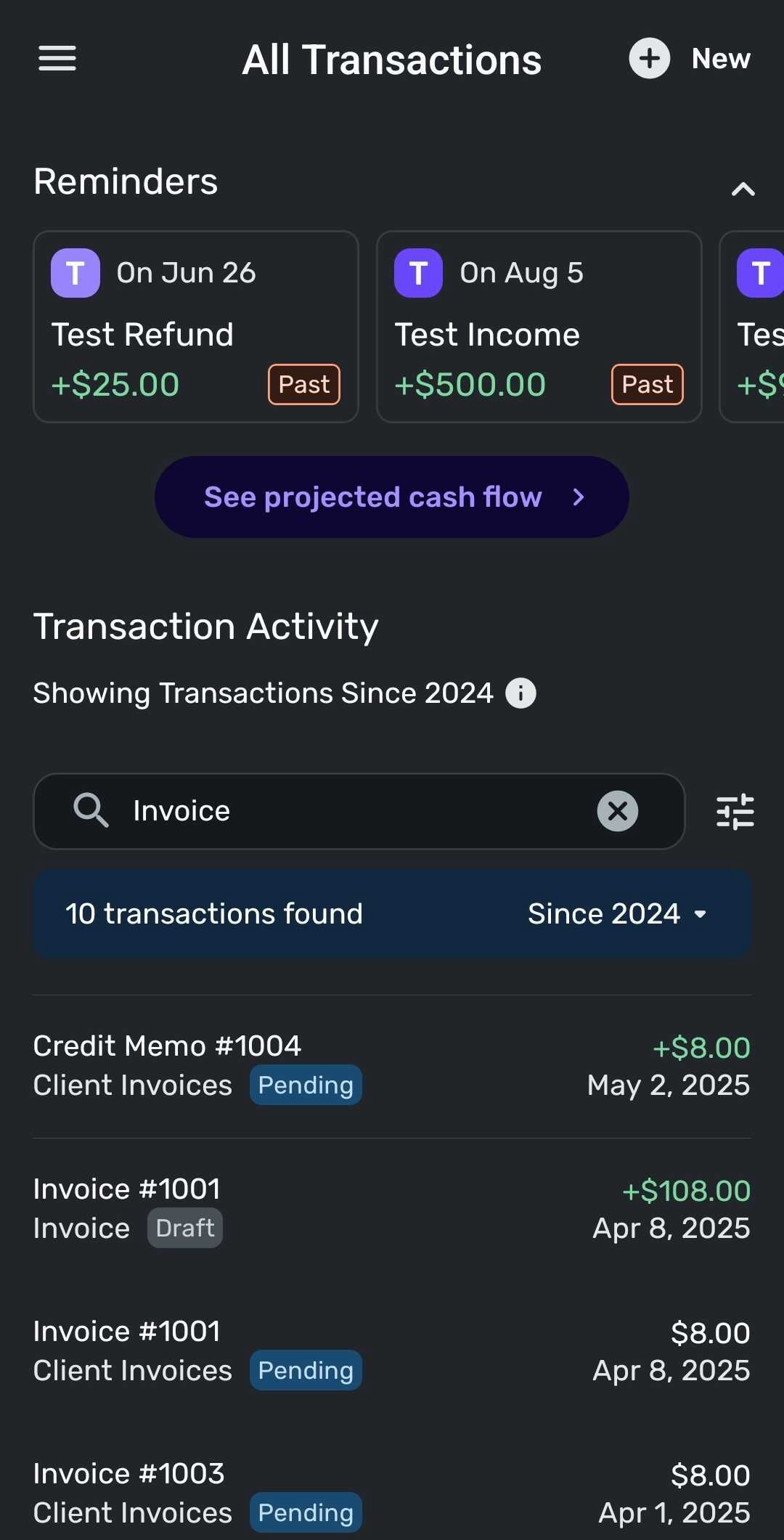
I seen in the attached screenshots, you can see that I should have five transactions listed, but the most recent one is not displayed as it is hidden under the banner of how many transactions there are. The most recent transaction does appear for a split second before it’s covered by the banner, which is the one screenshot I was able to take.
In this case, there are five recent transactions, but after I finish typing in the name and let it finish searching, you can see the only four visible as the most recent one is under the banner.
- Merg
[edited images to reduce size]
—
Today’s problems don’t worry me, I haven’t solved yesterday’s yet.
Comments
-
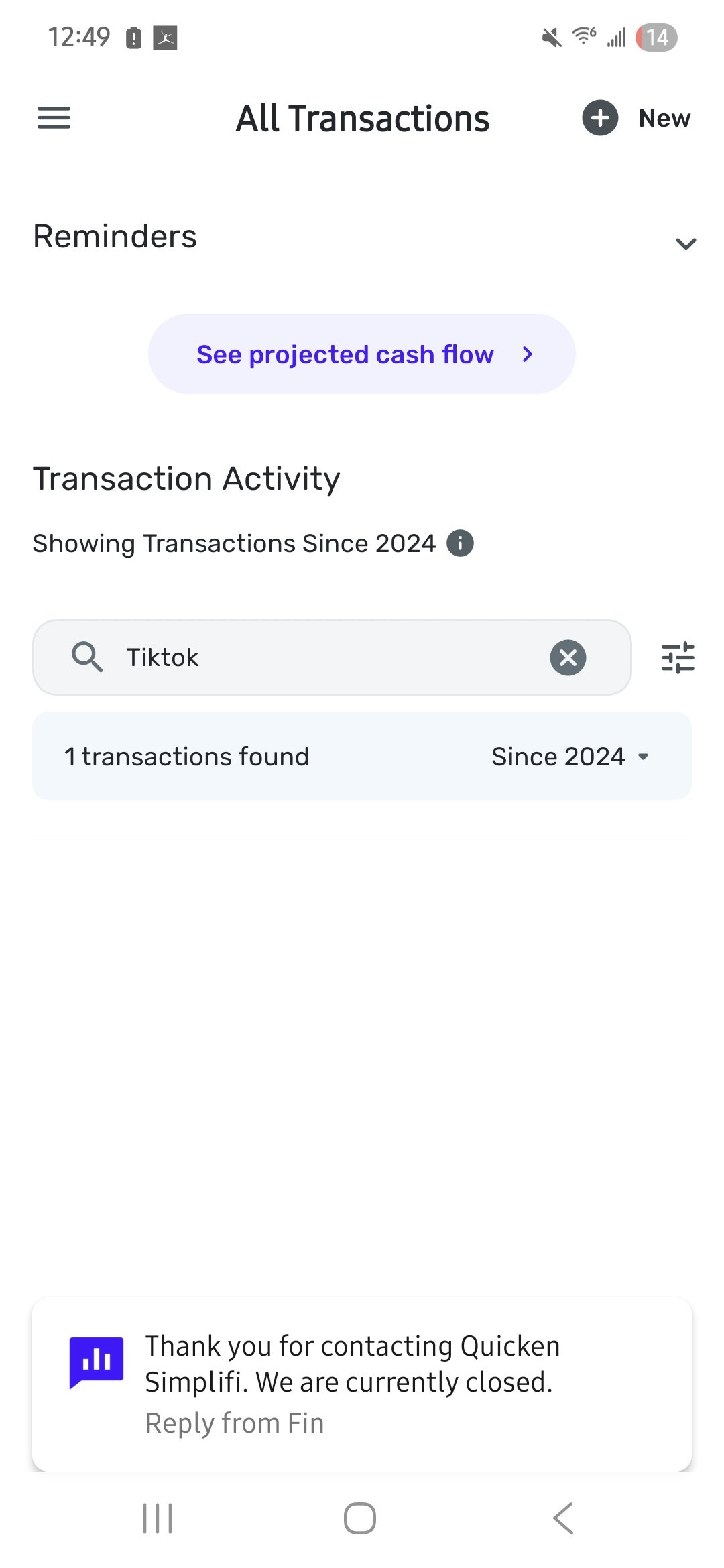
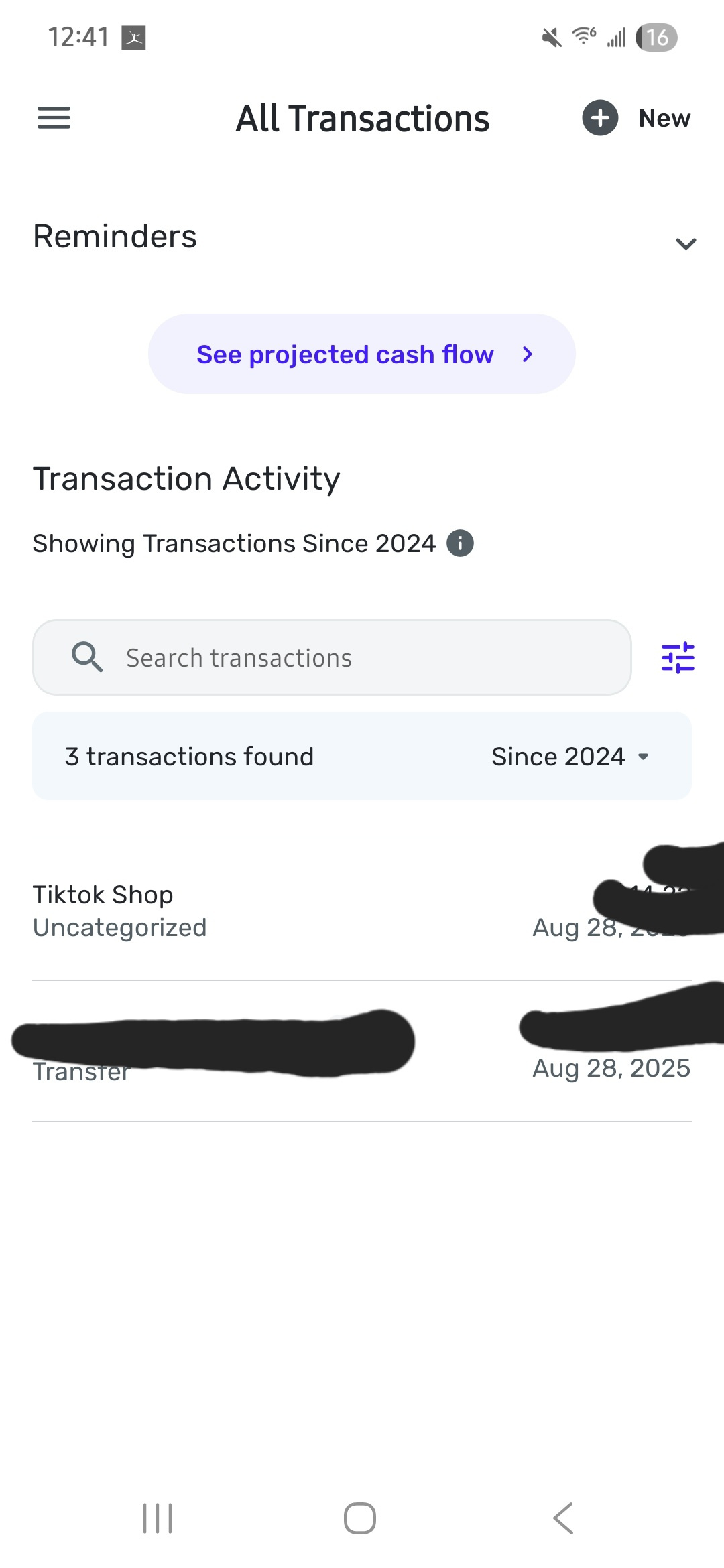
I filter by tag to show which transactions needed to be reviewed. It stated 3 but showed the two oldest (see attched image)
Similarly I search by name and it showed 1 transaction but did not display to click on.
This is on the phone app. A big deal since I reported fraud since my partner could not see the tag
[edited image to reduce size]
0 -
Second image
[edited image to reduce size]
0 -
When you say you filter by tag in All transactions, do you mean you sorted by tag? I just did this and it seemed to work fine. I'm not sure I follow. Thanks.
Steve
Quicken Simplifi (Safari & iOS) Since 2021
Quicken Classic (MacOS) Since 2009
MS Money (1991-2009) and Dollars & Sense (1987-1991)0 -
In the mobile app we are having this issue.
In my two examples:
1. I sorted by tag —in this case, for my husband to review. You can see in the screenshot that it states "3 transactions," but it only shows 2. The newest one is hidden or covered but does not appear.2. In the second example, I searched "tiktok" and it stated 1 transaction, but again, did not show the transaction.
In the desktop version, it works fine. This is only in regards to the mobile app.0 -
Hello @The Merg,
Thanks for reaching out! It appears you have the "Showing Transactions Since 2025" option selected for the transaction duration/date range. If you select the "All Time" option, the banner should no longer cover the top transaction you were wanting to see. Let us know if this helps!
-Coach Jon
-Coach Jon
0 -
Hello @debandrich,
Thanks for reaching out. I think I see what is occurring here. It looks like the "transactions found" banner is covering the top transaction when searching. It appears you have the "Showing Transactions Since 2024" option selected for the transaction duration/date range. If you select the "All Time" option, the banner should no longer cover the top transaction you were wanting to see. Let us know if this helps!
-Coach Jon
-Coach Jon
0 -
I tried several different ways and the banner always covers on android. It does not matter if you are filtering by tag or if you are just looking by transaction name. All time, specific date —it all covers
They need to adjust the div tags to have the position show up later and cross test on different platforms. My desktop app is fine but not on android
0 -
Hello @debandrich,
If you select the "Since 2024" dropdown and change it to "All Time", the banner should no longer cover the top transaction.
Is this not the case for you when you try this? Let us know!
-Coach Jon
-Coach Jon
0 -
It should not cover up with the date selected….that seems like it is still a fail.
0 -
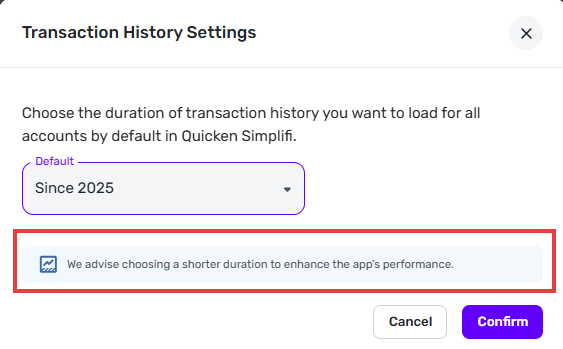
Just to confirm… I am seeing the same thing you are. Changing the Transaction History Setting to anything less than "All Time" interferes with the Search function (in the All Transactions listing) by completely hiding the top-most transaction.
This seems wrong because Simplifi explicitly recommends using a shorter Transaction History Setting in order to "enhance the app's performance." (See below.) Requiring you to choose "All Time" in order to use the Search function prevents you from taking advantage of that setting.
DryHeat
-Quicken Classic (1990-2020), CountAbout (2021-2024), Simplifi (2025-…)1 -
Exactly —when I am working on my phone, I want it to be as quick as possible and just "don't use this feature" is not an acceptable answer when there is a simple coding fix.
1 -
Okay, while that is a workaround, this is still a bug. In this case, I had it set for 2025 as that was the timeframe I was looking for transactions.
I noticed that the issue is there for any time frame selected except for all-time.
-Merg
—
Today’s problems don’t worry me, I haven’t solved yesterday’s yet.
0 -
FYI, @debandrich reported this same issue in the thread linked below.
I also see this problem when I use the mobile app on Android.
[removed link to merged thread]
DryHeat
-Quicken Classic (1990-2020), CountAbout (2021-2024), Simplifi (2025-…)0 -
And I just noticed that he reported it only 15 minutes after I did. I’m wondering if this is a new bug then…
-Merg
—
Today’s problems don’t worry me, I haven’t solved yesterday’s yet.
0 -
BUG REPORT - Simplifii iPhone Mobile APP - SEARCH RESULTS INCOMPLETE
Today being [Wed Sep 3]
Searched for a VENDOR NAME of in the PAYEE FIELD for a CREDIT CARD CHARGE and then a REFUND
[ 2 transactions found] [SInce 2025]
LIST returned DID show the first transaction from [Thu Jun 12] [CREDIT CARD CHARGE]
LIST returned DID NOT show a second transaction from [Mon Sep 1] [REFUND]
Worked fine in the Apple Airbook laptop version
0 -
Hello everyone!
We are aware of this known issue and do have an alert you can follow for updates going forward:
There was an update today for this alert, expecting this issue to be fixed in version 5.38.2 of the Quicken Simplifi Mobile App. When that version releases, be sure to let us know if the issue is resolved after you update.
Thank you!
-Coach Jon
-Coach Jon
1 -
Are you sure the alert you linked above is for the same issue as this thread?
—The alert thread is about transactions that show up in Recent Spending but do not show up in the account's Transaction Activity.
—This thread is about transactions that do show up in Transaction Activity. The problem is that, when you do a search, the top matching transaction is hidden by a banner if you are using the Transaction History Settings to improve performance.
Those two issues don't seem like the same thing to me. Is the alert supposed to be for both of them?
DryHeat
-Quicken Classic (1990-2020), CountAbout (2021-2024), Simplifi (2025-…)0 -
Hello @DryHeat,
Thank you for the reply. We believe the issue reported here is linked/caused by the issue reported in the alert I shared above. Once the fix is released with version 5.38.2 of the Quicken Simplifi Mobile Application, we will be able to verify if the issue reported here is resolved by the fix.
-Coach Jon
-Coach Jon
0 -
"We believe the issue reported here is linked/caused by the issue reported in the alert I shared above."
That's kind of surprising… The alert doesn't even mention the "XX transactions found Since 20XX" banner that seems to be causing the problem in the search issue reported in this thread.
Still… I guess as long as both issues have been reported to the product team and they think the two issues have the same root cause then there there is a good chance that fixing one will fix the other. They would certainly know more about that than we do.
DryHeat
-Quicken Classic (1990-2020), CountAbout (2021-2024), Simplifi (2025-…)1 -
When I search for transactions in the mobile app, there is a banner that appears at the top of the results stating the number of transactions found. This banner blocks the top result from appearing in the list of results. Below is a screenshot of an example — the search returned two results, but only one appears (presumably because the first result is hidden behind the "transactions found" banner).
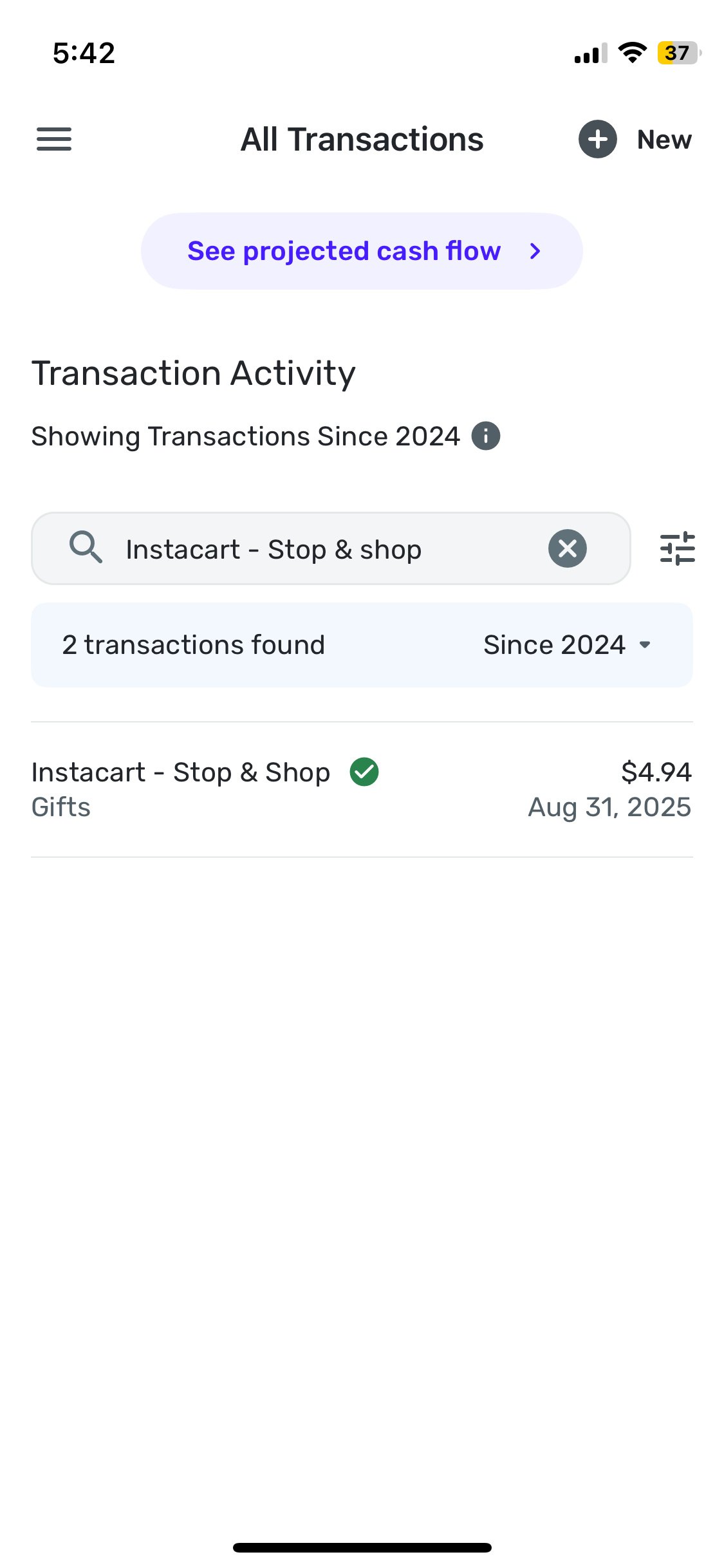
I'm using the iOS version of the mobile app on an iPhone 12 mini.
0 -
Hello @ejs,
Thanks for reaching out! I merged your post with this thread, as this issue was originally reported here. We believe the issue reported here is linked to/caused by the issue reported in the alert I shared above:
There was an update yesterday for this alert, expecting this issue to be fixed with version 5.38.2 of the Quicken Simplifi Mobile App. When that version releases, and you update to that version, be sure to let us know if the issue is resolved for you!
Thank you!
-Coach Jon
-Coach Jon
0 -
@Coach Jon, thank you. The mobile app update did indeed fix the issue.
3 -
Appears to be working correctly for me as well..
Thanks,
Merg
—
Today’s problems don’t worry me, I haven’t solved yesterday’s yet.
2



