Issue Creating Rules with Hyphens on the Mobile App (edited)

Hello all,
I am trying to create two rules where the transactions appear on the statement with hyphens (Acorns Round-Ups and Wal-Mart).
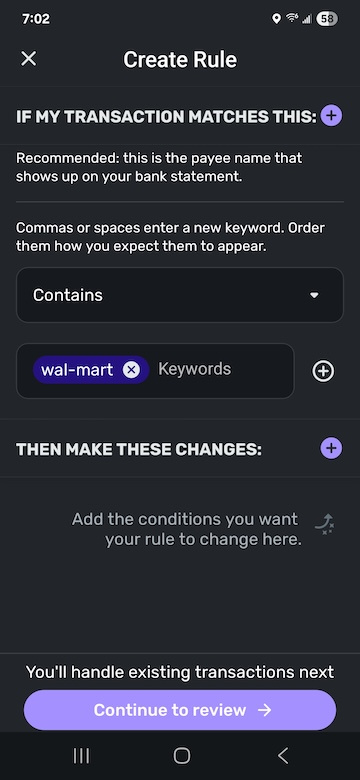
When using the Contains option for keywords, the hyphen splits the hyphenated keyword into two separate keywords. “Acorns Round-Ups“ becomes “acorns round ups”, and “Wal-Mart” becomes “wal mart”. Both rules do seem to work when recognizing many transactions I know are there. I cannot use the Exact option for the rules, because that seems to want to match the entire name as it appears on the statement and not partial names.
Is anyone else having this issue? Am I doing something incorrectly?
Please let me know. Thanks in advance.
Comments
-
Well, FWIW. I also have trouble with the payee Walmart (this is how I prefer it). The rule includes wal-mart, wal and mart. Sometimes it works; sometimes it doesn't. I try hard not to use hyphens in payee names because Simplifi used to have trouble with them.
Steve
Quicken Simplifi (Safari & iOS) Since 2021
Quicken Classic (MacOS) Since 2009
MS Money (1991-2009) and Dollars & Sense (1987-1991)0 -
@Xplodius, here is how my Walmart Transaction Rule is set up, and it works for me every time —
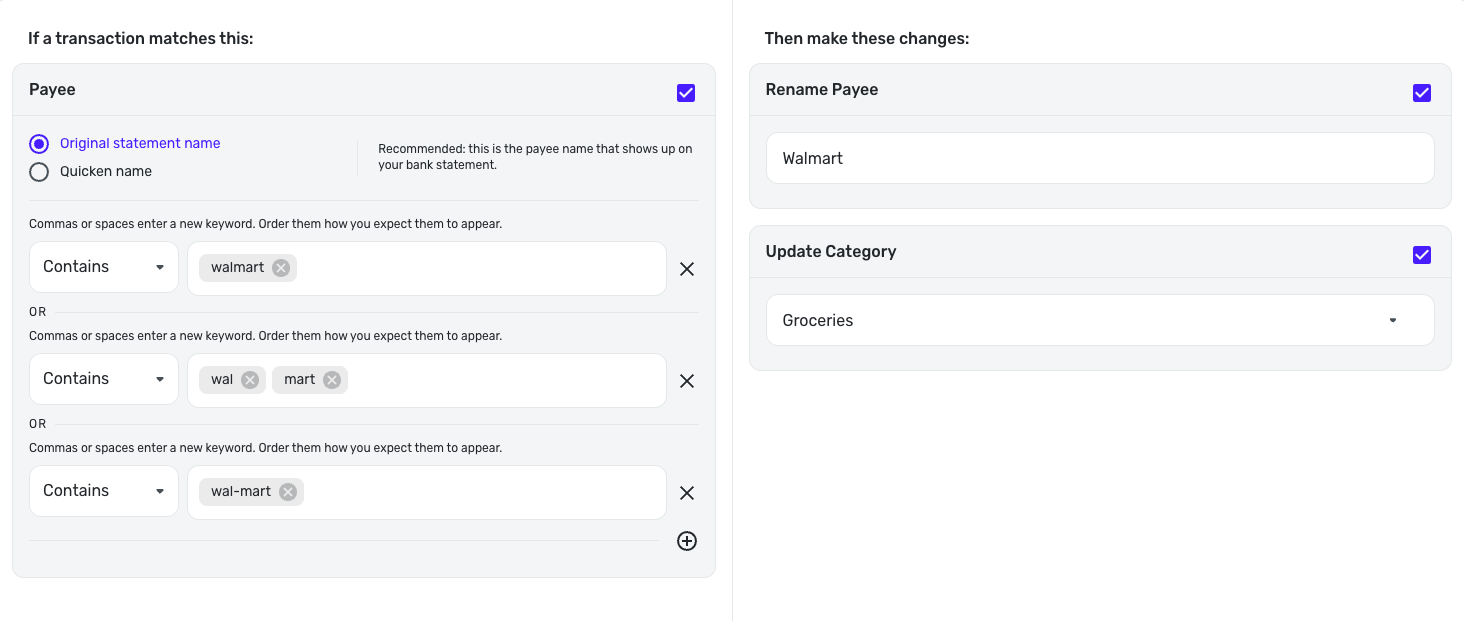
Let us know if this works for you!
-Coach Natalie
1 -
Hi Natalie. How are you entering your third contains keyword of “wal-mart” with a hyphen in it? As I mentioned in my post, “wal-mart” becomes “wal” and “mart” as two separate keywords. I’ve tried quotes and other methods, but hyphens seem to be ignored at this time when creating transaction rules. I am just thinking that I have tried from the iPad app, but I have not tried from the web app. I will give that a shot to see if it makes a difference and report back.
0 -
Okay, I have confirmed that the behavior I am seeing appears to be a bug in both the iOS and iPadOS versions of Simplifi. I was able to successfully create a hyphenated keyword in the web app for Simplifi. Not sure if this is a good enough place to report a bug, but there it is.
1 -
@Xplodius, thank you for the replies!
I was able to reproduce this on the Quicken Simplifi Mobile App on my Android device. I reported it as a bug and will post back here with updates!
SIMPL-29256
-Coach Natalie
0 -
A fix for this issue is expected with the 5.39.0 Mobile Release!
-Coach Natalie
0 -
-
Thank you for the update, Natalie. I will check it out.
1