Recurring Transactions are being excluded from Reports and Spending Plan

I have a Recurring Transaction as shown below:
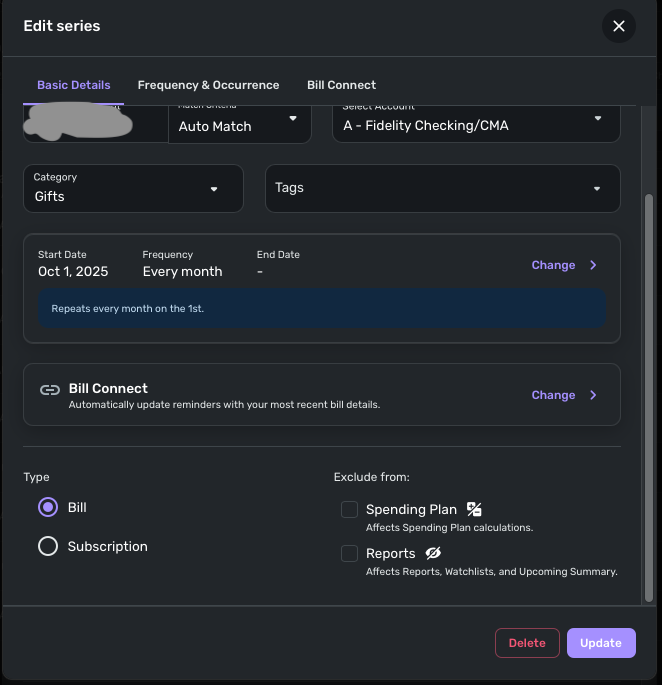
Note that the exclude boxes are not selected.
Looking at the transaction register, these transactions are shown as hidden:
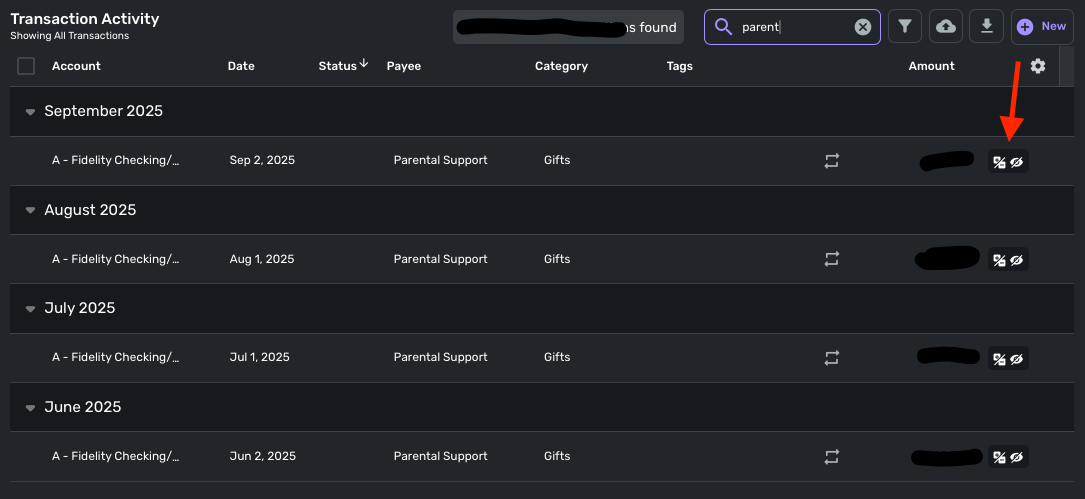
Any idea of what's happening here?
Comments
-
Hello @Dognose,
Thank you for coming to the Community with this question. I suspect this is happening because the Fidelity connection is seen as an investment account type, which causes it to exclude from the spending plan and reports by default.
If that is what is happening, then you should be able to change that behavior by navigating to the Settings gear, near the lower right corner in the web app, and selecting Accounts. Scroll down to the problem account. If you see the icons indicating the account is excluded from reports and the spending plan, click the 3 dots next to the account, and you'll be able to change it by unselecting Spending Plan and Reports.

I hope this helps!
-Coach Kristina
0 -
If your CMA account is in Simplifi as an investment account instead of a checking account, @Coach Kristina has identified it for you.
I jump in let you know that there are workarounds to reclassify this as a checking account. It isn't perfect but it is what many of us who have Cash Management accounts do.
OTOH, I am a bit confused because Simplifi doesn't allow transactions in Investment accounts to be linked to recurring transactions. And the above screenshot shows it has been linked.
Read through this conversation below and vote for the idea if it fits your situation.
Steve
Quicken Simplifi (Safari & iOS) Since 2021
Quicken Classic (MacOS) Since 2009
MS Money (1991-2009) and Dollars & Sense (1987-1991)0 -
Thank you @Coach Kristina , but the default was and is set to show all transactions:
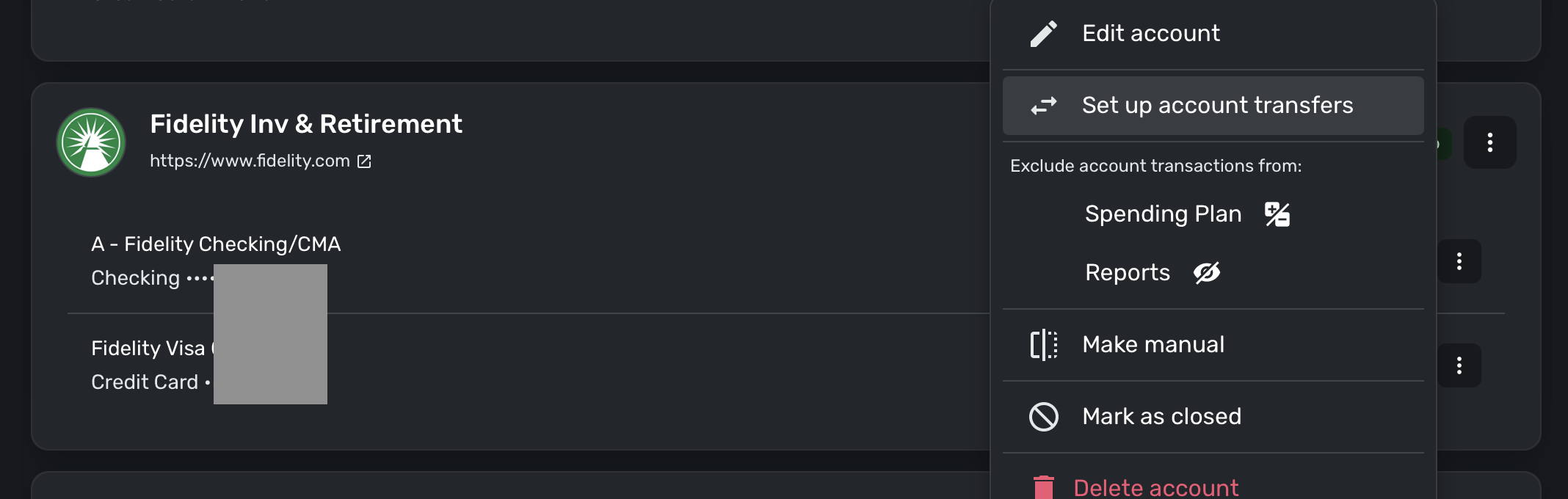
@SRC54 , Thanks, but as you can see I was fortunate enough to get the CMA listed as a checking account.
Other ideas?
0 -
Glad you were able to get it set as a checking account.
So next question. I assume you can edit the transactions manually so that they are included, right? It may be that Simplifi is still automatically excluding them because under the hood it thinks it's an investment account. I know there are some problems with Fidelity and CMA accounts even when they are set as bank accounts.
Also, go to Settings:Accounts and make sure the CMA account isn't set by default to exclude transactions.
I am trying to remember if my dividends last month came in excluded and I had to include. I just don't remember.
Steve
Quicken Simplifi (Safari & iOS) Since 2021
Quicken Classic (MacOS) Since 2009
MS Money (1991-2009) and Dollars & Sense (1987-1991)0

