Savings Goals - Can't withdraw from "saved so far" amount (edited)

Hello All!
I've been having intermittent issues with Savings Goals for months now. To the extent where I've had to delete them completely and restart and I'm hoping to not have to do that again. I'm having two issues currently - one I'm not sure is an issue or more so not a function available to us.
Issue 1: I am trying to withdraw from savings goal and am getting the message "no money available". Despite there being $973 available. This happens right after clicking "withdraw from". The problem is replicable on Chrome and Safari on Mac, PC, and iOS.
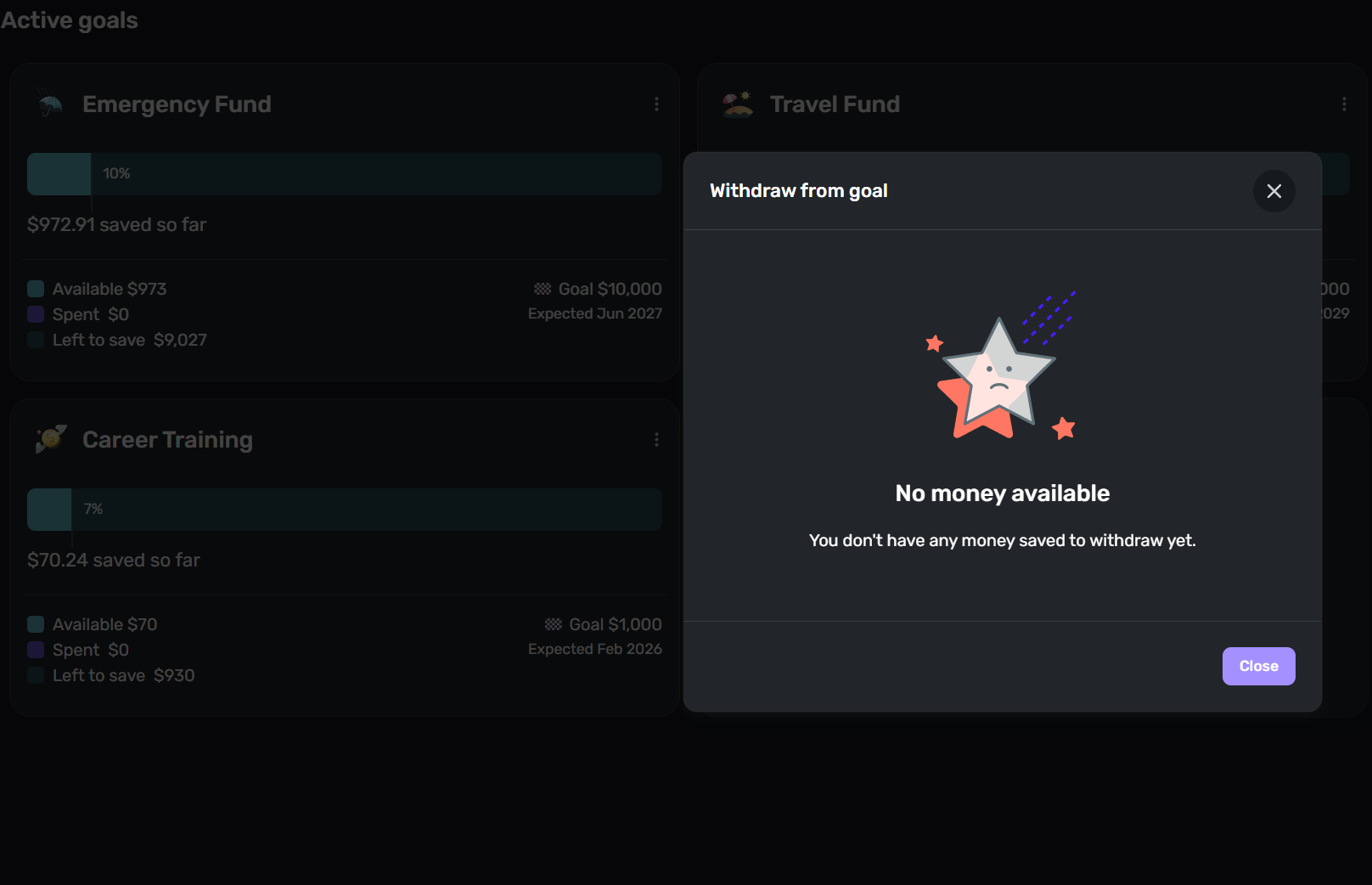
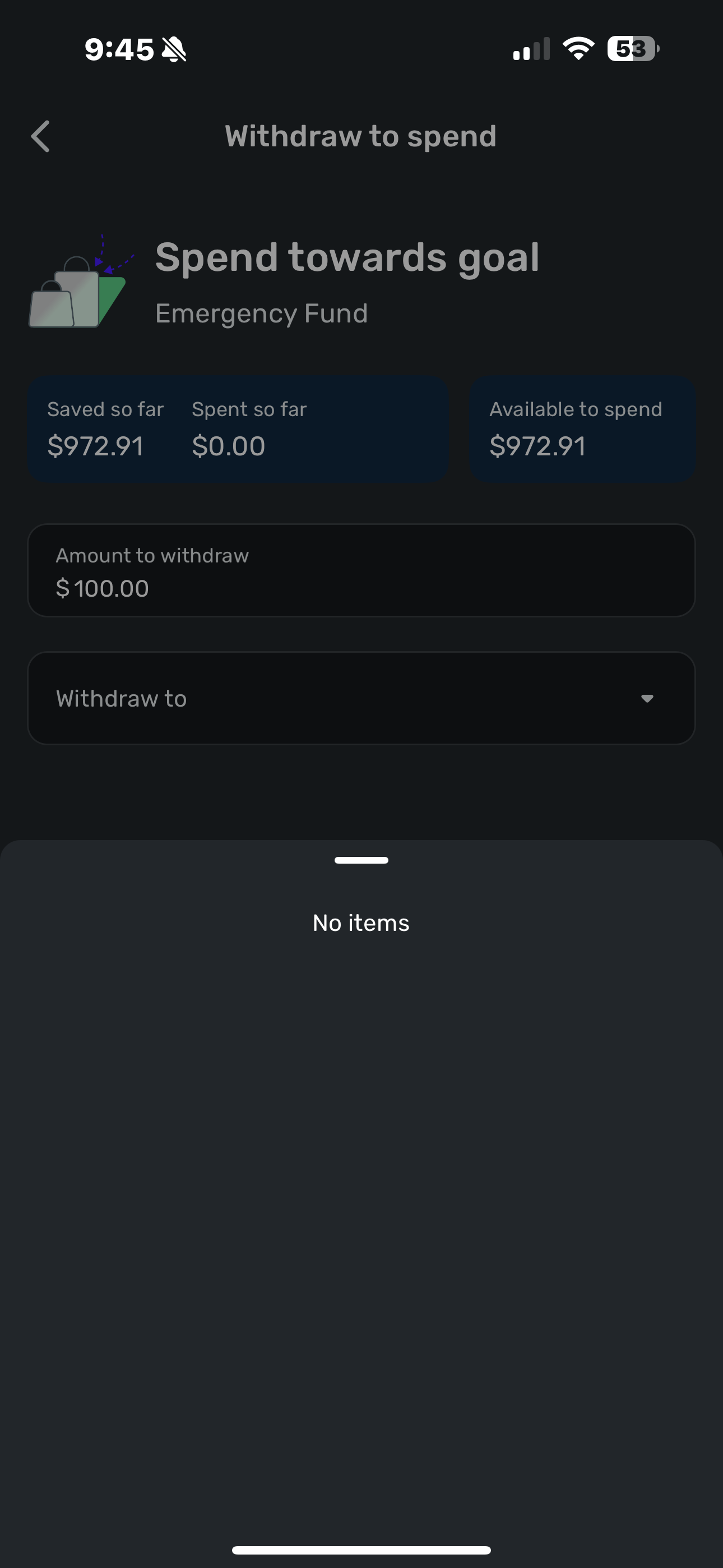
I attempted to use the app, and while I am able to get to the "spend toward your goal" and "use for something else" options, when I enter the amount to withdraw and try to select a "withdraw to" account, it says "no items."
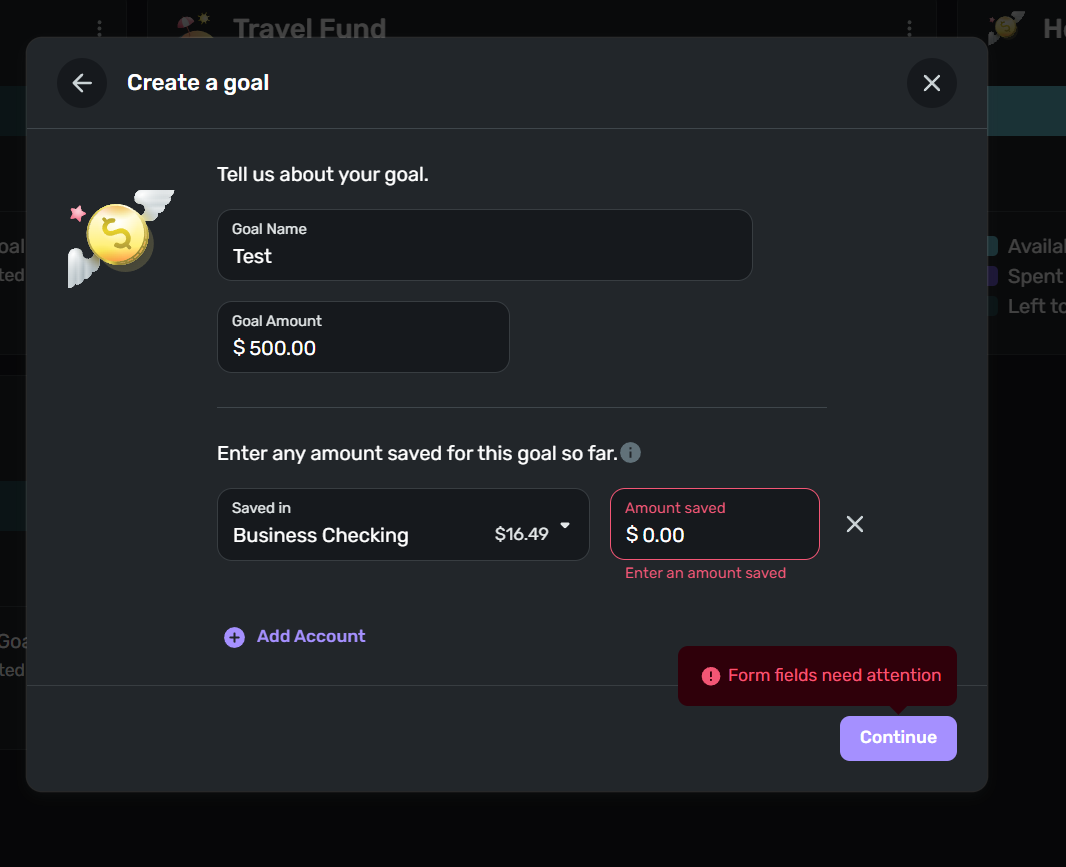
Issue 2: I'm not sure if this is actually an issue or if it's how Savings Goals is meant to function, but are we supposed to be able to create Savings Goals that start at $0? When I try to create a new goal that I haven't started saving for yet, it won't allow me to. I understand if this isn't a function, but it really should be as Savings goals impact the Spending Goal. Right now my spending plan says I have more money available than I intend to, cause I have two savings goals I'd like to start contributing to this month that I can't create.
Comments
-
I think I can help with Issue #2. No idea on Issue #1.
You can't leave "Amount saved" as zero if you have selected an account for "Saved in." And you can't unselect the account and get the "Saved in" field back to blank.
But… Click on the "X" next to "Amount saved" and the "Saved in" field will become blank. Then you will be able to click on the "Continue" button and move to the next page in the process.
DryHeat
-Quicken Classic (1990-2020), CountAbout (2021-2024), Simplifi (2025-…)1 -
Hello @bccoleman,
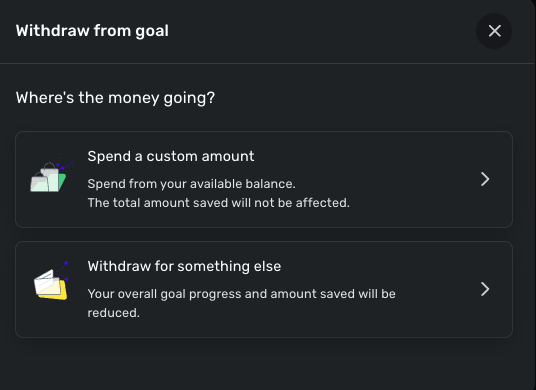
Thanks for reaching out! When you select to withdraw from the goal, do you receive a window where you can indicate where the money is going? Or does the "No money available" message pop up before this window appears?
Let us know!
-Coach Jon
-Coach Jon
0 -
Hello @bccoleman,
I apologize. After verifying with our product team, I can see that this issue has been reported already, and we are working on a solution at this time. A fix should be implemented soon!
-Coach Jon
-Coach Jon
2 -
@Coach Jon Hi Coach Jon! Do you know what the timeline for fixing this might be? The issue still exists for me.
0 -
Thank you for your reply,
Unfortunately, our teams do not provide ETAs. We know that they are working on the issue and expect to fix it soon, but do not have a specific date.
While there currently isn't an alert you can use to track the issue, you can ask for updates here on the Community, and we'll be able to check the status.
Thank you!
(SIMPL-28455)
-Coach Kristina
0 -
Not providing an ETA for a data integrity issue on a financial application is next level asinine.
Say you don't care about your clients without saying you don't care about your clients.
1 -
Ridiculous that this hasn't been resolved yet. I cant update any of my savings goals because Quicken thinks that a large savings goal that has been deleted is still there. We are paying for these features.
1 -
New Webupdate today, and it's still not fixed. How do you make an financial application that fails at math?
0 -
This is getting ridiculous at this point. The savings goals were one of the reasons I went with this software and its been over a month [rant redacted]. I am now looking for a different software solution.
0 -
Adding a voice to the request to prioritize fixing this - Savings Goals are the most important feature of Simplifi for me, so not being able to use them while functionality remains broken is causing friction.
@Coach Jon, even if you can't commit to a specific fix date, can you confirm this is being actively worked by the engineering team?
0 -
Another update came out today for the Web App and IOS. Of course, the issue is STILL not fixed. /sigh
Savings Goals is the most critical issue for me in this application. Seriously, if you can't do math correctly here, can you depend on it in any other place in the application?
0 -
Hello everyone,
I am back with an update from our product team. The issue where trying to withdraw from a savings goal and getting the error message "no money available" should now be fixed! Be sure to check from your side as well, and let us know if the issue persists.
-Coach Jon
-Coach Jon
-1 -
Still not working. I am still showing an unknown savings goal that was one that I had deleted and I have negative money available. I did delete browsing history and refresh.
0 -
Hello @Mike B,
It looks like the issue you're describing is not the issue this thread is for, and is therefore not the issue that we stated is resolved. The issue that is resolved is receiving an error when attempting to withdraw funds from a goal. For the issue you mentioned, please follow our alert here for updates:
If anyone is still experiencing the issue that this thread is for, please let us know!
-Coach Jon
-Coach Jon
0 -
Yeah, that issue does not allow you to leave a comment with the link provided and the result is the same. I HAVE money in my account and Quicken says its unavailable! [removed-disruptive]
0


