Stripe Payment not matching Invoice due to processing fee (edited)

Hi; I'm going to apologize in advance because I'm sure there's a solution somewhere in the many stripe questions, but I just haven't quite understood what to do.
New to Quicken Simplifi and I've searched for solutions on this site and others. I've seen plenty of questions and solutions involving Stripe payments, but not quite my situation. Here's what's up:
- Invoiced client for $1,200
- Rec'd Payment through Stripe of $1,200 with -$35.10 of processing fees for net of $1,164.90
- Tried to apply transaction payment of $1,164.90, but that is only a partial payment.
- Unapplied payment
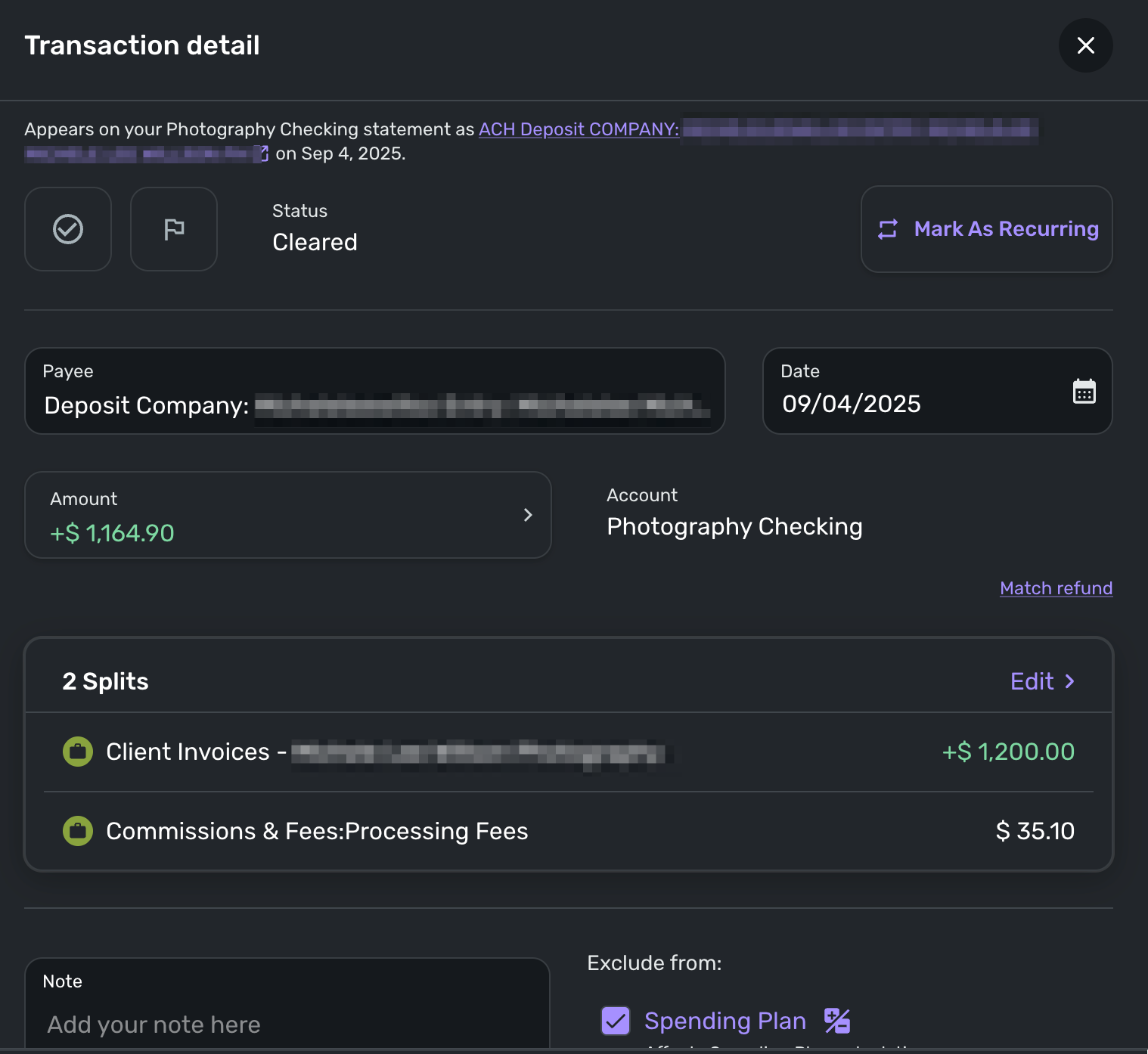
- Split the transaction in bank account to read $1,200 minus -$35.10 for processing.
- Tried to apply payment but the transaction is not available on the list in the Apply Payment window.
Where have I gone wrong and what do I do to fix this?
Comments
-
Hello @GuerillaTime68,
Thanks for reaching out! It may not be showing up in the Apply payment window due to being a split transaction. Are you able to edit the existing invoice to match the payment of $1164.90? If you can supply a screenshot showing how this issue appears within Quicken Simplifi, this would also be helpful.
-Coach Jon
-Coach Jon
0 -
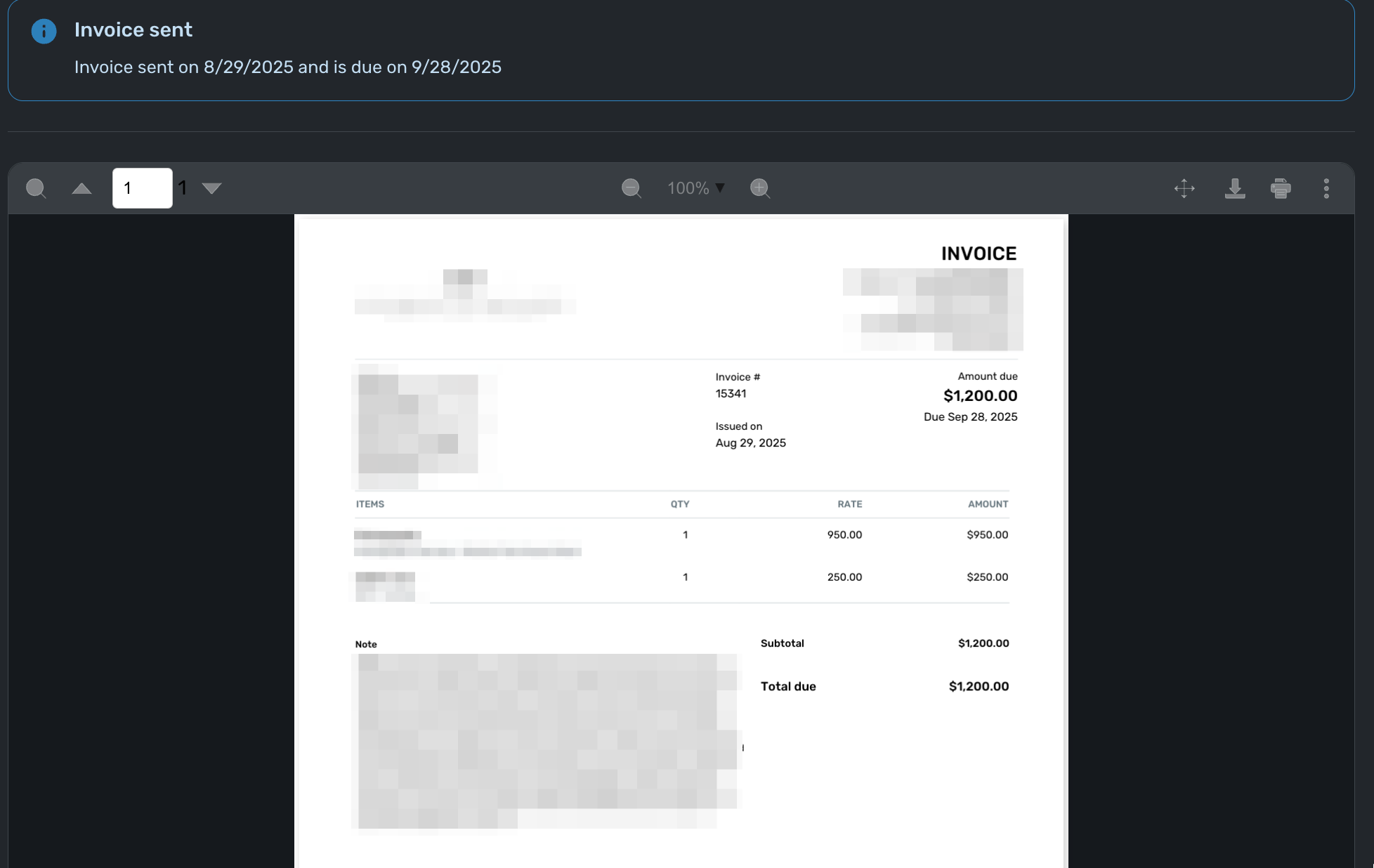
Hi @Coach Jon! First, thanks for responding and apologies for not getting back to you until now. I could edit the existing invoice, but my question would be, in what way? Here is the existing invoice:
The split is probably not the right way to do this. Here's what the transaction looks like with the split:
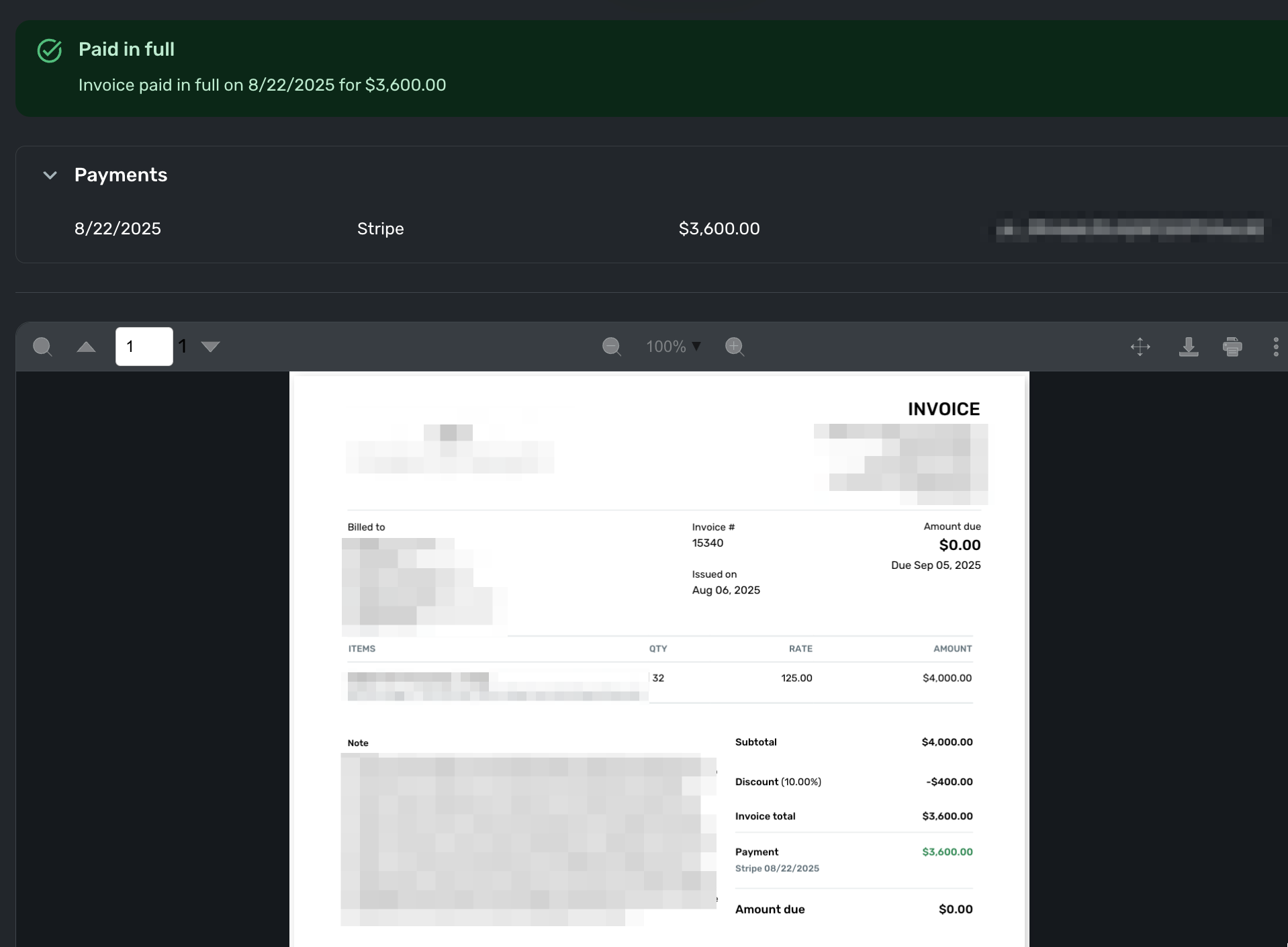
Looking at an invoice and transaction paid by Stripe, it's clear I've handled it wrong. Here's my reference:
Here's the transaction:
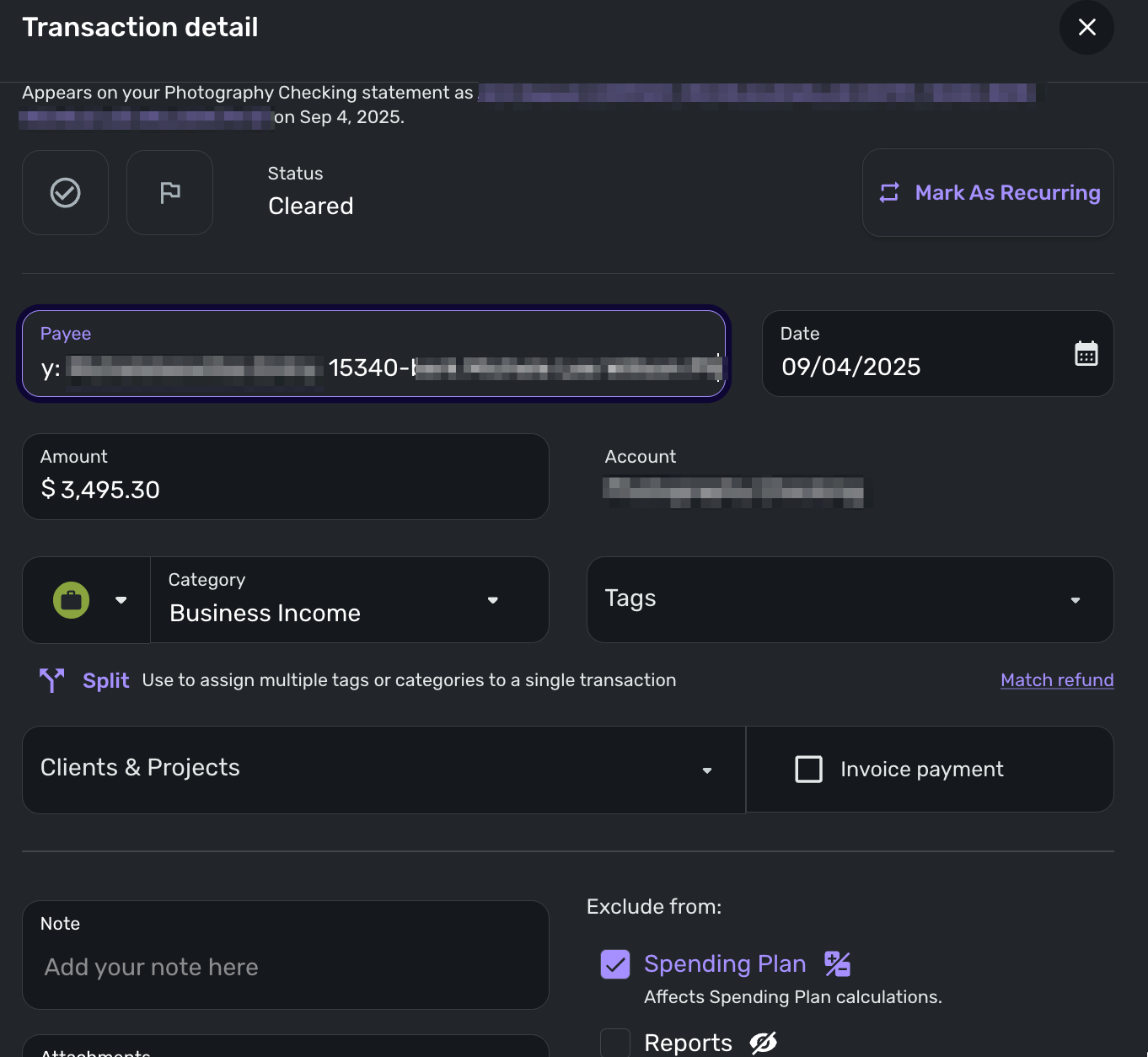
Somehow, Quicken matched the $3,495 transaction with the $3,600 invoice, but I don't remember doing that manually myself. I don't know where the (104.70) fee is accounted for.
Does this help?0 -
Hello @GuerillaTime68,
Thanks for the response! After reaching out to my product team, I can confirm that Stripe payments that are set up as split transactions can be applied to Invoices within Quicken Simplifi.
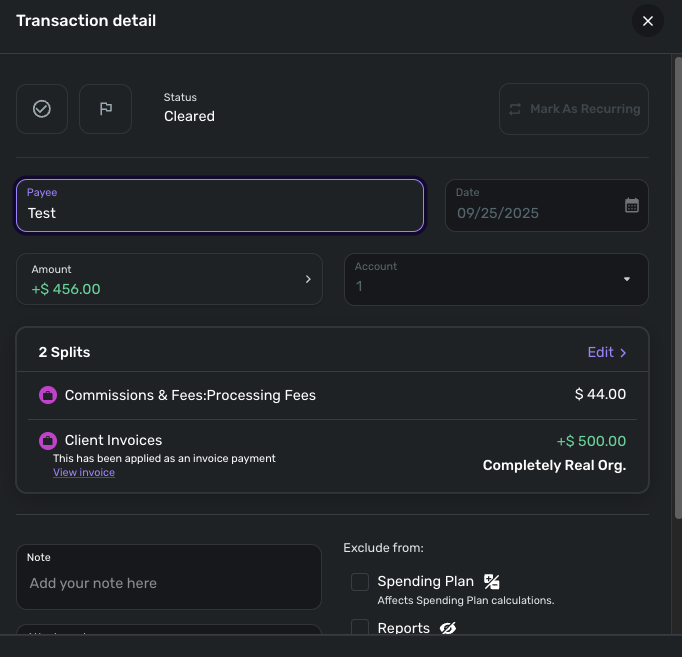
In your case, if your payment is not being found in the Apply Payment window, I would make sure that the Invoice payment checkbox is selected when creating/editing the split transaction.
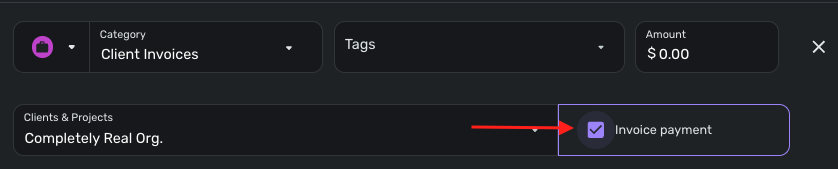
Let us know if that works for you!
-Coach Jon
-Coach Jon
0 -
Thanks @Coach Jon! So I checked the split details, and it appears that I did have the "Invoice Payment" box checked:
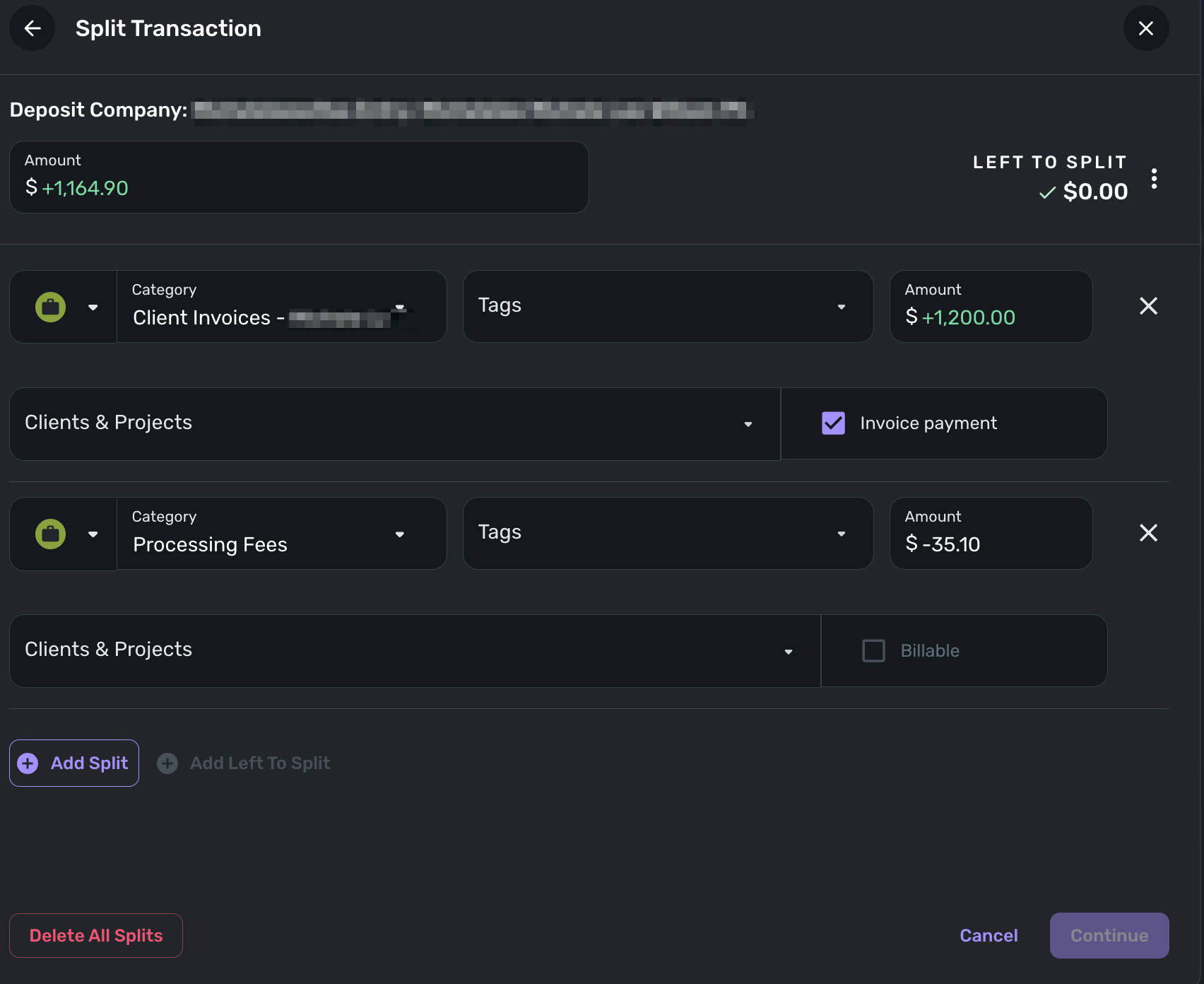
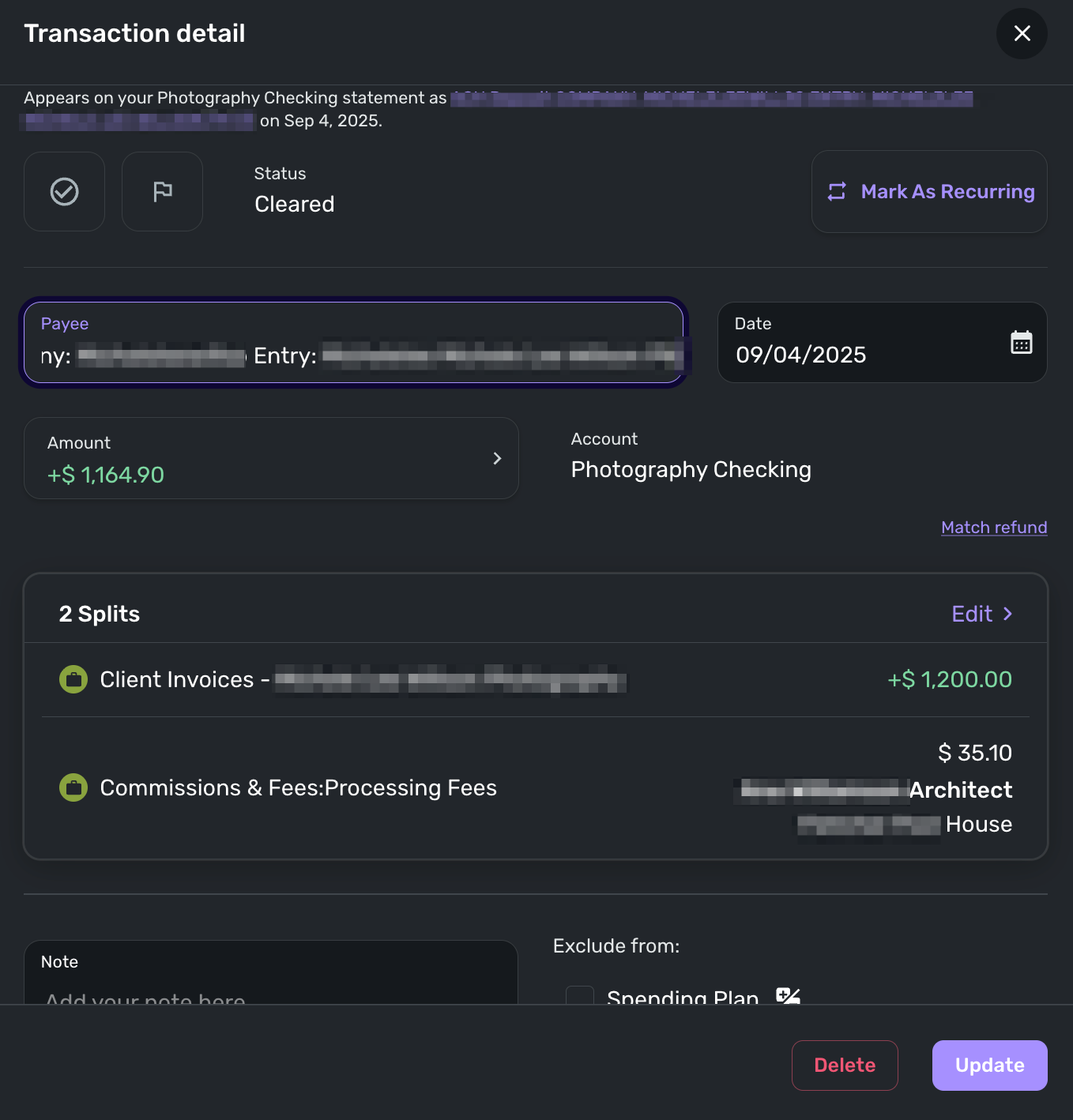
Not wanting to waste a good opportunity to further screw things up, I assigned the "Clients & Projects" field to the appropriate project. Since the processing fee is not billable to the client, I left the Billable box unchecked. When I clicked on Continue, then saved the transaction, there was a pop-up window that stated something like "You have been paid" and I think the system asked if I wanted to assign the payment to the invoice, which I did. When I went to the invoice, it does not show as being paid.
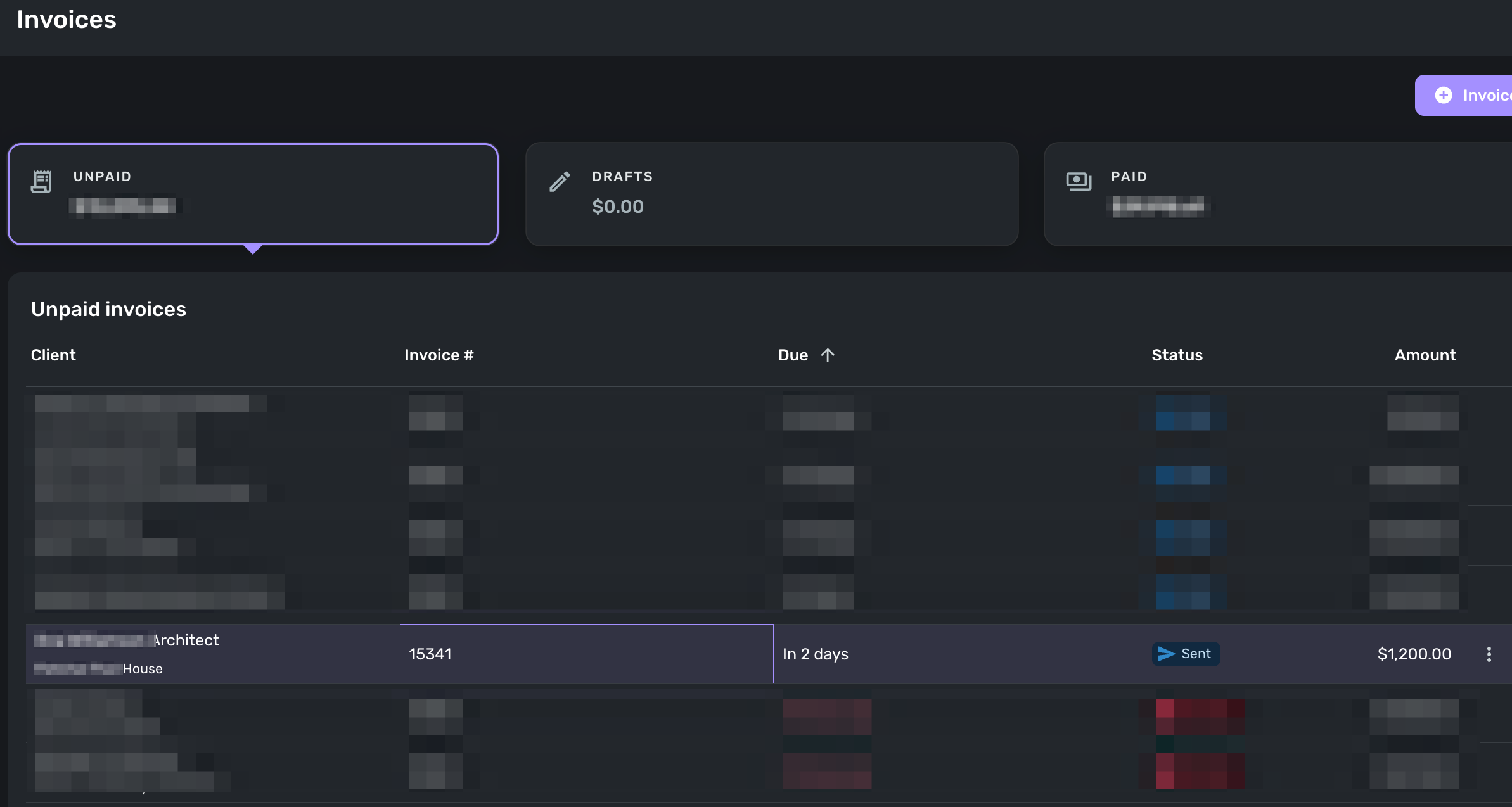
Have I only deepened the FUBAR?
0 -
Hello @GuerillaTime68,
I would see if you can now apply the payment from the Invoice itself now that you have edited the transaction. Navigate to Sales & Billing > Invoices, and then locate the Invoice that needs to be paid. Select the three-dot menu to the right of the invoice, and then select Apply Payment > Link to Transaction. The transaction should now show in the Apply Payment window. Let us know how this goes!
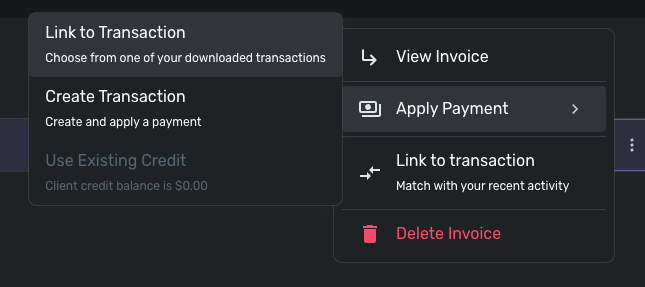
-Coach Jon
-Coach Jon
0 -
Unfortunately, the transaction does not appear in the Apply Payment window.
0 -
@Coach Jon Should I delete the transaction and create a manual one? I feel like there's something that needs to be fixed though, likely something i broke somewhere along the way.
0 -
Hello @GuerillaTime68,
Thanks for the reply. I am not sure where along the line things might have been disrupted for you, unfortunately, but I do agree that deleting and recreating the transaction manually might be the better way to proceed here. Let us know how that goes!
-Coach Jon
-Coach Jon
0 -
I created a new transaction from the Transactions view. Made the transaction for the full amount without the fees. I could not link that transaction to the invoice. So, created a transaction from the invoice for the full amount. That applied the transaction to the invoice but I am unable to change the date. I assume the Stripe fee needs to be a separate expense entry, so that's what I'll do.
I'm really concerned that I can't get my head around how to work with Stripe and Quicken Simplifi. Some transactions can be easily linked, while others can't. If I could understand what I did wrong, if I did anything wrong, then I'd feel more comfortable with the system.
0 -
Hello @GuerillaTime68,
Thanks for the response. I am glad you were able to get the payment applied. We do have a great support article that explains how to apply payments to invoices, as well as an article that explains how invoices work in Quicken Simplifi could be helpful for your understanding here:
Hopefully, these articles are helpful! Generally, the payment that comes in should be able to be applied as a split, including the fee. The transaction may have been created in a way that messed up that process, unfortunately, and that is most likely why this one wasn't applying correctly.
If you notice this kind of thing happening in the future with an incoming payment, I would definitely avoid editing the transaction before trying to apply the payment, and let us know if it still does not apply so we can assist.
-Coach Jon
-Coach Jon
0 -
@Coach Jon - Many thanks for your help, sticking with me through this. I'll go through the documentation that you've sent. I don't think I edit the transactions before or after applying them, but I'll be mindful of that moving forward.
Again, THANK YOU!
0 -
Hi @Coach Jon; Sorry to bring this back from the dead, but I'm racking my brain with this and can't figure it out. I've read the documentation closely.
I've applied this payment through the process of creating a transaction from the invoice.
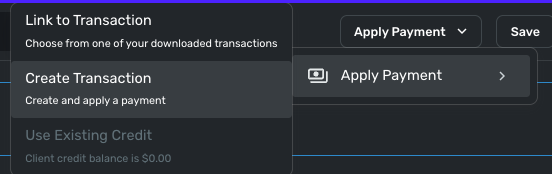
Since I can't create a split from that dialogue box, I just entered $1,200 so the full invoice amount is applied. I figured I would create an expense transaction to account for the -$35.10 in Stripe fees separate from the $1,200 transaction. The problem now is that I can't get that $1,200 transaction to be cleared, it remains pending.
Should I change the original invoice so that it reflects $1,164.90, which is how the transaction originally came over, then create a transaction for that amount?It's one of these things where I can't move on until I have this resolved. I'm not in a position to hire a consultant, so any advice you can give is much appreciated.
0 -
Hello @GuerillaTime68,
Did the original transaction come in as a split showing the invoice payment + the Stripe fee? If so, you should be able to apply the payment to that transaction using the Link to Transaction button from your screenshot. If you have already deleted that transaction, I would see if you can try recreating the transaction and then applying the payment.
If you do wish to keep the fees as separate transactions for tracking purposes, then creating the invoice for that amount would also work as you described, yes.
-Coach Jon
-Coach Jon
0 -
The problem with the original imported transaction is that it did not show a split when imported, it only had a single line at $1,164.90. The processing fee was not on the transaction detail. I can't recall whether or not the original transaction had the payment iD.
I have used a successful Stripe transaction as a reference. When that transaction came over from the Stripe for a $3,600 invoice and payment, it came across as follows:
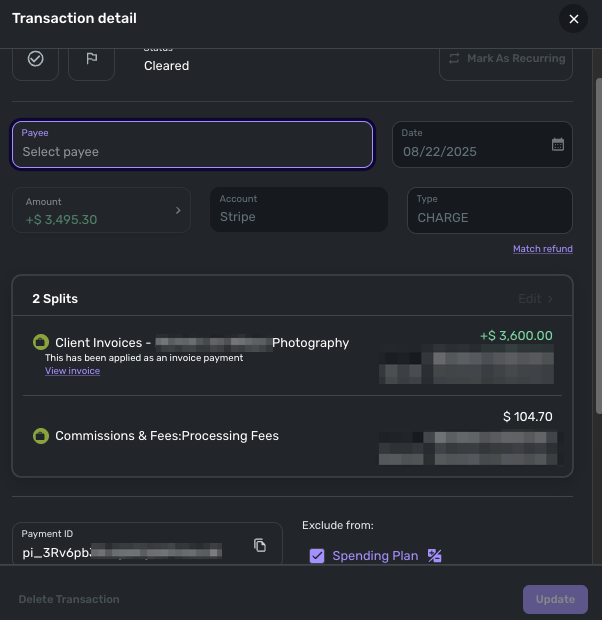
I can't recreate this. So, I modified the invoice that was sent to the client so that it reflects $1,164.90, then created a transaction for that amount, and another transaction to reflect the $35.10. This will put this to bed, I think. Sorry for all of this.
1
