Business Categories unavailable within Quicken Business & Personal (edited)

Hello,
I am trying to properly assign historical transactions to Personal/Business expenses.
When using "Transactions" view, assigning transaction from personal to any business automatically changes Category to "Uncategorized". Attempting to change Category back resets Business assignment.
Without this working, report between personal and business transactions do not make any sense.
Comments
-
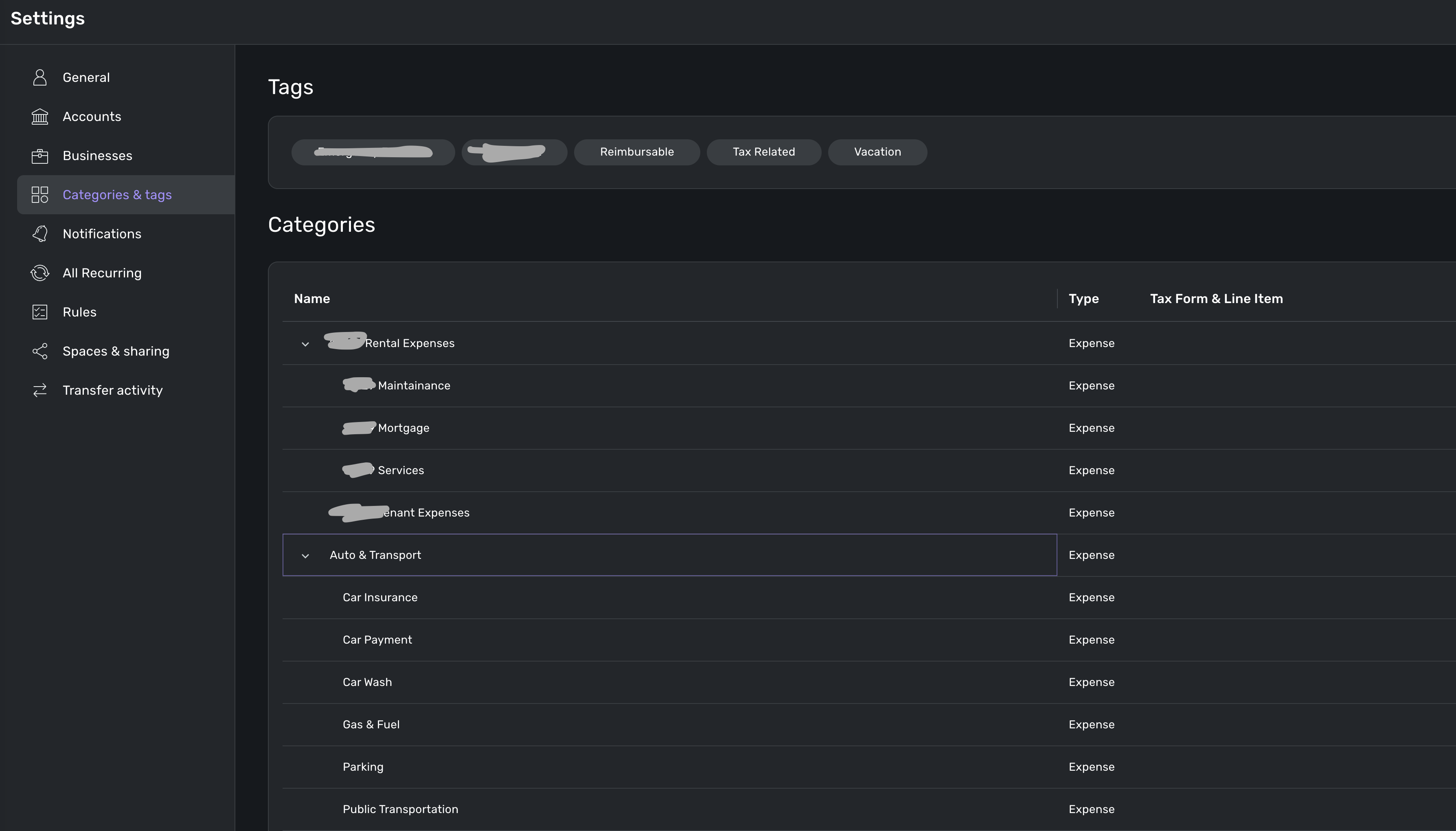
So I guess looking deeper into the product, it looks like my account is missing Business Categories all together. I recently upgraded from personal to QBP and I don't have "Usage" field when managing categories.
What should I do?
0 -
Hello @Padavan21,
Thanks for reaching out! I can see from our side that you do have a Quicken Business & Personal subscription, so you should have access to the business categories. If you go to Settings > Categories & tags, do you see a "Business" header there?
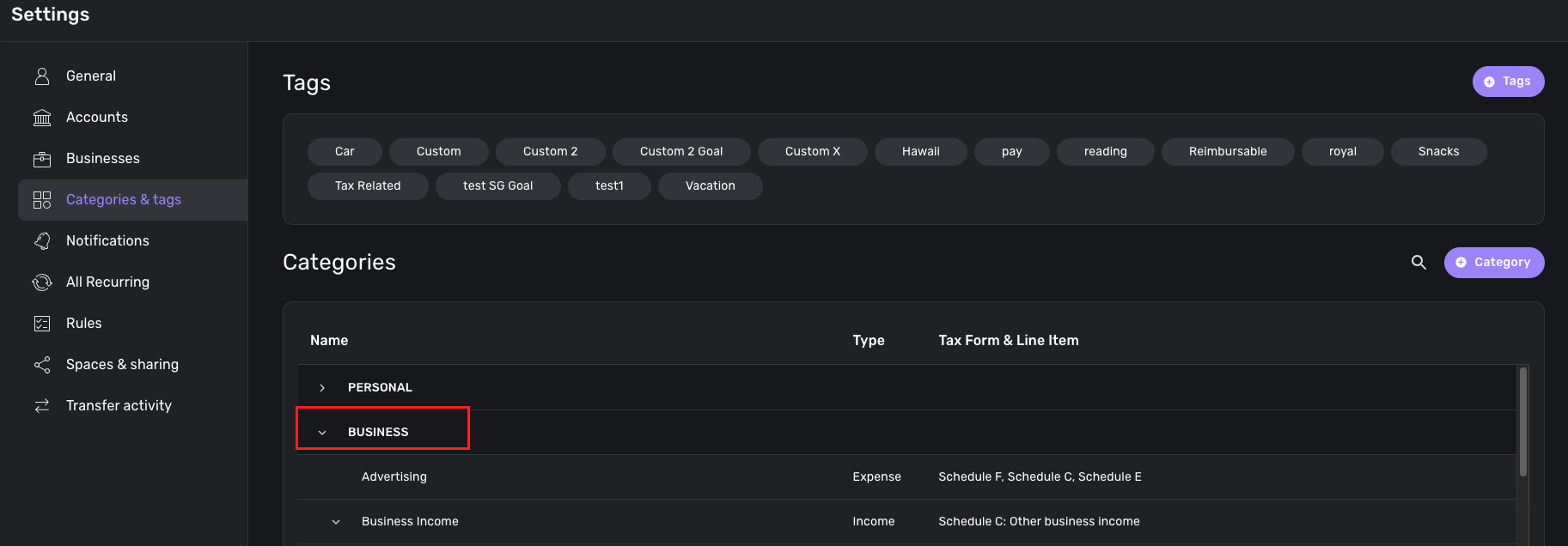
If you do not, I would see if signing out of the product and back in works to resolve this issue for you. I would also see if trying from a different web browser/incognito mode works as well.
-Coach Jon
-Coach Jon
0 -
0
-
Hello @Padavan21,
Thanks for the reply. In this case, what we can do is offer to delete your dataset so that you can start over, which should fix the issue you are seeing here. If you decide to go down this route, this would be an instant fix. Let us know!
-Coach Jon
-Coach Jon
0 -
@Coach Jon do you have any better way then deleting all my data? I do not want to start over as I have a lot of customizations done and look YOY changes as well
0 -
Hello @Padavan21,
Thanks for the reply again. As far as a quick solution, deleting the dataset would be the only way, since it would be an instant solution that we can implement and verify immediately. However, if you do not want to go that route, we can continue to work on getting this issue escalated. Let us know what you prefer.
-Coach Jon
-Coach Jon
0 -
I would prefer the issue to get escalated as I would love to keep my data. Thank you :)
0 -
Hello @Padavan21,
Thanks for letting us know. In that case, can you please supply logs for us so that we can work on investigating this issue?
- Log into the Quicken Simplifi Web App.
- Select Profile from the left-hand navigation bar.
- With the Profile menu open, hold down the Option key for Mac or the Alt key for Windows, and then click Send Feedback.
- Leave all boxes checked, add a brief description of the issue, and then click Send.
Additionally, we will need the following information in order to get this issue escalated:
- The web browser and operating system with their versions
- the version and build on Quicken Simplifi that you are currently on. (This can be found at the bottom of your dashboard page within the program.)

-Coach Jon
-Coach Jon
0 -
Thank you @Coach Jon - submitted requested information.
0 -
Hello @Padavan21,
Thanks for the requested information! I have reported this issue to our product team and will be sure to follow up here when we have a status update!
-Coach Jon
SIMPL-27370 // QCS-21296
-Coach Jon
0 -
In case the product team is reading these comments…
This is yet another issue that would be helped by a more comprehensive export-import capability.
—For example, the ability to export and import categories themselves would allow the coaches (or whoever) to simply provide the business category file for the user to import.
—Alternatively, the ability to export all user data and then import it into a fresh database would allow this user to take a reset QPB database (business categories intact) and pull their existing data in without loss.
(During my working year, when computers ran on steam power, I built such a system for a moderately complex database with numerous relations between the tables. An added benefit was that I was able to import a standard testing dataset into an empty database to create a known start state for automated testing.)
DryHeat
-Quicken Classic (1990-2020), CountAbout (2021-2024), Simplifi (2025-…)1 -
Hello @Padavan21,
I am back with an update from our product team on this issue. It looks like the addition of business categories failed because you already had a category for Business Income. They may need you to rename the existing Business Income category. Would this be something that is okay for you to do?
-Coach Jon
-Coach Jon
0 -
@Coach Jon The development department has to be more transparent. YOU (or your manager) HAS TO assign someone on the development team who has good people skills to respond to inquiries on here. I had the exact same issue as @Padavan21, and after creating all these "business" categories (which got classified as "personal" by default), I find out this Usage Field exists that ChatGPT kept telling me about, and somehow stumble upon the fact I can see it only on my mobile app.
But even after uninstalling the "web app" version of Quicken Simplifi/Business & Personal from my computer, cleared all cookies, went through and deleted every file or folder on my computer that had the words quicken or simplifi in it, restarted the computer, and reinstalled Quicken web app, and went to the web browser version itself, and the Usage Field STILL wasn't there. And then 20 minutes later, right as I was about to send this post a few days ago, the Usage fields appeared everywhere, out of nowhere…..
And now today, I go into my Business Categories and all of a sudden all these new Business Categories (some UNDELETABLE?!?!) got pushed to my account, even though I've already spent 20+ hours making my own versions since I have several businesses to segment against. This is absolutely ridiculous. I cannot use those field like that. That is the ONE OF THE POINTS OF THIS PRODUCT. SEPARATE BUSINESSES!!!!!
0 -
Hello @anold,
Thanks for reaching out! We are sorry to hear about your experience regarding your Business Categories. While most business-specific categories can now be deleted in Quicken Business & Personal, there are some exceptions that are essential for business features and cannot be deleted:
- Business Income
- Billable Expense Income
- Discounts Given
- Markup
- Tip Income
- Commission & Fees
- Processing Fees
- Office Expenses
- Postage & Shipping
- Other Expenses
- Bad Debt
This support article we have goes into more helpful detail on how Business Categories work in Quicken Business & Personal:
-Coach Jon
-Coach Jon
0 -
I'll pipe in here. Some businesses will never use some of these categories, like I'll never get a tip. If I do, and I'll be shocked to get one, it would be gross income, not needing to be separated.
If these can't be deleted, how about a hidden or archived toggle? That would help the usability of assigning categories to transactions so we don't see the unused ones at all. I'm considering adding an "x" to the unused ones to put them at the end of the list and/or resorting to a simplified chart of accounts numbering. But that doesn't work for that list as the name isn't editable either… Numbers would help as they sort before letters.
1 -
EVERYONE GO UP VOTE @Coach Jon 's forwarded post above. Nobody wants this feature, NOBODY. [removed - speculation]
2 -
Hello @Padavan21,
I am back with an update from our product team! They noticed that you had already created a business income category within your dataset. They are attempting to add the business categories for you, but this category is preventing them from doing so. Can you please rename the category in the meantime so that they can add the missing business categories for you? Thank you, and let us know!
-Coach Jon
-Coach Jon
0 -
Hello @Padavan21,
I am just following up to see if you saw my recent reply regarding the reported issue here:
Please let us know when this can be done. Thanks!
-Coach Jon
-Coach Jon
0 -
Hi @Coach Jon , I renamed the category. With that being said - it looks like they were able to create many categories under "Business Income".
0 -
Hello @Padavan21,
Thank you for the update! I let our product team know, and they should be able to update the remaining business categories accordingly. I will keep you updated in the meantime!
-Coach Jon
-Coach Jon
0 -
Hello @Padavan21,
I am back with an update from our product team. They implemented a fix and would like to verify if you can now see all of your business categories within Quicken Simplifi. Let us know!
-Coach Jon
-Coach Jon
0 -
Hello @Padavan21,
I am reaching out again to verify if you have seen my previous follow-up regarding the implementation of a fix from our product team. Please let us know!
-Coach Jon
-Coach Jon
0 -
Hi @Coach Jon , I do not see new Business Income category created. Is it possible to double-check/re-run the fix?
0 -
Hello @Padavan21,
Thanks for the reply. Is it just the Business Income category that you are missing? Are all other business categories now available? If you can, please provide a screenshot showing the missing Business Income category within Quicken Simplifi to better assist us.
-Coach Jon
-Coach Jon
0 -
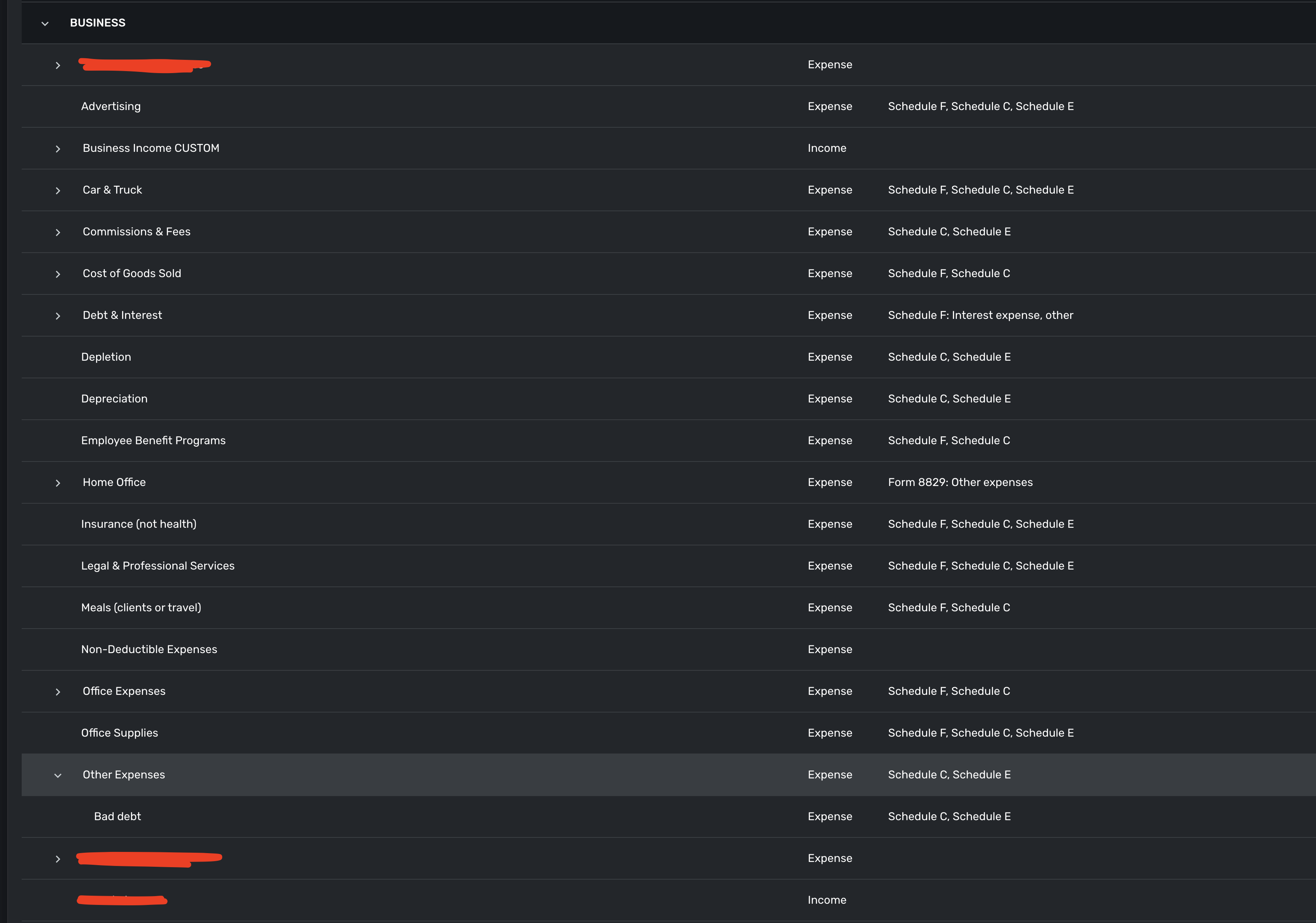
Here's what I have. Some more categories are under the cut line, but given these are sorted alphabetically - visually there's no "Business Income" one
0 -
Hello @Padavan21,
Thank you for the requested screenshot. Does the Business Income CUSTOM category I see in your screenshot have the Quicken Simplifi Business Income sub-categories, or are those sub-categories you created? Let us know!
-Coach Jon
-Coach Jon
0 -
It has some, but you guys asked me to rename it before you run the fix ;)
0 -
It has both custom and your categories
0 -
Hello @Padavan21,
Thank you for the clarification. I will get this information reported to our product team and follow up with you here when we hear anything further.
-Coach Jon
-Coach Jon
0