Income & Expense Report/Profit & Loss Report: Lingering pop-up tooltips (edited)

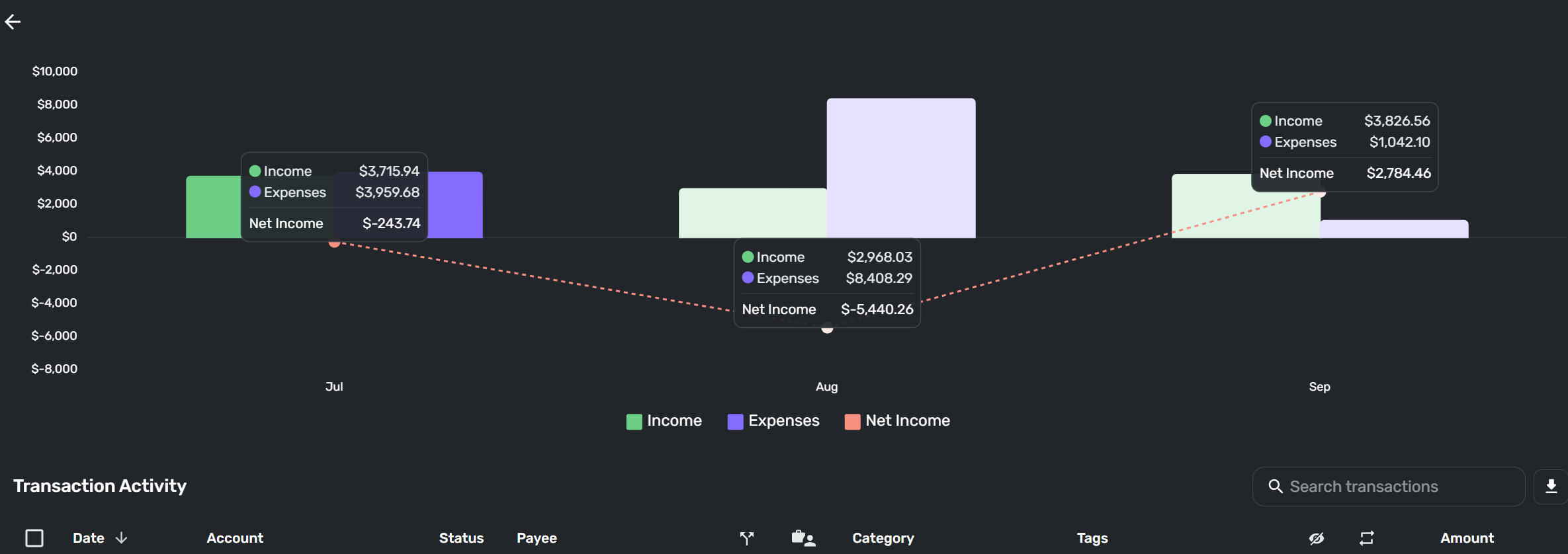
On the income and expense report, If I click on the expense (or maybe income too) bar in the bar charts, I can sometimes have it show a tooltip (balances) and it just stays there and doesn't disappear when i leave the area. The result is i can have it display 2-3 of those at once, when I think only one is supposed to be displayed at a time.
This is on Windows (I don't usually use Windows, but my desktop PC is at this time) in Chrome
Chrome is up to dateVersion 140.0.7339.208 (Official Build) (64-bit)
Windows admittedly is on the canary channel of the Windows iknsider program =- I am on windows version: Windows 11 Insider Preview 27943.1 (br_release) the newer version is installing now (94% done, going slow).
Here is the screenshot showing 3 lingering tooltips, the one in the middle is from hovering, the other 2 are from clicks.
-Rob
—
Rob Wilkens
Comments
-
@RobWilk, thank you for bringing this issue to the attention of the Community!
It looks like our product team has already identified this bug in both the Income & Expense and Profit & Loss Reports. We will follow the ticket that was filed and post back here with updates as they're received.
SIMPL-29423
-Coach Natalie
1 -
@RobWilk, I just wanted to follow up here to let you know that the ticket for this issue is still open and being worked on. Hopefully we see a fix soon with the enhancements that are being rolled out for reports.
Thank you for your continued patience!
-Coach Natalie
1 -
Thank you for the update
—
Rob Wilkens
1
