can't add Etrade Bank CD

after entering two factor authentication it says all your accounts have been added, try another bank
Comments
-
@jterning, thanks for posting to the Community!
We will need more information from you to best determine how to proceed:
- Do you have other E*Trade accounts in Quicken Simplifi? If so, which bank option are they connected to? Also, what types of accounts are they?
- How long have you had the CD account, or is it a brand-new account?
- If the CD account is a new account, have you checked with the bank to ensure it is enabled for third-party access?
Please let us know so we can best assist!
-Coach Natalie
0 -
I have other Etrade brokerage accounts and a bank acount (Morgan Stanely) and now they also won't connect either, but I can still log on directly to Etrade. The CD was set up a few weeks ago, under the Morgan Stanley account with I used to be able to access. Etrade just required two-factor authentication for third party. The two-factor authentication works on Etrade but not on Simplifi.
0 -
(Care code: FDP-103)
0 -
Jello @jterning,
Thanks for the response! I can see the FDP-103 error you are receiving with E*Trade Investments from our side. I believe the 'ETRADE - Advisor' instance available within Quicken Simplifi would be the best option for you to try connecting to in this case.
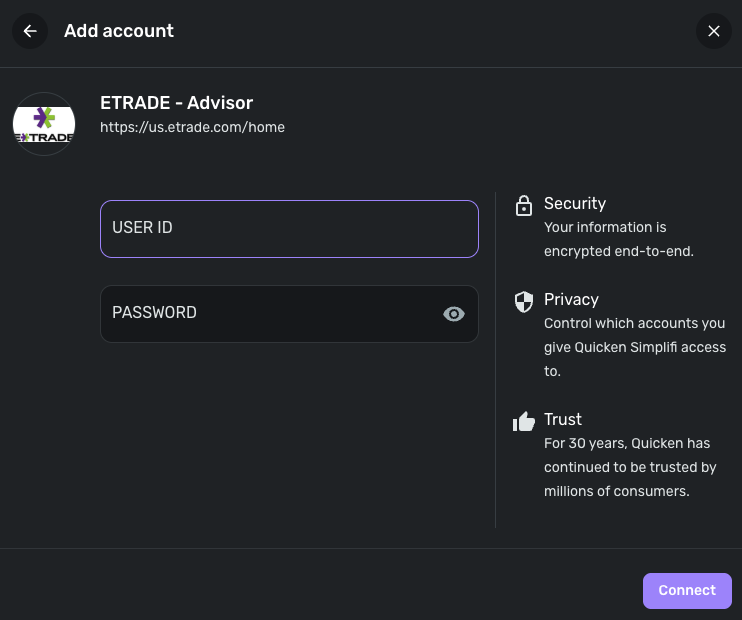
Let us know how that goes, and if you're still unable to connect, provide us with the error you receive at that time.
-Coach Jon
-Coach Jon
0 -
Trying to add an account that way gives: "You have already added all your accounts at this bank." How can I do this for the accounts that are already set up with Etrade and requesting that "A multi-factor authentication is required to connect to your account at E*Trade Investments." Those accounts give the FDP-103 and are already established so there doesn't seem to be any option to switch them to "ETrade Advisor"
0 -
Hello @jterning,
Thanks for the reply! You will want to establish a fresh connection by making the accounts manual and re-linking. The instructions to do that are:
- Make all of the accounts with the bank manual by following the steps here.
- Once you see the account(s) listed in the Manual Accounts section under Settings > Accounts, go back through the Add Account flow to reconnect to the bank. This is where you would select the 'ETRADE - Advisor' instance.
- If the connection is successful, carefully link the account(s) found to your existing Quicken Simplifi account(s) by following the steps here.
Let us know how this goes!
-Coach Jon
-Coach Jon
0 -
The previous advice I was given was:
"Thanks for the reply! You will want to establish a fresh connection by making the accounts manual and re-linking. The instructions to do that are:
- Make all of the accounts with the bank manual by following the steps here.
- Once you see the account(s) listed in the Manual Accounts section under Settings > Accounts, go back through the Add Account flow to reconnect to the bank. This is where you would select the 'ETRADE - Advisor' instance.
- If the connection is successful, carefully link the account(s) found to your existing Quicken Simplifi account(s) by following the steps here.
Let us know how this goes!
-Coach Jon"
I did that, it worked once, now it says the account needs attention but when I enter the VIP code nothing happens
0 -
Hello @jterning,
Thanks for following up. I think we will need further clarification. By "VIP code", do you mean the multi-factor authentication code? And after entering it, does the application just freeze/pause, or what exactly occurs? If you can provide a screenshot showing the issue from your end, that would help narrow down this issue!
Additionally, have you tried the previous steps shared above to see if they work in resolving this new issue? I would definitely verify if you haven't already.
- Make all of the accounts with the bank manual by following the steps here.
- Once you see the account(s) listed in the Manual Accounts section under Settings > Accounts, go back through the Add Account flow to reconnect to the bank.
- If the connection is successful, carefully link the account(s) found to your existing Quicken Simplifi account(s) by following the steps here.
-Coach Jon
0

