Editing Transactions for Previous Months is Insanely Frustrating

SirCharles
Member ✭
Hello,
There are two aspects of editing transactions that are so frustrating that they make the platform almost unusable and have prompted me to consider switching to another company. From a user experience perspective, I'd consider them bad enough to be considered bugs.
- The first has to do with the list of months that are expanded/collapsed when you are in transactions. When you first navigate there, by default, "Pending" and the three most recent months are expanded. So far, so good. However, if you then collapse the expanded months and then expand another month, it often happens that some basic action like editing/saving a transaction, searching, refreshing the page, etc, will cause you to revert to the default layout with the most recent months expanded and all other months collapsed. This causes you to lose your place and is SO irritating. I would recommend adjusting this page so that the months that have been collapsed/expanded by the user are saved.
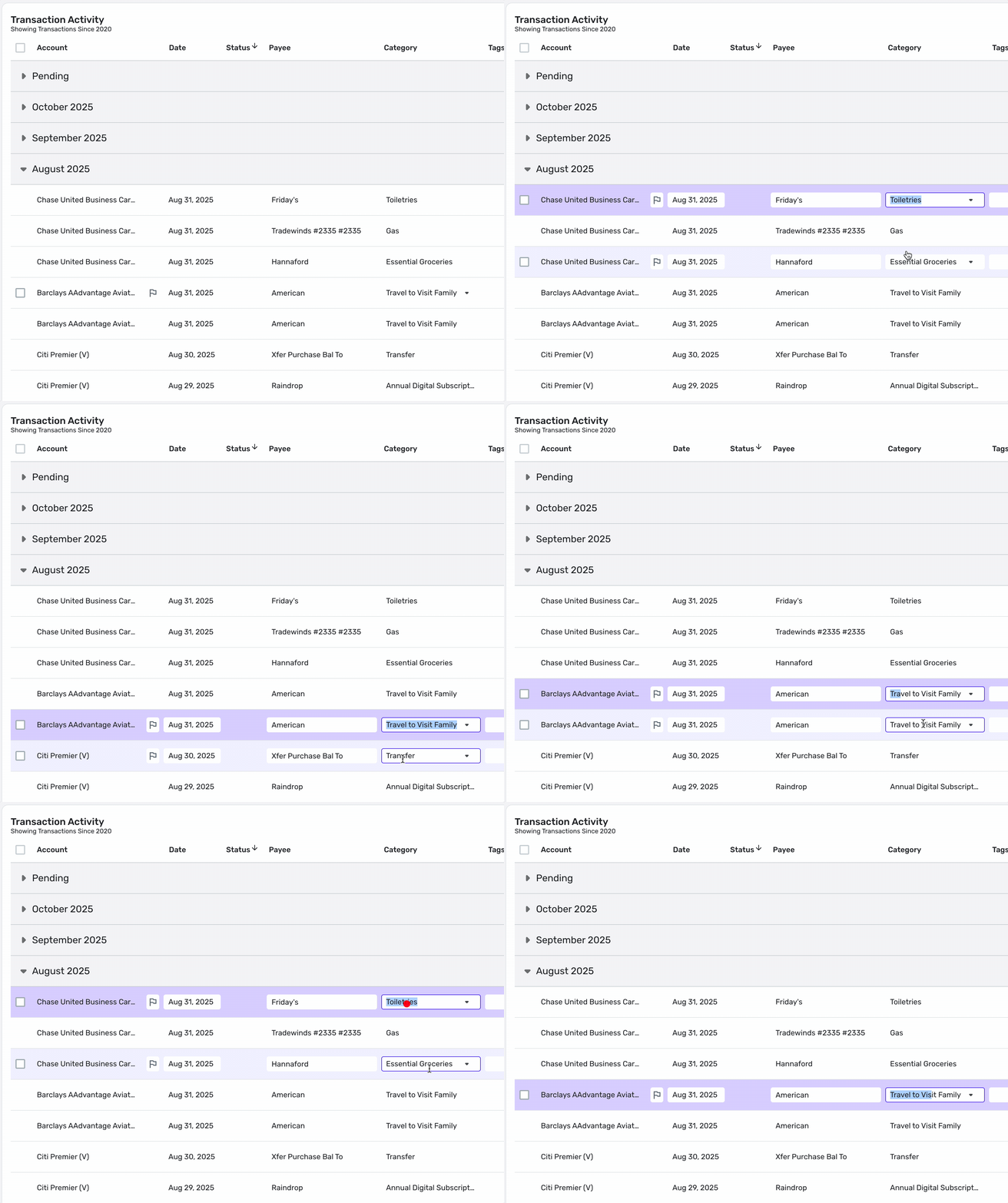
- When you click the transaction Category field to change it manually, it seems like the platform often tries to be helpful by selecting the text in the field to make it easy to change it — except that it often fails and selects an arbitrary substring. It'll also intermittently expand the menu of available categories when you click the text in the Category field. This unpredictable behavior is super annoying and makes you have to click and reclick and triple click to actually edit the darn category. I would recommend not trying to be helpful by auto-selecting text or expanding the category menu, and just leave it up to the user to click and type Ctrl+A (or triple-click) to select the text in the Category. It might also be nice to set things up so that if you click the arrow to expand the category menu, the cursor would automatically be positioned in a search field where you could immediately type to narrow down the list of options.
Tagged:
0
Comments
-
i have access to the new register they are building and can confirm that:
- If i edit a transaction and save it, the collapsed/expanded months do not change, you stay where you were.
- When i click a transaction category (single click, not double click) the entire category text is selected.
You may be able to ask a coach (admin) for early access to the new register. It’s not perfect yet, but is usable.
—
Rob Wilkens
1

This discussion has been closed.