Simplifi Bill Connect - not working correctly for Consumers Energy

Hello,
Using Simplifi's new Bill Connect provider, I successfully connected my Consumers Energy electric account. I receive confirmation within Simplifi, as well as confirmation from Consumers Energy, that I successfully linked my account.
I even received the attached email from Simplifi confirming that my Consumers Energy bills are being received by Simplifi.
However, I'm still seeing the red exclamation mark in a circle for my Consumers Energy account in Simplifi's "Bills & Income" series which indicates a "Connection Error". In addition my upcoming Consumers Energy bill/reminder did not automatically update to the amount in the "new bill" email ($219.94).
Please investigate and fix.
Thanks!
Comments
-
Hello @Duke0486,
Thanks for reaching out! To clarify your situation, you don't see a chain link icon next to the associated biller, correct? Can you provide a screenshot showing the biller in Quicken Simplifi to assist us? I would also try the steps below to see if you can get the biller reconnected if it is currently disconnected:
- Go to the Bills & Income tab. This is your starting point for managing your connections to online billers.
- Look for the red disconnected icon for your biller.
- Click Reconnect biller from the bill’s option menu.
- Search for your biller by name and select it if it appears.
- Enter your biller account details to connect.
- After submitting, you’ll see a screen confirming that it’s been added, though the connection may still be in progress.
Let us know how this goes!
-Coach Jon
-Coach Jon
0 -
Hi @Coach Jon . To clarify, I do NOT see a chain link icon next to the associated biller, Consumers Energy. Here's a screenshot showing the biller in Quicken Simplifi:

I completed steps #1 through #6 you listed above to reconnect (it was previously connected through the old Bill Connect vendor) my Consumers Energy account once it became available with the new Bill Connect vendor. Afterwards, I saw the screen you mentioned confirming that it was added, though the connection was still in progress. A few days later, I received an email from Consumers Energy confirming that it was now connected to Simplifi (please see this email attached).
To summarize:
1) I completed steps #1 through #6 you listed above to reconnect my Consumers Energy account and saw the screen you mentioned confirming that it was added, though the connection was still in progress.
2) A few days later, I received an email from Consumers Energy confirming that it was now connected to Simplifi.
3) Once my next Consumers Energy bill generated, I received an email from Simplifi (attached to my original post in this thread) confirming that my Consumers Energy bills are being received by Simplifi.
4) Despite all these positive confirmations, I'm still seeing the red exclamation mark in a circle for my Consumers Energy account in Simplifi's "Bills & Income" series section which indicates a "Connection Error". In addition, my upcoming Consumers Energy bill/reminder did not automatically update to the amount in the "new bill" email ($219.94).Please investigate and fix.
Thanks!
0 -
Hello @Duke0486,
I am back with an update from our service provider on this escalated issue. They are stating that they see that a bill was delivered with an amount due of 219.94 and a due date of 11/10/2025. Can you please confirm if your upcoming bill has been updated or if you are still experiencing this issue?
Thank you!
-Coach Jon
-Coach Jon
0 -
Hi @Coach Jon, thanks for the update. The bill connect vendor is correct that my Consumers Energy bill was $219.94 with a due date of 11/10/2025. This is good news because it means my Consumers Energy account is successfully linked to the vendor.
However, these issues remain:
- The bill connect vendor failed to update the amount due in Simplifi to match the bill.
- There's no indication whether or not my Consumers Energy account is linked to bill connect (i.e. there's no "red exclamation mark in a circle" icon nor a "chain link" icon).
You can see both of these issues in the attached screenshot taken from Simplifi's Bills & Income page.
Please investigate and fix. Thanks!1 -
@Duke0486, thank you for the information!
We have resubmitted this to our aggregation partner and will follow up with you here when we receive another update. We may end up needing to escalate this internally as a product issue instead of to our aggregation partner, but we will see what they say.
-Coach Natalie
1 -
Thank you, @Coach Natalie !
1 -
Hello @Duke0486,
We are back with an update on this issue. It looks like we will need to escalate this as a product issue going forward. Can you please let us know what web browser, operating system, and their associated versions are that you are using so we can get this issue escalated internally?
We will also need logs to be submitted, please:
- Log in to the Quicken Simplifi Web App.
- Select Profile from the left-hand navigation bar.
- With the Profile menu open, hold down the Option key for Mac or the Alt key for Windows, and then click Send Feedback.
- Leave all boxes checked, add a brief description of the issue, and then click Send.
-Coach Jon
-Coach Jon
0 -
Hi @Coach Jon ,
To answer your questions:
Web browser I'm using:
Firefox 144.0.2 (64-bit)
Operating system I'm using:
Edition: Windows 11 Pro
Version: 25H2
OS build: 26200.7019
Experience: Windows Feature Experience Pack 1000.26100.265.0Following your instructions above, I just submitted logs in Quicken Simplifi (reference id 510935246784930560).
Thanks!
1 -
Hi @Coach Jon , any updates from Simplifi's product team on this case? Thanks!
0 -
Hello @Duke0486,
I can confirm that our product team is still actively working on the issue. I will keep you updated with any status changes as soon as I receive them, but I currently do not have an estimated time for resolution.
Thank you for your continued patience!-Coach Jon
-Coach Jon
1 -
Hello @Duke0486,
I am back with an update from our product team for this issue! They would like you to try disconnecting and reconnecting the biller once again. They believe this should now work, and you should see your bills afterward.
Can you also let us know where you start the new enrollment flow for this biller? Did you start from a reminder? A series? A specific transaction? If you can let us know, that would be very helpful!
-Coach Jon
-Coach Jon
0 -
Hi @Coach Jon , I attempted to disconnect and reconnect the biller (Consumers Energy), but there's no option within Simplifi to disconnect. When I go to my Consumers Energy series, here are the options:
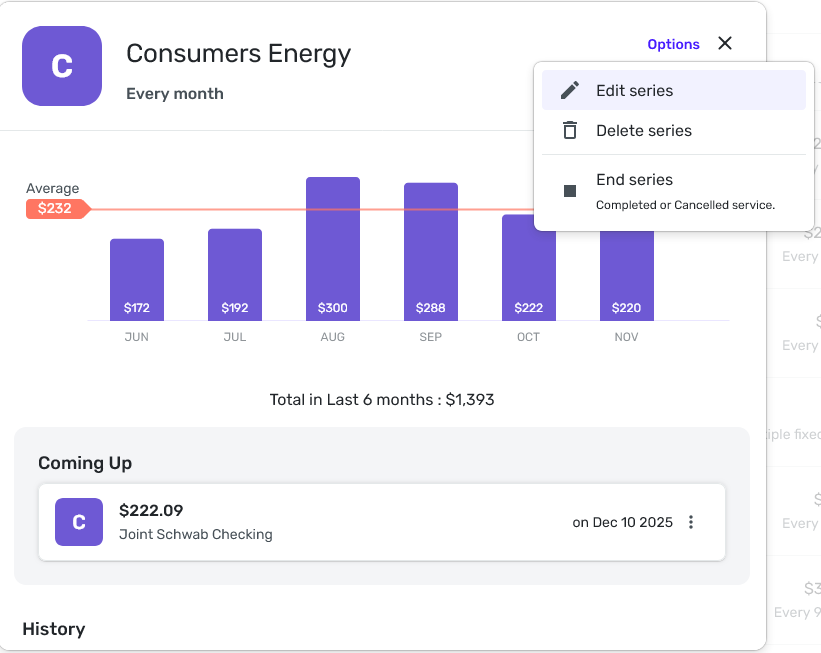
As you can see, Simplifi gives me no option to disconnect or connect the biller (Consumers Energy).Please investigate.
Thanks!
0 -
Hello @Duke0486,
Thanks for the reply. Are you able to initiate the connection to the biller in the case that it is not already connected, then?
- Hover over the menu on the left-hand side and select Settings.
- Select All Recurring.
- Locate the Recurring Series you'd like to connect and click the three dots at the end of it.
- Select Connect biller.
- If your Biller is already shown, you can click on the image to select it, or just begin typing the name of the Biller into the Search bar to let Quicken Simplifi find it.
- Enter the User ID and Password that you use to sign in to your Biller's website, then click Connect.
Let us know how this goes, and be sure to also let us know where you start the new enrollment flow for this biller. Whether you started from a reminder, a series, or a specific transaction.
-Coach Jon
-Coach Jon
0 -
@Duke0486 — "there's no option within Simplifi to disconnect."
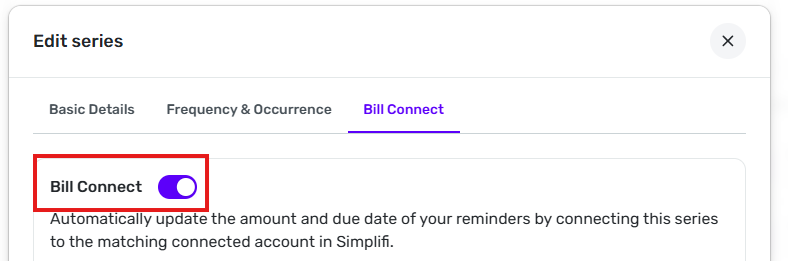
When you are at the Options window you showed in your post, click on Edit series. Then, in the Edit series window that pops up, click on the Bill Connect tab. Then click on the slider next to Bill Connect. That turns off Bill Connect and will (probably) break the connection.
DryHeat
-Quicken Classic (1990-2020), CountAbout (2021-2024), Simplifi (2025-…)0 -
Thank you @Coach Jon and @DryHeat !
Following DryHeat's steps above, I successfully navigated to the Bill Connect screen for my Consumers Energy series. Surprisingly, I didn't need to disconnect biller, as no connection was shown.I proceed to connect the biller and recevied mixed messages. Please see this screenshot:
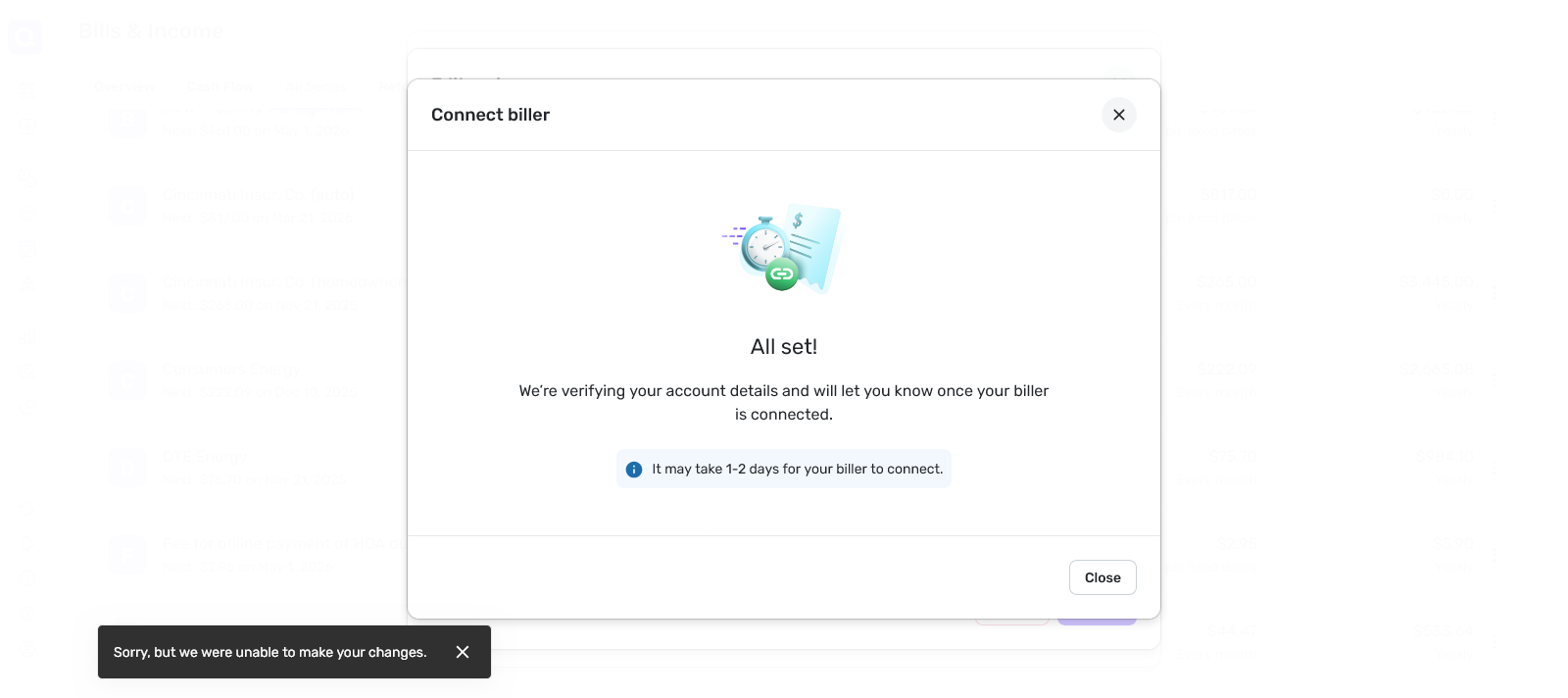
The message makes it sound like everything went well, but the black text box in the lower left corner doesn't sound promising. Please advise.
I have been starting the new enrollment flow for this biller from the series.
Thanks!
0 -
Try going through the steps I listed again (except for the disconnect part) and see if there is any indication that your biller is connected.
I sometimes see the same black box message but find out that the changes I made (usually to a transaction) were actually effective.
DryHeat
-Quicken Classic (1990-2020), CountAbout (2021-2024), Simplifi (2025-…)0 -
Hello @Duke0486,
Thanks for keeping us updated! @DryHeat mentioned some great advice above. I would have you verify if the biller appears connected. The "All Set" message is usually a good sign that it is. Please let us know if everything works out and where you began the new enrollment flow for this biller.
-Coach Jon
-Coach Jon
0 -
Hi @Coach Jon, I followed @DryHeat 's steps to see if there is any indication that my biller (Consumers Energy) is connected. At first blush, it didn't appear so, because no connection was shown (please see screenshot below):
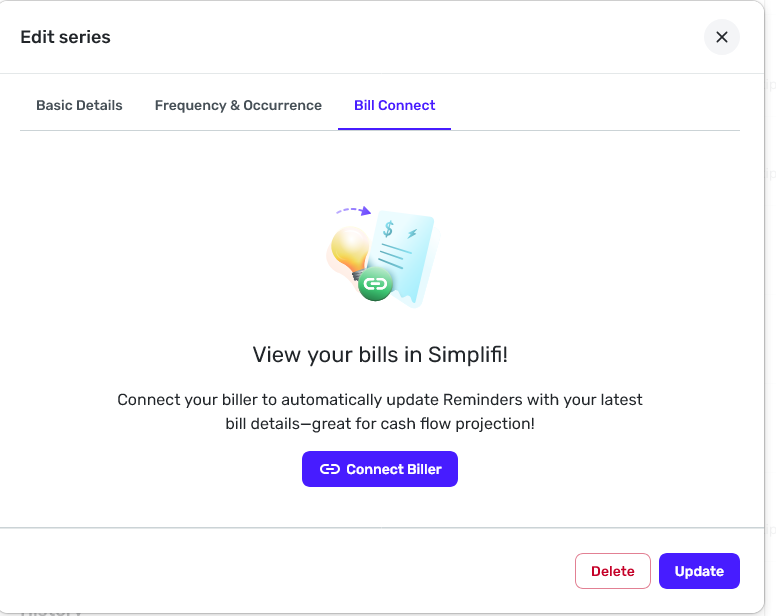
HOWEVER, I received the attached email from Simplifi confirming that my Consumers Energy bills are being received by Simplifi. This email sent the same day (November 14, 2025) I reconnected the biller. Despite Simplifi receiving my Consumers Energy bill, the corresponding Series wasn't automatically updated to reflect the new bill amount.
This is frustrating. The connection appears to be working, but it's not. The issue appears to be on the Simplifi side. Please advise.0 -
Hi @Coach Jon ,
Just another update on this case. A couple days ago, I received another email from Simplifi (please find attached) indicating they are receiving my monthly Consumers Energy bill updates, but Simplifi is still not updating the bill amount in the Series.
Thanks!
0 -
Hi @Coach Jon , just checking in on this case. I'm continuing to receive emails from Simplifi indicating they are receiving my monthly Consumers Energy bill updates, but Simplifi is still not updating the bill amount in the Series.
Thanks!
0



