How to add interest and dividends as income?

I have high yield saving accounts and brokerage account.
how can I add interest and dividends as income on quicken?
I want to see my all income there.
Best Answers
-
Hello @TK_25,
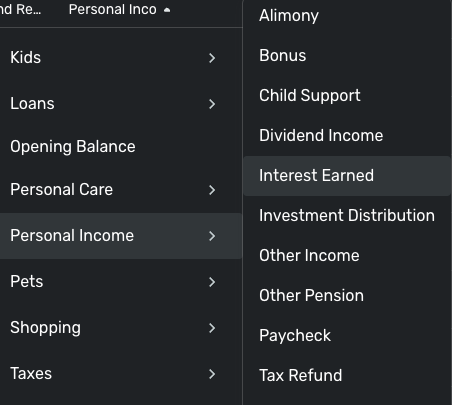
Thank you for reaching out! To make sure a transaction shows as income, you would want to make sure that the transactions are categorized as income (for more information, click here). For example, under the Personal Income category, there is an Interest Earned subcategory, which may be applicable for interest you want to mark as income.
If there isn't a pre-made category that works, you can also create new categories/subcategories as needed. For more information, please see this article:
Please note that currently, investment transactions do not reflect on reports or in the Spending Plan by default. It is possible to change the settings to make some investment transactions show up. For more information, please review this article:
I hope this helps!
-Coach Kristina
0 -
Hi @TK_25,
I see Coach has sent you to some support documents, and I encourage you to read them.
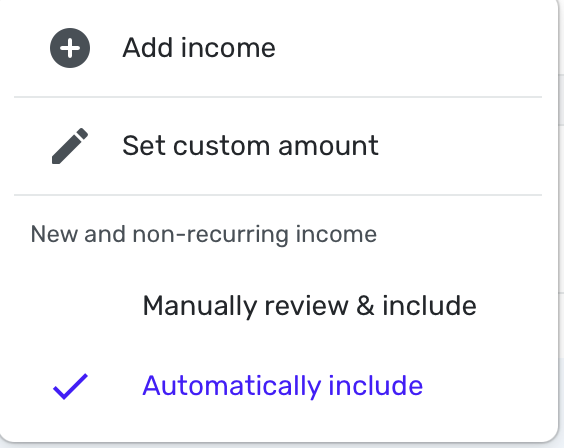
With your Savings account, you need an income category usually called "Interest" for each interest transaction. They will automatically be included in reports. If you want that in the Spending Plan (as I do), make sure you toggle on "Include Automatically" instead of "Manually Review & Include" in the Settings of the Income Section of the Spending Plan (click on the 3 dots over to the top right to find that setting):
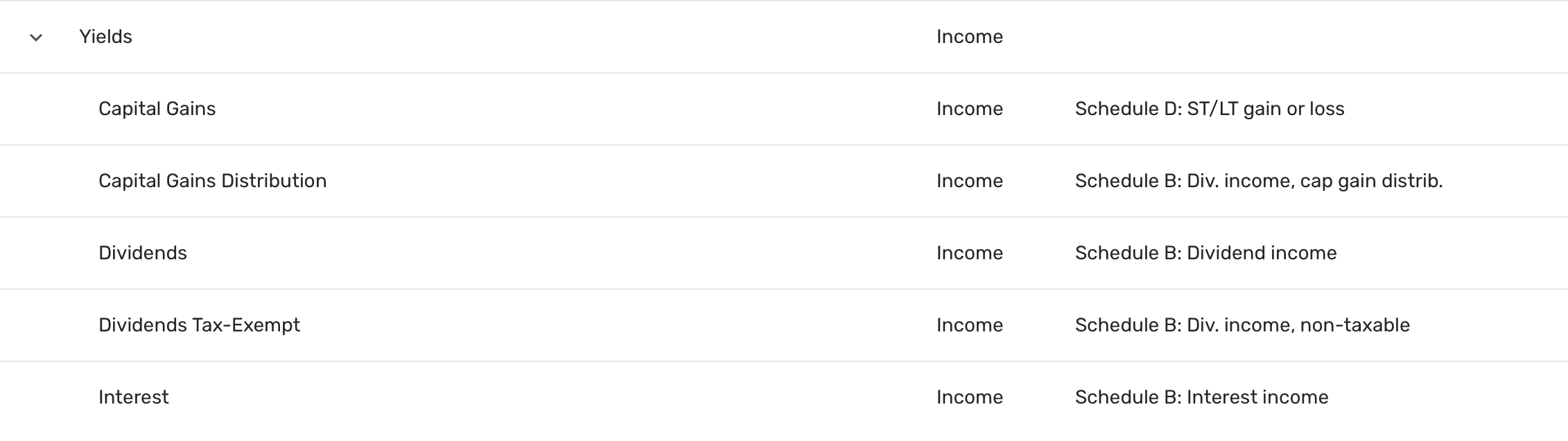
Also, as Kristina said, Investment accounts automatically exclude dividends and capital gains from Reports and Spending Plan. To include them, you have to change the action of those to Payment/Deposit. Then you have to create income categories for them. Mine are Dividends, Dividends Tax-Exempt, Capital Gains & Capital Gains Distributions. Depending on your situation, you might not need all of them or maybe you'll have others.
Here's what mine look like in Settings. I call the parent income category: Yields. You can see that I've tied them to my Taxes Report to the right. (If you used the "default categories", some of these may already exist but you can edit and rearrange as you see fit.)
You may also have to fiddle with the name of the Security or you can just leave it alone. It will be in the payee field. You have to jump through the hoops but you can make it all work for you as I have. After you have done this, this income will show up nicely in your Income & Expense Report. Here's an example of one of my transactions from last month:
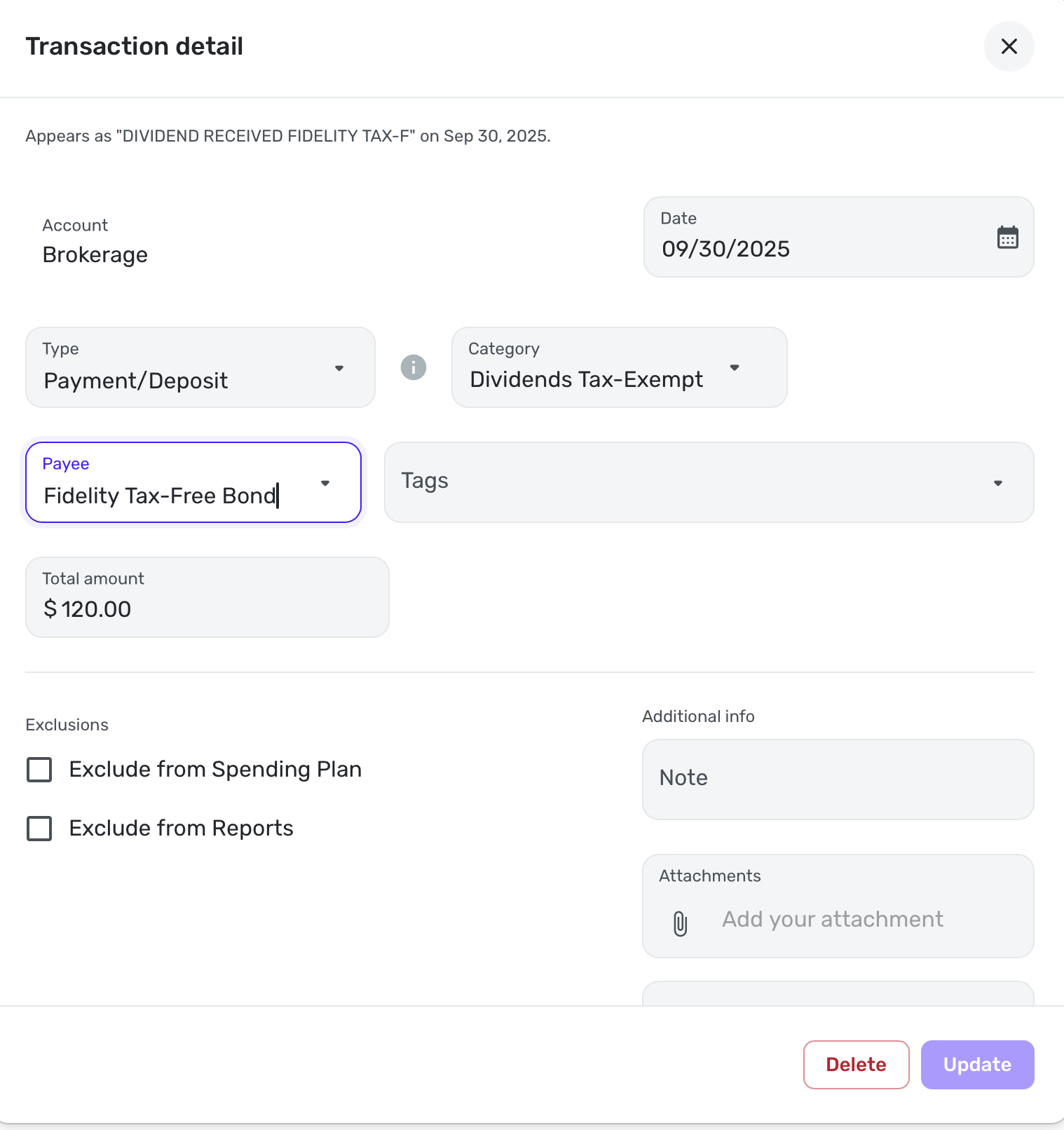
Note the Exclusions are blank, which is what you will want. Simplifi may have them checked by default so make sure. Changing the transaction type to Payment/Deposit is what made those fields editable.
It's the way it is in Simplifi because many users prefer not to deal with this, but I like my income to show what it really is, and this income is part of my taxable retirement income. (IRAs and 401Ks are different and you really don't want those showing up in your reports until you retire and have to start taking distributions and those will be taxable income later but not now.)
Hope my situation will be of benefit for you as you tailor Simplifi to your needs. Let the community know if you have more questions.
Steve
Quicken Simplifi (Safari & iOS) Since 2021
Quicken Classic (MacOS) Since 2009
MS Money (1991-2009) and Dollars & Sense (1987-1991)0

