Weekly Reminder Date Keeps Moving Forward

I have a recurring weekly bill reminder to transfer money from my checking account to my credit card account. About 3 months ago the reminder for the weekly transaction would disappear. It would be changed to 3 weeks in the future. Yesterday I changed the date on the reminder to today. When I look today the reminder has changed again to 3 weeks from now. This has been going on for 3+ months. I've contact the online support several times, they've opened tickets, had me recreate the reminder, all of which have not fixed the problem.
The amount on the reminder is just an average, each week the actual amount transferred changes. It's usually more than the amount on the reminder. Simplifi isn't doing something strange like seeing the amount paid last week was 3x the reminder amount and thinking "well, you've paid 3 weeks worth so the next reminder isn't for 3 weeks". I don't have Bill Connect turned on. This is very frustrating. This one issue has me rethinking using Simplifi. If I can't get an accurate picture of my cash flow, what good is it?
Comments
-
Can you see if transactions are being incorrectly matched to this reminder? Look for transactions unexpectedly marked recurring.
IF so, you may want to tighten the reminder, such as by setting 'exact amount' or 'range'. for the dollar amount in the reminder, as opposed to 'auto' the default.
EDIT: If this is Apple Card, when i had one it would have trouble obeying 'exact amount' and 'range' and would routinely mismatch transfers..Apple card is handled in a special way. For now, I closed my Apple card because it was frustrating to use with this app (and the benefits weren't really worth the effort, i can use Apple Pay with any card).
—
Rob Wilkens
1 -
No, I don't see any transactions matched to the reminder. It's as if I went in and changed the next date to 3 weeks from now.
I don't recall if I had the reminder set to exact amount before but it was set to Any Amount. The odd thing is this is the only transaction I perform, transferring money from my Checking account to the Credit Card account so it's not like there are other transactions for it to incorrectly match to. However, I did change it back to Exact Amount (which basically never happens) so we'll see if that has any effect.
This is not Apple Card, it's a credit card from my bank.
Thanks for the recommendation.
1 -
Hello @JL63,
Thanks for reaching out! And thank you for the good advice @RobWilk!
I can see the recent chat you had with our support team regarding this issue from our side. It looks like they requested a screen recording to help with troubleshooting. Were you ever able to get that over to them? You can always reach back out via chat again to continue where you left off. This is likely the best approach to continue troubleshooting this issue, as they already have a ticket with your information regarding the issue.
-Coach Jon
-Coach Jon
0 -
Hi Jon,
Yes I did submit all the screenshots and recordings they asked for. That was 4 weeks ago.
0 -
Hello @JL63,
Thanks for the reply! I am not personally seeing that you submitted a screen recording, at least via the chat you last had. We can either continue with troubleshooting here if you prefer, or you can continue via your previous chat. Be sure to let us know what you prefer if @RobWilk's recommendation does not work for you.
-Coach Jon
-Coach Jon
0 -
I updated the reminder to today with the changes suggested. I probably won't know if this works until later next week when we get closer to the next payment reminder next Friday. I'll post an update here then we can decide which direction to take this, if necessary.
1 -
Well it didn't take that long to see this change didn't work. The reminder went back to starting 3 weeks from now instead of being past due from yesterday or scheduled for next Friday. What's the next step?
0 -
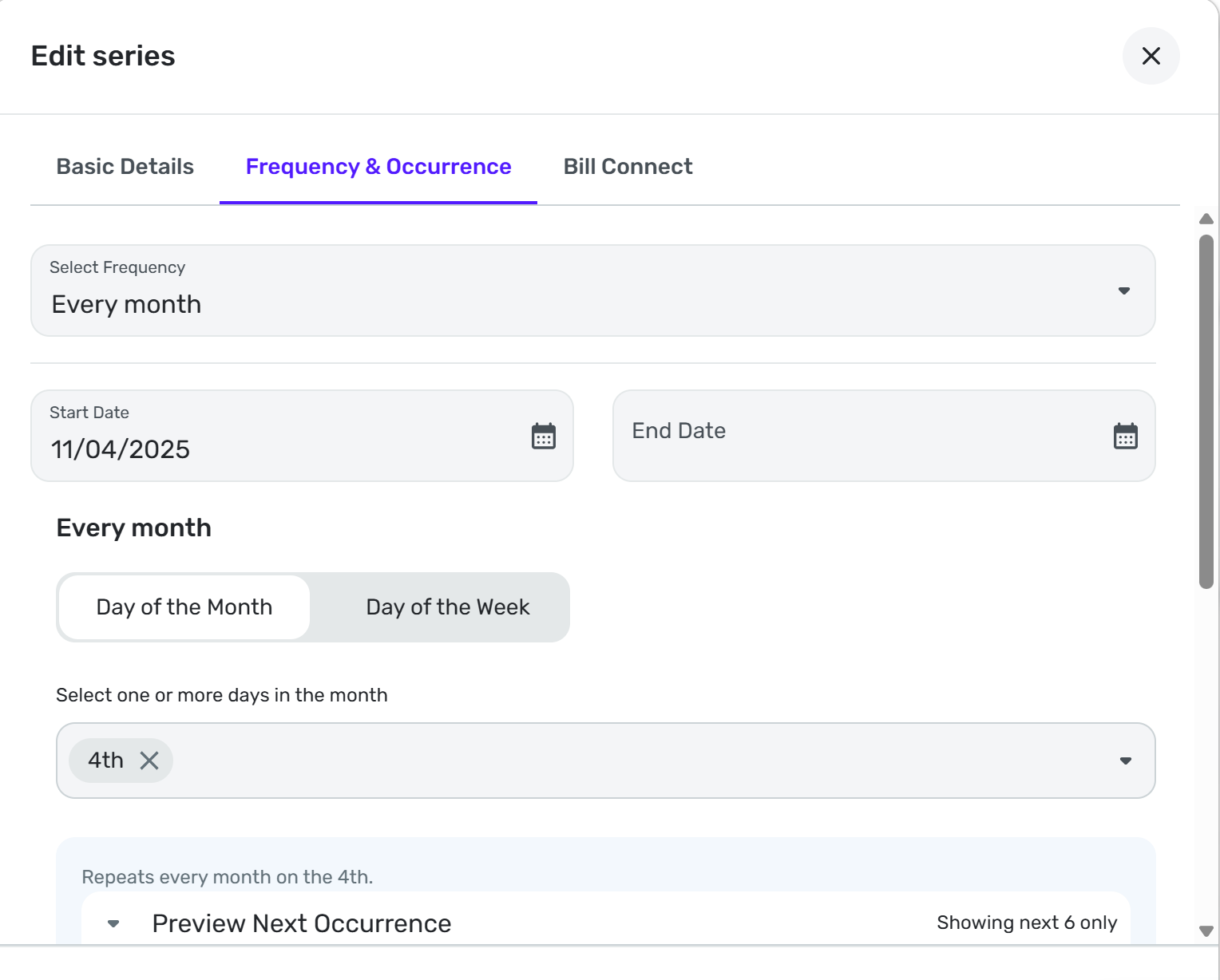
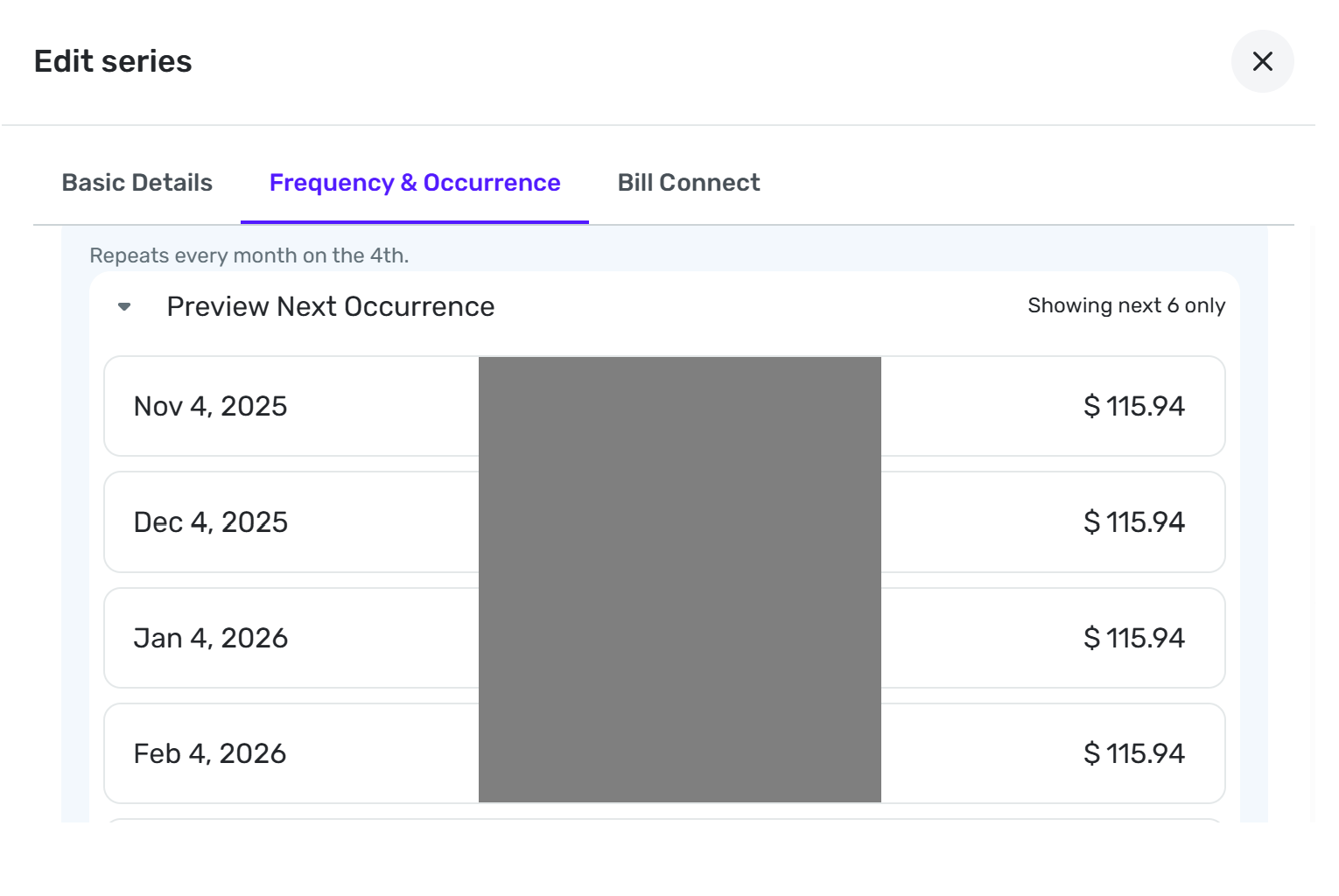
Can you post images of the Frequency & Occurance page of the reminder series? I doubt that anyone will think of anything you haven't already thought of, but maybe someone will recognize a problem. The images I would like to see are like this:
DryHeat
-Quicken Classic (1990-2020), CountAbout (2021-2024), Simplifi (2025-…)0 -
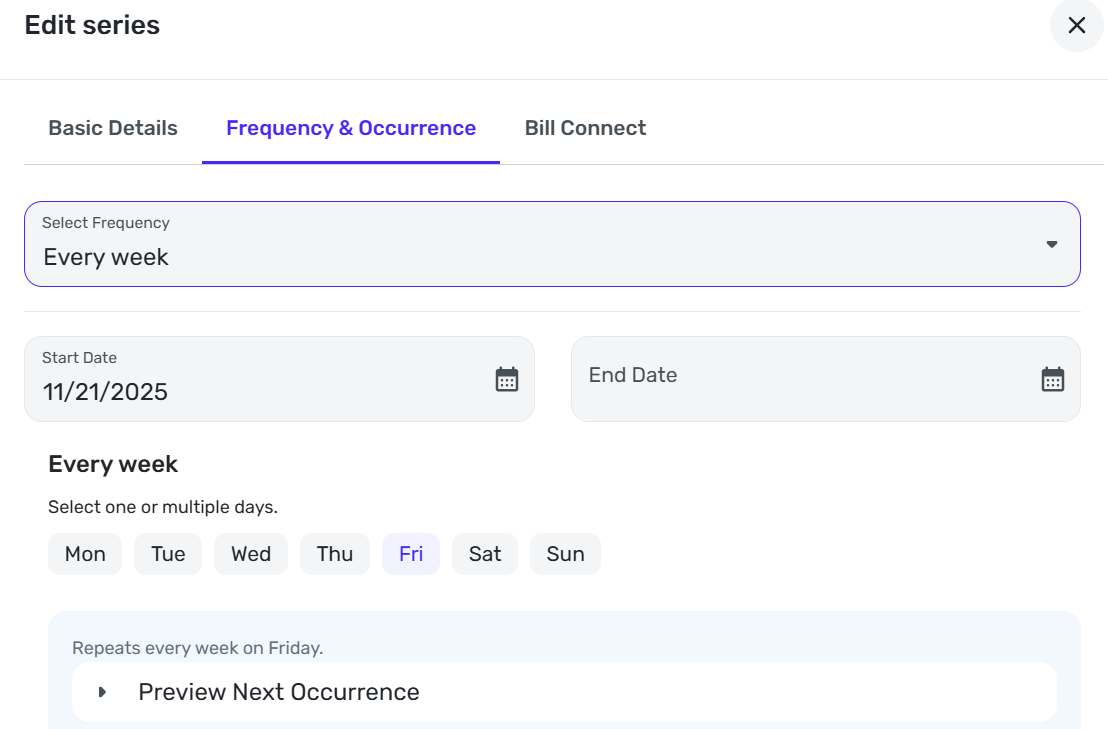
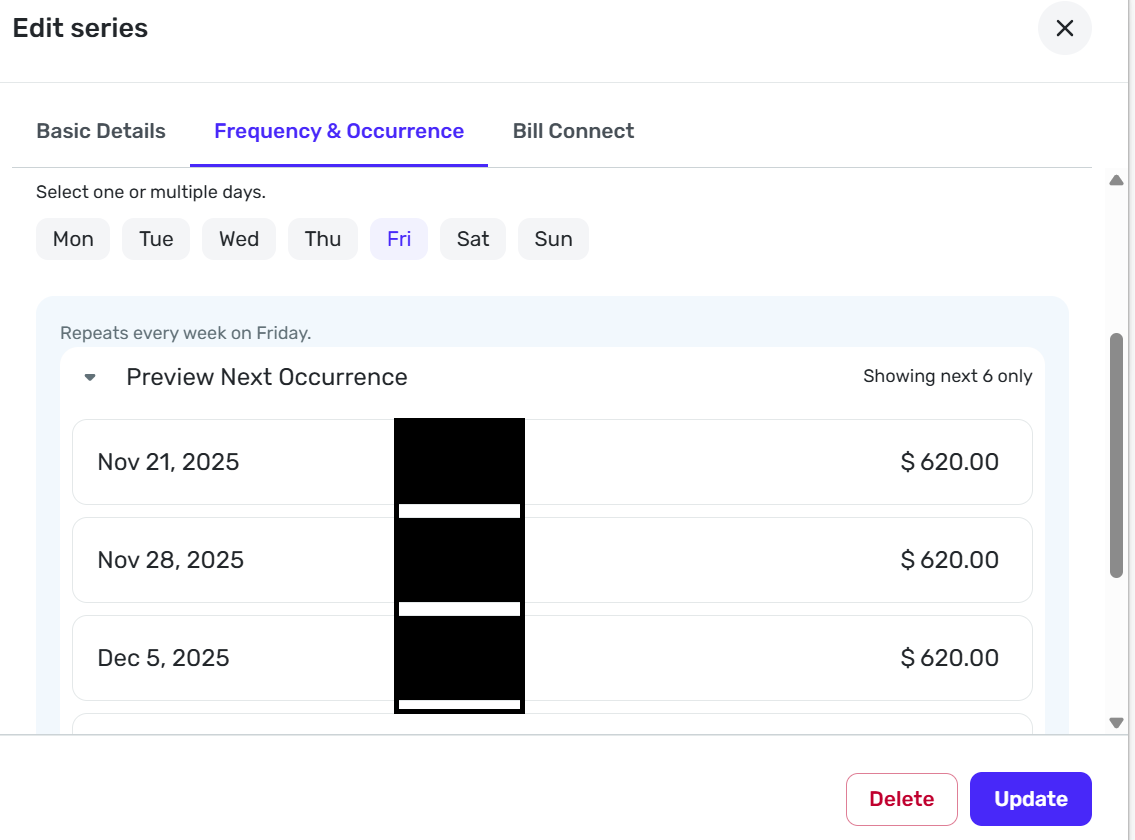
Here you go. Keep in mind the Start Date keeps changing. It was November 7th two days ago. Yesterday it changed to November 21st. Any ideas are appreciated. Thanks.
 0
0 -
Very mysterious. Everything looks right (but you knew that already).
I can't remember if you have tried deleting the reminder and creating a completely new one. If not, I would try that next. It can't hurt (although it may not help).
DryHeat
-Quicken Classic (1990-2020), CountAbout (2021-2024), Simplifi (2025-…)0 -
Yes, I have deleted the reminder and created a new one. Still doesn't work.
0 -
@JL63, just jumping in here with a suggestion — have you tried deleting and recreating the Recurring Series itself?
If something is wonky in the series itself, this should fix it. Let us know if this works!
-Coach Natalie
0



