Honda Finance FDP-108 error [Edited]

My Honda Financial Services download has just stopped working in the past few weeks. Do you know why?
Comments
-
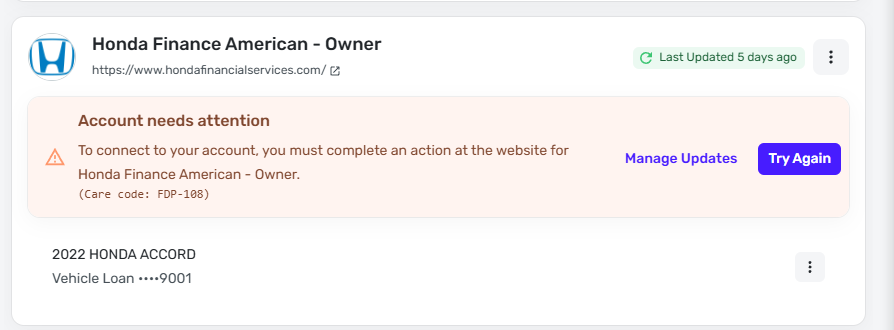
I have a car loan through Honda that I track in Simplifi. When it tries to sync with the account, I get an error saying "You must complete an action at the website for Honda Finance American".
However, when I log onto the website, the only indication that I have an action to complete is the usual "update your contact info" banner.
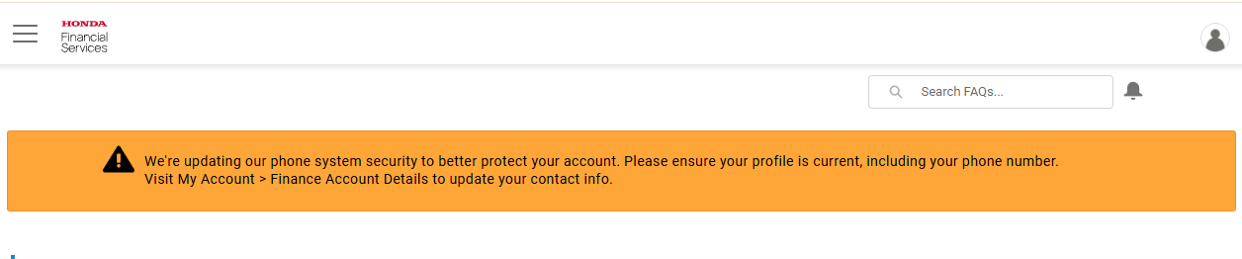
My info is up to date, and there is no way to dismiss the banner, nor should it stop the parsing from retrieving my account data.
1 -
Hello @GTMissileMan & @rabate,
Thank you for letting us know you're seeing this issue. I checked our internal tools and can see both of you are getting FDP-108 errors with that financial institutions. To troubleshoot, please follow these steps:
- Sign into the financial institution's website through a different browser or incognito.
- Verify if you are normally prompted for Multi-factor authentication when logging in. If you are, do you also get that prompt in Quicken Simplifi?
- Check to see if there are any terms and conditions for third party apps on the financial institution's website that you need to accept.
- Do you need to create or update your security question on the financial institution's website?
If the issue persists after you have followed the steps above, then please let us know and send logs. To send logs, please follow the steps below:
- Log into the Quicken Simplifi Web App.
- Select Profile from the left-hand navigation bar.
- With the Profile menu open, hold down the Option key for Mac or the Alt key for Windows, and then click Send Feedback.
- Leave all boxes checked, add a brief description of the issue, and then click Send.
I look forward to your reply!
-Coach Kristina
0 -
getting this same error and have checked all of what you said do above.
1 -
Hello @Chris G,
Thank you for letting us know you're also seeing this issue. Since the troubleshooting didn't resolve the issue, please send logs so that our teams can further investigate. To send logs, please follow the steps below:
- Log into the Quicken Simplifi Web App.
- Select Profile from the left-hand navigation bar.
- With the Profile menu open, hold down the Option key for Mac or the Alt key for Windows, and then click Send Feedback.
- Leave all boxes checked, add a brief description of the issue, and then click Send.
Thank you!
-Coach Kristina
0 -
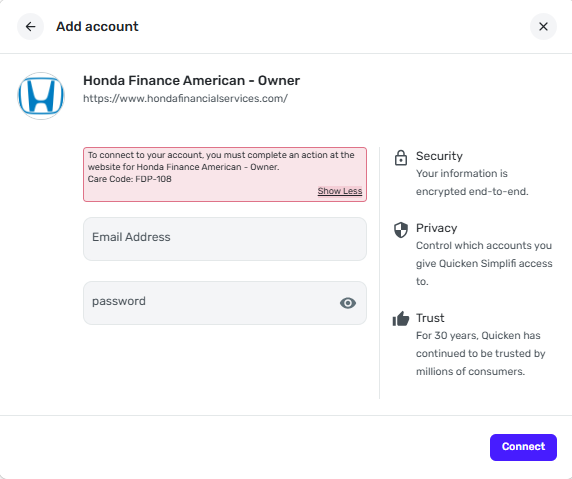
I started getting FDP-108 error when trying to sync with Honda Financial Services https://www.hondafinancialservices.com. I have logged in to the site separately several times trying to see what actions must be taken but don't see any obvious message. I do need to MFA to the site using a code emailed to me - how do I get Simplifi to prompt the same verification?
 0
0 -
Hello everyone,
Thank you for taking the time to bring this issue to the attention of the Community! The FDP-108 error with Honda Finance has been escalated, and we have created an Alert that you all can follow for updates:
In the meantime, you can add manual transactions to the account to keep your records up-to-date. The following support article goes over how to do this:
If the account is a Loan Account in Quicken Simplifi, you will first need to disconnect it from the bank to track transactions:
We appreciate everyone's patience as this issue is worked on!
-Coach Natalie
1 -
Also seeing this as of the last couple of weeks.
Background: I had trouble logging in to Honda directly and they told me there was a situation with the one-time-codes not working, but that was resolved; I can now log in directly. However, it appears that URL has been changed, it is now my.americanhondafinance.com and not the URL that Simplifi supplies when I search for "Honda" in the Add Account dialog (hondafinancialservices.com). Logging in to HFS redirects to AHF now.
I also notice that whenever I log in to AHF directly, it asks me for a one-time-code over email every time.
1

