Pending vs. Cleared transactions

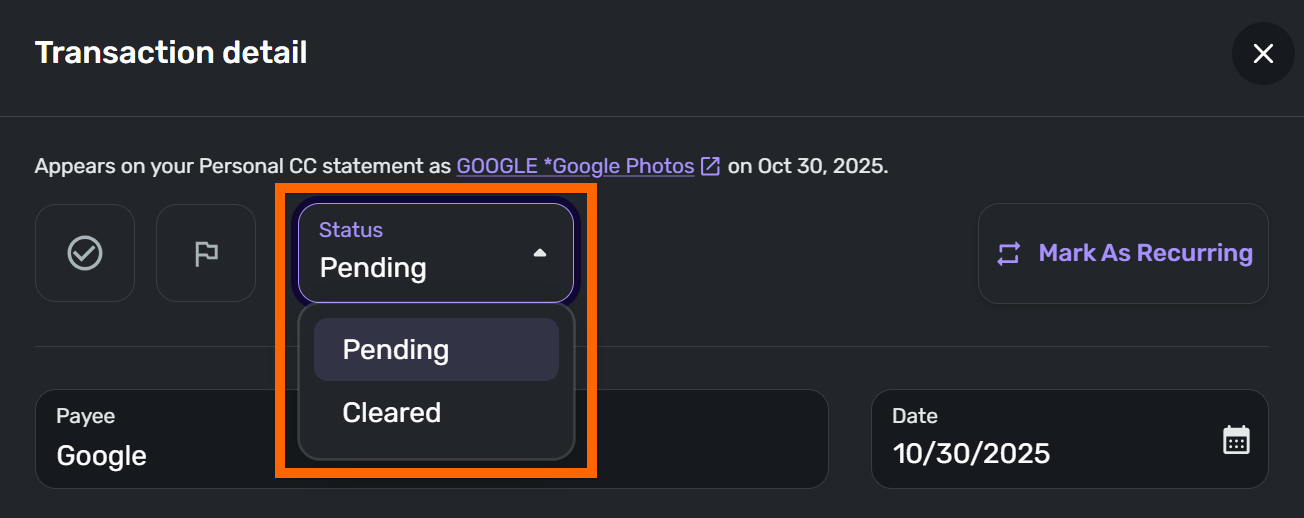
Does Quicken change any data when a transaction moves from Pending to Cleared?
My hope is that the Rules are run when a transaction first appears as Pending. Then I can Mark as Reviewed or change the Payee, Category, and Tag on a transaction before it becomes a Cleared transaction.
But I'm hesitant to change the Payee, Category, or Tag on a Pending transaction because part of me feels like the transaction is not complete at this point and Quicken might change the Mark as Reviewed, Payee, Category, or Tag data when it moves the transaction from Pending to Cleared.
Can I safely edit the Mark as Reviewed, Payee, Category, and Tag data while the transaction is Pending without any risk of the data getting changed as the transaction moves from Pending to Cleared?
[edited for readability]
Comments
-
"Does Quicken change any data when a transaction moves from
PendingtoCleared?"One thing I noticed, is when it changes from pending to cleared, it updates the date to the posted date. I do not think it changes the payee name at that point, typically.
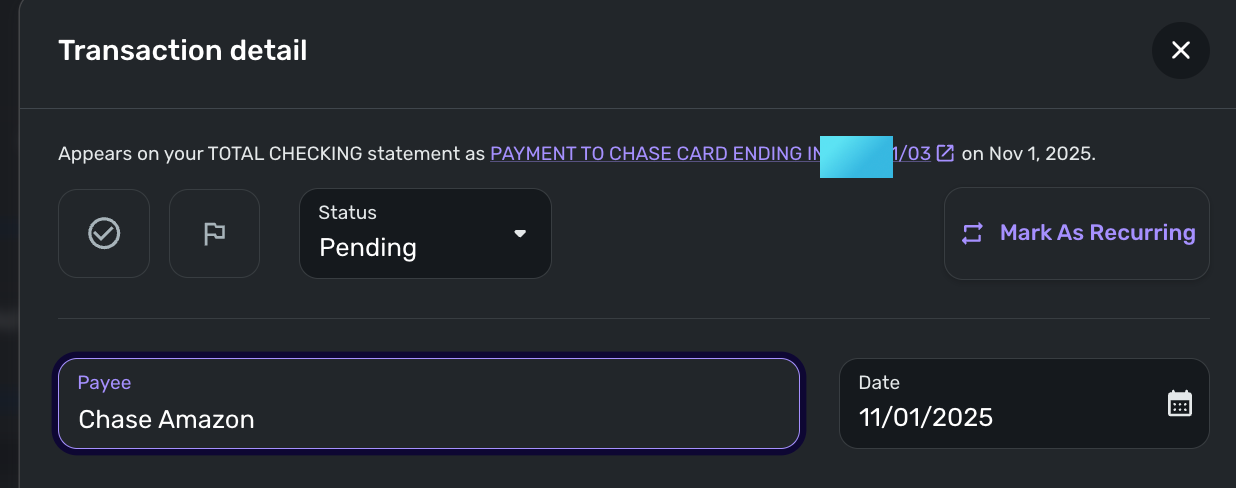
I think it is safe to change the payee name, as once it downloads from the bank, the bank name of the transaction is stored separately from the Quicken payee name. See the top text "Appears on your __ statement as". This should keep the bank transaction linked regardless of changes you make to it.
-Rob
—
Rob Wilkens
0 -
I will say that it does happen sometimes. It's not usual, but I have had a clear transaction remove my categories. And the old pending one is gone. I haven't tried unmerging and remerging; maybe that would fix it. I have to remember to try that next time.
Another thing, which might not be useful in your case:
My local bank takes two days to clear pending transactions. On the first day, it downloads as pending and I update it and split it as necessary. I usually mark it reviewed as well.
On the second day, it downloads it again and usually but not always matches it. As Rob says, it changes the date to the current date. But it is still pending. If I get a duplicate (it will follow rules but didn't keep my categories or splits as it didn't merge). I merge it if I can; otherwise, I delete the duplicate and keep the one I already reviewed/split.
The next day it clears and again usually matches. If it doesn't match, I can usually merge; sometimes not. If I cannot, I have no recourse but to review and re-split the downloaded one.
My transactions that clear in one day are less problematic but not perfect. So I would say it depends a lot on your bank.
Steve
Quicken Simplifi (Safari & iOS) Since 2021
Quicken Classic (MacOS) Since 2009
MS Money (1991-2009) and Dollars & Sense (1987-1991)0 -
I've seen weirdness when categorizing a pending transaction as a transfer to another account, so I don't do those until they clear. I've also seen pending charges fall off / amounts change. I usually leave the pending transactions as is (sometimes I'll put in a note) and wait to do my edits until they clear.
0 -
Thank you everyone for confirming my suspicions. Even "unusual" is too frequent for me 😀
I'll just wait until transactions move to
Clearedbefore reviewing them2


