Is QS supposed to automatically enter a recurring transaction/transfer as a pending transaction?

I am using bill connect for recurring credit card payments and one of them is showing up as an uncategorized transaction in Other Spend. This happened last month also.
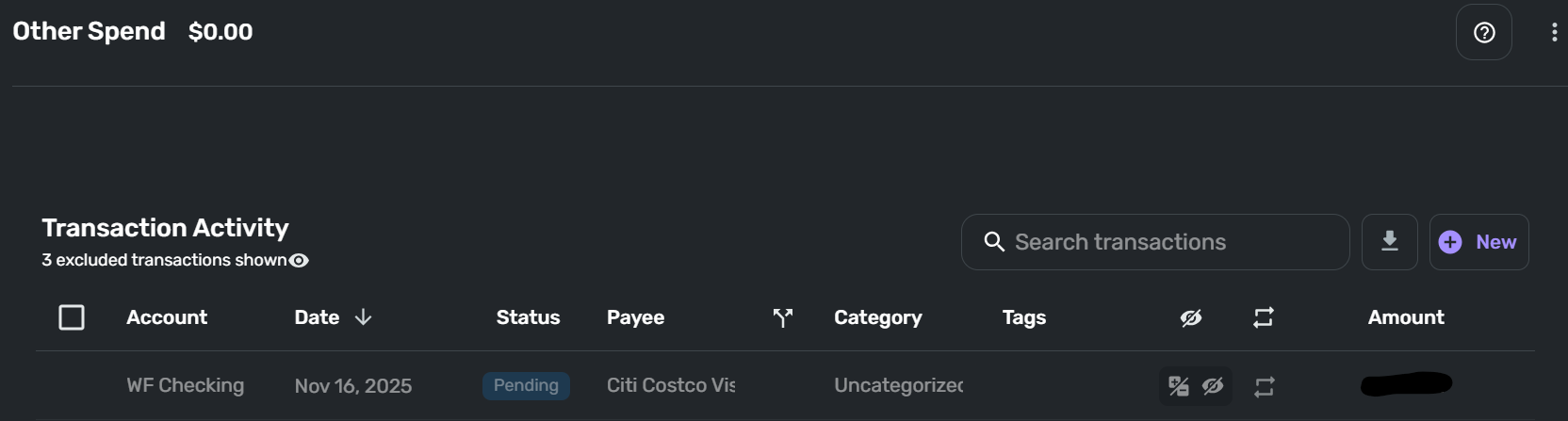
Since there is no matching transaction on both sides it is showing as Uncategorized. It appeared this morning, but the due date is the 16th. Last month I let it ride to see what happened but when the actual transactions were cleared in both accounts the QS entered transaction remained pending while the two sides of the transaction matched up as expected.
Is QS supposed to record the recurring series this far in advance?
Is QS meant to create this pending transaction?
Why only one side (in this case the spending account)?
Is this normal behavior?
[edited title]
Simplifi user since 01/22
”Budget: a mathematical confirmation of your suspicions.” ~A.A. Latimer
Comments
-
Did you check to see if (and when) the actual transaction showed up in WF Checking? According to your dates, it shouldn't be there yet. But that's the first thing I would check.
DryHeat
-Quicken Classic (1990-2020), CountAbout (2021-2024), Simplifi (2025-…)0 -
Right now this only appears in Other Spend. I already checked the actual bank register and no entry yet. I'm going to let it ride for now and see what happens down the road. I have several credit cards set with bill connect and this is the only one showing up in Other Spend and only the sending account side with the bill connect and recurring set up from the credit card side.
Danny
Simplifi user since 01/22
”Budget: a mathematical confirmation of your suspicions.” ~A.A. Latimer0 -
@DannyB, I'm not aware of Quicken Simplifi entering upcoming reminders as future transactions, and I don't see this with any of my Recurring Series, including credit card payments that use the Bill Connect for Credit Cards feature.
With that, have you opened the transaction to see if it was downloaded from the bank? If it was, you would see the "Appears on your statement as…" info in the Transaction Detail view. I'm wondering if it's maybe a scheduled payment on the credit card company's end or something along those lines.
Let us know!
-Coach Natalie
0 -
@Coach Natalie I don't see this with any other reminders, only this one. Here is what I see as I click through the options for this reminder:
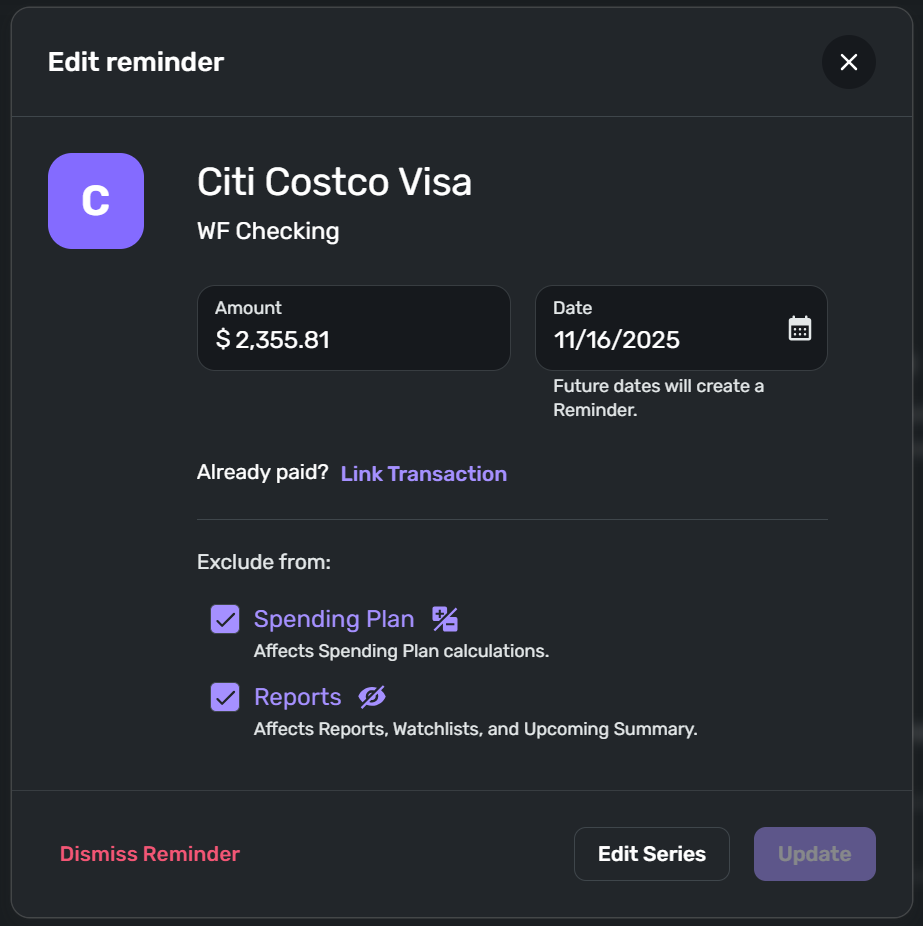
When I click on the 3-dot menu the menu gives me the option to "Edit Reminder"
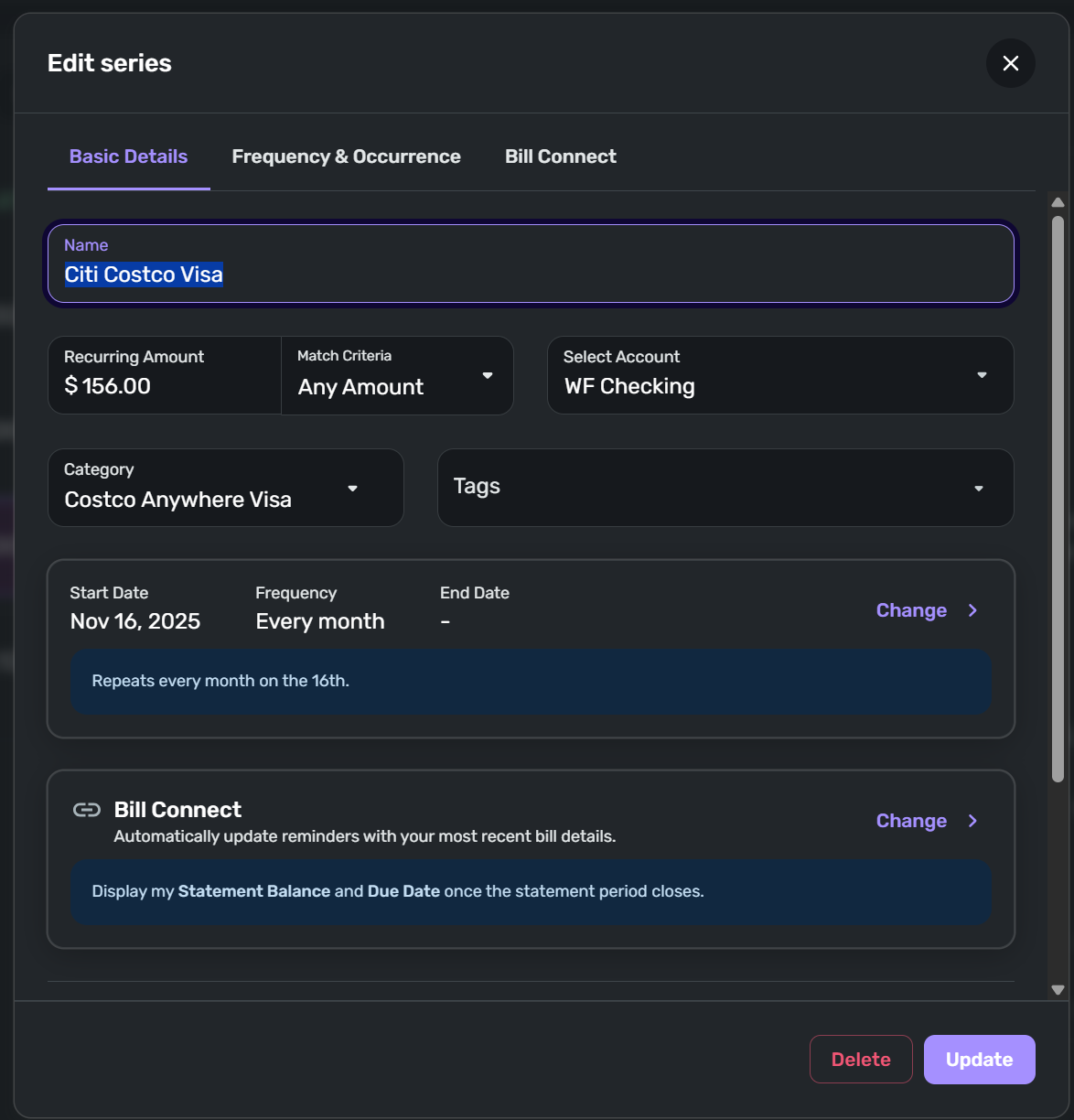
When I select "Edit Series" I land here, naturally, and all settings appear to be what they should be…
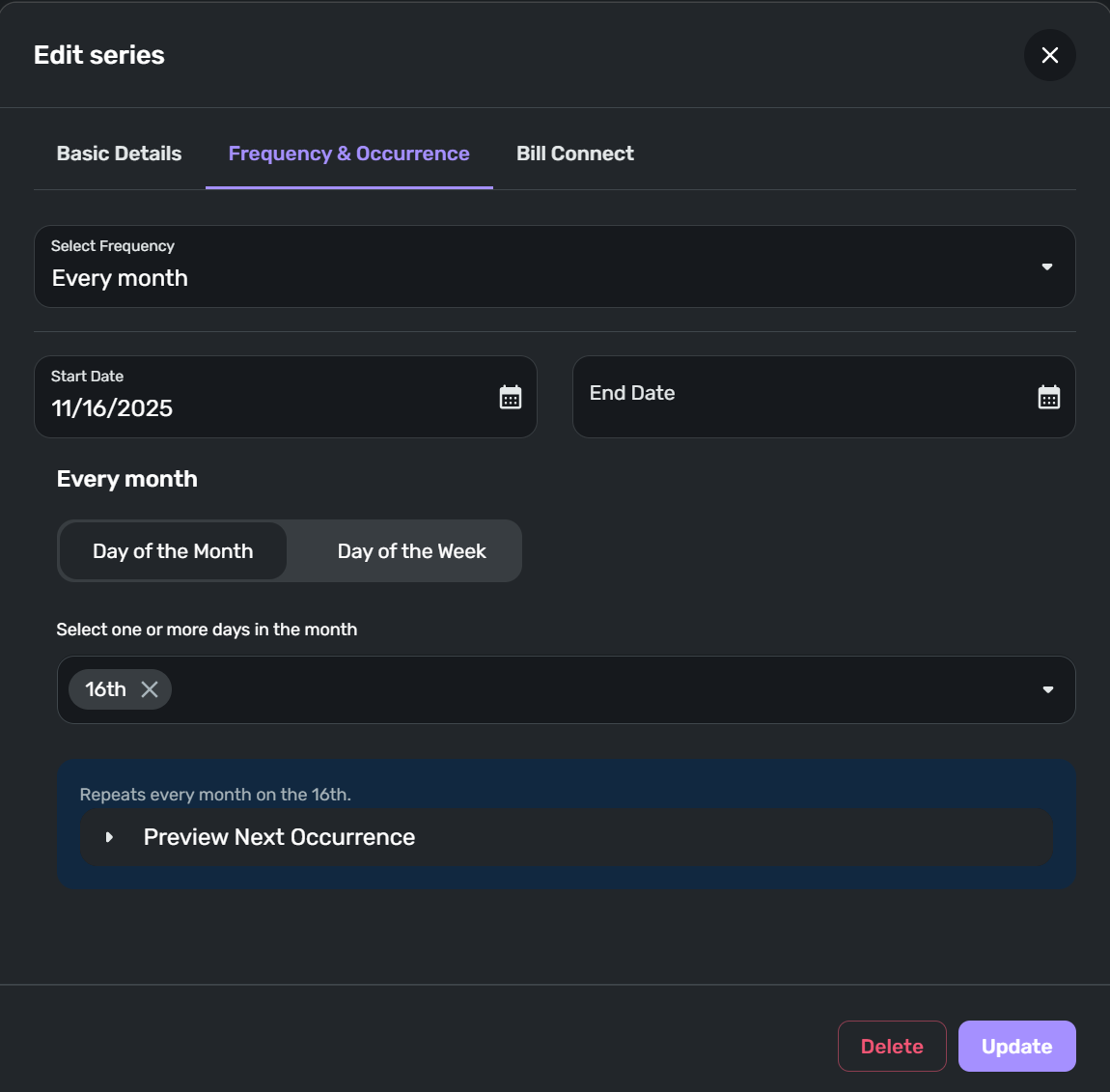
… Frequency & Occurrence page is set up with the correct data…
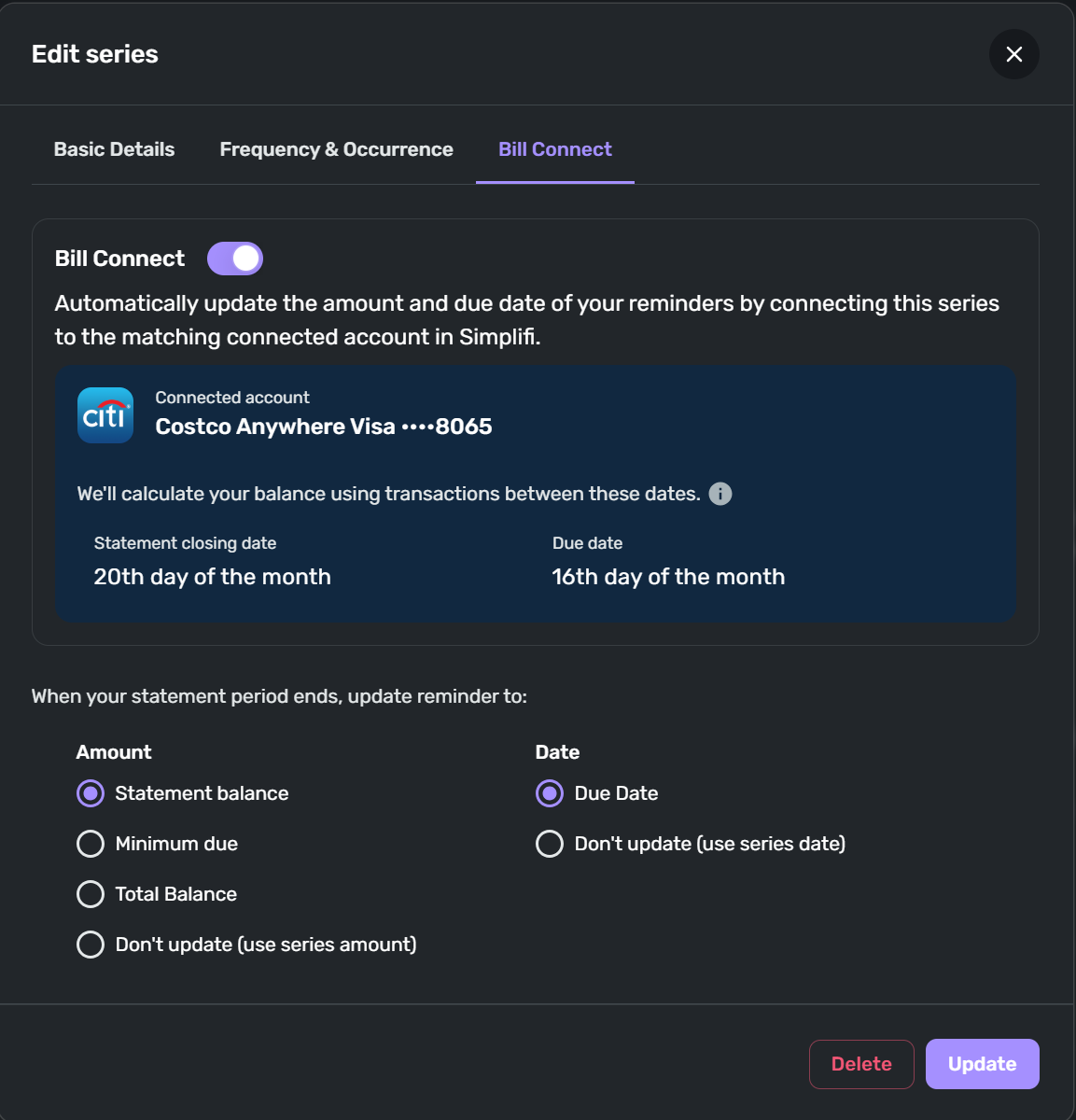
Bill Connect appears to be in place and set up properly for what I want.
Danny
Simplifi user since 01/22
”Budget: a mathematical confirmation of your suspicions.” ~A.A. Latimer0 -
Since this is a reminder and not an actual transaction, I suppose I can simply delete it but I'd like to get at whatever phantom is behind this. 👻
Danny
Simplifi user since 01/22
”Budget: a mathematical confirmation of your suspicions.” ~A.A. Latimer0 -
Very interesting situation.
Are you able to open the transaction for editing in the Transaction Activity list pictured in your first post?
If so, what does it show?
DryHeat
-Quicken Classic (1990-2020), CountAbout (2021-2024), Simplifi (2025-…)0 -
@DannyB, thanks for the detailed description!
Since the item in question is a reminder and not a transaction, it should be showing up under Transfers & Credit Card Payments (or Excluded this month in Bills) as a reminder. It showing in Other Spend definitely seems like a glitch. I'm not sure that having Bill Connect for Credit Cards enabled would impact this, but it's possible. Do you also see the reminder in the expected area of the Spending Plan (Transfers & Credit Card Payments or Excluded this month in Bills)?
Have you tried adjusting the Frequency & Occurrence in the Recurring Series itself or anything along those lines to see if doing so clears things up? Maybe just changing the date and then changing it back will regenerate future reminders and correct the issue. Otherwise, it might be beneficial to delete and re-create the entire Recurring Series.
Let us know!
-Coach Natalie
0 -
@Coach Natalie OK, so the receiving side of this transfer shows in the expected place, Bills > Excluded this month, but the sending side is absent here but present in Other Spending.
At this point I wonder if the best solution here is to delete the recurring series and set it up fresh and new.
@DryHeat There is no transaction… I misspoke in my original post. The entry is ONLY a recurring reminder. I believe @Coach Natalie is on the right track about this reminder being misassigned to Other Spend instead of Bills/Excluded this month where the other side of the transfer reminder is listed.
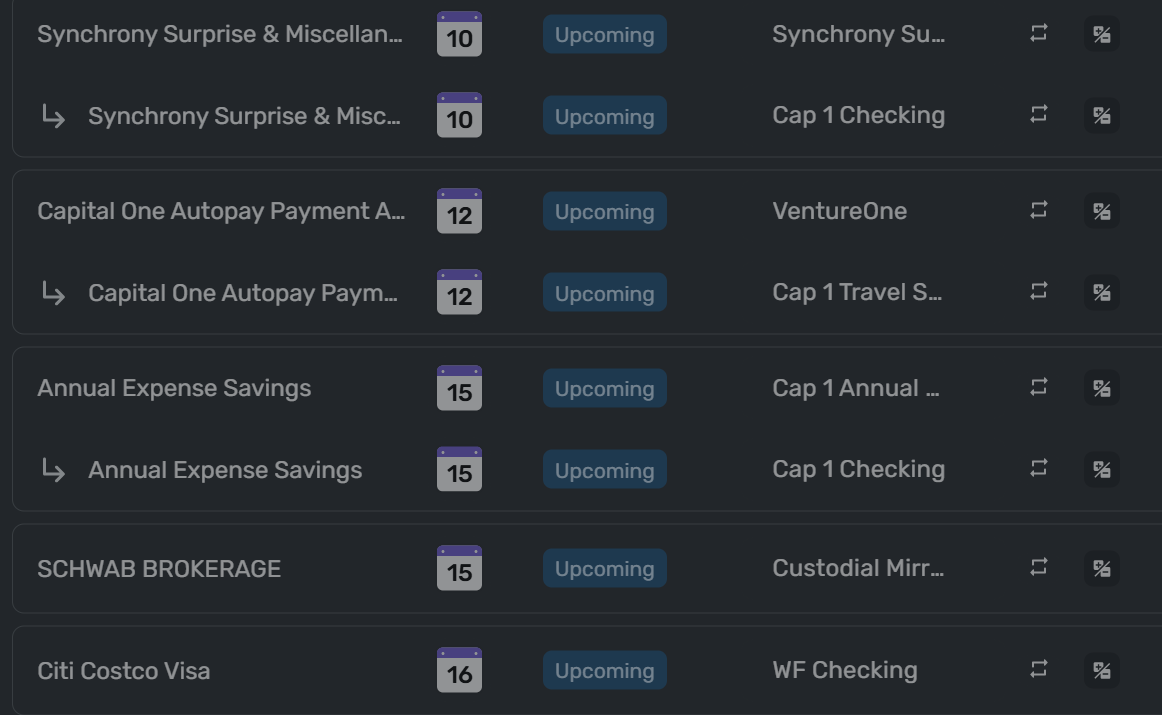
Here are some of my Excluded transfer reminders. In each case I can see both sides of the transfer except for "Citi Costco Visa" (ignore the Schwab reminder, that goes into a dummy category so doesn't show as a transfer).
Danny
Simplifi user since 01/22
”Budget: a mathematical confirmation of your suspicions.” ~A.A. Latimer0 -
@DannyB, how strange!
I would recommend regenerating future reminders via an edit to the Recurring Series first before a full delete/re-create. The former will allow you to keep all of your history, but the latter may end up being required if the Recurring Series itself is the problem.
Let us know what ends up working for you!
-Coach Natalie
1 -
I made an edit to the series and saved it but not seeing any change in future month's Spending Plans under Bills > Excluded this month.
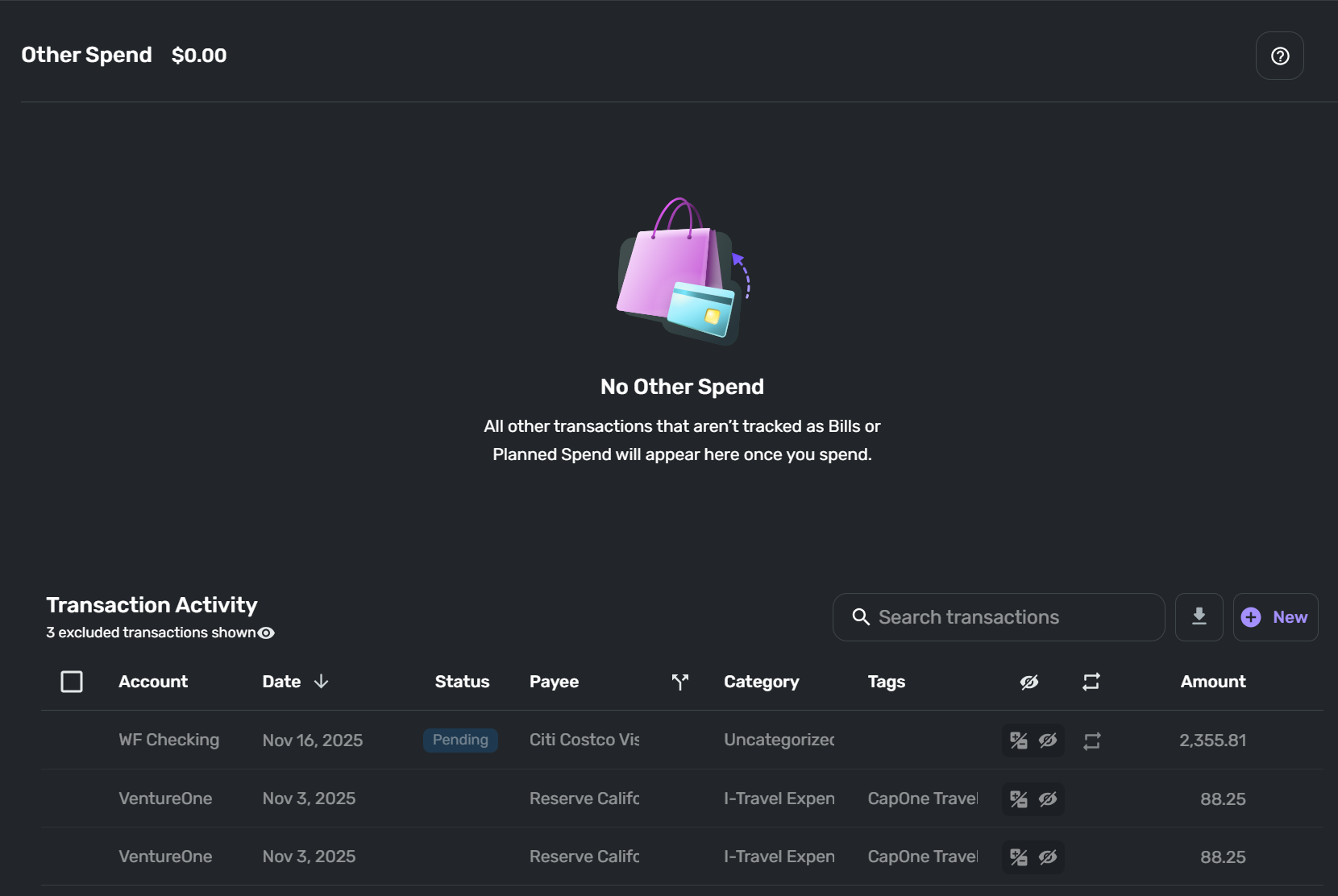
I wanted to see if the stray reminder showed up in future Other Spends and was surprised to see this:
This is November's Other Spend…
This is December's (same for future month's) Other Spend…
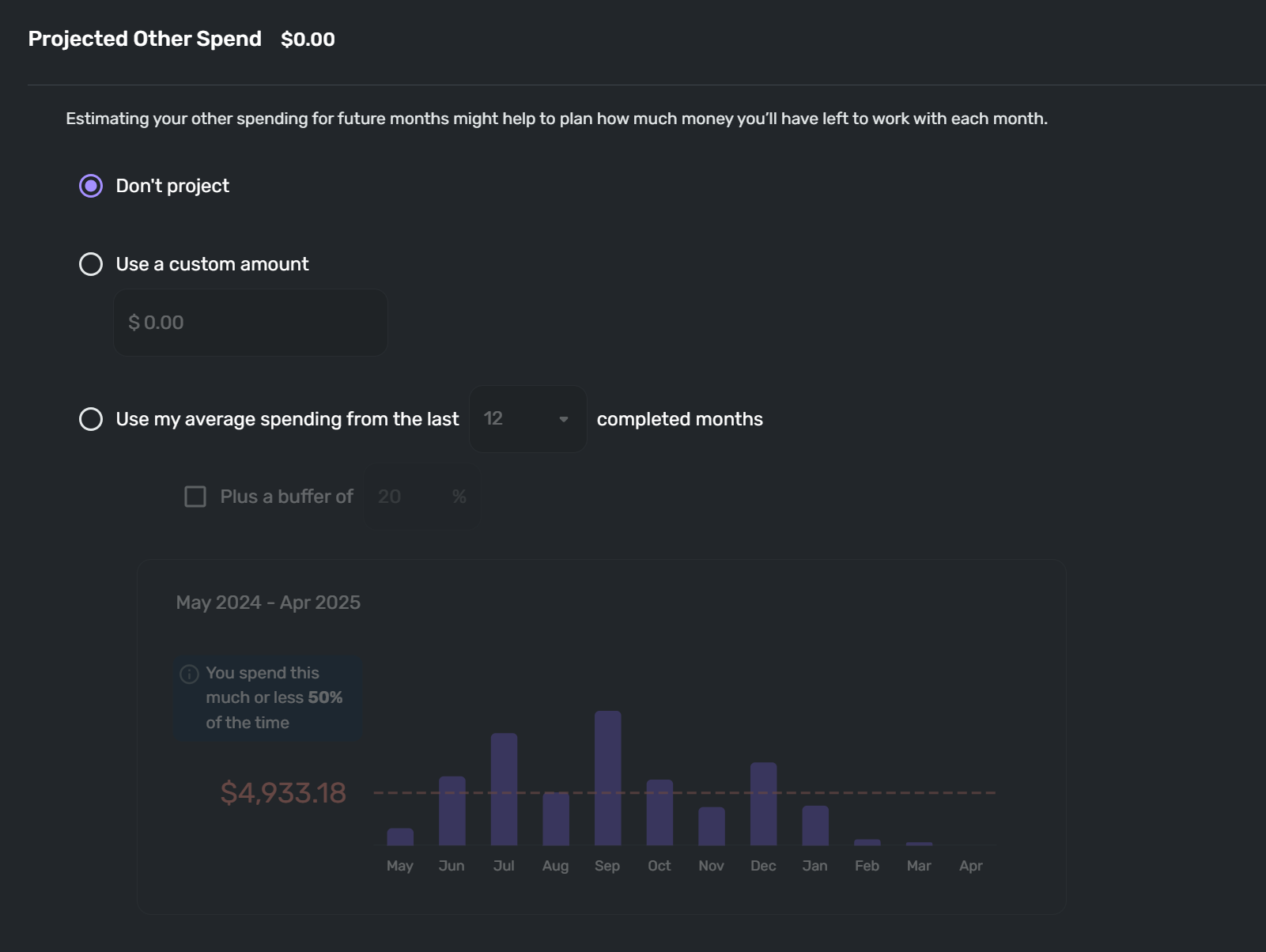
I don't remember this happening before when looking at future months' Spending Plans. But I also don't remember actually looking at Other Spend in future months. Is this meant to be?
Danny
Simplifi user since 01/22
”Budget: a mathematical confirmation of your suspicions.” ~A.A. Latimer0 -
Perhaps I'm better off selecting "End Series" instead of "Delete Series." This would preserve historical data for the current series. Then I could create a new recurring series and reconnect Bill Connect.
Danny
Simplifi user since 01/22
”Budget: a mathematical confirmation of your suspicions.” ~A.A. Latimer0 -
I went ahead and ended the existing recurring series which retired it and preserved the historical data for this series.
Then I created a brand spanking new recurring transfer from scratch.
After creating the new series this is what I now see in my Spending Plan under Bills > Excluded this month:

In addition, the misplaced reminder in Other Spend is gone, so this appears to be resolved.
Thanks for your suggestions and insights.
Danny
Simplifi user since 01/22
”Budget: a mathematical confirmation of your suspicions.” ~A.A. Latimer1 -
Re: "forever remain a mystery"… that's a good point i rarely consider…. It would be virtually impossible to know 'when' the recurring series was corrupted, becauase I believe Quicken puts out a new version almost weekly now (it feels that way anyhow) - and any one of those intermittent versions could have caused the corruption, and it may or may not be fixed already. That's probably why the suggestions often are like this one, to recreate the series.
—
Rob Wilkens
2 -
This turned out to be a "hardly worth anybody's time" kind of thing. I just needed someone to jog my grey matter into doing what is often the best thing to do when working with the digital world… REBOOT. In this case the issue, as minor as it was, was remedied quite nicely by ending the problematic series and starting fresh which I should have thought of before bringing it up here, but a little bit of dialogue with the pros, like you, Coach Natalie and DryHeat, did the trick.
As for putting out new versions, that's pretty much been the practice since I've been using QS… every Thursday I expect to see an update to a new version and the following Monday or Tuesday an update in this forum by Coach Natalie about what the new update brings to the table, fixes, tweaks, new features. See this page for the history of updates all the way back to version 1.0.3 in December 2019… it's been pretty much weekly from the start:
Updates From the Product Team — Simplifi
Thanks for all you bring to the table, Rob!
Danny
Simplifi user since 01/22
”Budget: a mathematical confirmation of your suspicions.” ~A.A. Latimer1 -


