"Add to Planned Spend" button covers up transactions

In the Quicken Simplifi Android app, in Spending Plan > Other Spend, when you have a category selected, you can't see the first transaction in that category because the "Add to Planned Spend" button covers it up once you have scrolled to the bottom of the list of transactions.
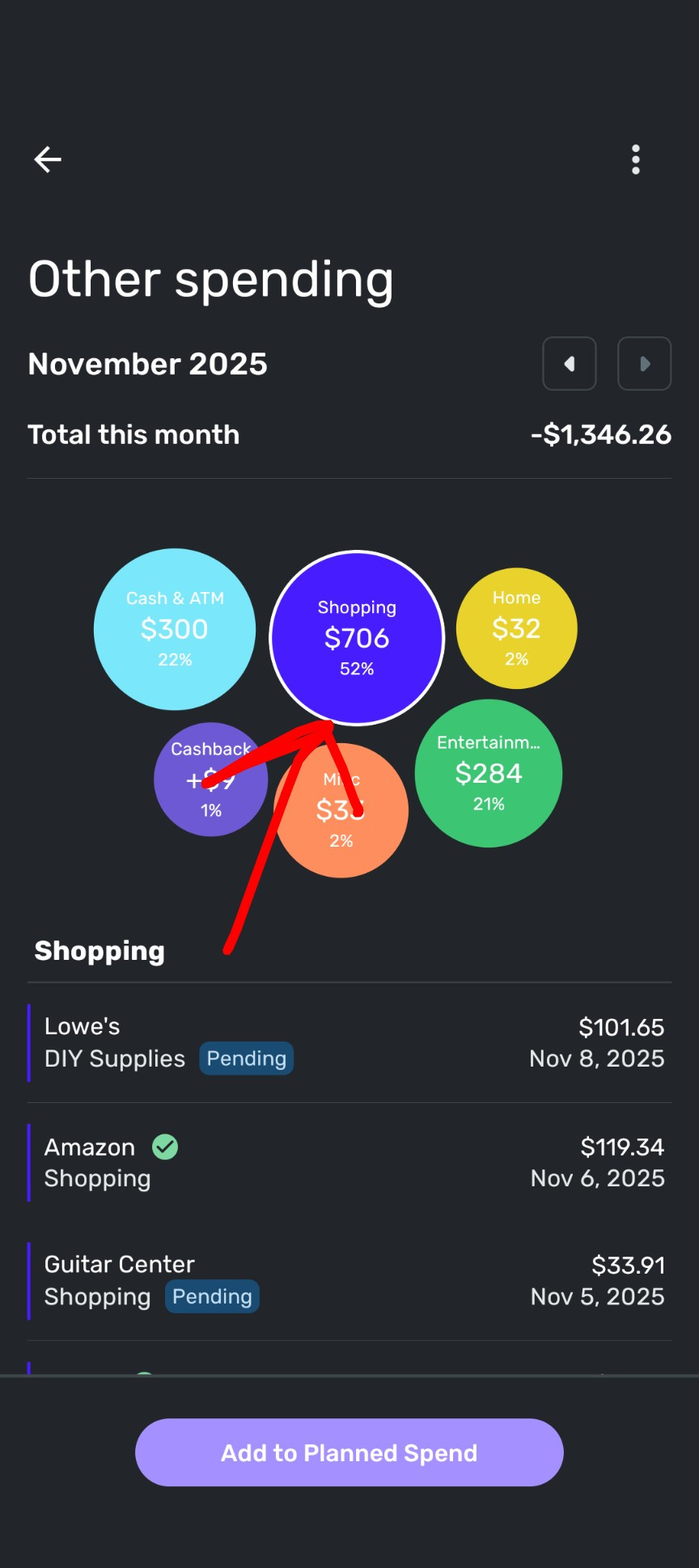
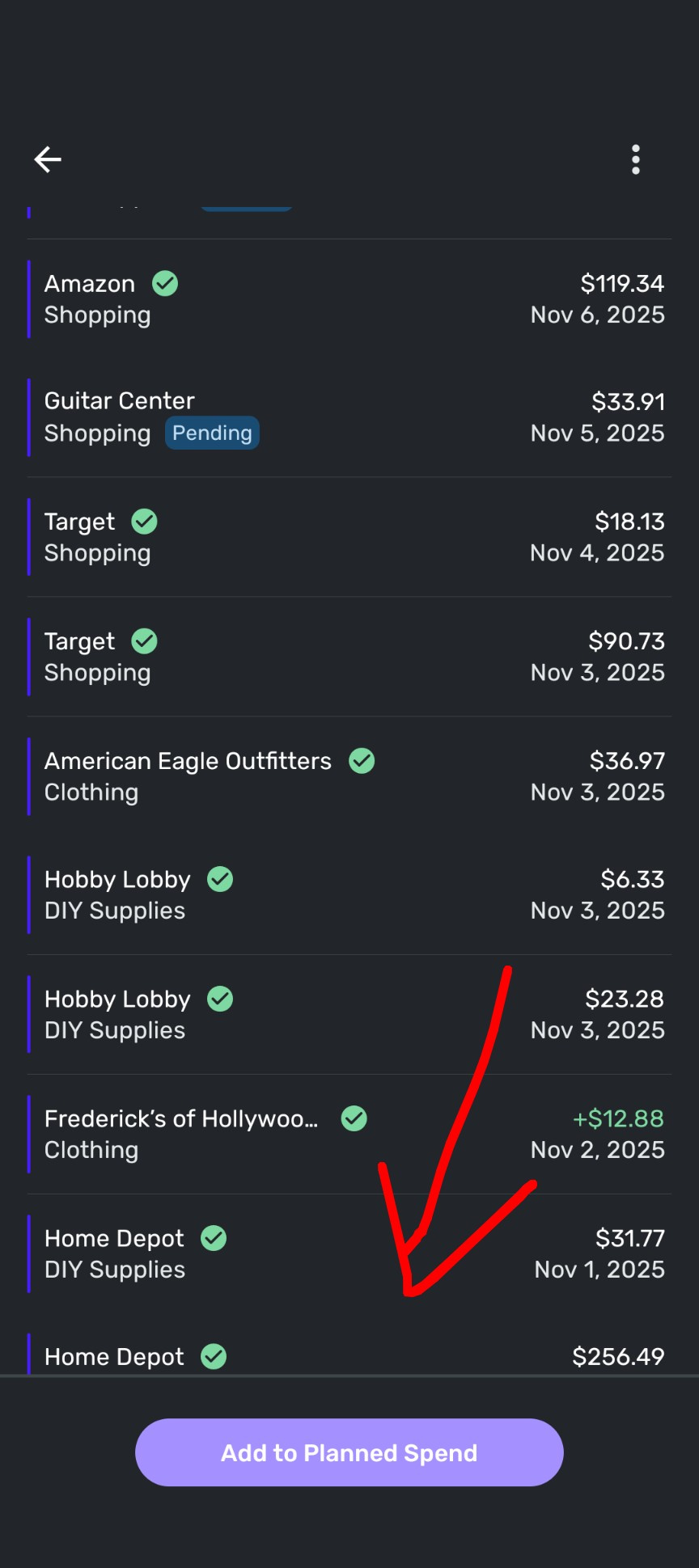
[edited images to reduce size]
Comments
-
Deleted first reply i will rewrite
—
Rob Wilkens
0 -
On IOS, I can scroll to the bottom of the list. But my fonts are smaller, and. I wonder if this is happening because you chose a bigger font size for your phone (on both android and ios I notice some apps behave abnormally with any of the non-standard font size options).
If this is the case, it may be a bug anyway, but the soonest someone can verify and file a bug report may be on the next business day (Monday) when Coach Natatlie and Coach Jon are here.
—
Rob Wilkens
0
