Planned Spending Inaccurate

On BOTH Desktop & Mobile, Planned spending is displaying wrong data and sending invalid notifications. YES - I've cleared cache & restarted.
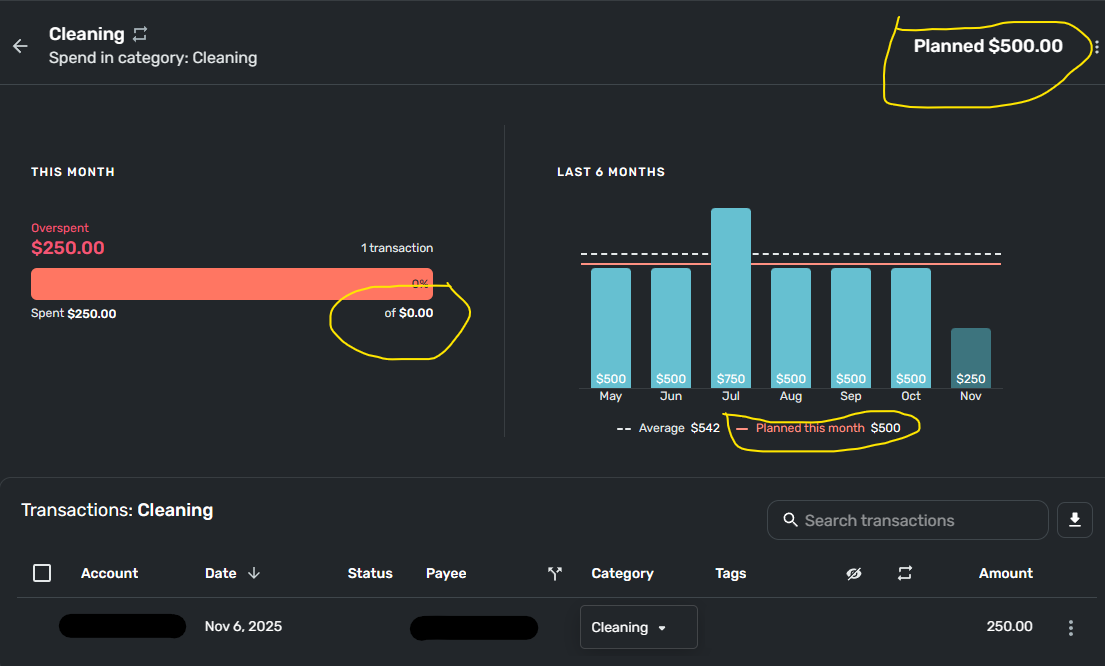
In the "Cleaning" category example below, planned is correct - $500, but the overspent report (left side below) is showing I've spent $250 of $0 planned, when the histogram on the right is showing correctly $250 spent of $500 planned.
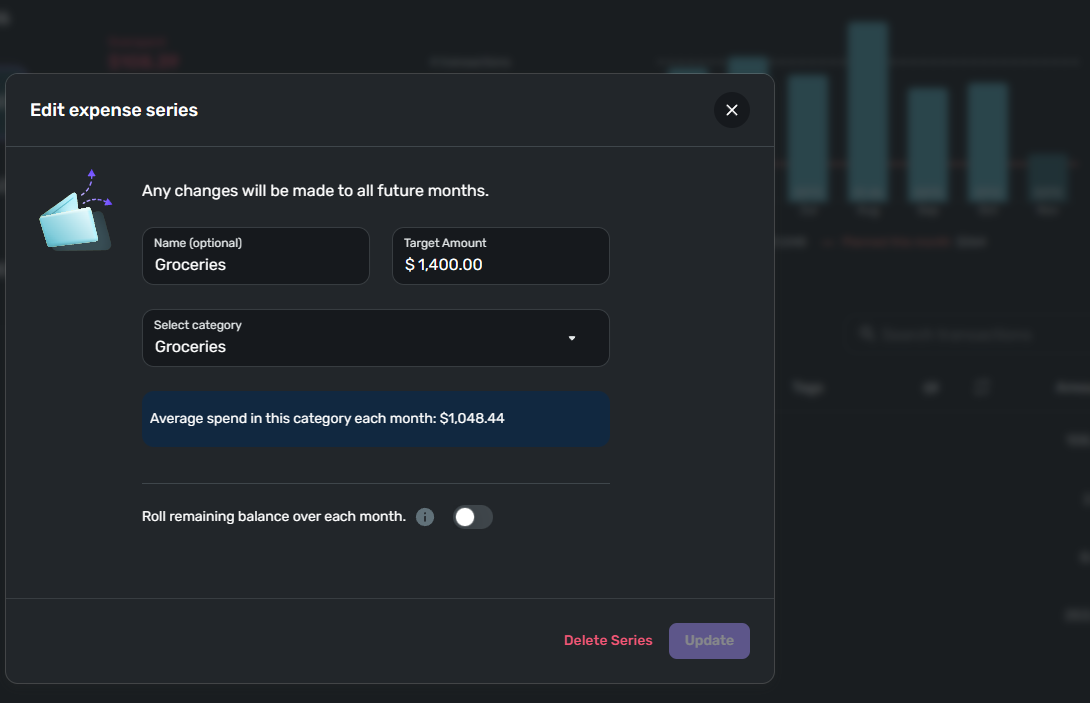
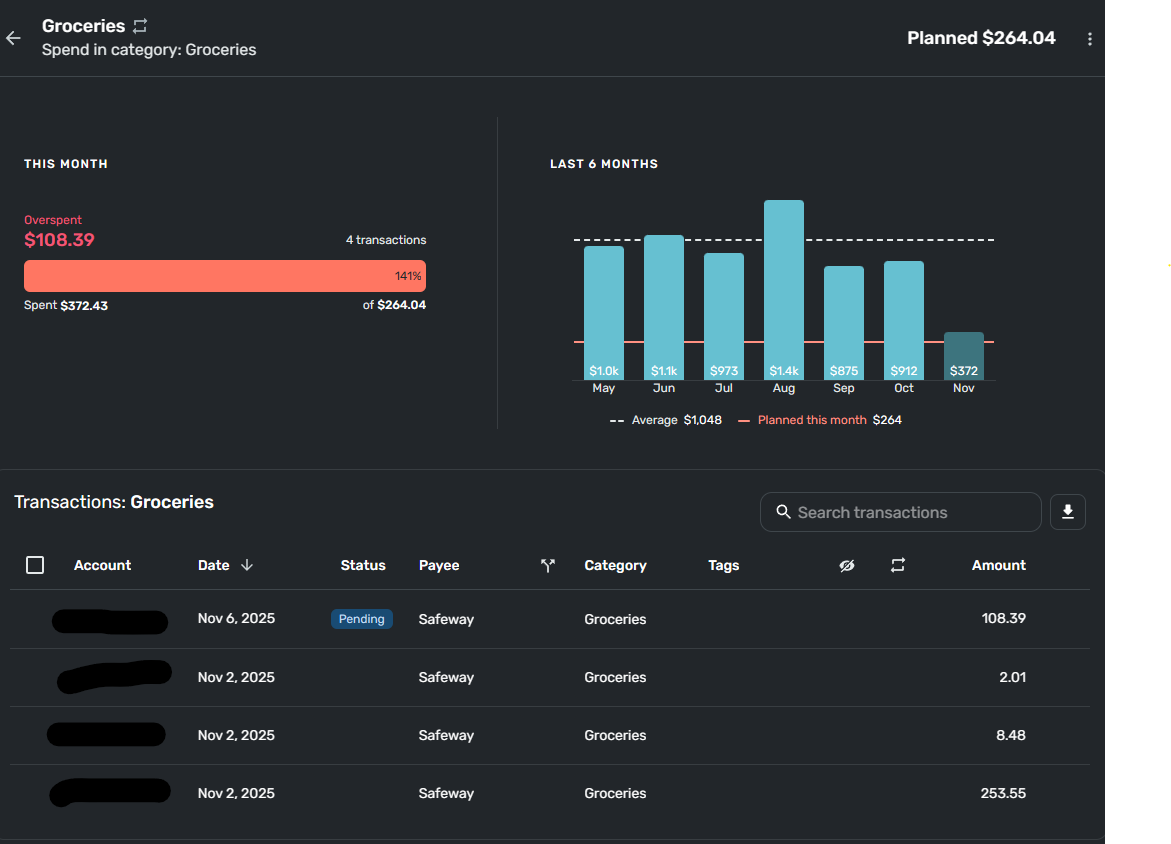
In the next example planned "Groceries" target is $1400, but on the detail, the report inaccurately shows $264.04 as planned.
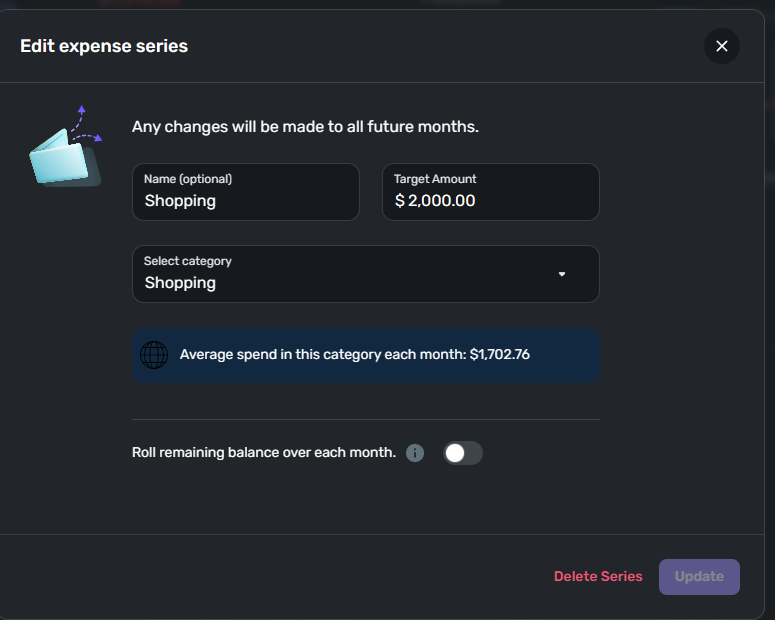
And, in a 3rd example, planned "Shopping" is set at $2000, but the detail is showing $423.88 planned.
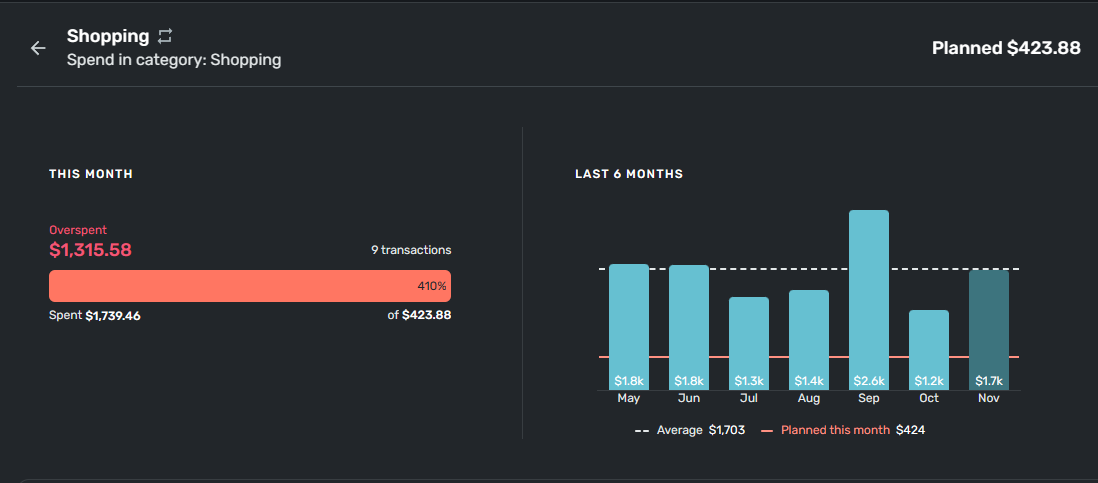
HELP - Please fix!!!
Comments
-
Curious, do you have rollover turned on, and did you overspend on previous months? I think if you over-spend and rollover is on, it might deduct that over amount from future months.
I am -not- certain of this, as I don't use rollover.
-Rob
—
Rob Wilkens
0 -
I haven't seen this behavior, and like Rob, I don't use rollover. Are you using rollover? Have you tried turning that off?
I've had Simplifi revert to old Planned Spending amounts that I have edited. The fix for that has been to delete the planned amount and recreate it. It won't mess with earlier Spending Plans.
Let the group know how it goes.
Steve
Quicken Simplifi (Safari & iOS) Since 2021
Quicken Classic (MacOS) Since 2009
MS Money (1991-2009) and Dollars & Sense (1987-1991)0

