Quicken code error results in prompt being redisplayed

I know that discussion about the “Pop Up won't go away”the prompt to install the Persistent Web App (PWA) for Quicken Simplifi not going away has been raised before, even after the “Don’t Show Again” button is pressed by the user.
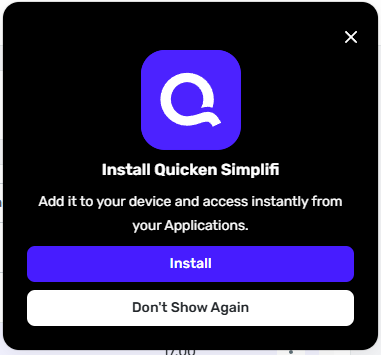
When this first happened, I escalated this to Quicken support only to be told it was a browser issue and engineering could not fix the issue. I happened again and I used the built in web dev tools to debug the minimized JavaScript code and identify the code problem.
The file uses the beforeinstallprompt event (see for details on the event) to prompt user for installing the PWA.
This event handling already has logic to prevent the dialog from being displayed when it is already shown which uses the getActivePwaNotification and when there is one active it will delay using the following code (at line 2, column 2137024 in the file):
return void (i < 5 && setInterval( () => {
n(r, i + 1)
}
, 6e4)
It is worth noting that the setInteval function in JavaScript will takes “A function to be executed every delay milliseconds.” (see https://developer.mozilla.org/en-US/docs/Web/API/Window/setInterval), in this can n is the function that will attempt to show the dialog, and it will show approximately every 1.7s with the above code. So if this code is executed the dialog will continuously redisplay every 1.7s seconds through out the duration of the session.
The are several ways to fix this, including:
- Use setTimeout which only causes the function to be called once
- Capture the value returned from setInterval and the clear that interval once the call is complete
- Add the onDismiss callback to store that the secondary button (“Don’t Show Again”) and then prevent the dialog from being shown.
I would recommend that quicken engineering apply solutions 1 and 3 to ensure the issues it addressed.
Can Quicken support escalate this issue to engineering and get a fix? Also, it would be appreciated if you Quicken could determine why an issue with Quicken code that created a bad experience for users was classified as a “browser issue”.
Comments
-
Hello @DavidEatough,
Thanks for reaching out! I was able to see that chat you recently had about this issue from our side. Could you please try checking this behavior from a different browser or in incognito/private mode? I'm wondering if something in your primary browser isn't saving the preference, and if clearing your cache and cookies would do the trick. Or maybe the opposite is happening, and your cache or cookies are being automatically cleared, which can be what's causing Quicken Simplifi to prompt you continually.
Let us know how that goes!
-Coach Jon
-Coach Jon
0 -
Please see my post, this is a Quicken bug. Please take responsibility and fix this issue.
0 -
Hello @DavidEatough,
Thanks for the reply! In order to report an issue to our product team, we will need to first gather information and troubleshoot as needed here in the community. If possible, please try the steps I provided earlier and let us know how it goes. That would be very helpful in this case.
-Coach Jon
-Coach Jon
0
