FDP-103 Error still exists with Tangerine

We had been requested by Tangerine to setup a User name and Password instead of a PIN to login to online banking. The simplifi only has options to put in Client Number and Pin. I am unable to revert back to the PIN since making the update with my bank. Is there a way to fix this?
Comments
-
Hello @ratienza,
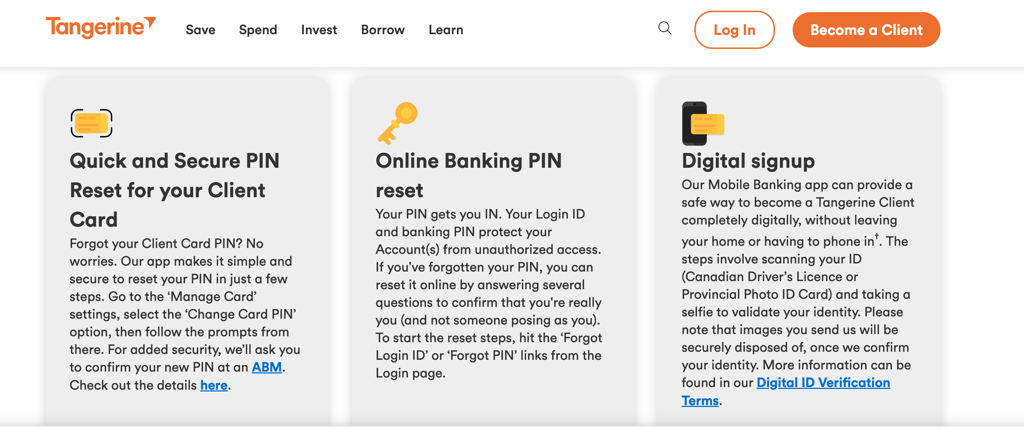
Thanks for the reply. It looks like you may be able to reset your PIN via Tangerine's website. Have you tried using the steps below to reset your PIN, or does the website no longer allow you to do this since setting up a password?
Let us know!
-Coach Jon
-Coach Jon
0 -
Hello, yes once the switch to password has been initiated there's no more settings in the web portal to get a pin back. It's a bit confusing because my other account has not switched over to password and is current link is working.
0 -
Hello @ratienza,
Thanks for the information! To clarify further, do you not use a PIN at all once you have set up a password, or is it used in some other way? Additionally, is the other account you mentioned also with Tangerine, but with different credentials?
I do think contacting the financial institution to set up a PIN would be the best path at this time. They should be able to let you know whether you can change back to a PIN instead of the password, since this is the way it is set up in Quicken Simplifi for Tangerine. Let us know how that goes!
-Coach Jon
-Coach Jon
0 -
Yes once you have setup a password, the PIN is only used sparsely for telephone banking. and not used in the platform. I'll see if they have an option to revert back to the pin after I call. It does seem that Tangerine is moving users to passwords though.
1 -
I have the same problem. Had it ever since I switched from PIN to password more than a month ago. Tangerine says it is not possible to revert to using a PIN.
0 -
Hello @Paul F,
Thank you for reaching out and providing that information. Is there anything you could provide regarding documentation from the bank regarding the move from PINs to passwords? This would be very helpful in this matter.
-Coach Jon
-Coach Jon
0 -
The issue has not been resolved!!! The PASSWORD still doesn't work!1
-
Hello @andre,
Thank you for reaching out! As advised here in this thread, can you please let us know if you can change back to a PIN with Tangerine and provide documentation from the bank regarding the move from PINs to passwords, if you are unable to?
-Coach Jon
-Coach Jon
1 -
Hello @Coach Jon,
Unfortunately, I do not have any documentation to provide. All I can say is that around the end of August Tangerine encouraged its users to change from using a PIN to using a password for online banking (on their web site page and when using the app on a small device). I think the PIN is still used for identification when talking to a Tangerine employee for transactions over the phone.
We can not revert to using a PIN for identification on the web page nor the app once we have made the switch to using a password.
On both of these platforms we still need to provide our Login ID and (depending on whether we have made the switch or not) either Password or PIN. More on this: the web page for login says that as a Login ID we can use our "Client Number, Card Number, or Username". For me only the Client Number works. In regards to the PIN or Password, it seems that since I have already made the switch to using a password, on the next page (after having provided my Client Number) I am presented with the "Password" window. The site (and the app) seems to recognize, probably from my Client Number, that I have made the change to using a password. But if I enter my wife's Client Number (she has not yet made the switch to a password) then the next page asks for a PIN, not a Password.
I can connect with Quicken to Tangerine using her accounts (and Client Number, PIN and Security Code — 6 digit code sent via text message to phone) but Quicken can not connect to Tangerine if using my accounts (and Client Number, Password and Security Code). We both can connect to Tangerine via their web site or app using our respective login credentials. Further, in my case, using the PIN does not work, neither on the web page nor via Quicken.I hope this can help. I don't understand though why you ask such information. Can you not contact Tangerine for clarification?
Sincerely,
Paul1 -
If it makes any difference, I am using Tangerine Canada at "https://www.tangerine.ca/en/personal"
Cheers,
Paul
0 -
Hello everyone,
Thanks for all the great information and feedback on this issue. We have reopened the alert for this issue and will be sure to post updates there as we continue to work on a resolution. Be sure to follow the alert here:
-Coach Jon
-Coach Jon
0 -
Hi Coach Jon,
I had contacted Tangerine over the phone and they said they will not be able to use the PIN as a means for login once you have switched over, it will now be used as a telephone banking PIN.
Seems like they are actively trying to switch all customers to this as well.
Regards,
Richard
0 -
It is extremely frustrating that this issue is STILL unresolved! How hard is it for Simplifi to change login credentials from a PIN to password for its customers. Please make this a HIGH priority for your customers.
1 -
Extremely, we should receive a free year subscription since we don't have the service we paid for.
0 -
Still not working…
0 -
Hello,
just a quick update tangerine is now asking me to switch to a password instead of my pin, I will lose my connection to simplifi. Is there a course of action i need to take to update my accounts till you can fix this issue?
Regards,
Richard
0 -
Hello @ratienza,
Thanks for the update. I can confirm that our product team is still working on a resolution for the reported issue with Tangerine. If you do lose the ability to update your accounts within Quicken Simplifi due to this change regarding the PIN, be sure to follow the alert I shared previously in this thread:
In the meantime, you can also track the account manually by adding manual transactions, which will keep your records up-to-date until a resolution can be implemented. Here are the steps to do so: Managing Transactions in Quicken Simplifi | Quicken Simplifi Help Center
-Coach Jon
-Coach Jon
-1 -
How much longer until a fix? This has been an ongoing for over 77 days!!
This is a paid service, therefore a fix should come within a reasonable time, especially since this is should be such a simple fix.
1