Savings Goal changed my account balance

Hello everyone, I experimented with Savings Goals to account for a purchase I made and it has affected my account balance. For background, I needed to make two payments in November and December for which I had money saved (but did not make a Savings Goal for previously). So in November I created a Savings Goal with this set up:
- I set the goal at lets say $2000
- I set the "amount saved so far" to the exact amount I needed and already had saved, which again is $2000
- I chose the "Saved In" account as my manual checking account (Simplifi does not support automatic connection for my bank yet)
I made a $1000 payment in November and another $1000 payment in December and hid these transactions from Spending Plan so that it would not show that I overspend. I withdrew the amounts from the Savings Goal after making the payments. At this point I realized my checking account's balance was exactly $2000 lower than it actually should have been (even with the two $1000 transactions listed). I didn't like the account being off, so I deleted the goal since it was complete hoping this would allocate that amount back to my checking account. But it did not and now my checking account balance is $2000 lower than it should be with no transaction or indication that accounts for that decrease. The only way I can see to fix it is to add in a manual adjustment to get the balance to the correct amount, which I don't love.
I can accept that this account balance issue may have been caused by my using the Saving Goal for an unintended functionality. But now I need help with 2 things:
- How can I get my account balance to reflect the correct amount again? Is my only way to add in an adjustment and hide it from spending plan and reports?
- For future uses, how am I suppose to use Savings Goal?
Thanks for your help!
Comments
-
Let me ask some questions to clarify the problem:
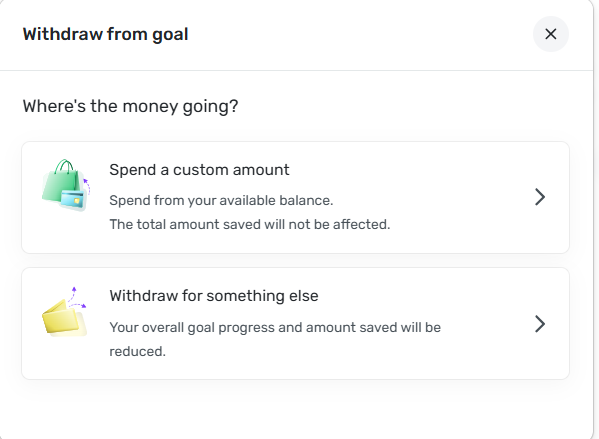
When you withdrew the money from the Savings Goal, you had two choices. Which did you use?
When you say your checking account balance is $2000 lower than it should have been, are you taking about the Account Balance or the "Available Balance"? (These are listed separately in the list of Accounts.)
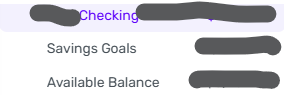
If you are talking about the Account Balance, is it different from what your bank shows as your balance on its website? (They should be the same as Simplifi gets the balance from the bank, not from calculation.)
DryHeat
-Quicken Classic (1990-2020), CountAbout (2021-2024), Simplifi (2025-…)0 -
@DryHeat Both times that I withdrew the money, I used "Spend a custom amount".
As for the checking account balance, for clarification my account is not linked to my bank - Simplifi does not support connection to my bank yet. So it is a manual account that I started with an opening balance and copy the transactions from my bank statement into.
With that said, the "Account Balance" number is what is $2000 less than my actual bank account. I do not have "Savings Goals" and "Available Balance" accounts anymore since I deleted the Savings Goal. But both before and after deleting it, my Account Balance was $2000 off.
0 -
If this is a manual account, then the Account Balance should be the sum of the transactions in the account. I recall reading somewhere that the balances are sometimes slow in updating. But if it was off yesterday and is still off today then if I were you I would check the total of the existing transactions.
One way to do this is to first make sure that all transactions are visible by selecting "All Time" in the transaction history setting (see below).
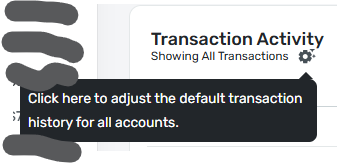
Then sort on Payee in order to get rid of the monthly groupings (which usually hide some of the transactions). Then click the box to select all transactions and see what the total of the selected transactions is (that will be all the transactions).
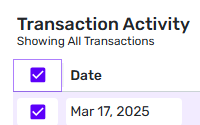
That total should match the account balance for a manual account. If it does not, and you have selected all transactions, then there is a system problem. If it does match, but it is not the total you expect to see, then you may have some transactions in the list that should not be there.
DryHeat
-Quicken Classic (1990-2020), CountAbout (2021-2024), Simplifi (2025-…)0
