Spending report broken down by tag, duplicates transaction totals

I have created a spending report for Christmas purchases, broken down by Tag (person). When I have a split transaction with 1/2 of the transaction assigned to Tag A and the other 1/2 assigned to Tag B, the report shows the entire amount spent for both Tag A and Tag B.
For example, I have a transaction that I’ve split with $50 assigned to Tag A, and $40 assigned to Tag B. The spending report, broken down by Tag, with show $90 spent on Tag A and also $90 spent on Tag B. Not a very helpful or accurate report.
I’m sure this worked last year as I used it extensively to check my spending per person (Tag). Is there something I’m doing wrong or is this a bug?
Comments
-
Are you using the beta reports or the original ones? If so, try turning off the beta reports and see if that works better.
Steve
Quicken Simplifi (Safari & iOS) Since 2021
Quicken Classic (MacOS) Since 2009
MS Money (1991-2009) and Dollars & Sense (1987-1991)0 -
I’ve tried it in both the beta reports and the standard. Both seem to have the same problem.
0 -
Here is an example. The following is a transaction that has been split utilizing 2 tags - Hollie and Skyler. As you can see, $180.20 was spent on Hollie.

Here is the spending report for the Christmas category and showing only the Hollie tag. It incorrectly shows both of those splits.
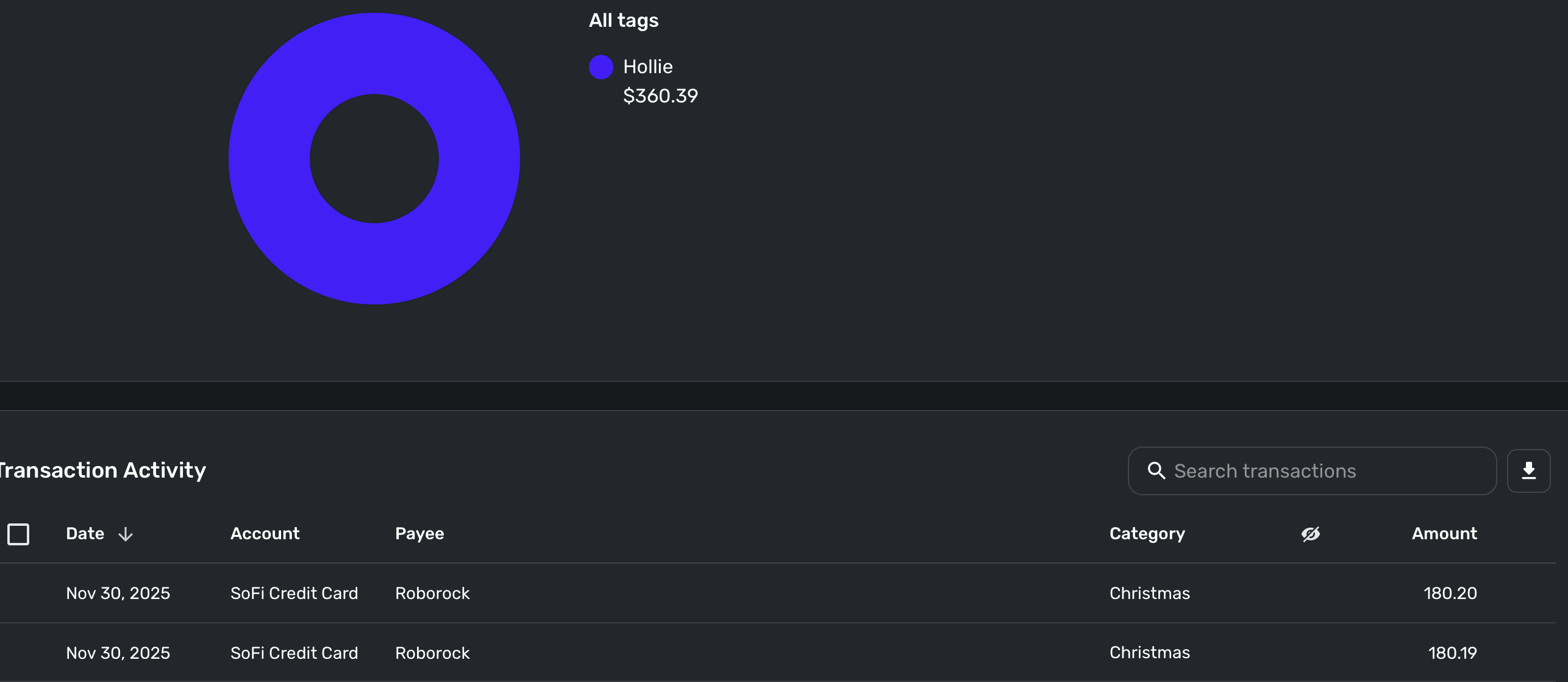
It will show the same amount and transactions if I filter using the Skyler tag.
0 -
OK, thanks. I have tags set up specifically for my wife's car and mine and sometimes I split the insurance cost between them, but when I run the Spending Report by tag, it separates them correctly. So you've double checked the transaction to make sure it is correct and you are using the Spending Report?
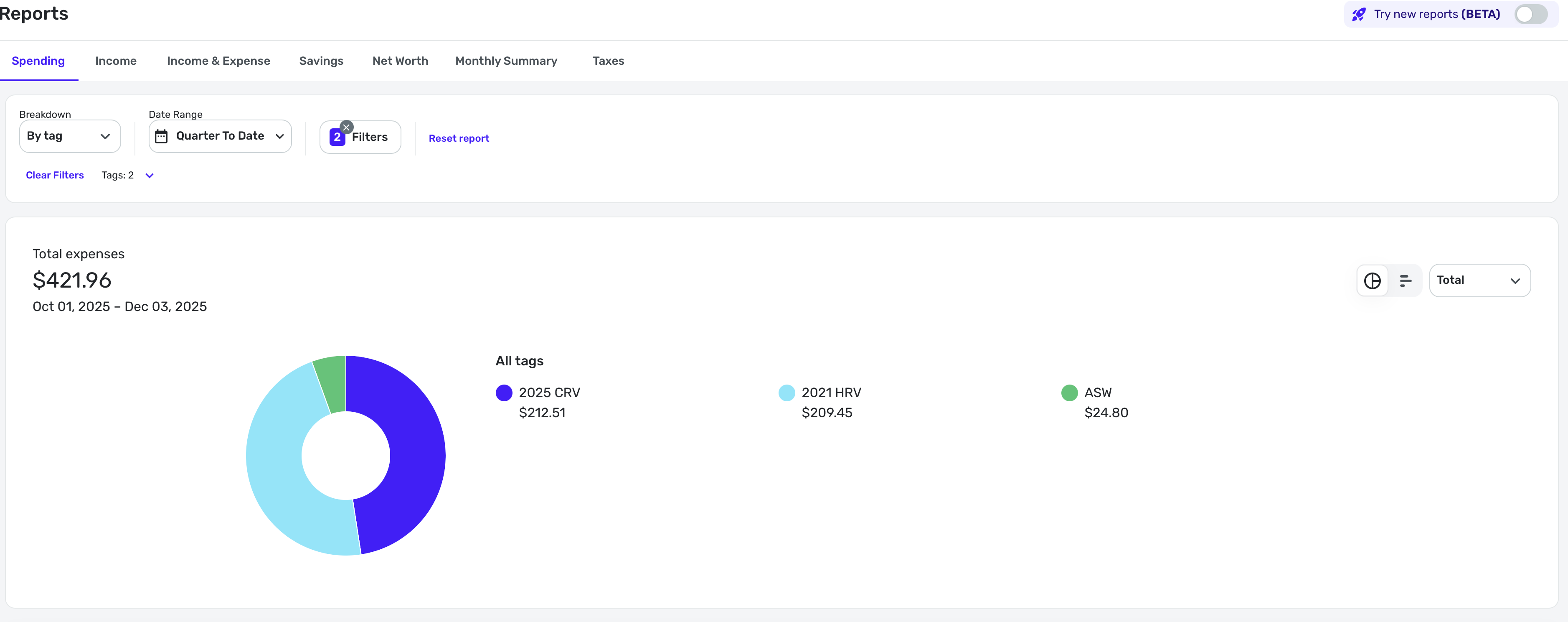
Notice I get the ASW tag too because one transaction for her gasoline was also for a conference. Everything is correct here in my report.
Here is the insurance payment split between the two:
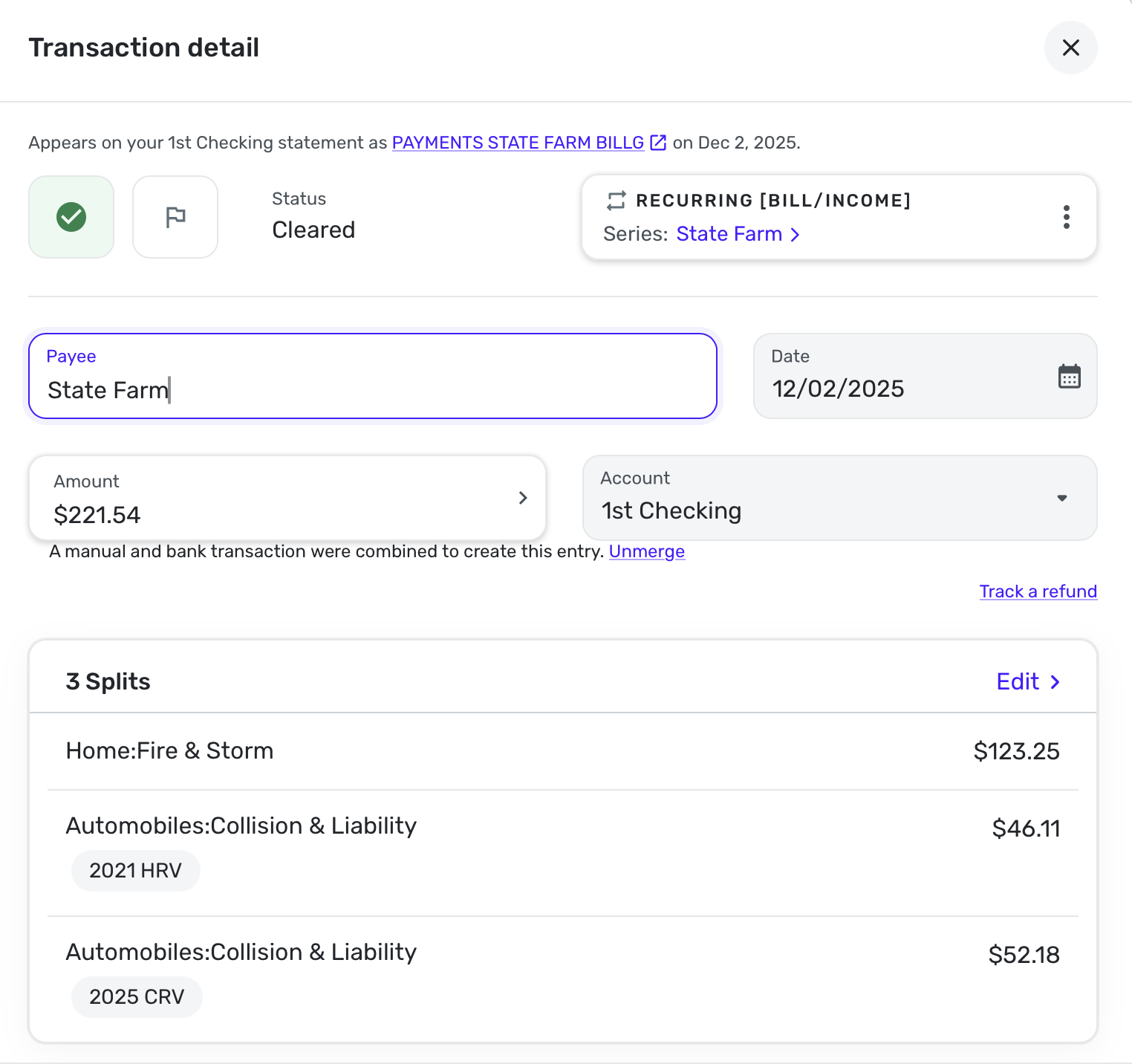
If everything seems right in the transactions, I would try removing the tags, deleting the tags and recreating them.
Steve
Quicken Simplifi (Safari & iOS) Since 2021
Quicken Classic (MacOS) Since 2009
MS Money (1991-2009) and Dollars & Sense (1987-1991)0 -
Ok, I figured it out. For some reason, I had a couple of transactions that stayed in the pending state even after they had cleared. So there was a duplicate transaction, one was cleared, and the other was pending. That explains why the report was showing what we thought were duplicates based on the tags.
Any idea what would cause a transaction to stay pending even when the transaction gets cleared? We likely added the tags and marked it as Reviewed while it was still pending. Maybe that was it.

I appreciate the help Steve!
1 -
Glad you figured it out. My checking account sometimes fails to match the pending and I end up with two. I usually notice and merge them or delete the pending one.
This happens in my case because this account downloads pending transactions and then takes two days to finalize it if it is a debit card. On the second day it updates it with a new date and on the 3rd day, it clears it. Sometimes things go awry.
I often think downloading pending transactions is not worth it. 😉
Steve
Quicken Simplifi (Safari & iOS) Since 2021
Quicken Classic (MacOS) Since 2009
MS Money (1991-2009) and Dollars & Sense (1987-1991)1
