Regions Bank - Pending transactions download twice (edited)

I’m having an issue where certain transactions that remain pending for more than a day are being re-downloaded, which then requires me to manually clear them out before the transaction actually clears. If I just let them clear, most of the time they process correctly. However, when I’m trying to maintain an accurate running total and balance, this becomes a real problem.
Comments
-
If you mean that the pending transaction is redownloading so that you have two transactions, then you can try merging them. If that doesn't work, you can delete the duplicate. I have an account that does that sometime for the same reason that you say, that it takes more than one day for them to clear.
As you say, clearing one of them will work to fix your bank balance, but it messes up your spending reports. I just delete my duplicates if I cannot merge them.
Usually the pending transaction that is left will clear the next day. As you say it is intermittent and not a constant problem.
Edit: But it's interesting that a big bank like Regions takes multiple days to clear a transaction. I figured my state bank just took longer. What my bank does is it updates the debit card transaction on day 2 and changes the date, so Simplifi often interprets this as a new transaction.
Example: Day 1 it is dated the 3rd and it is a debit at the gas station. Simplifi applies the category rule as gasoline. On Day 2, it is dated the 4th and same thing happens but as a second transaction (Note that this doesn't always happen; sometimes Simplifi gets it right). On day 3, it clears the transaction, usually correctly as I will have deleted the duplicate.
Is Regions doing that as well?
Steve
Quicken Simplifi (Safari & iOS) Since 2021
Quicken Classic (MacOS) Since 2009
MS Money (1991-2009) and Dollars & Sense (1987-1991)0 -
Its interesting as on online banking there is only one pending but on simplify it will have the same pending charge with two separate days. Say I made the charge on the 3rd and its still pending on the 4th so on the 4th it redownloads that same transaction as well. Will have to pay attention to the pending date on the online banking next time it happens.
1 -
We maybe ought to try to document it and make a bug report. Not only do I get the duplicates from time to time, but often they won't merge, so I have to delete the second one.
I did make a bug report when I first started with Simplifi and it got better for a while. I concluded that it was mostly my weird bank that happened to download pending transactions. A lot of financial institutions won't download pending transactions, e.g., Capital One, Fidelity.
It's the kind of thing that is difficult to document especially if it doesn't happen to many users, and fixing it when it does occur is relatively easy (delete the offending duplicate) and takes only a moment.
Steve
Quicken Simplifi (Safari & iOS) Since 2021
Quicken Classic (MacOS) Since 2009
MS Money (1991-2009) and Dollars & Sense (1987-1991)0 -
Hello @Fradojr,
Thanks for reaching out! To help clarify your situation, does the first pending transaction eventually disappear after it clears in Quicken Simplifi, or is that something you have to delete once it does? I know you stated that letting them clear lets everything process correctly, so we will want to verify the timeline and specifics for this issue.
-Coach Jon
-Coach Jon
0 -
I either manually delete them if im paying attention or one of them will drop off on its own. I have Multiple today that are pending since yesterday and they downloaded on the 9th but the date region has on it with online banking shows the 10th for the ones that have the dates. And some of the pending transactions do not even show a date but all the ones that do show today as the date 12/10 even though some of them were made on the 9th. Assuming this is the majority of my problem. I will have something renamed at categorized as pending and matched to a recurring and the 2nd one just shows up the next day see screen shots. @Coach Jon
0 -
Hello @Fradojr,
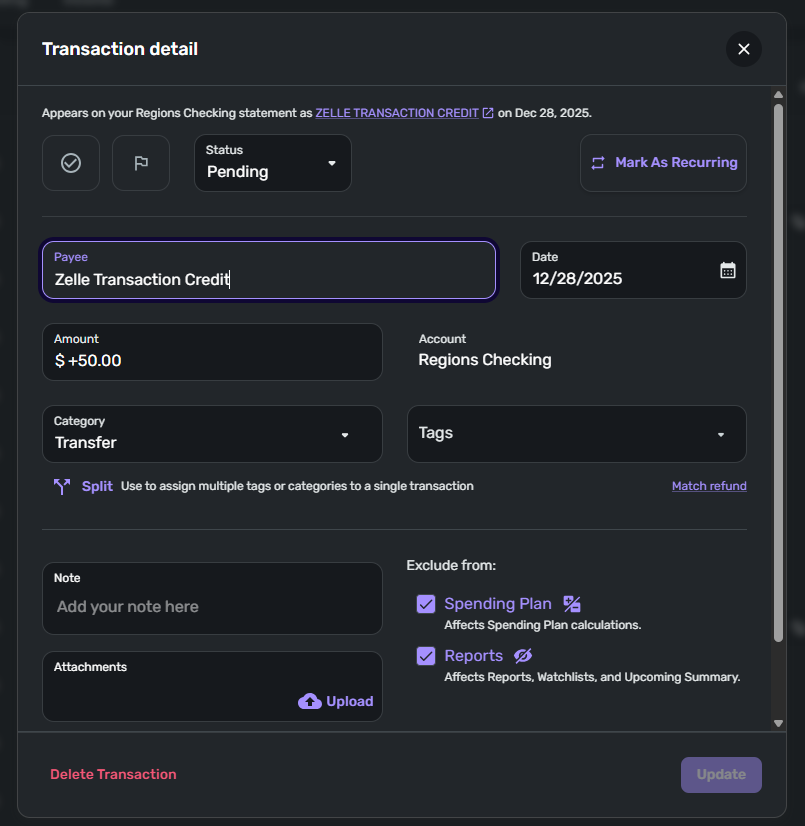
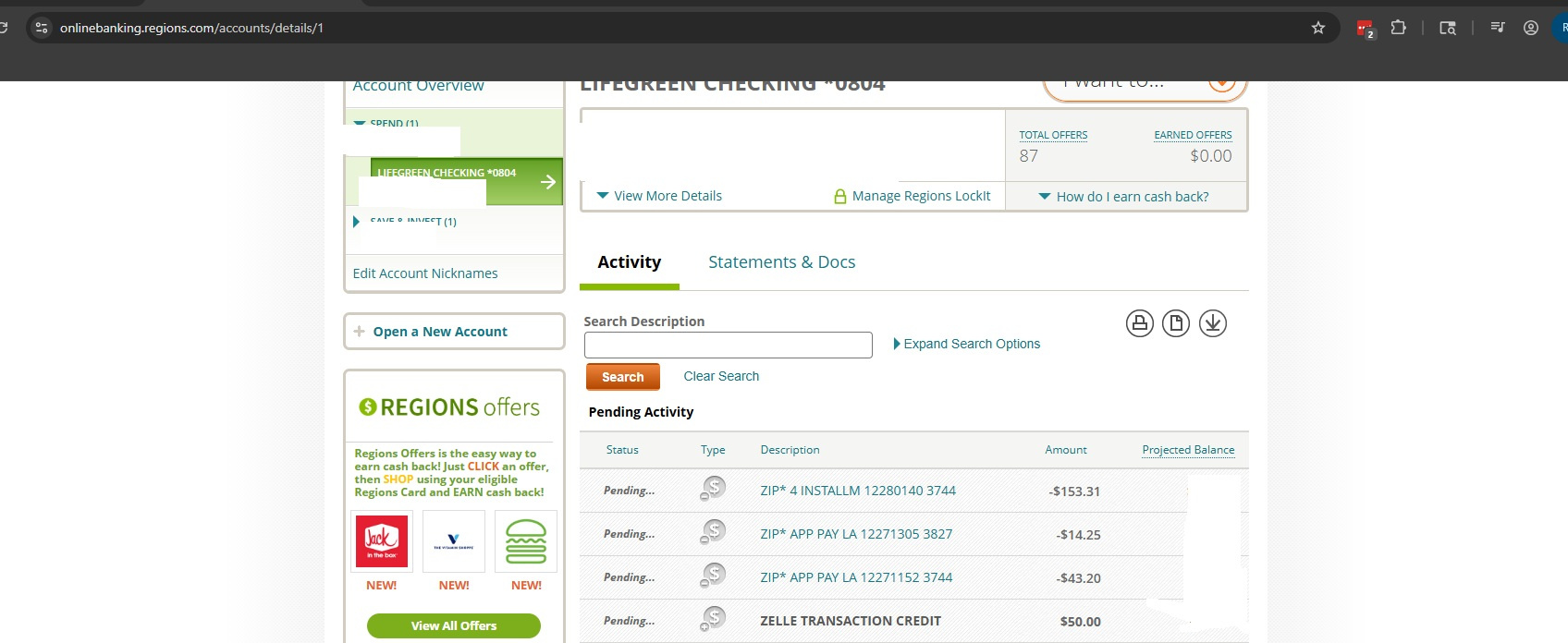
Thanks for the reply and the screenshots! I can see that the duplicate pending transactions from your screenshot have the same "Appears on your statement as…" information. Can you provide a screenshot from the bank's website showing the transaction there for comparison? This will allow us to verify that it is only showing up once over there, even though it is coming through twice in Quicken Simplifi.
In this case, I would also see if the following steps work to resolve the issue with the duplicate pending transactions you are seeing:
- Make all of the accounts with the bank manual by following the steps here.
- Once you see the account(s) listed in the Manual Accounts section under Settings > Accounts, go back through the Add Account flow to reconnect to the bank.
- If the connection is successful, carefully link the account(s) found to your existing Quicken Simplifi account(s) by following the steps here.
Let us know!
-Coach Jon
-Coach Jon
0 -
I will have to catch the next one with the online banking statement as it has cleared already. Will send an example next time I have one.
0 -
I would love for you to find a resolution with this because my local Alabama state bank does this just about every time I use the debit card. It takes 2 days to clear so that the bank redownloads them on day 2 with a new date. It is only a problem for debit transactions.
I have raised this issue repeatedly for four years and done bug reports so will be glad to do it again.
Regions Bank is a national bank headquartered in Birmingham so I now wonder if my local state bank uses their system or maybe they use the same system for the debit card. OTOH, my debit card is VISA branded so maybe it is the VISA system.
**Is it the same for you? These are debit transactions with a Visa debit card?
But what I have never figured out is why I was the only one on here who had this trouble so thought it was just my bank. Now I know it DOES affect others.
So if any others on here see this problem with their debit cards, let us know. **Since this issue seems not to affect many others probably means it's the bank's system and not Visa because almost everyone has a Visa debit card.
PS. This wasn't much of a problem until a couple of years ago when my local bank "upgraded" their online system. Before that they used net teller, and it worked fine, and almost all my debit transactions made before 2pm CT cleared next day. Still I didn't notice the problem with the ones that took two days. I don't think they changed the pending date until it was posted.
PPS. Walmart, Aldi, CVS (the pharmacy part but not the other part) use a faster system so their transactions clear the next day if transaction is before 2pm CT. Apparently they used expedited processes or newer equipment.
Steve
Quicken Simplifi (Safari & iOS) Since 2021
Quicken Classic (MacOS) Since 2009
MS Money (1991-2009) and Dollars & Sense (1987-1991)0 -
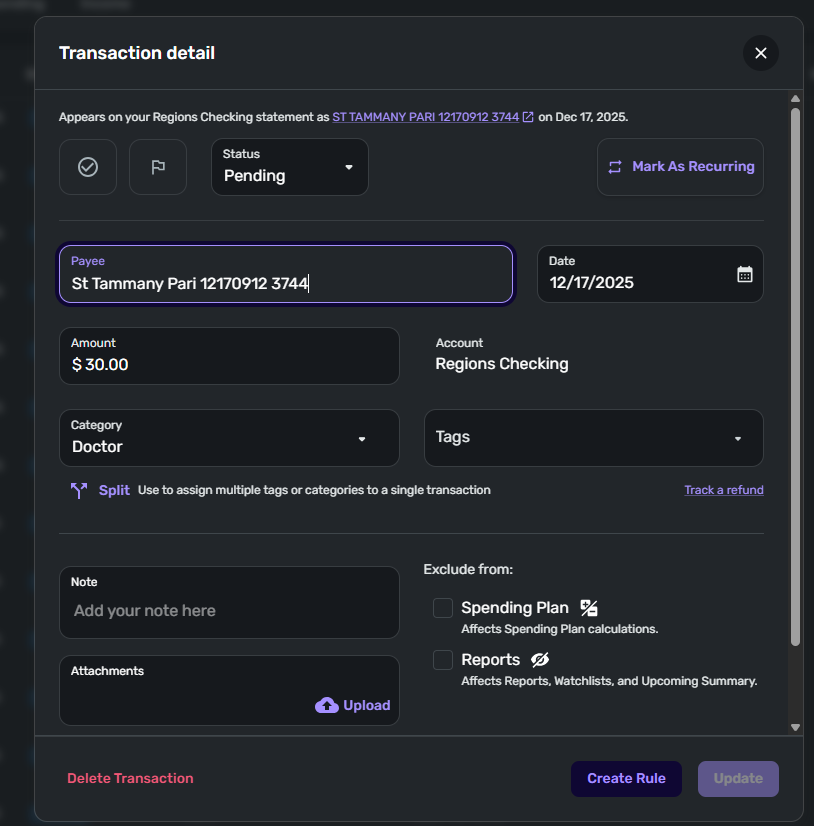
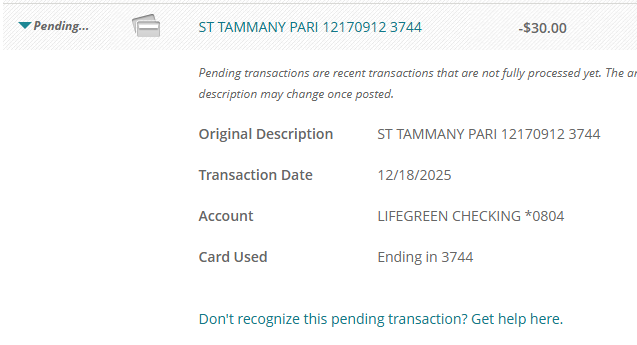
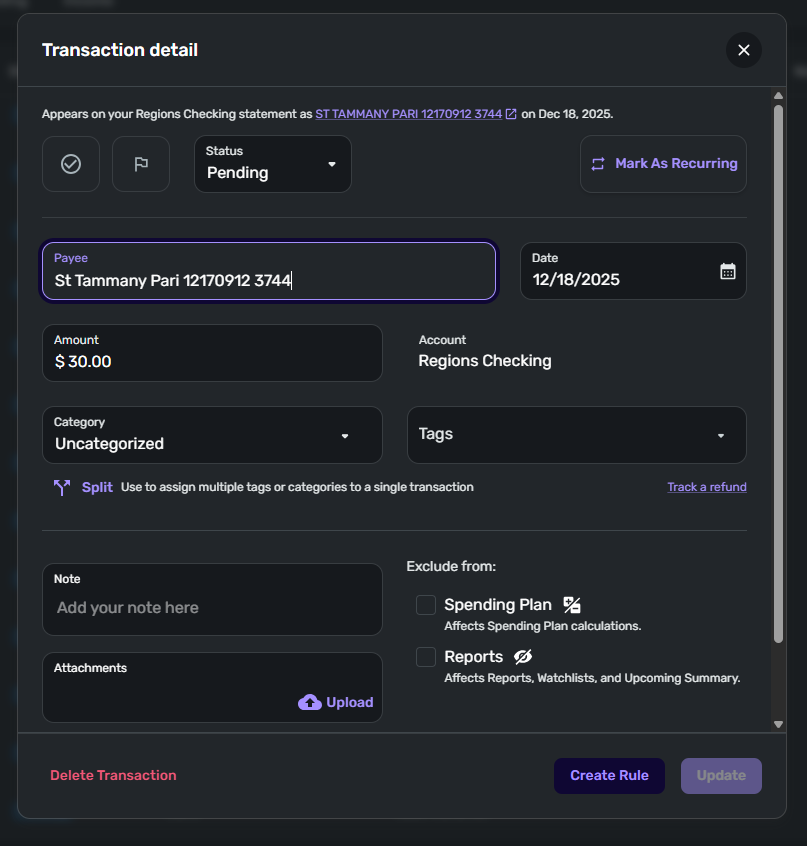
It appears as if the pending transaction changes with the current date on the bank side see the attached screen shots. @Coach Jon
 0
0 -
Hello @Fradojr,
Thank you for the requested screenshots. Have you tried the steps I listed previously to see if this works in solving the problem for you? If not, I would have you verify if the following steps work to resolve the issue with the duplicate pending transactions you are seeing:
- Make all of the accounts with the bank manual by following the steps here.
- Once you see the account(s) listed in the Manual Accounts section under Settings > Accounts, go back through the Add Account flow to reconnect to the bank.
- If the connection is successful, carefully link the account(s) found to your existing Quicken Simplifi account(s) by following the steps here.
If the issue persists, can you please provide the following information?
- The name of the account in which the transactions are duplicated in, as it appears in Quicken Simplifi.
- The Date, Payee, and Amount (or Date, Security, and Amount if it's an investing action transaction) of a few example transactions that are currently duplicated in Quicken Simplifi.
- A screenshot of the example transactions from the bank's website.
- A screenshot of the corresponding register in Quicken Simplifi showing that the transactions are duplicated.
- Confirm whether the duplicate transactions are impacting the balance in Quicken Simplifi or not.
- A screenshot of the Accounts Summary page from the bank's website that has a wide enough scope to show the full page URL. This is the landing page after signing in, and typically lists all accounts and balances. You will want to take this from a web browser and not a mobile browser, as well as redact any private info such as account numbers.
We will also need logs to be submitted:
- Log in to the Quicken Simplifi Web App.
- Select Profile from the left-hand navigation bar.
- With the Profile menu open, hold down the Option key for Mac or the Alt key for Windows, and then click Send Feedback.
- Leave all boxes checked, add a brief description of the issue, and then click Send.
Let us know!
-Coach Jon
-Coach Jon
0 -
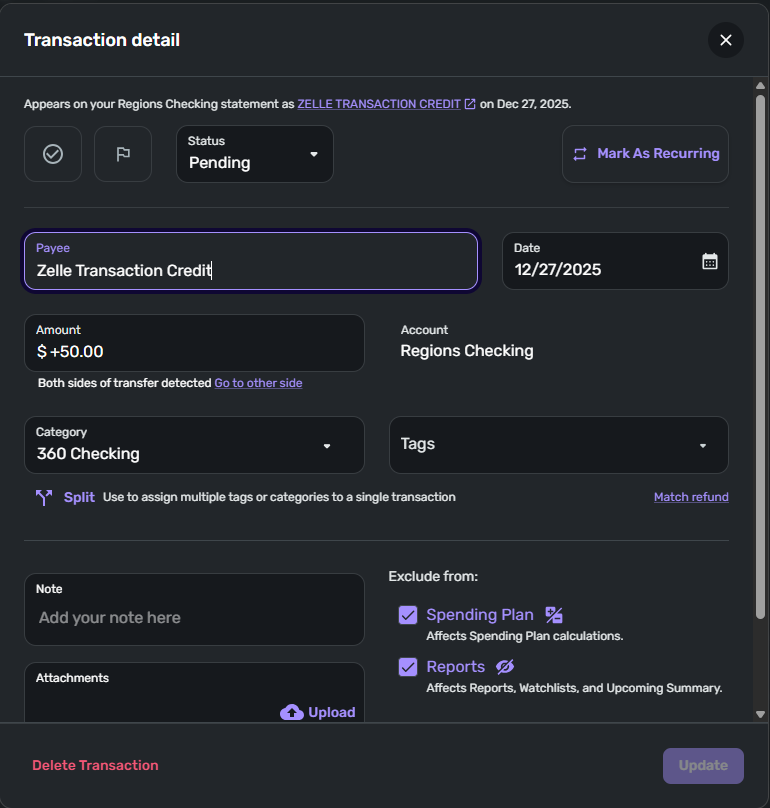
@Coach Jon Making the account manual did not help the issue. See examples as requested also submitted the feed back as well.
 0
0 -
Hello @Fradojr,
Thank you for those screenshots. It looks like we will still need some of the information I requested previously, if you can provide that as well. We still need:
- A screenshot of the Accounts Summary page from the bank's website that has a wide enough scope to show the full page URL. This is the landing page after signing in, and typically lists all accounts and balances. You will want to take this from a web browser and not a mobile browser, as well as redact any private info such as account numbers.
- Confirm whether the duplicate transactions are impacting the balance in Quicken Simplifi or not.
- A screenshot of the corresponding register itself in Quicken Simplifi showing that the transactions are duplicated. (I know you provided screenshots of the Transaction details, but we will need to see the account register showing the duplicated transactions in Transaction Activity as well.)
Let us know when that can be provided!
-Coach Jon
-Coach Jon
0 -
The last provided screen shot was the account summary page. And yes they do affect my the balance on simplify and will send the register when i come across it next. I normally clear them out immediately when I'm looking at it.
0

